

Tech
Strategic shift pays off as Okta bids to ease agentic AI risk | Computer Weekly


Off the back of its expanding agentic AI security vision, identity specialist Okta has turned in a solid third quarter with revenues up 12% to $742m (£562m) reversed a 12 month-ago multimillion dollar GAAP operating loss, and booked GAAP net income of $43m, up from $16m year-on-year.
In a signal that strategic decisions taken earlier this year may be paying off, Okta also revealed it currently has a subscription backlog of over $4bn, with approximately $2.3bn of that figure set to be recognised in the coming 12 months.
Okta CEO Todd McKinnon, who proclaimed a few short weeks ago that identity security and agentic AI security are basically one and the same, described a solid set of results highlighted by continued strength with large customers and adoption of its new products.
Speaking to Computer Weekly ahead of the results announcement, president and COO Eric Kelleher said: “Coming out of last year we had an important shift in strategy. We’d realised that going out to Q4 [1 November 2024 – 31 January 2025] our product innovation had accelerated to the point where it was putting a burden on our sales organisation to have to sell all products to all people.
“We made a significant change to specialise our go-to-market organisation on two buyer personas, the enterprise buyer, primarily chief information officers [CIOs] and chief information security officers [CISOs] and the developer buyer, and specialising our platforms as well – the Auth0 platform for developers and the Okta platform for CIOs and CISOs.”
Kelleher said that based on that, Q1 2026 had been broadly on-track, Q2 had shown improvement, and Q3 was “solid against our plans and expectations”.
He said the firm was now having more successful conversations with both of its core audiences and described identity security as never having been more important – something buyers are starting to recognise too, particularly those that have deployed multiple point solutions for different identity scenarios.
“They’re looking for an identity partner that can help them solve all these use cases with a single pane of glass … so we give them the administrative layer to make their businesses more secure.
“When you add to that the industry momentum around agents and people now having a brand new problem to solve with how they secure the identity of agents that are deployed in their environments, we are very optimistic for what the future holds for us,” he added.
AI bubble?
Amid more ambient chatter about an AI bubble – the Organisation for Economic Cooperation and Development’s (OECD’s) latest forecast for the US talks of a key risk to its projections being a “correction to equity markets that have been buoyed by the hopes of high returns to investment in AI” Kelleher said there would be winners and losers at every level of the AI world at some point, but that regardless of who they may turn out to be, AI agents are not going away.
“People are going to have agents deployed … and the existence of the agents is what creates the need for a platform to secure their identities, irrespective of whatever bubble there may or may not be,” he said.

The Department of Justice announced Thursday that it arrested Gannon Ken Van Dyke, an enlisted member of the US Army’s special forces, for allegedly using “classified, nonpublic” information about the capture of Venezuelan president Nicolás Maduro to notch more than $400,000 in profits on Polymarket trades. A grand jury indicted him on five counts, including multiple violations of the Commodity Exchange Act.
Van Dyke is the first person to be charged with insider trading on a prediction market in the United States. Lawmakers have been voicing concerns for months about the high likelihood that politicians and public servants could use nonpublic information to profit from trades on leading industry platforms like Polymarket and Kalshi, which have exploded in popularity over the past year.
The arrest comes just weeks after Department of Justice prosecutors met with Polymarket about potential insider tradition violations. In February, Israeli authorities arrested two citizens, an army reservist and a civilian, for allegedly leaking classified information by making wagers on Polymarket related to military operations. Kalshi, Polymarket’s primary rival in the United States, recently fined three politicians for breaking its insider trading rules, but it did not flag the violations for further enforcement to the Commodity Futures Trading Commission (CFTC), the federal agency that oversees prediction markets.
After Van Dyke’s arrest was made public, Polymarket posted a statement to social media noting that it had “identified a user trading on classified government information” and “referred the matter to the DOJ & cooperated with their investigation.” The company declined to comment further.
According to court documents, Van Dyke has been an active duty US soldier since September 2008 and rose to the level of master sergeant in 2023. At the time of the alleged trading activity, he was stationed at Fort Bragg in Fayetteville, North Carolina, and assigned to the Army’s Special Operations Command Western Hemisphere Operations.
“I have been crystal clear that anyone who engages in fraud, manipulation, or insider trading in any of our markets will face the full force of the law,” CFTC chair Michael Selig said in a statement. “The defendant was entrusted with confidential information about US operations and yet took action that endangered US national security and put the lives of American service members in harm’s way.”
The complaint alleges that Van Dyke was involved in the planning and execution of Maduro’s arrest and that he was aware that he wasn’t authorized to share nonpublic information about US military operations. The complaint says that Van Dyke signed a nondisclosure agreement that forbade him from revealing sensitive or classified government information “by writing, word, conduct, or otherwise.” The complaint also alleges Van Dyke saved a screenshot to his Google account “displaying the results of an artificial intelligence query” outlining how the US Special Forces maintains many classified files including “operational details that are not available to the public.”
On December 26, Van Dyke allegedly opened an account on Polymarket and took out around $35,000 from his bank account before transferring it to a cryptocurrency exchange.
The following day, Van Dyke allegedly made his first Venezuela-related trade on Polymarket, putting a little less than $100 on a “YES” contract that US forces would be in Venezuela by January 31, 2026. Prosecutors accuse him of ultimately making 13 Venezuela-related transactions on the platform, seven of those—totaling hundreds of thousands of shares—on a “YES” contract for “Maduro out by … January 31, 2026.” In other words, Van Dyke allegedly stood to make an enormous profit if the Venezuelan leader wound up out of power by the end of the month.
Tech
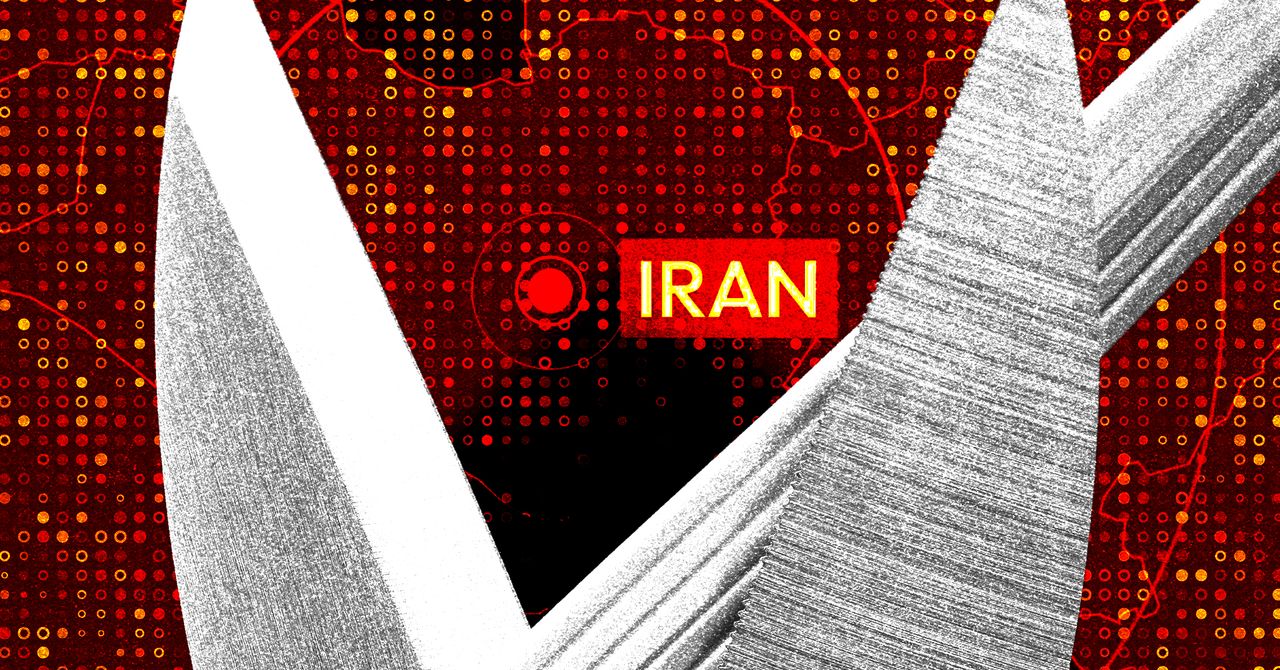
Newly Deciphered Sabotage Malware May Have Targeted Iran’s Nuclear Program—and Predates Stuxnet
Instead, Kamluk saw that it was a self-spreading piece of code with very different intentions. Using what was referred to within the code as “wormlet” functionality, Fast16 is designed to copy itself to other computers on the network via Windows’ network share feature. It checks for a list of security applications, and if none are present, installs the Fast16.sys kernel driver on the target machine.
That kernel driver then reads the code of applications as they’re loaded into the computer’s memory, monitoring for a long list of specific patterns—“rules” that allow it to identify when a target application is running. When it detects the target software, it carries out its apparent goal: silently altering the calculations the software is running to imperceptibly corrupt its results.
“This actually had a very significant payload inside, and pretty much everybody who looked at it before had missed it,” says Costin Raiu, a researcher at security consultancy TLP:Black who previously led the team that included Kamluk and Guerrero-Saade at Russian security firm Kaspersky, which did early work analyzing Stuxnet and related malware. “This is designed to be a long-term, very subtle sabotage which probably would be very, very difficult to notice.”
Searching for software that met the criteria of Fast16’s “rules” for an intended sabotage target, Kamluk and Guerrero-Saade found their three candidates: the MOHID, PKPM, and LS-DYNA software. As for the “wormlet” feature, they believe that the spreading mechanism was designed so that when a victim double-checks their calculation or simulation results with a different computer in the same lab, that machine, too, will confirm the erroneous result, making the deception all the more difficult to discover or understand.
In terms of other cybersabotage operations, only Stuxnet is remotely in the same class as Fast16, Guerrero-Saade argues. The complexity and sophistication of the malware, too, place it in Stuxnet’s realm of high-priority, high-resource state-sponsored hacking. “There are few scenarios where you go through this kind of development effort for a covert operation,” Guerrero-Saade says. “Somebody bent a paradigm in order to slow down or damage or throw off a process that they considered to be of critical importance.”
The Iran Hypothesis
All of that fits the hypothesis that Fast16 might, like Stuxnet, have been aimed at disrupting Iran’s ambitions of building a nuclear weapon. TLP:Black’s Raiu argues that, beyond a mere possibility, targeting Iran represents the most likely explanation—a “medium-high confidence” theory that Fast16 was “designed as a cyber strike package” that targeted Iran’s AMAD nuclear project, a plan by the regime of Ayatollah Khameini to obtain nuclear weapons in the early 2000s.
“This is another dimension of cyberattacks, another way to to wage this cyberwar against Iran’s nuclear program,” Raiu says.
In fact, Guerrero-Saade and Kamluk point to a paper published by the Institute for Science and International Security, which collected public evidence of Iranian scientists carrying out research that could contribute to the development of a nuclear weapon. In several of those documented cases, the scientists’ research used the LS-DYNA software that Guerrero-Saade and Kamluk found to have been a potential Fast16 target.

Some Rednote users have reported that their accounts were automatically converted from the Chinese to the international version of the website recently. One American user, who asked to remain anonymous to avoid being punished by the platform, shared a screenshot with WIRED showing that when he logged into the platform in April, a banner appeared that read “Your account is a rednote account. We have automatically redirected you to rednote.com.”
The user says he registered his account with a Chinese phone number years ago, but suspects his account was converted because of using a non-Chinese IP address. “I have never posted from China. It’s always been in the United States. Obviously, in one glance, they can see this is an American posting in English,” he says.
Looming Split
After TikTok sidestepped a US shutdown by selling a majority stake in its American business, most of the “refugees” who had fled to Rednote went back to the video app or to other platforms. Those who stayed often did so because they value reading about and talking directly with Chinese people living in China. They now worry that a corporate split could destroy what had been one of the strongest bridges between the Chinese internet and the wider world.
Jerry Liu, a Vancouver-based TikTok influencer known for sharing funny content about Rednote itself, said in a November video that he was told by staff at the company’s Shanghai office that international users should expect to see less Chinese content and more North American content in the future. “I feel frustrated. I think it’s just gonna be less fun,” he said in the video.
Rednote had tried the TikTok localization playbook before—it launched a slew of regionally focused apps roughly three years ago with names like Uniik, Spark, Catalog, Takib, habU, and S’More that each catered to specific countries outside China, but they failed to catch on. The effort could have been a lesson for the company about the value of its massive Chinese content ecosystem to people in other countries, but as is often the case, regulatory and political considerations appear to have taken priority.
“I don’t want to see Americans talking about Coachella. I did that on Instagram, I didn’t join Xiaohongshu to see Instagram,” says the American user who was recently redirected to Rednote.
Security Concerns
As Rednote goes global, the company is no doubt looking to Chinese predecessors like WeChat and TikTok for ideas about how to navigate the minefield of content moderation and data privacy. So far, its approach looks to more closely resemble that of WeChat.
For over a decade, WeChat has sorted users based largely on one criterion: whether they used a Chinese or a foreign number to sign up. That has allowed users to cross Tencent’s digital border by unlinking and relinking their WeChat accounts to different mobile numbers.
Jeffrey Knockel, an assistant professor of computer science at Bowdoin College, found that Tencent censors content on WeChat and Weixin differently, even though the two platforms are integrated with one another and users can communicate across them. He says Chinese users are subject to a real-time keyword-matching filter to censor politically sensitive speech, but “if you registered for WeChat using a Canadian or an American phone number, your messages aren’t necessarily under that kind of censorship.”
Knockel says WeChat’s blended content moderation approach may have made some people wary about using the app. “Users are generally distrustful of the platform. They don’t know if they’re being watched and censored,” he says. As Rednote moves in a similar direction, it will be worth watching whether international audiences end up having similar misgivings.
This is an edition of Zeyi Yang and Louise Matsakis’ Made in China newsletter. Read previous newsletters here.


Rams make surprise first-round move, take Alabama QB Ty Simpson

Luke Grimes shares what disappoints ‘Yellowstone’ fans the most

US Special Forces Soldier Arrested for Polymarket Bets on Maduro Raid

-

 Fashion1 week ago
France’s LVMH Q1 revenue falls 6%, shows resilience amid Iran war
-
 Entertainment1 week ago
Is Claude down? Here’s why users are seeing errors
-

 Sports1 week ago
PSL 11: Peshawar Zalmi win toss, opt to field first against Quetta Gladiators
-

 Tech1 week ago
The Deepfake Nudes Crisis in Schools Is Much Worse Than You Thought
-
 Business1 week ago
Standard Life buys rival in £2b deal to create savings giant
-

 Tech1 week ago
CYBERUK ’26: UK lagging on legal protections for cyber pros | Computer Weekly
-

 Fashion1 week ago
Raymond unveils luxury Chairman’s Collection Store in Mumbai
-
 Business1 week ago
PepsiCo earnings beat estimates as North American food business improves