

Tech
AT&T unveils Open RAN call milestone | Computer Weekly


AT&T has announced it has completed its first Open RAN call using third-party radios over its commercial network.
AT&T first revealed its plan to modernise its wireless network almost two years ago, as part of a $14bn deal with Ericsson, described at the time as “industry-defining” and marking a “pivotal milestone” for the Open RAN industry.
Under the terms of the deal, the Swedish comms tech company agreed to build a 5G network platform for AT&T, deploying a range of its 5G Open Radio Access Networks products and supporting the US operator’s nationwide Open RAN ambitions.
The deal is centred on creating an open programmable network that will enable AT&T to accelerate the commercial introduction of Open RAN equipment and open network management services from multiple suppliers, using purpose-built hardware and virtualised commercial off-the-shelf (COTS) hardware.
The collaboration also sees the operator using cloud-native technologies built on O-RAN standardised interfaces – with what Ericsson said will have industry scale, cost efficiency, sustainability and high-performance top of mind. Over time, AT&T and Ericsson will transform this to a cloud-native open network.
The Ericsson offerings include massive MIMO and remote radios that are hardware-ready for the next generation of open fronthaul technologies. These radios are designed to lead to lower total cost of ownership (TCO) through their reduced weight, size and power consumption.
AT&T has just announced that to date, it has already completed nearly 40% of the overall swap programme from Nokia radios to Ericsson, and that it has added mid-band (N77) spectrum to over 15,000 sites, which it says deliver increased speeds and a “greatly improved” wireless experience for its customers. The programme was completed in collaboration with Ericsson and Fujitsu subsidiary 1Finity.
In August 2025, AT&T announced the successful completion of the first Open RAN call using third-party radios at its Labs facility, also in collaboration with Ericsson and 1Finity, and has now made the first Open RAN call using third-party radios over its commercial network.
AT&T described the move as a testament to the hard work and dedication of its teams. It stressed that the achievement was not just a technical milestone, but instead a clear signal that the future of wireless will be open, agile and innovation-driven.
Furthermore, it noted that the multi-vendor offering demonstrated the interoperability and flexibility Open RAN brings to its network, underscoring the critical role of collaboration in developing open and programmable networks that can transform the industry.
“Open RAN is more than a technology shift – it’s a catalyst for innovation and collaboration across the industry,” added Patrik Eriksson, vice-president and head of the mobile system business unit at 1Finity. “By proving multi-vendor interoperability on AT&T’s commercial network, we’re not just advancing technology – we’re shaping an ecosystem that will accelerate innovation for our customers and the entire industry.
“This is a significant milestone for the industrialisation of Open RAN, with the 1Finity radio operating with fully commercialised Ericsson software in the AT&T Network,” said Paul Challoner, vice-president and chief technology officer of the customer unit for AT&T at Ericsson.
“The 1Finity radios are integrated into Ericsson’s Intelligent Automation Platform, its Open RAN management and automation platform, which enables multi-vendor radio support. It is a great proof point for Open RAN ecosystem collaboration.”

Looking for an all-in-one soundbar that sounds as big as it looks? Sennheiser’s Ambeo Max uses its oversized body to produce beefy, enveloping sound, and right now you can grab it for just $2,000 at Best Buy, a sizable $1,000 markdown from the usual list price. It’s one of our favorite standalone premium soundbars, particularly if you don’t want to deal with an exterior subwoofer but still want bigger bass than you’re likely to find on smaller options.
While it might be a bit larger than your average soundbar, Sennheiser uses the space well, packing a ton of functionality and drivers into the less-than-compact body. There are both full-range and 1-inch tweeters combined in every conceivable direction, and the result is an impressive reproduction of true spatial audio, something few other standalone bars can claim. As a result, it also has an impressive low-end, with bass that doesn’t rival dedicated subwoofers, but comes really close for how much simpler the setup process will be.
The larger footprint also allows for a huge number of inputs, more than you’re likely to find on those tiny soundbars that slide under your screen. In addition to an HDMI 2.1 output with eARC, you’ll get three HDMI inputs with 4K pass-through at 60Hz, USB, Ethernet, and optical audio. There are even RCA ports in case you want to hook this up to your turntable. There’s also a dedicated subwoofer output, in case you decide you want to add one to your setup down the road, giving you a ton of options should you decide to put the Ambeo Max at the center of your home audio setup.
Ready to make the move to a bigger, better soundbar? Swing on over to Best Buy to grab this hefty discount on the Sennheiser Ambeo Max, or check out our guide to the best premium soundbars for some of our other favorite picks. If you’re just out looking for a great deal in general, the Amazon Big Spring Sale is underway, and we’ve got a dedicated post with all the best discounts on everything from smartwatches to water bottles.

On Thursday, hours-long security lines snaked through New York City’s LaGuardia Airport. The wait was far from the longest in the country—George Bush International Airport in Houston reported three and a half hour lines. Over a month into a partial government shutdown that has left some Department of Homeland Security (DHS) employees working without pay, Transportation Security Administration (TSA) agents are calling in sick or leaving work en masse, leading to travel chaos around the US. The Trump administration’s solution? Send Immigration and Customs Enforcement (ICE) agents in.
ICE agents were deployed to at least 14 airports on Monday, ostensibly in an effort to speed up security lines—and five days into ICE’s incursion, airport employees are infuriated. The ICE agents, Transportation Security Officers (TSOs) who work for the TSA tell WIRED, don’t have the proper certification and training to perform many of tasks that might truly speed up security lines. The TSA employees say they’re frustrated by the situation—and worried about what it might mean for their future.
ICE agents have been spotted walking in packs, patrolling security lines and baggage areas. They have been seen giving directions to lost passengers, photographed distributing mini water bottles to those waiting in line, and, more often than not, standing around and appearing to do very little. “ICE are here and they’re doing literally nothing to help,” passengers in a security line overheard one airline worker complain on Wednesday at John F. Kennedy airport in New York.
The Atlanta Journal-Constitution reported that some passengers stuck in line spotted ICE agents being trained to check passenger IDs and boarding passes. In a hearing in front of the US House Committee on Homeland Security on Wednesday, TSA acting head Ha Nguyen McNeill said that “the travel document checker function is one of the nonspecialized screen functions of the TSA,” and said ICE agents are being trained to conduct checks.
TSOs say ICE’s presence is frustrating to those working without pay—especially because ICE agents are being paid. “If you want to bring a tactical force into an environment where it’s required to have customer service and a mindset where you know what you’re doing, how to identify something that might be suspicious—they don’t have that training,” says Hydrick Thomas, a security officer and the president of AFGE Local 2222, which covers New York and New Jersey airports.
Security officers say they’re concerned for their coworkers, who, thanks to last fall’s government shutdown, haven’t received a steady paycheck for half of the fiscal year. Agents are worried about paying for rent, mortgages, gas, and childcare. Food banks have stood up drives in several airports, including those in Houston, North Carolina, and San Diego. In Knoxville, Tennessee, airport authorities are accepting donations for employees at a Delta Airlines counter. Eleven percent of airport checkpoint employees called out on Tuesday, compared to four percent pre-shutdown, a federal official testified to Congress on Wednesday morning. Some airports, including those in Houston, Atlanta, New Orleans, and New York’s John F. Kennedy, have seen daily callout rates higher than 35 percent. More than 480 TSA screeners have quit since the shutdown began in February, the agency says.
Long term, security officers say they’re concerned that the federal government plans to replace them with other federal agents, including ICE agents, or private sector employees. One mentioned Project 2025, a blueprint for the second Trump administration published by the conservative Heritage Foundation, which advocates for privatizing TSA altogether.
“A part of the American dream that I was sold was that working for the government was honorable and stable,” Carlos Rodriguez, a security officer and a AFGE TSA Council 100 vice president representing airports Northeastern airports from New Jersey to Vermont. “But this is not honorable or stable at this moment.”
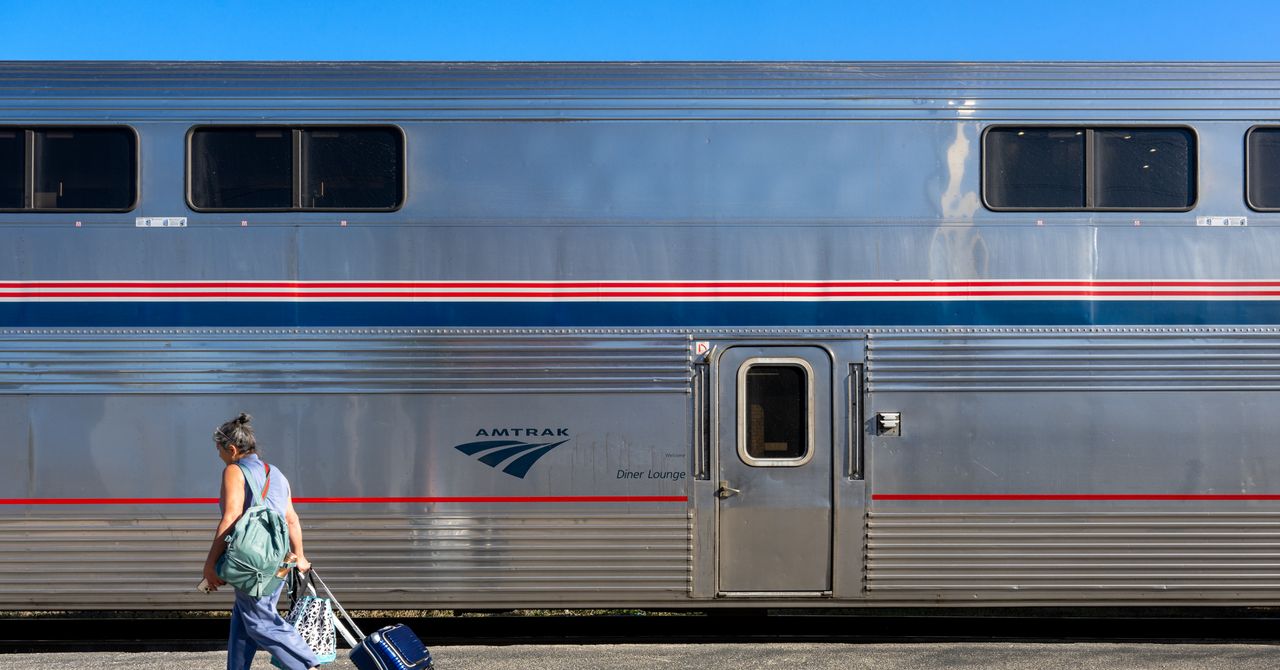
Every year, without fail, the US experiences at least one major disruption in air travel due to severe weather, government shutdowns, software outages, or power outages—you name it.
Right now, a partial government shutdown has meant that thousands of Transportation Security Administration (TSA) workers have not been paid for several weeks, causing many to call out of work or quit. That has meant long security lines—more than three-hour waits—ensuing chaos at airports around the country. It’s unclear how long this mess will last, so it’s worth thinking about other options.
Flights are also expensive and hard on the environment. If you can take a bus, train, or ferry to your destination, why shouldn’t you? These travel search apps help you find routes and prices so you can compare them and make the best decision.
Wanderu
Best for Buses and Trains in the US and Canada
In the US and Canada, Wanderu is my go-to search aggregator for travel by bus or train (it works in Europe and the UK, too). Wanderu is your classic travel aggregator, looking up the schedules and prices across several bus and train operators, including Amtrak, BestBus, Flixbus, Greyhound, OurBus, Peter Pan, RedCoach, Vamoose, and others.
You see price comparisons at a glance, as well as options for upgraded class fares, departure and arrival times, and the location of each bus and train station, since sometimes you can save a lot of time by choosing one point over another. Filters help you narrow down your results based on your preferences, and you can book right from the app.
Omio
Compares Trains, Buses, Flights With Excellent Summaries
If you aren’t sure whether you want to travel by land or air, head to Omio. Type in your departure point, destination, and the date you want to travel, and Omio finds routes by plane, bus, and train. A concise summary at the top of the search results tells you the lowest fare and how long it will take for each mode of transportation, so you can make an informed decision quickly. Omio also shows whether the fare will be higher or lower if you travel on a different day of the same week, in case your dates are flexible.
Rome2Rio
Includes Comparison for Driving
Rome2Rio compares prices and times for travel by bus, train, flight, and driving yourself, based on estimated fuel costs. It works reasonably well for trips in the US and Canada. Rome2Rio touts itself as being for worldwide travel, though Europe and the UK seem to be its sweet spot. Elsewhere, take the approach of “trust, but verify,” and this app will take you places.
Virail
Compares Buses, Trains, and Flights
Virail is similar to Omio, comparing travel options by train, bus, and flight, with a neat summary of prices at the top of the search results, although it lacks the total travel time. For that, you have to scroll through the results. To book a ticket, Virail sends you to other websites, and you might have to do additional legwork to reserve your seat. It works reasonably well in the US and Canada (in testing, it got a little tripped up in Mexico), and does well for travel in Europe and the UK.
Vivanoda
Includes Flight and Carpool
Vivanoda (website only, no app) is similar to Omio, comparing all your options for getting between two points—and it includes flights, ferries, and carpool/rideshare options when applicable. The site operates out of the European Union and seems to work slightly better for travel in Europe and the UK than in the US and Canada, where it has some holes. (It didn’t find a direct flight between San Francisco and Vancouver, for example, even though there is more than one daily.)
Seat 61
Best Old-School Site for Trains and Bus Info Worldwide
Seat61, also known as The Man in Seat 61 (website only), has an old-school look and some of the best, most reliable information about traveling by bus and rail all around the world. Mark Smith, who runs the site, tells you exactly where in the world he knows about the train and bus routes: The site lists all the countries it covers on the left side, everywhere from Albania to Zimbabwe. He shares timetables, prices, and even includes photos, though his site is not a search aggregator, and you do have to go elsewhere to book. That said, it’s an excellent resource.


Backstreet Boys AJ McLean shows support to Britney Spears after DUI arrest

Asda boss rejects profiteering claims as petrol price tops 150p

Britney Spears turns a new page after recent legal trauma

-

 Entertainment1 week ago
Val Kilmer revived 1 year after death through AI
-

 Fashion7 days ago
China’s textile & apparel exports surge 17% to $50 bn in Jan-Feb 2026
-
 Business1 week ago
Video: The Effects of High Oil Prices
-
 Business7 days ago
Flipkart group CFO to leave co amid IPO plans – The Times of India
-

 Sports1 week ago
Rating Adidas’ 2026 World Cup away shirts: Argentina, Spain, Mexico and more
-

 Fashion1 week ago
The hidden $1.62 war tax now embedded in every garment you source
-

 Sports7 days ago
American Conference Commissioner Tim Pernetti thanks Trump for Army-Navy game executive order
-
Tech1 week ago
The Corsair 4000D RS PC Case Keeps Your System Cool