

Tech
Gear News of the Week: Withings Launches Its Pee Scanner, and Samsung Shows Off a Trifold Phone

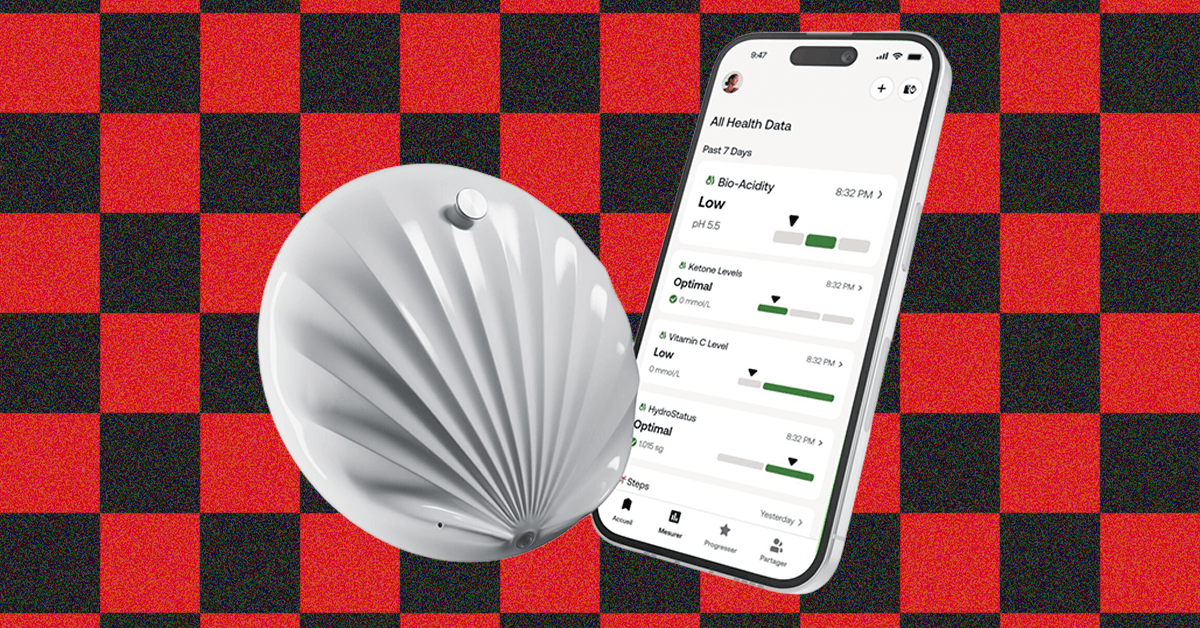
A few weeks ago, bathroom and plumbing company Kohler debuted the Dekoda, a health and wellness sensor that lives on your toilet bowl and records signs of your gut health and hydration. Now, Withings has launched the U-Scan. First shown at CES in 2023, the U-Scan also sits inside the toilet bowl. A thermal sensor detects when a fresh, er, sample is being deposited. The U-Scan takes a small sample and analyzes it on-site with miniature biochemical sensors inside an interchangeable cartridge.
There are two separate U-Scans. U-Scan Nutrio analyzes your diet, checking for biomarkers like bio-acidity, hydration status, and ketone levels, which shows that you’ve started burning body fat instead of sugar. U-Scan Calci also checks for calcium, which is a sign that you might have kidney stones. Results are then transmitted via Wi-Fi to the Withings app.
The cartridges are replaceable, and the sensor comes with a docking station to clean and recharge the sensor. Purchasing the U-Scan comes with a complimentary subscription to Withings+, the company’s upgraded app, which also includes a free consultation with a nutritionist.
The U-Scan packages start at $380, which comes with one U-Scan, either Nutrio or Calci, one cartridge, and two to four scans weekly (each cartridge lasts about 2.5 months). For more intensive monitoring, the Intensive package includes two cartridges for five to seven weekly measurements. Replacement cartridges are $100 for one cartridge or $180 for two, and Withings sends you the cartridge automatically depending on which package you select. The U-Scan is now available at Withings.com. We’ll be testing it soon. —Adrienne So
Samsung Brings Its Browser to Windows, and Teases a Trifold Phone
Samsung has long offered its own browser on its smartphones—Samsung Internet—but now the app is finally available on another platform: Windows. Considering Samsung makes Windows laptops and Android phones, this move allows folks who use the company’s browser to share their browsing history and bookmarks between phone and laptop, and if you have saved passwords with Samsung Pass, you can use it to autofill passwords on websites.
The company is taking this opportunity to bring some Galaxy AI features over as well, including Browsing Assist, which lets you instantly summarize webpages or translate them to another language. Samsung says its browser also blocks third-party web trackers, and there’s a Privacy Dashboard that lets you see what has been blocked.
Samsung Internet for PC is only available as a beta right now, but anyone in the US or South Korea on Windows 11 or Windows 10 (version 1809 and above) can download it now.








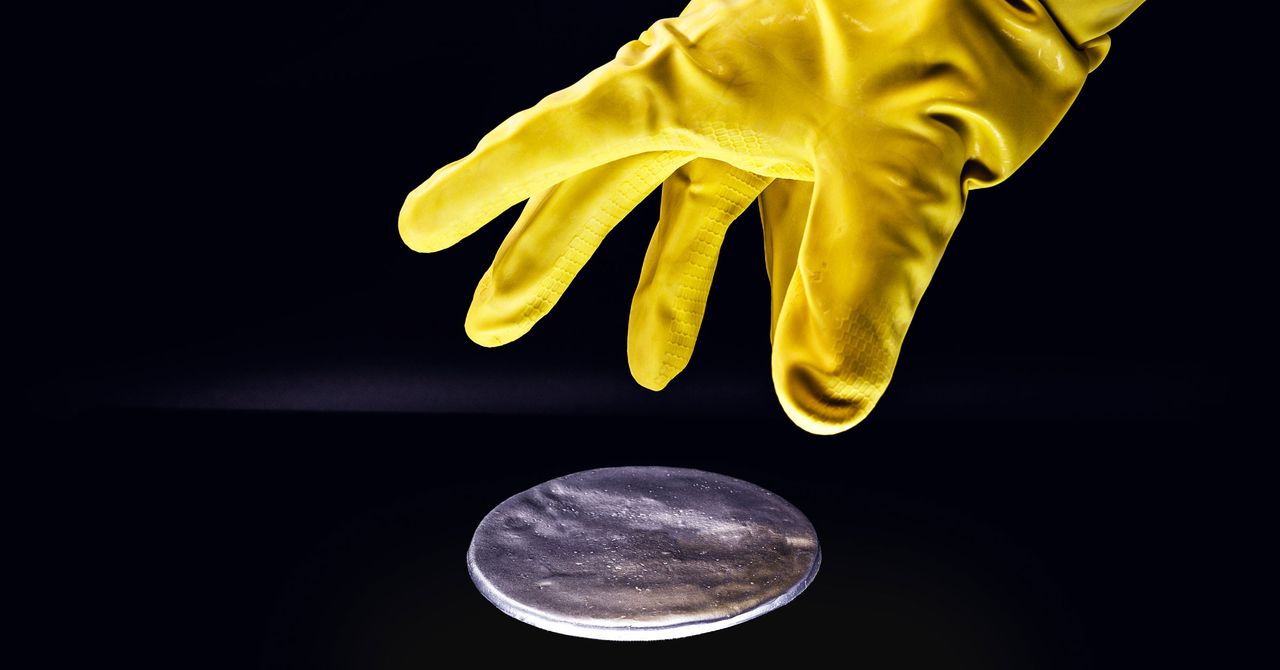
President Donald Trump and top defense officials are reportedly weighing whether to send ground troops to Iran in order to retrieve the country’s highly enriched uranium. However, the administration has shared little information about which troops would be deployed, how they would retrieve the nuclear material, or where the material would go next.
“People are going to have to go and get it,” secretary of state Marco Rubio said at a congressional briefing earlier this month, referring to the possible operation.
There are some indications that an operation is close on the horizon. On Tuesday, The Wall Street Journal reported that the Pentagon has imminent plans to deploy 3,000 brigade combat troops to the Middle East. (At the time of writing, the order has not been made.) The troops would come from the Army’s 82nd Airborne Division, which specializes in “joint forcible entry operations.” On Wednesday, Iran’s government rejected Trump’s 15-point plan to end the war, and White House press secretary Karoline Leavitt said that the president “is prepared to unleash hell” in Iran if a peace deal is not reached—a plan some lawmakers have reportedly expressed concern about.
Drawing from publicly available intelligence and their own experience, two experts outlined the likely contours of a ground operation targeting nuclear sites. They tell WIRED that any version of a ground operation would be incredibly complicated and pose a huge risk to the lives of American troops.
“I personally think a ground operation using special forces supported by a larger force is extremely, extremely risky and ultimately infeasible,” Spencer Faragasso, a senior research fellow at the Institute for Science and International Security, tells WIRED.
Nuclear Ambitions
Any version of the operation would likely take several weeks and involve simultaneous actions at multiple target locations that aren’t in close proximity to each other, the experts say. Jonathan Hackett, a former operations specialist for the Marines and the Defense Intelligence Agency, tells WIRED that as many as 10 locations could be targeted: the Isfahan, Arak, and Darkhovin research reactors; the Natanz, Fordow, and Parchin enrichment facilities; the Saghand, Chine, and Yazd mines; and the Bushehr power plant.
According to the International Atomic Energy Agency, Isfahan likely has the majority of the country’s 60 percent highly enriched uranium, which may be able to support a self-sustaining nuclear chain reaction, though weapon-grade material generally consists of 90 percent enriched uranium. Hackett says that the other two enrichment facilities may also have 60 percent highly enriched uranium, and that the power plant and all three research reactors may have 20 percent enriched uranium. Faragasso emphasizes that any such supplies deserve careful attention.
Hackett says that eight of the 10 sites—with the exception of Isfahan, which is likely intact underground, and “Pickaxe Mountain,” a relatively new enrichment facility near Natanz—were mostly or partially buried after last June’s air raids. Just before the war, Faragasso says, Iran backfilled the tunnel entrances to the Isfahan facility with dirt.
The riskiest version of a ground operation would involve American troops physically retrieving nuclear material. Hackett says that this material would be stored in the form of uranium hexafluoride gas inside “large cement vats.” Faragasso adds that it’s unclear how many of these vats may have been broken or damaged. At damaged sites, troops would have to bring excavators and heavy equipment capable of moving immense amounts of dirt to retrieve them
A comparatively less risky version of the operation would still necessitate ground troops, according to Hackett. However, it would primarily use air strikes to entomb nuclear material inside of their facilities. Ensuring that nuclear material is inaccessible in the short to medium term, Faragasso says, would entail destroying the entrances to underground facilities and ideally collapsing the facilities’ underground roofs.
Softening the Area
Hackett tells WIRED that based on his experience and all publicly available information, Trump’s negotiations with Iran are “probably a ruse” that buys time to move troops into place.
Hackett says that an operation would most likely begin with aerial bombardments in the areas surrounding the target sites. These bombers, he says, would likely be from the 82nd Airborne Division or the 11th or 31st Marine Expeditionary Units (MEU). The 11th MEU, a “rapid-response” force, and the 31st MEU, the only Marine unit continuously deployed abroad in strategic areas, have reportedly both been deployed to the Middle East.

The WIRED Reviews Team has been covering Amazon’s Big Spring Sale since it began at on Wednesday, and the overall deals have been … not great, honestly. So far, we’ve found decent markdowns on vacuums, smart bird feeders, and even an air fryer we love, but I just saw that Cadence Capsules, those colorful magnetic containers you may have seen on your social media pages, are 20 percent off. (For reference, the last time I saw them on sale, they were a measly 9 percent off.)
If you’re not familiar, they allow you to decant your full-sized personal care products you use at home—from shampoo and sunscreen to serums and pills—into a labeled, modular system of hexagonal containers that are leak-proof, dishwasher safe, and stick together magnetically in your bag or on a countertop. No more jumbled, travel-sized toiletries and leaky, mismatched bottles and tubes.

Cadence Capsules have garnered some grumbling online for being overly heavy or leaking, but I’ve been using them regularly for about a year—I discuss decanting your daily-use products in my guide to How to Pack Your Beauty Routine for Travel—and haven’t experienced any leaks. They do add weight if you’re trying to travel super-light, and because they’re magnetic, they will also stick to other metal items in your toiletry bag, like bobby pins or other hair accessories. This can be annoying, especially if you’re already feeling chaotic or in a hurry.
Otherwise, Capsules are modular, convenient, and make you feel supremely organized—magnetic, interchangeable inserts for the lids come with permanent labels like “shampoo,” “conditioner,” “cleanser,” and “moisturizer.” Maybe you love this; maybe you don’t. But at least if you buy on Amazon, you can choose which label genre you get (Haircare, Bodycare, Skincare, Daily Routine). If this just isn’t your jam, the Cadence website offers a set of seven that allows you to customize the color and lid label of each Capsule, but that set is not currently on sale.
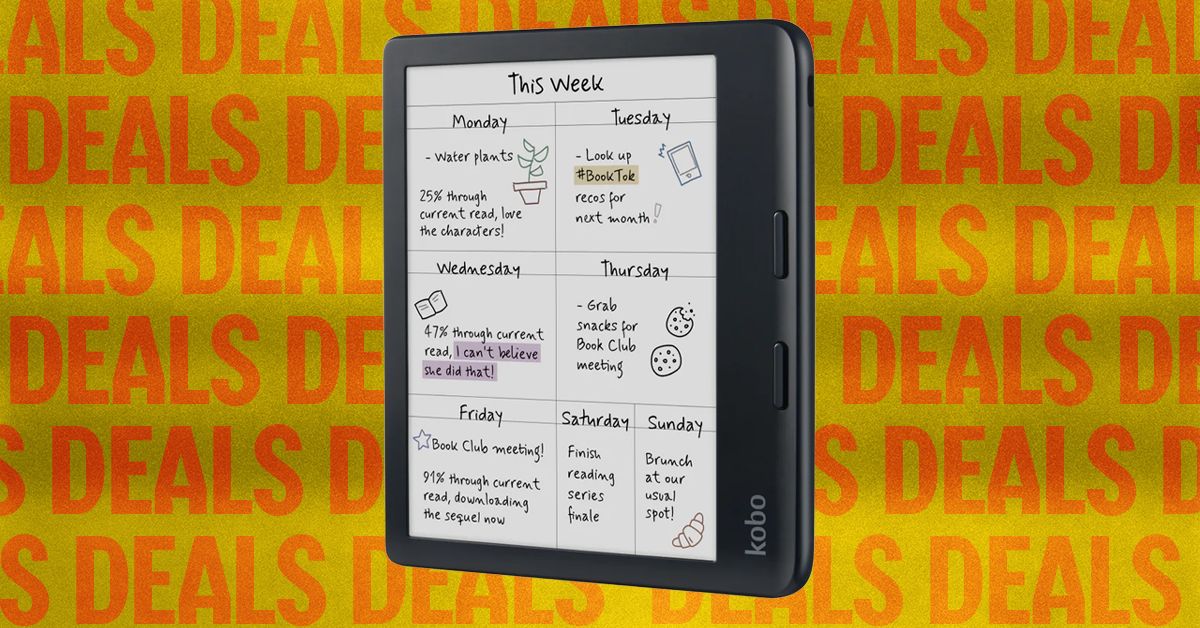
This is the older Kindle Scribe, but the price and features are the best you’ll get, especially when it’s on sale like this. I still reach for this model even though I have the newer third generation, and keep in mind the second generation will also get some of the newer software and experiences over time. With the sale, it’s half the price of the newer model.
If you’re already a Kindle reader and looking to upgrade, it’s likely because you want a new feature like a color screen. While the Kobo above is the better buy, if you want to stay in the Kindle ecosystem but add some color to your books, both the Colorsoft and Colorsoft Signature are on sale.

Amazon
Kindle (2024, 11th Gen)
If you’re looking to spend as little as possible, the basic Kindle (11th generation) is still a great e-reader and is currently under $100. It can do almost everything the other Kindles can (except the Scribe) on a snappy black-and-white screen. It doesn’t have a warm front light either, but it’s still a great purchase for the price.
Power up with unlimited access to WIRED. Get best-in-class reporting and exclusive subscriber content that’s too important to ignore. Subscribe Today.


Man City to seek Rodri talks amid Real Madrid links – sources

2027 NFL free agency: Top players, QBs potentially available

Miley Cyrus reveals secret behind Jonas Brothers opening her tour in 2006

-

 Fashion1 week ago
Sales at US apparel, clothing accessories stores up 4% YoY in Jan 2026
-
 Tech1 week ago
Justice Department Says Anthropic Can’t Be Trusted With Warfighting Systems
-

 Fashion1 week ago
Spain’s Inditex FY25 sales rise 3.2% to $46.28 bn amid strong demand
-

 Politics1 week ago
Iran strikes Tel Aviv with cluster-warhead missiles in retaliation of Larijani’s martyrdom
-

 Entertainment1 week ago
Val Kilmer revived 1 year after death through AI
-

 Sports1 week ago
March Madness 2026 – How to watch in SA, start time, schedule, TV channel for NCAA championship basketball tournament
-
 Business1 week ago
Brits cashing in jewellery as gold price hits record high
-

 Fashion1 week ago
US’ G-III Apparel’s FY26 sales fall 7% to $2.96 bn