

Tech
These Are the 14 Best Soundbars of Hundreds We’ve Tested


Honorable Mentions
Photograph: Parker Hall
There are a lot of great soundbars out there, and we don’t have room to feature them all. Here are some others you might want to consider.
LG S95AR for $1,700: LG’s latest 9.1.5-channel system offers minor upgrades over its predecessor, the ST95R, leaving few reasons to upgrade at full price. It’s among the top performers in its class, offering impressive clarity, swift and fluid immersion, and snappy setup and control with LG’s continuously improving ThinQ app. It’s a solid value compared to competing multi-piece Dolby Atmos systems at full price, and it will get increasingly tempting as the price drops.
Sony Bravia Theater 9 for $1,400: Sony’s follow-up to the potent HT-A7000 flagship soundbar regresses in some key ways. There are fewer inputs (no more analog), a more mundane fabric-wrapped design, and minimal sound settings. The Theater 9’s leaner frame equates to a less meaty and immersive soundstage, but this is still a Sony flagship soundbar, which means great musicality, superb detail, and advanced spatial imaging for 3D audio. Premium features like an HDMI 2.1 input for connecting modern game consoles and advanced integration with newer Sony TVs sweeten the deal, but at $1,400, it’s a pricey proposition.
Vizio 2.1 Soundbar (SV210M) for $170: Vizio’s curvy little combo brings enticing value, with solid sound quality and some cinematic punch from the teensiest subwoofer you’ll ever see. There’s no optical input or remote included, but the Vizio app makes adjusting settings or swapping to Bluetooth simple enough. The main drawback is that dialog sometimes (but not always) gets lost, reducing the main draw of a cheap soundbar. That said, good musical chops and features like DTS Virtual X expansion make it worth considering on sale.
Samsung HW-Q800C for $600-700: If Samsung’s HW-Q990 everything bar is too rich for your blood, the two-piece HW-Q800C (8/10, WIRED Recommends) could be a good compromise. This bar offers a similar sound signature as Samsung’s flagship bars and many of the same features, packed into a smaller bar-and-subwoofer combo for a notable discount–especially since it’s now almost always on sale.
Sennheiser Ambeo Mini for $800: This pint-sized luxury bar is great for those with money to burn in very small spaces. Sennheiser’s built-in Ambeo virtualization technology brilliantly throws sound all around you for exhilarating TV shows and movies, and offers advanced features like support for Google Assistant and Alexa.
The Polk React for $134: This soundbar works if you want to get surround sound eventually but don’t have the cash right now. The Alexa-enabled soundbar is fine on its own, with surround speakers and subwoofers available from Polk if you want to upgrade.
How to Connect Your Soundbar
We’ve included a list of available connectivity options next to every soundbar on our list. Most soundbars will connect to your TV via optical or HDMI cables, though the optical input is starting to go away for newer models, including even pricey flagship options. In most cases, HMDI is the preferable connection anyway.
If your TV and soundbar both have an HDMI ARC/eARC port (the cable port looks like regular HDMI, but it’s labeled ARC or eARC), connect it that way. It will allow you to use the volume buttons on your TV remote to control the soundbar’s volume. Also, make sure CEC is enabled. Use an optical cable only if HDMI isn’t available, as HDMI is also necessary for Dolby Atmos and other 3D audio formats.
Finally, check your TV audio menus to make sure your TV’s internal speakers are set to off (so you don’t get any weird audio fluttering) and find the best spots to place your speakers and sub.
We have yet to test a new TV that didn’t sound better with an audio accessory. That’s mostly due to the way televisions are designed. Great-sounding speakers are bulky, and as TVs have gotten thinner with shrinking bezels and sleeker designs, manufacturers have had a harder time building good speakers into them.
You can spend as little as $100 to $150 on a new soundbar, and it’s essential to getting the most out of your TV experience. Our list of the top soundbars we’ve tested includes soundbars sold on their own and models that come bundled with a subwoofer and surround speakers at a wide variety of price points.
Are Soundbars as Good as Speakers?
Stumble onto any A/V or home theater subreddit or forum and you’ll see a mob of people claiming even the idea of a soundbar matching up to a pair of speakers is heresy. The truth, as far as we’re concerned, is that it all depends on your individual wants and needs.
If you’re looking for the most musical bang for your buck, especially when it comes to hi-res audio and vinyl record collections, a great pair of bookshelf speakers is likely your best value option. Even if you’re not keen on shopping for an amp and running speaker wires, our best bookshelf speakers guide offers plenty of powered/active pairs that include all the inputs and amplification built-in, like a soundbar system for audiophiles.
That may not be the best option for everybody, though. If you’re just after something cheap and simple to soup up your TV sound, or conversely, a convenient way to explore exciting audio formats like surround sound and Dolby Atmos, a soundbar could be the perfect choice. Soundbars are affordable and hassle-free solutions, many of which offer sound and features that may match your needs better than a pair of speakers or a traditional home theater setup. We take no sides here, we just love good sound and great features. For many, a soundbar is the best way to get there.
This is a question only you can answer, but there are a few points to consider before making a call, starting with your living space. If you live in a smaller apartment or multiplex, a subwoofer may not be the best choice due to both its size and its likelihood of arousing noise complaints. Larger modern soundbars have gotten increasingly good at reproducing convincing bass from a single bar, often utilizing multiple speakers in concert to bring more punch to lower frequencies without causing lots of boom and bombast.
If you’re less concerned about close quarters and looking for more cinematic punch, you should highly consider a soundbar with a subwoofer. Physics can only be stretched so far, and no multi-speaker system we’ve heard can match the punch and potency of a dedicated large driver and acoustic cabinet. Even many affordable soundbar models include a subwoofer. If you want full-throttle sound, we suggest considering going all in for a subwoofer, or at the very least a bar that allows you to add one later.
Power up with unlimited access to WIRED. Get best-in-class reporting and exclusive subscriber content that’s too important to ignore. Subscribe Today.
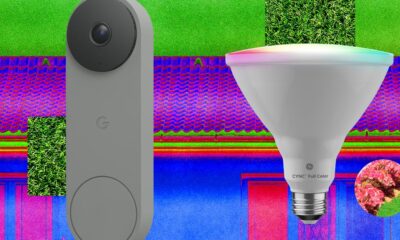










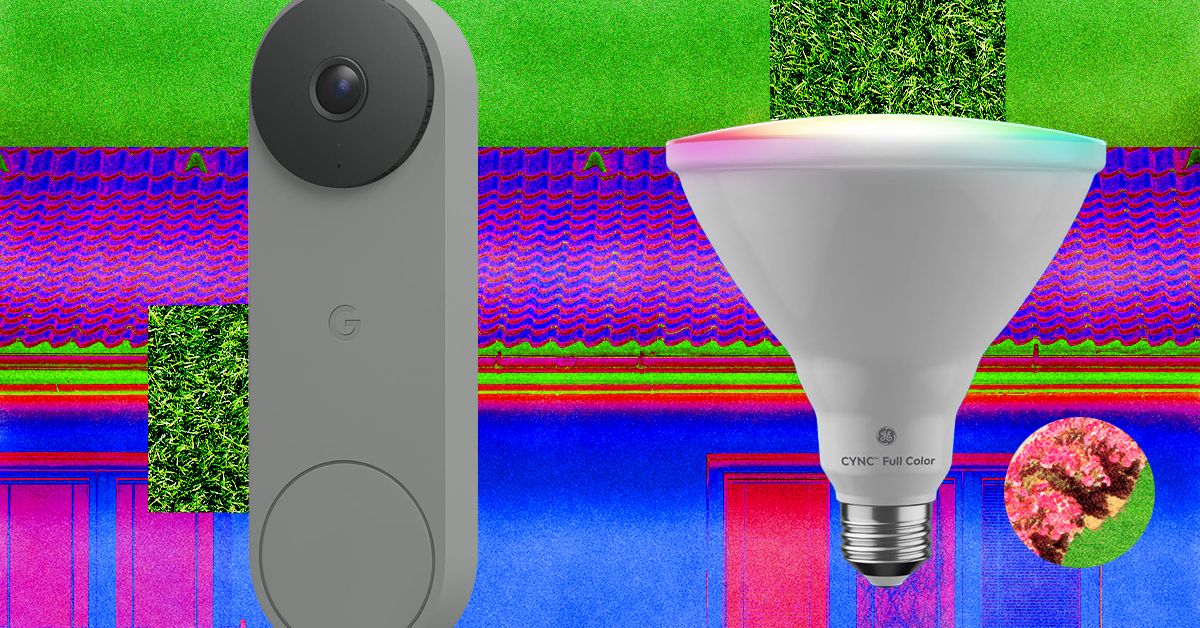
I tried the battery version, which does require you recharge it every couple of weeks, but the wired-in version is the top recommendation on our guide to the Best Video Doorbells.
A Better Birdhouse
I had a new-to-me problem this spring: bird invasion. A little bird made a nest in my front-door wreath without us noticing. One evening, my sister opened the door, and the bird flew out of the nest and straight into our house. After a 30-minute battle to get it outside again (and keep my cat from eating it), it wasn’t until we saw the bird fly off the door again the next day that we realized it was calling our home its home, too.
If this is a common problem at your house, our resident bird-gear tester Kat Merck has a solution: a smart nesting box. Birdfy makes a few different smart bird feeders we like for bird-watching, and the Nest Duo is a birdhouse that lets you watch the birds while they nest inside of it. It’s a slim, attractive box that will add to your front yard’s style while also packing two solar-powered cameras (one facing the entrance, one focused inside) so you can bird-watch from multiple angles. It comes with different hole sizes to appeal to different species, metal predator guards to prevent chewing around the hole, and a remote control to reset or recharge the camera without disturbing your feathered neighbors.
Stylish Smart Lights

Govee
Outdoor Clear Bulb String Lights
I’ve liked Govee’s smart outdoor string lights before, usually for my holiday decor, and have previously recommended something similar with a bistro-light-like look that happened to be smart. These clear bulb string lights are part of Govee’s current lineup and have a contemporary twist with a triangle in the center instead of the wire filament. These are a fun option for outdoor lights you can enjoy on warm nights, and they can do every color and shade of white without looking as bulky as permanent outdoor lights. (Added bonus, these lights are also Matter compatible!)
Fresh Bulbs

Cync
Smart LED Light Bulb, PAR38
If you have light fixtures you want to remote-control, add an outdoor smart bulb. There are tons to choose from, and you can usually find one from any brand you already have at home. The only downside is that outdoor-rated smart bulbs are usually 4.75-inch-diameter PAR38-style bulbs, so they’re best for downward-facing floodlights on your porch or balcony. They’ll likely be too big to fit in a wall fixture as a replacement for a normal-sized bulb. Don’t just grab any smart bulb—not all are outdoor-rated. Check for mentions of outdoor use and waterproof ratings to make sure they’re safe to use. I’m a big fan of Cync bulbs, and the brand has an outdoor version of the Cync Full Color bulbs I like to use indoors. You’ll be able to add fun colors as well as shades of white, so you can turn the porch a spooky orange or red for Halloween, pink for Valentine’s Day, or the colors of your favorite sports team on game day.
Remote-Controlled Garage
If your garage is the centerpiece of your home’s curb appeal, you can control it as easily as a smart door by adding a smart controller. You can do two different styles: I have the Chamberlain MyQ professionally installed smart garage opener, which means the device that controls my garage has these smarts built into it (plus a camera, but I find it doesn’t work great with how far the device is from my Wi-Fi router), or you can get a smart garage controller that can add smart features onto an existing garage door. Both let you check whether the garage is open or closed and operate it remotely, and you can add a video keypad that doubles as a video doorbell and can let you open or close the garage without your phone.
Smart Shades
The front of my home faces west, so it’s absolutely baking at the end of the day. What I need to add are some of our favorite smart shades to automate closing the shades on that side of the house at the right time of day. These also give your home a nice, cohesive look and immediate, controllable privacy from the outside world. WIRED reviewer Simon Hill recommends the SmartWings shades as his top picks, and Lutron’s Caseta shades if you’re looking for a more upgraded look.
Invisible Swaps
Looking to add some smarts without touching your existing setup? These switch-ups can make your front door and yard smart without being visible.
Power up with unlimited access to WIRED. Get best-in-class reporting and exclusive subscriber content that’s too important to ignore. Subscribe Today.

April might be springtime in the northern hemisphere, but some of the best streaming services seem to think it’s the perfect time for a dry run of spooky season. How else to explain the arrival of some exquisitely dark slices of horror, like 28 Days Later: The Bone Temple arriving on Netflix, Weapons coming to Prime Video, or Shelby Oaks landing on Hulu? If you prefer your off-season Halloween viewing to be in the vein of campy B movies rather than serious scares though, horror specialist Shudder has you covered with Deathstalker, a gloriously cheesy reboot of a near-forgotten ’80s series.
Reality is often scarier than fiction though, as shown by Louis Theroux’s Inside the Manosphere—his first documentary film with Netflix, exploring the dark side of social media and the world of toxic male influencers. (Be sure to read our interview with the filmmaker.) And if the thought of that leaves you wanting something a bit more wholesome to watch, thankfully Zootopia 2 has popped up on Disney+—and there’s even a rabbit in that, for some appropriately springtime imagery.
Here are WIRED’s picks of the best movies to watch right now.
28 Years Later: The Bone Temple
The fourth film in the long-running postapocalyptic horror series switches focus from rampaging rage zombies to a more dangerous threat: humans. OK, OK, “people are the real monsters” isn’t a hot take for the genre, but The Bone Temple offers a unique twist, with 28 Years Later survivor Spike (Alfie Williams) trapped in the company of a murderous gang led by deranged satanist “Sir Lord” Jimmy Crystal (Sinners’ Jack O’Connell). The villain is modeled on disgraced British TV presenter Jimmy Savile, whose sexual abuse crimes hadn’t been revealed by the time of the initial outbreak in 28 Days Later, adding a dash of real-world terror.
As the group stalks what remains of the English countryside, Spike’s only hope might be Dr. Ian Kelson (Ralph Fiennes), whose experiments on curing alpha zombie Samson (Chi Lewis-Parry) might hold humanity’s last hope. Although best watched back to back with its predecessor for the full, horrifying picture, director Nia DaCosta’s chapter stands on its own—and earns bonus points for one of the best uses of Iron Maiden’s “Number of the Beast” in film history.
Louis Theroux: Inside the Manosphere
It’s the silence that does the trick; British documentarian Louis Theroux always knows when not to speak and instead let his subject expose themselves for the world to see. It’s a masterful technique whether Theroux is investigating the Westboro Baptist Church or UFO conspiracy theorists, but it is rarely put to better use than in his latest outing: exploring the online “manosphere” subculture of self-appointed “alphas” offering toxic advice on how to be a “real man.” Speaking with key figures in the loosely defined movement, Theroux’s mild-mannered approach often leaves them to do most of the talking, exposing shockingly misogynistic and extremist views. Even more distressing? The quiet revelation that for many of them their performative masculinity is all just one big grift, and how they rationalize the harm they cause in pursuit of a payout. Depressing but compelling viewing—not all men, but definitely all of these men.
Crime 101
Jewel thief Mike (Chris Hemsworth) is the best in the business, a meticulous planner who pulls off his heists without leaving a shred of evidence—much to the consternation of LAPD detective Lou Lubesnick (Mark Ruffalo), who doesn’t even know exactly who he’s hunting for a string of thefts. Elsewhere in the City of Angels, Sharon (Halle Berry) is an underappreciated VP at an insurance firm, frustrated at being passed over for promotion for years. She’s the perfect insider to help Mike orchestrate an elaborate $11 million diamond heist. But as Lou uncovers evidence connecting to Mike’s past, and the chaotic, violent biker Ormon (Barry Keoghan) aims to take the score for himself, even the most masterful planning can’t prevent everything spiraling dangerously out of control.
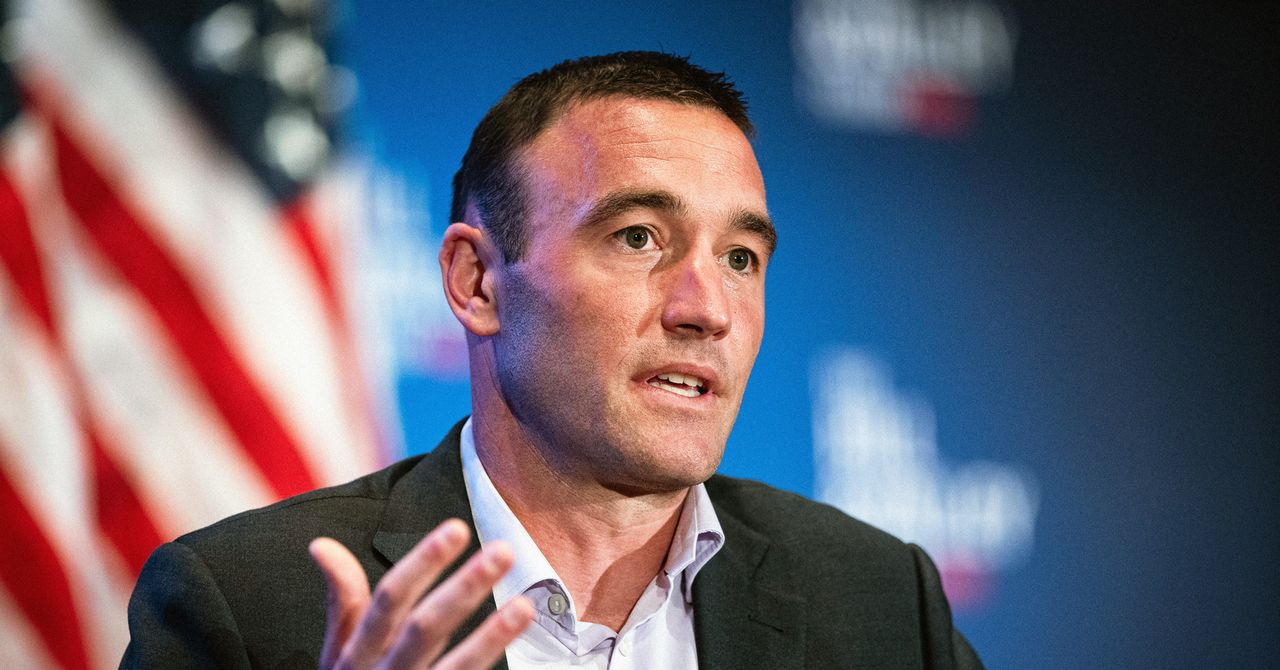
Kevin Weil, OpenAI’s former chief product officer who was recently tapped to build a new AI workspace for scientists, Prism, is leaving the company, WIRED has confirmed. Weil was previously an early executive leading product at Instagram.
OpenAI is also sunsetting Prism, which the company launched as a web app in January this year to give scientists a better way to work with AI. The company is folding the roughly 10-person team behind it into Thibault Sottiaux’s Codex team. An OpenAI spokesperson confirmed the changes, and tells WIRED this is part of the company’s effort to unify its business and product strategy. OpenAI has broader ambitions to turn Codex, its AI coding application, into an “everything app.”
Weil, who joined OpenAI in June 2024, announced last September that he would be starting a new initiative inside of the company called “OpenAI for Science.” Now, OpenAI is dispersing those employees throughout the company’s product, research, and infrastructure teams. An OpenAI spokesperson reiterated the company’s commitment to accelerating scientific discovery, and says it’s one of the clearest ways AI can benefit humanity.
OpenAI is currently trying to refocus the company around a few key areas, such as enterprise offerings and coding. Last month, OpenAI’s CEO of AGI deployment Fidji Simo told staff that the company needs to simplify its product offerings. The push to divert resources to more consequential efforts resulted in OpenAI discontinuing its Sora video-generation app.
This is a developing story. Please check back for updates.


Explained: On way to 4th largest, how India slipped to 6th rank & what it means for 3rd largest economy dream – The Times of India

Saturday Sessions: The Lone Bellow performs "You Were Leaving"

Video: Why Your Paycheck Feels Smaller

-

 Politics1 week ago
Indian airlines hit hardest after Dubai limits foreign flights until May 31
-

 Entertainment5 days ago
Palace left in shock as Prince William cancels grand ceremony
-

 Sports5 days ago
The case for Man United’s Fernandes as Premier League’s best
-

 Politics1 week ago
Chinese, Taiwanese will unite, Xi tells Taiwan opposition leader
-
 Business5 days ago
UK could adopt EU single market rules under new legislation
-

 Entertainment1 week ago
Dua Lipa hits major career high ahead of wedding with Callum Turner
-
 Business1 week ago
The FAA wants gamers to apply for air traffic control jobs
-
 Business1 week ago
He paid $248 in illegal tariffs for this coat. Will he ever get it back?