

Tech
How to Hide Google’s AI Overviews From Your Search Results


Going online in 2026 means subjecting yourself to a relentless bombardment of generative AI tools. How about a few AI agents to get you started? Do you want to use this chatbot sidebar? Would you like every search query to be answered with an AI summary? While there’s no off switch to avoid this smorgasbord of AI tools entirely, there is one keyboard trick you can use to dodge Google’s AI Overviews for a brief respite.
If you don’t want to see an AI-generated summarization of webpage links when you use Google Search, you can type “–ai” at the end of your query. It’s an option WIRED readers highlighted under a recent article about scams found in Google’s AI Overviews. I’ve thoroughly enjoyed using this nifty addendum over the past week, and I wish Google offered a permanent toggle with similar zapping capabilities.
“People find Search more helpful with AI Overviews, and they’re coming back to search more as a result,” a Google spokesperson tells WIRED. “We offer a ‘web’ filter to see links only, but people only use it for a tiny fraction of searches.” The spokesperson compared AI Overviews to other features baked into the search results, like knowledge panels, that can’t be removed.
If you want to try this out, you can put any combination of letters or numbers attached to an en dash, like “–1” or “–z,” at the end of your Google search, and it works just the same, as reported by PCMag. It prevents AI Overviews from appearing completely. The en dash function in Google is designed to remove whatever topic you attach to it from the search results. The removal of AI Overviews seems incidental, and it’s unclear how long this trick will stick around. After typing in a result, you can also tap on the “Web” tab—sometimes hidden under “More”—right below the search bar to see site links.
In my tests, the –ai trick appears to be limited to search queries in computer browsers. When I tried it in the Safari and Chrome apps on iOS, Google’s AI-generated “web guide” still popped up prominently in the results. However, Google does offer a Classic Search button on the right side of these results. After clicking that button, the results will reload and show you a mix of website links and short-form videos. The exception seems to be on Android—at least on a Google Pixel phone we tested with, using “–ai” removed AI Overviews.
It’s a nice change from the current default when I’m using my laptop, and I’ll likely continue typing “–ai” at the end of every search until it becomes muscle memory, just like I add “Reddit” all the time to my queries. Even so, I feel nostalgic for the minimalist Google I grew up with and the utter simplicity of those top 10 blue links.
If you’re looking to switch search engines to a service without any generative AI, DuckDuckGo and Brave are two solid options worth considering. Both search engines allow users to toggle AI summaries on and off in the settings. You don’t need to change browsers to use a different search engine, as Google lets you swap the default search engine in Chrome’s settings menu.
When Google launched AI Overviews in 2024, it was a major turning point for the search engine. But AI Overviews was widely mocked on social media for incorrect answers, like an infamous result that suggested baking pizza with glue. It didn’t stop Google, though, as the company has continued to lean further into AI tools since the initial release of AI Overviews and has kept iterating on the user experience.
While Google claims the accuracy of these results has improved over time, generative AI tools still sometimes insert inaccuracies when summarizing information. So, it’s always worth clicking through and double-checking anything you read in an AI Overview. All the more reason, I think, to cut out the middlebot completely and visit those dang websites directly.












OpenAI is throwing its support behind an Illinois state bill that would shield AI labs from liability in cases where AI models are used to cause serious societal harms, such as death or serious injury of 100 or more people or at least $1 billion in property damage.
The effort seems to mark a shift in OpenAI’s legislative strategy. Until now, OpenAI has largely played defense, opposing bills that could have made AI labs liable for their technology’s harms. Several AI policy experts tell WIRED that SB 3444—which could set a new standard for the industry—is a more extreme measure than bills OpenAI has supported in the past.
The bill would shield frontier AI developers from liability for “critical harms” caused by their frontier models as long as they did not intentionally or recklessly cause such an incident, and have published safety, security, and transparency reports on their website. It defines a frontier model as any AI model trained using more than $100 million in computational costs, which likely could apply to America’s largest AI labs, like OpenAI, Google, xAI, Anthropic, and Meta.
“We support approaches like this because they focus on what matters most: Reducing the risk of serious harm from the most advanced AI systems while still allowing this technology to get into the hands of the people and businesses—small and big—of Illinois,” said OpenAI spokesperson Jamie Radice in an emailed statement. “They also help avoid a patchwork of state-by-state rules and move toward clearer, more consistent national standards.”
Under its definition of critical harms, the bill lists a few common areas of concern for the AI industry, such as a bad actor using AI to create a chemical, biological, radiological, or nuclear weapon. If an AI model engages in conduct on its own that, if committed by a human, would constitute a criminal offense and leads to those extreme outcomes, that would also be a critical harm. If an AI model were to commit any of these actions under SB 3444, the AI lab behind the model may not be held liable, so long as it wasn’t intentional and they published their reports.
Federal and state legislatures in the US have yet to pass any laws specifically determining whether AI model developers, like OpenAI, could be liable for these types of harm caused by their technology. But as AI labs continue to release more powerful AI models that raise novel safety and cybersecurity challenges, such as Anthropic’s Claude Mythos, these questions feel increasingly prescient.
In her testimony supporting SB 3444, a member of OpenAI’s Global Affairs team, Caitlin Niedermeyer, also argued in favor of a federal framework for AI regulation. Niedermeyer struck a message that’s consistent with the Trump administration’s crackdown on state AI safety laws, claiming it’s important to avoid “a patchwork of inconsistent state requirements that could create friction without meaningfully improving safety.” This is also consistent with the broader view of Silicon Valley in recent years, which has generally argued that it’s paramount for AI legislation to not hamper America’s position in the global AI race. While SB 3444 is itself a state-level safety law, Niedermeyer argued that those can be effective if they “reinforce a path toward harmonization with federal systems.”
“At OpenAI, we believe the North Star for frontier regulation should be the safe deployment of the most advanced models in a way that also preserves US leadership in innovation,” Niedermeyer said.
Scott Wisor, policy director for the Secure AI project, tells WIRED he believes this bill has a slim chance of passing, given Illinois’ reputation for aggressively regulating technology. “We polled people in Illinois, asking whether they think AI companies should be exempt from liability, and 90 percent of people oppose it. There’s no reason existing AI companies should be facing reduced liability,” Wisor says.

Governments around the world have been struggling to address the rise of industrial-scale scamming operations based in countries like Laos, Myanmar, and Cambodia that have cost victims billions of dollars over the past few years. The operations often have ties to Chinese organized crime, use forced labor to carry out the actual scamming, and rely on vast money laundering networks to collect a profit. They have become so widespread and ingrained in the region that even major international law enforcement collaborations targeting individual scam centers or kingpins haven’t been able to stem the tide.
The FBI said this week that “cyber-enabled” scam complaints from Americans totaled more than $17.7 billion in reported losses last year—likely a major undercount of the real total, given that many victims don’t report their experiences. Some US officials say that a major barrier to comprehensively addressing the issue is the lack of collaboration with Chinese authorities. China’s efforts to address industrial scamming, they argue, appear aimed at reducing the number of Chinese citizens being impacted rather than comprehensively stopping the activity to protect all victims around the world.
“To its credit, China has cracked down on these operations, but it has done so selectively, largely turning a blind eye to scam centers victimizing foreigners,” Reva Price, a member of the US-China Economic and Security Review Commission said at a Senate hearing last month. “As a result, the Chinese criminal syndicates have been incentivized to shift toward targeting Americans.”
According to research the commission published in March, Beijing’s selective strategy has helped embolden some Chinese scammers, even those working within China, to continue operating so long as they exclusively target foreigners.
Other US-based researchers have come to similar conclusions. From 2023 to 2024, China reported a 30 percent decrease in the amount of money its citizens lost to scams, while the US suffered a more than 40 percent increase, according to congressional testimony last year by Jason Tower, who was then the Myanmar country director for the US Institute of Peace’s Program on Transnational Crime and Security in Southeast Asia. In response to Beijing’s enforcement dynamics, Tower said at the time, “the scam syndicates are increasingly pivoting to target the rest of the world, and especially Americans.”
The United Nations Office on Drugs and Crime noted last year that scam centers have been diversifying their worker pools, shifting from predominantly trafficking Chinese nationals and other Chinese speakers to entrapping people from a broader array of countries and backgrounds who speak various languages. UN researchers attributed this change in part to attackers broadening their targets to include different populations around the world. But they added that the dynamic also seemed to be a reaction to Chinese enforcement and Beijing’s efforts to protect Chinese citizens.
“China is doing more to fight fraud—like orders of magnitude more—than any other country,” says Gary Warner, a longtime digital scams researcher and director of intelligence at the cybersecurity firm DarkTower. “But I would agree that the crackdown by China on people scamming China has squeezed the balloon so to speak and led to more international and American targeting.”
The Chinese government has spent years investing in national safety campaigns warning citizens about the threat of scams and how to avoid falling victim to them. Some of the public discourse attempts to appeal to a sense of national solidarity. There’s a common meme in China, 中国人不骗中国人, literally, “Chinese people don’t deceive Chinese people” that is used to signal trust when swapping restaurant recommendations or job leads. In the context of digital scams, a variant has emerged: “Chinese don’t scam Chinese.”

Standing inside the HumanX conference in San Francisco’s Moscone Center, it’s hard not to feel like you’re at the center of the AI universe. Technology leaders swarm the building, and the headquarters of OpenAI and Anthropic are just down the block. But a 70-person startup headquartered 5,000 miles away in Germany’s Black Forest—a region famous for its ham—has become a top competitor to Silicon Valley’s leading labs in AI image generation.
In December, Black Forest Labs raised funds at a $3.25 billion valuation, after signing deals to power AI image-generation features in Adobe and the graphic design platform Canva. It has even struck agreements with major AI labs like Microsoft, Meta, and xAI to power similar features in their products.
Nearly two years after launch, Black Forest Labs can afford to be picky about who it works with. In 2024, Elon Musk’s xAI tapped Black Forest Labs to power Grok’s first image generator. That partnership put Black Forest Labs on the map but generated a lot of controversy due to the chatbot’s limited safeguards. It ended months later when xAI developed an in-house AI image model.
In recent months, xAI approached Black Forest Labs about licensing the startup’s technology again, sources familiar with the matter tell WIRED. This time around, Black Forest Labs declined, the sources said, deeming it too operationally difficult to partner with xAI, which has a famously chaotic work environment. xAI did not immediately respond to WIRED’s request for comment.
In September, Black Forest Labs struck a $140 million multiyear deal to give Meta access to its AI image-generation technology.
These AI labs want to work with Black Forest Labs because its image generators are among the world’s best, ranking just below OpenAI and Google’s offerings on the third-party firm Artificial Analysis’ benchmarks. The startup also offers some of the most downloaded text-to-image models on Hugging Face, indicating that a lot of AI image tools on the market are likely powered by a free version of Black Forest Labs’ technology.
It’s particularly impressive since the company has historically had far fewer resources than its competitors. This has led it to a more efficient line of research called latent diffusion, which is essentially when an AI model first sketches out a rough blueprint of an image, and then paints in more detail.
Latent diffusion “enabled us to put out very powerful models that took orders of magnitude less resources than our competitor’s models,” said cofounder Andreas Blattmann in an interview with WIRED onstage at HumanX this week.
Despite its success, Black Forest Labs believes image generation is just the beginning. Blattmann said the startup plans to unveil a robot powered by one of its AI models later this year. (He did not reveal what company is making the hardware.) The push is part of a larger opportunity the company sees to build AI that can perceive and take actions in the physical world.
“Visual intelligence is so much more than content creation. Content creation is just the first segue into this entire technology,” said Blattmann. “What I’m personally super excited about—and that’s a pattern throughout this conference—is physical AI.”
Black Forest Labs is also in talks with a handful of hardware companies, to power features in products like smart glasses and robots, sources tell WIRED.
Building in the Black Forest
Blattmann and his cofounders, Robin Rombach and Patrick Esser, made a name for themselves publishing some groundbreaking research on AI image models in 2021. In 2022, they were hired by Stability AI and released Stable Diffusion, a popular open source AI image generator based on their prior research. But two years later, they announced their departure and launched Black Forest Labs.
Rather than move to San Francisco, the trio decided to maintain a headquarters near their hometowns in Freiburg, Germany. Blattmann said the decision has been key to the company’s success.


India ITME delegation explores textile ties in Indonesia

White House staff warned not to place bets on prediction markets

OpenAI Backs Bill That Would Limit Liability for AI-Enabled Mass Deaths or Financial Disasters

-
 Business1 week ago
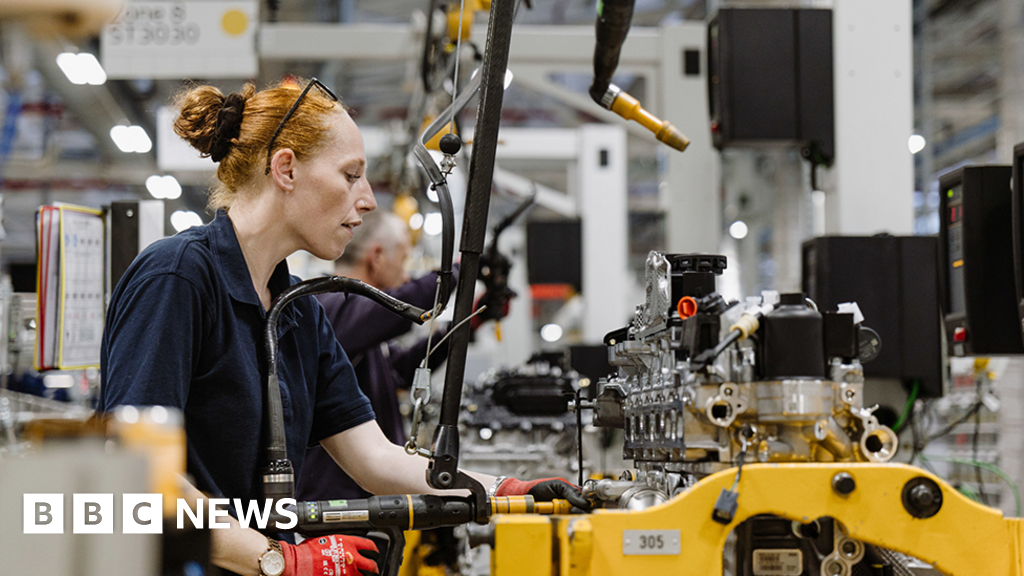
Jaguar Land Rover sees sales recover after cyber attack
-
Uncategorized1 week ago
[CinePlex360] Please moderate: “Trump signals p
-

 Entertainment6 days ago
Joe Jonas shares candid glimpse into parenthood with Sophie Turner
-

 Tech6 days ago
Our Favorite iPad Is $50 Off
-

 Sports6 days ago
UConn Final Four run could trigger a $50M furniture giveaway for Massachusetts-based Jordan’s Furniture
-

 Entertainment6 days ago
Blake Lively reacts to harassment claims dismissal against Justin Baldoni
-

 Fashion1 week ago
China’s Anta Sports posts record $11.62 bn revenue in 2025
-
 Business7 days ago
Video: Why Is the Labor Market Stuck?