

Tech
If You Don’t Own a Multistyler, the Dyson Co-anda 2x Is the One to Get

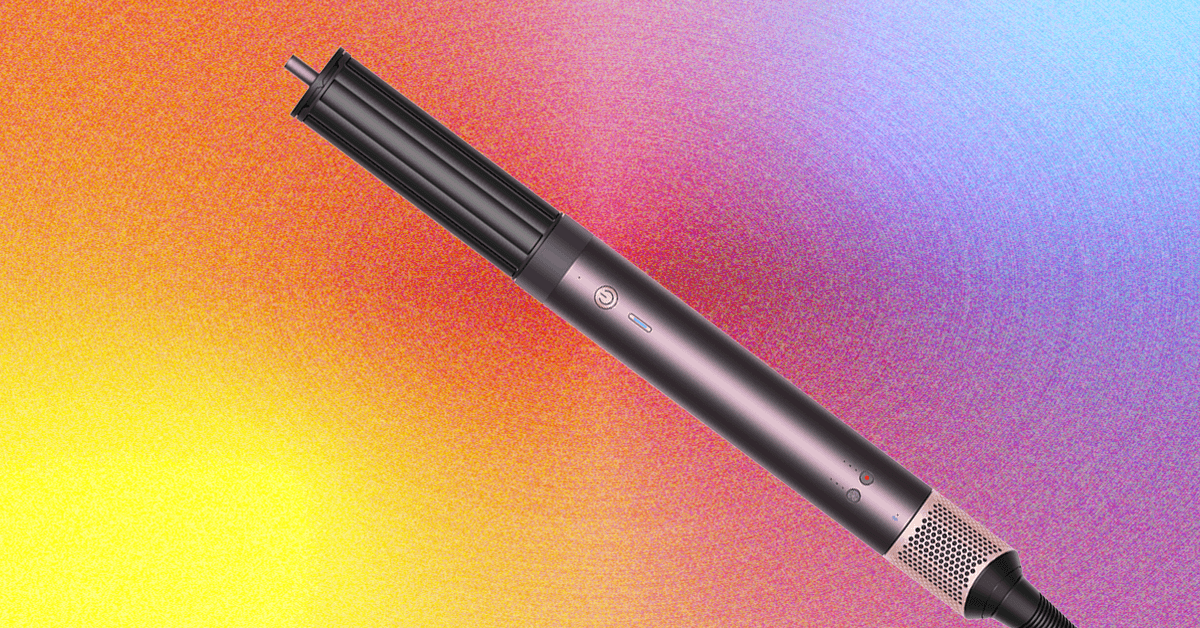
Each attachment is embedded with RFID chips that auto-adjust heat and airflow based on your last-used settings. Not a revolutionary change, but it is nice not to have to toggle settings every time I switch attachments. You can also pair it with Dyson’s app, which offers tutorials based on your hair type and goals. Dyson also moved the fan and heat controls to the base of the handle. It’s a cleaner look, but it can get finicky if you’re used to adjusting settings mid-styling.
If you’ve already purchased previous Airwrap attachments, unfortunately, they’re not compatible with this new model due to its slimmer design. Also, like most Dyson tools sold in the US, it’s 120-volt only, so don’t plan on packing it for your Euro vacay.
New Tricks, Familiar Results
I used the Co-anda 2x on freshly washed, sometimes air-dried hair for three weeks, cycling through each attachment to see how it held up against its predecessors. I’ve used the original Airwrap off and on, and I’ve tested other multistylers, like the Shark FlexStyle (9/10, WIRED Recommends) and the T3 Aire 360 (9/10, WIRED Recommends).
Setup was simple, but there’s always a bit of a learning curve with Dyson tools. Pairing with the app was quick, and the RFID tech worked as advertised; each time I swapped attachments, the device adjusted to my last-used settings.
This bundle comes with six attachments: a pre-styling dryer, a round brush, 1.2- and 1.6-inch curling barrels, an anti-snag loop brush, and—my personal favorite—the new Airsmooth straightener. The curly+coily kit swaps in a diffuser and tension comb instead of the Airsmooth and 1.2-inch curling barrel.
Straight+Wavy Kit
- Fast Dryer 2x: For faster drying.
- Round Volumizing Brush 2x: For voluminous styles with reduced frizz.
- Anti-Snag Loop Brush: For a smoother finish.
- 1.6″ Curling Barrel: For loose curls and waves in both directions.
- 1.2″ Curling Barrel: For voluminous curls and waves in both directions.
- Airsmooth 2x: For a smooth, sleek style.
Curly+Coily Kit
- Fast Dryer 2x
- Round Volumizing Brush 2x
- Anti-Snag Loop Brush
- 1.6″ Curling Barrel
- Tension Comb 2x: Dries, stretches, and smoothes curls and coils.
- Wave+Curl Diffuser: A 2-in-1 dome diffuser that enhances natural curls or adds volume and texture.
The Airsmooth straightener impressed me the most. It smoothed and curled my ends into soft C-bends in under 20 minutes. The heat was gentle enough that my hair didn’t feel singed afterward. I didn’t get flat-iron-level glassiness, but it was close enough for a polished look.
The loop brush and round brush both felt upgraded, with longer bristles that don’t snag or tug at damp ends. I got solid volume and frizz control from both, and they felt gentler at my roots. The curling barrels were redesigned with squared-like tips, which makes them easier to grip, but the results were the same: airy curls that deflated within a couple of hours unless I sprayed them stiff with hairspray. That’s always been my biggest gripe with the Airwrap. It’s better at blowouts than long-lasting curls, and the technology hasn’t improved on that front.
What I appreciated most was not having to fiddle with settings every time I swapped attachments. The RFID memory is a small touch, but it makes the whole process smoother.
Great—But Not Essential
If you already own an Airwrap or a decent dupe, you don’t need to upgrade. The Co-anda 2x is well designed and refined, but the core Dyson experience hasn’t dramatically evolved.
But if you don’t own a multistyler, and have the budget to spare, this is the version I’d buy. It’s faster, more ergonomic, and overall more pleasant to use. It’s undeniably expensive, but you get the smoothest Airwrap to date.









Neuroscientists know that there is a link between loneliness and cognitive decline in older adults, although it is still difficult to understand the exact magnitude of the link. A new longitudinal study provides evidence that a proportion of people who feel lonely end up having more memory impairment, though this doesn’t necessarily mean that their brains age faster.
The report, published in Aging & Mental Health, shows that older adults with higher levels of loneliness scored lower on tests of immediate and delayed recall. Even so, the rate at which their memory declined over six years was virtually identical to those who were not lonely.
“It suggests that loneliness may play a more prominent role in the initial state of memory than in its progressive decline,” said Luis Carlos Venegas-Sanabria of the School of Medicine and Health Sciences at Universidad del Rosario, who led the research. “The study underscores the importance of addressing loneliness as a significant factor in the context of cognitive performance in older adults.”
Six-Year Study of Thousands of Single People
The team analyzed data from the Survey of Health, Ageing and Retirement in Europe (SHARE), one of the most robust longitudinal databases for studying aging. For six years, the researchers followed 10,217 adults, aged 65 to 94, from 12 European countries. They assessed their level of loneliness and their performance on memory tests.
The results show that age was the most important determinant of memory level and speed of decline. From the age of 75 onwards, scores began to fall more rapidly. After 85 the decline became more pronounced. Depression and chronic diseases such as diabetes also reduced the initial score. Loneliness, while influencing the starting point, did not accelerate the slope of cognitive decline.
The study also found that physical activity was associated with better initial memory scores. People who engaged in moderate or vigorous physical activity at least once a month recalled more words on immediate and delayed recall tests. This effect did not change the speed of decline, but it did raise the baseline level, which functions as a kind of “cognitive buffer.”
Although the study does not explore the causes of the link between loneliness and cognition, previous research has proposed plausible mechanisms. Loneliness is often associated with less social interaction, a factor that influences cognitive performance. It is also associated with increased risk of depression, which does directly affect memory tests. In addition, lonely people tend to have more health problems, such as hypertension or diabetes, which also affect cognitive function.
By 2050, according to United Nations projections, one in six people in the world will be over the age of 65. Societies are entering a stage where old age will no longer be the exception but will become the norm. Dementia, as well as other neurodegenerative diseases that appear with age, will be a major challenge for health care institutions.
Chances are, you’ve already used a satellite today. Satellites make it possible for us to stream our favorite shows, call and text a friend, check weather and navigation apps, and make an online purchase. Satellites also monitor the Earth’s climate, the extent of agricultural crops, wildlife habitats, and impacts from natural disasters.
As we’ve found more uses for them, satellites have exploded in number. Today, there are more than 10,000 satellites operating in low-Earth orbit. Another 5,000 decommissioned satellites drift through this region, along with over 100 million pieces of debris comprising everything from spent rocket stages to flecks of spacecraft paint.
For MIT’s Richard Linares, the rapid ballooning of satellites raises pressing questions: How can we safely manage traffic and growing congestion in space? And at what point will we reach orbital capacity, where adding more satellites is not sustainable, and may in fact compromise spacecraft and the services that we rely on?
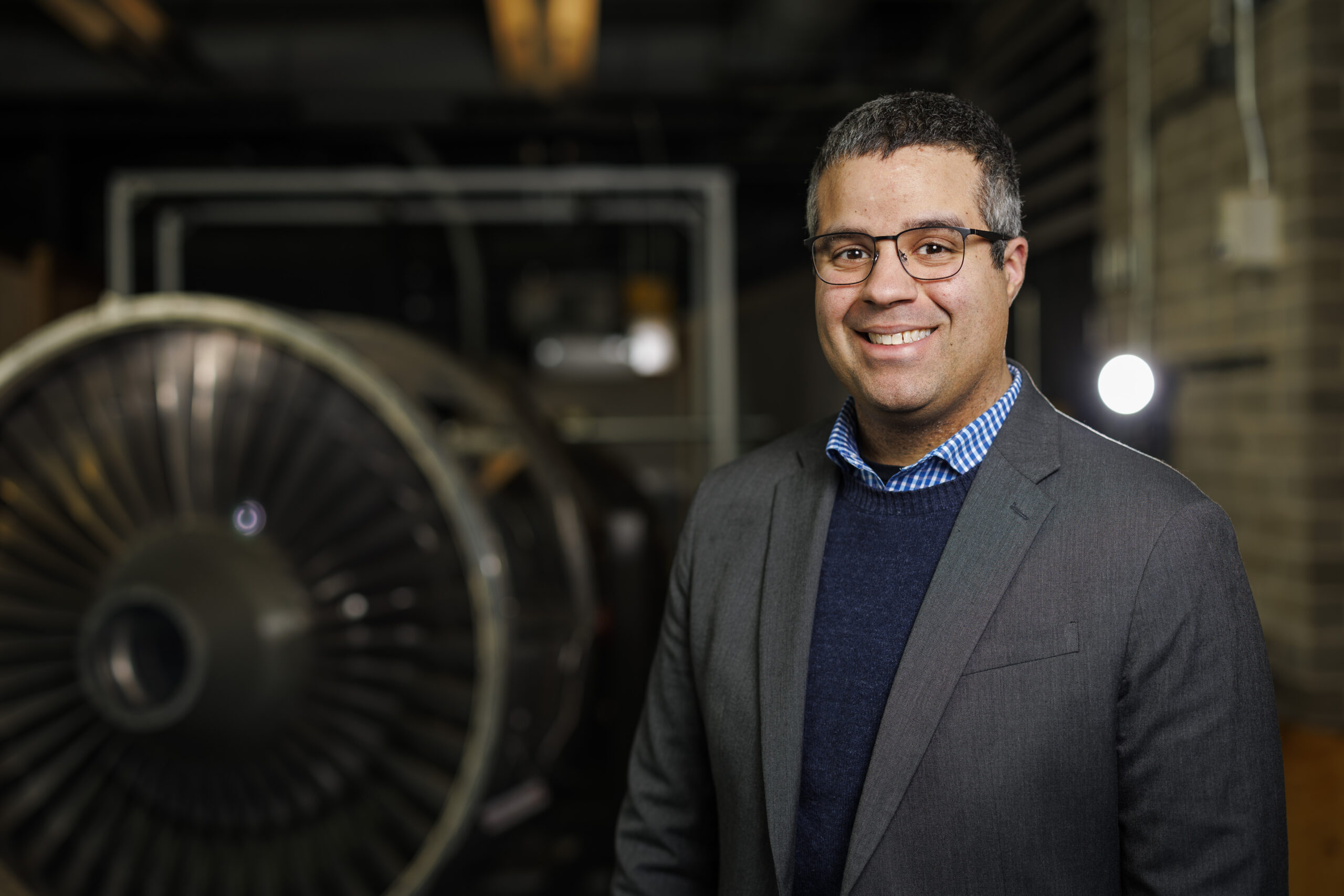
“It is a judgement that society has to make, of what value do we derive from launching more satellites,” says Linares, who recently received tenure as an associate professor in MIT’s Department of Aeronautics and Astronautics (AeroAstro). “One of the things we try to do is approach these questions of traffic management and orbital capacity as engineering problems.”
Linares leads the MIT Astrodynamics, Space Robotics, and Controls Lab (ARCLab), a research group that applies astrodynamics (the motion and trajectory of orbiting objects) to help track and manage the millions of objects in orbit around the Earth. The group also develops tools to predict how space traffic and debris will change as operators launch large satellite “mega-constellations” into space.
He is also exploring the effects of space weather on satellites, as well as how climate change on Earth may limit the number of satellites that can safely orbit in space. And, anticipating that satellites will have to be smarter and faster to navigate a more cluttered environment, Linares is looking into artificial intelligence to help satellites autonomously learn and reason to adapt to changing conditions and fix issues onboard.
“Our research is pretty diverse,” Linares says. “But overall, we want to enable all these economic opportunities that satellites give us. And we are figuring out engineering solutions to make that possible.”
Grounding practical problems
Linares was born and raised in Yonkers, New York. His parents both worked as school bus drivers to support their children, Linares being the youngest of six. He was an active kid and loved sports, playing football throughout high school.
“Sports was a way to stay focused and organized, and to develop a work ethic,” Linares says. “It taught me to work hard.”
When applying for colleges, rather than aim for Division I schools like some of his teammates, Linares looked for programs that were strong in science, specifically in aerospace. Growing up, he was fascinated with Carl Sagan’s “Cosmos” docuseries. And being close to Manhattan, he took regular trips to the Hayden Planetarium to take in the center’s immersive projections of space and the technologies used to explore it.
“My interest in science came from the universe and trying to understand our place within it,” Linares recalls.
Choosing to stay close to home, he applied to in-state schools with strong aeronautical engineering departments, and happily landed at the State University of New York at Buffalo (SUNY Buffalo), where he would ultimately earn his bachelor’s, master’s, and doctoral degrees, all in aerospace engineering.
As an undergraduate, Linares took on a research project in astrodynamics, looking to solve the problem of how to determine the relative orientation of satellites flying in formation.
“Formation flying was a big topic in the early 2000s,” Linares says. “I liked the flavor of the math involved, which allowed me to go a layer deeper toward a solution.”
He worked out the math to show that when three satellites fly together, they essentially form a triangle, the angles of which can be calculated to determine where each satellite is in relation to the other two at any moment in time. His work introduced a new controls approach to enable satellites to fly safely together. The research had direct applications for the U.S. Air Force, which helped to sponsor the work.
As he expanded the research into a master’s thesis, Linares also took opportunities to work directly with the Air Force on issues of satellite tracking and orientation. He served two internships with the U.S. Air Force Research Lab, one at Kirtland Air Force Base in Albuquerque, New Mexico, and the other in Maui, Hawaii.
“Being able to collaborate with the Air Force back then kind of grounded the research in practical problems,” Linares says.
For his PhD, he turned to another practical problem of “uncorrelated tracks.” At the time, the Air Force operated a network of telescopes to observe more than 20,000 objects in space, which they were working to label and record in a catalog to help them track the objects over time. But while detecting objects was relatively straightforward, the challenge came in correlating a detected object with what was already in the catalog. In other words, is what they were seeing something they had already seen?
Linares developed image analysis techniques to identify key characteristics of objects such as their shape and orientation, which helped the Air Force “fingerprint” satellites and pieces of space debris, and track their activity — and potential for collisions — over time.
After completing his PhD, Linares worked as a postdoc at Los Alamos National Laboratory and the U.S. Naval Observatory. During that time he expanded his aerospace work to other areas including space weather, using satellite measurements to model how Earth’s ionosphere — the upper layer of the atmosphere that is ionized by the sun’s radiation — affects satellite drag.
He then accepted a position as assistant professor of aerospace engineering at the University of Minnesota at Minneapolis. For the next three years, he continued his research in modeling space weather, tracking space objects and coordinating satellites to fly in swarms.
Making space
In 2018, Linares made the move to MIT.
“I had a lot of respect for the people and for the history of the work that was done here,” says Linares, who was especially inspired by the legendary Charles Stark “Doc” Draper, who developed the first inertial guidance systems in the 1940s that would enable the self-navigation of airplanes, submarines, satellites, and spacecraft for decades to come. “This was essentially my field, and I knew MIT was the best place to continue my career.”
As a junior faculty member in AeroAstro, Linares spent his first years focused on an emerging challenge: space sustainability. Around that time, the first satellite constellations were launching into low-Earth orbit with SpaceX’s Starlink, which aimed to provide global internet coverage via a huge network of several thousand coordinating satellites. The launching of so many satellites, into orbits that already held other active and nonactive satellites, along with millions of pieces of space debris, raised questions about how to safely manage the satellite traffic and how much traffic an orbit can sustain.
“At what level do we reach a tipping point, where we have too many satellites in certain orbital regimes?” Linares says. “It was kind of a known problem at the time, but there weren’t many solutions.”
Linares’ group applied an understanding of astrodynamics, and the physics of how objects move in space, to figure out the best way to pack satellites in orbital “shells,” or lanes that would most likely prevent collisions. They also developed a state-of-the-art model of orbital traffic, that was able to simulate the trajectories of more than 10 million individual objects in space. Previous models were much more limited in the number of objects they could accurately simulate. Linares’ open-source model, called the MIT Orbital Capacity Assessment Tool, or MoCAT, could account for the millions of pieces of space debris, in addition to the many intact satellites in orbit.
The tools that his group has developed are used today by satellite operators to plan and predict safe spacecraft trajectories. His team is continuing to work on problems of space traffic management and orbital capacity. They are also branching out into space robotics. The team is testing ways to teleoperate a humanoid robot, which could potentially help to build future infrastructure and carry out long-duration tasks in space.
Linares is also exploring artificial intelligence, including ways that a satellite can autonomously “learn” from its experience and safely adapt to uncertain environments.
“Imagine if each satellite had a virtual Doc Draper onboard that could do the de-bugging that we did from the ground during the Apollo missions,” Linares says. “That way, satellites would become instantaneously more robust. And it’s not taking the human out of the equation. It’s allowing the human to be amplified. I think that’s within reach.”
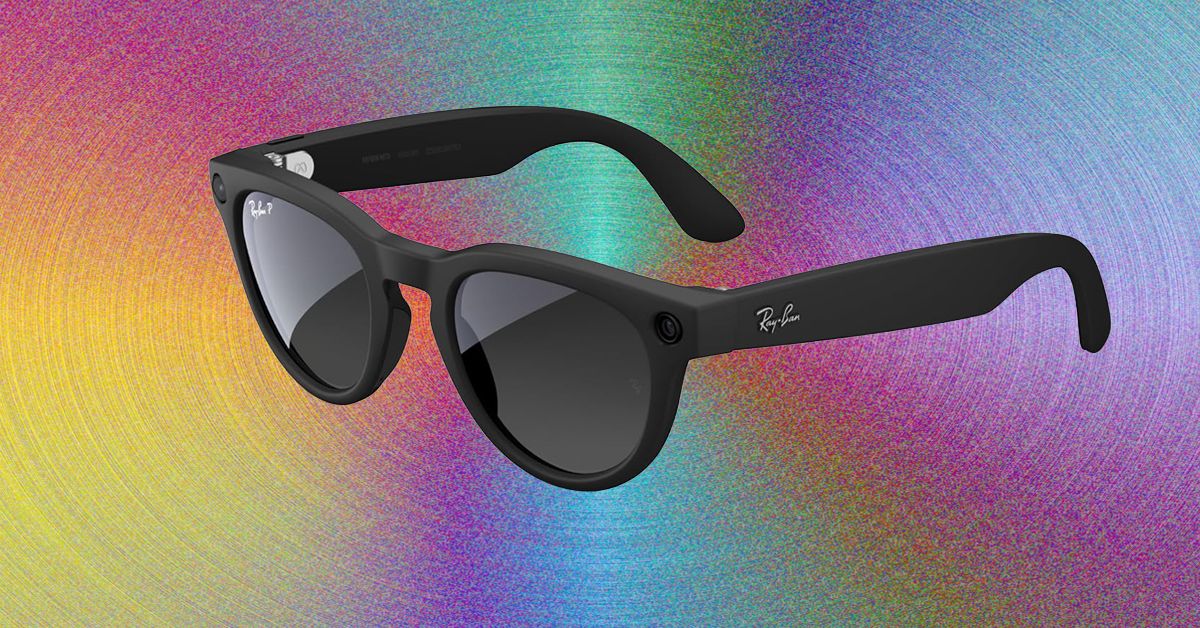
Every time I’ve written about Meta’s AI-enabled glasses, I invariably get asked these questions: Why do you even want these? Why do you want smart glasses that can play music or misidentify native flora in a weirdly cheery voice? I am a lifelong Ray-Ban Wayfarer wearer, and I’m also WIRED’s resident Meta wearer. I grab a pair of Meta glasses whenever I leave the house because I like being able to use one device instead of two or three on a walk. With Meta glasses, I can wear sunglasses and workout headphones in one!
Meta sold more than 7 million pairs in 2025. Take a look at any major outdoor or sporting event, and you’ll see more than a few people wearing these to record snippets for Instagram or TikTok. Meta’s partnership with EssilorLuxottica has made smart glasses accessible, stylish, and useful and is undoubtedly the reason why Google, and now Apple, are trying to horn in on the market. After the notable flop that is the Apple Vision Pro, Apple is recalibrating its face-wearable strategy, moving away from augmented reality (AR) toward simpler, display-less, and hopefully good-looking glasses.
That’s not to say that you shouldn’t be careful how you use these glasses. Meta doesn’t have the greatest track record on privacy, and the company has continued to push forward with policies that are questionable at best. Even if you’re not concerned that face recognition will allow Meta to target immigrants or enable stalkers to find their victims, at the very least, people really do not like the idea that you could start recording them at any moment.
Probably the biggest hurdle to wearing Meta glasses is that even doing so seems like a gross violation of the social contract. After all, these are Mark Zuckerberg’s “pervert glasses.” When I pop these on my head, I’ve had friends (and my spouse) recoil and say, “I have apps to warn me away from people like you.” The best part, though, is that Oakley and Ray-Ban already make really great sunglasses. Even if the battery runs out or you don’t use Meta AI at all, these are stellar at shading your eyes from the sun.
Anyway, if you decide to try them, here’s what you should get. If you do chicken out, check out our buying guides to the Best Smart Glasses or the Best Workout Headphones for more.
Table of Contents
Best Overall
-
Photograph: Boone Ashworth
-
%2520Shiny%2520Black%2520Green%2520Lenses.png)
Ray-Ban
Meta Glasses (Gen 2)
Last year, Meta upgraded the original Meta Ray-Ban Wayfarers that became a smash hit. These are Meta’s entry-level glasses, and they come in a variety of lens styles. You can order them with clear lenses, prescription lenses, transition lenses, or the OG sunglass lenses, as well as in a variety of fits, including standard, large, or high-bridge frames. Improvements to this generation include an upgrade to a 12-MP camera and up to eight hours of battery life; writer Boone Ashworth’s testing clocked in at five to six hours.


‘Saturday Night Live’ alum Tina Fey admits past jokes missed the mark

There’s New Evidence for How Loneliness Affects Memory in Old Age

Prince William’s ally Robert Irwin rejects Prince Harry, Meghan offer

-

 Fashion4 days ago
France’s LVMH Q1 revenue falls 6%, shows resilience amid Iran war
-

 Sports7 days ago
The case for Man United’s Fernandes as Premier League’s best
-

 Entertainment1 week ago
Palace left in shock as Prince William cancels grand ceremony
-
 Business1 week ago
UK could adopt EU single market rules under new legislation
-

 Entertainment5 days ago
Is Claude down? Here’s why users are seeing errors
-

 Sports1 week ago
Lamar Jackson hits back at critics with faithful message on social media
-

 Fashion1 week ago
Energy emerges as biggest cost driver in textile margins
-
 Business1 week ago
Road accidents: a massive economic challenge | The Express Tribune