

Tech
Amazon Will Pay $2.5 Billion to Settle FTC Suit That Alleged ‘Dark Patterns’ in Prime Sign-Ups

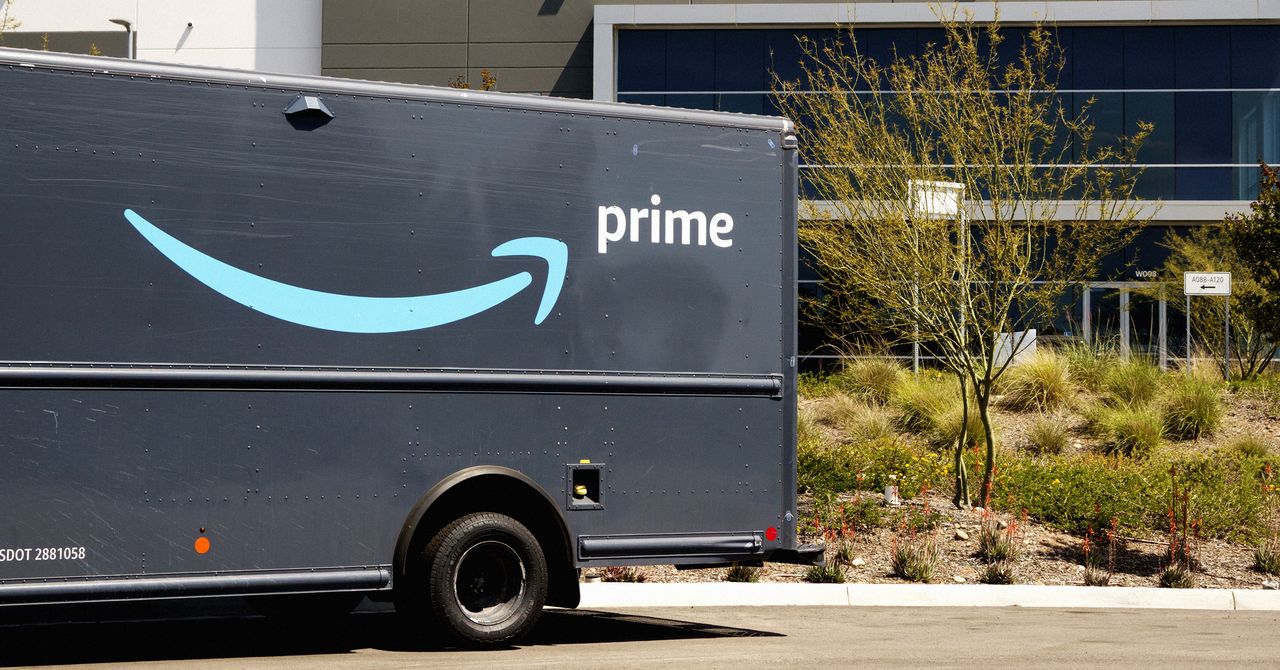
In the six-year time frame established in the settlement, anyone who “unsuccessfully attempted” to cancel their Prime subscription online is eligible to get paid up to $51 from Amazon. People who signed up for Prime during that same period can also get up to $51 if they signed up through a “challenged enrollment flow”—a page with a confusing interface that may lead to people inadvertently making a purchase. Previous court filings established that in some cases, some users may have selected “two-day shipping” on an item and not realized that, in doing so, they were also signing up for Amazon Prime.
An FTC spokesperson tells WIRED that automatic payments will go out to some customers within 90 days.
“The rest of eligible consumers will receive a notification from Amazon, and will have the opportunity to submit a simple claim form,” the FTC says. “Amazon is required to post information about this to Amazon.com and the app. The settlement also requires Amazon to have an independent third party who will monitor their compliance with these claims.”
The court filing says that Amazon is also “permanently” barred from structuring Prime sign-ups with a confusing “negative option feature” where a customer is assumed to be making a purchase unless they actively refuse it.
For example, the filing says, a button that reads “No thanks, I don’t want free shipping” does not clearly indicate that a customer will be signed up for Prime unless they click it. Amazon also has to make it obvious when a person is choosing to sign up for Prime, and include language like “Join Prime” in its user interface. Similarly, Amazon has to clearly communicate when a Prime subscription is subject to auto-renewals by using words like “renew.”
The initial complaint, which was filed by the FTC in June 2023, alleged that while Amazon had improved its process for canceling Prime memberships, the company had spent years knowingly complicating the cancellation process.
An attachment on a May 7 court filing includes an email chain with Amazon employees from December 2020, which was described as “privileged and confidential” in the subject line. In the email, a manager of Prime content and marketing paraphrased key points that came up in a recent “US prime performance meeting.”
“Subscription is driving a bit of a shady world,” reads one paraphrased quote, attributed to an unnamed person at the meeting.
“We should lean away from experimenting with sign-up clarity, and focus more on driving overall members and increasing confirmation that you are prime,” reads a different paraphrased quote from another person at the meeting, included in the same attachment.
A different attachment shows that Amazon was aware that customers were frustrated. A company slide presentation dated September 17, 2017, focused specifically on customer service complaints about “unintentional” Prime sign-ups. (A different attachment, which includes an email chain dated September 25, 2017, appears to refer to the presentation. Two dozen people were asked to “delete the PowerPoint document” and send “confirmation” once they had.)
One customer complaint in the presentation claims that they were “tricked” into signing up for a free trial for Amazon Prime when they selected two-day shipping on a purchase, not knowing that this would also sign them up for a trial for Prime.
“I DO NOT LIKE YOUR SERVICE,” reads another complaint. “THIS IS CRAP THAT I ORDERED A PRODUCT IN AMAZON ADS [sic] ME TO A PROGRAM WITH AUTO BILLING THAT I DID NOT SIGN UP FOR. I WILL NOT USE AMAZON AND TELL EVERYONE ABOUT THIS TYPE OF CRAP YOU ARE PULLING.”
“IT IS SNEAKY AND BLOODY DISHONEST FORCING SOMETHING THE [sic] I NEVER WANTED,” reads another complaint.
The same Amazon slide presentation noted that confusing Prime sign-ups were leading to an increased burden on Amazon’s customer service workers, as well as a “loss of customer trust.”










I’ve been trying to become fluent in Spanish for the last decade. After spending most of my adult life surrounded by multilinguals, I often feel like I’m playing an impossible game of catch-up. Like everyone else, I’ve tried to become regimented with practicing on an in-phone app like Duolingo, which attempts to ‘game-ify’ language learning, but mostly ends up with a sad and sick-looking green bird icon guilting me to practice every time I open up my phone.
Babbel aims to help people actually learn the language through practical conversation and grammar, using proven pedagogical methods and speech recognition technology. Each lesson is short, with 10 to 15 minute lessons developed by a team of over 150 linguists. Instead of learning the same simple phrases in ad-ridden games on an endless loop, take charge of your language learning this year and make that commitment a reality. No more excuses—we’ve got a Babbel promo code and a Babbel coupon to help you hit your goals. Maybe you’ll be fluent by your next vacation (or at least able to order a chopped cheese with confidence at the bodega).
Unlock Your Babbel Promo Code and Save Big in April 2026
Not only is Babbel a helpful interactive app to simplify language learning, but it also has holistic services to help introduce the language to every part of your life. These are things like Babbel videos, which do a deep dive into what makes a language so fascinating, Babbel podcasts, which are led by Babbel experts who take an inside look at local culture and break down language secrets, and Babbel magazine, which highlights stories from around the world so you can better understand the history, culture, and people from the language you’re learning (and maybe will inspire you to take a trip to practice that language IRL!).
Make sure you check back often to find the latest Babbel promo code for sitewide savings. There are often discounts on the subscription tiers, which range from three month plans to annual memberships. Plus, springtime is usually when there are significant Babbel discounts for new users. And, if you sign up for the Babbel newsletter, you can receive a link for a Babbel coupon in your inbox.
Save 60% on 6-Month Plans With the Healthcare Workers Discount
As stated, knowing another language is an invaluable life skill, and a skill that is immeasurably valuable to healthcare workers, who may be able to more easily give lifesaving care. Healthcare professionals and nurses get a Babbel discount of 60% off a six-month Babbel subscription. To claim the Babbel discount, users just need to verify their medical credentials via ID.me.
Claim Your 60% Military Discount on 6-Month Subscriptions
This Babbel discount also applies to active duty military, veterans, and their families, who are also eligible for 60% off six-month Babbel subscriptions. This Babbel military coupon is valid for National Guard, reserve members, and immediate family members of service personnel, and all you need to do is verify your status at ID.me.
Snag a 60% Teacher Discount on Your Next 6 Months
Babbel is also extending the 60% discount to the real unsung heroes, teachers. Knowing more than one language is an invaluable tool for educators to be able to talk more effectively to parents or guardians, as well as to more deeply understand their students’ cultural identities. Educators and teachers, like K-12 teachers, university professors, and other educational staff members, are eligible for 60% off a six-month Babbel subscription. And like the others, you just need to verify credentials through ID.me.
Grab Top Lifetime Subscription Deals and Save in April 2026
Everyone knows that learning a language is a lifetime process, and Babbel wants to make it even easier for you to commit to it. If you pay once, you’ll get access to all available Babbel languages forever with Lifetime deals. You’ll just need to look for the “Lifetime Subscription” Babbel promos that could potentially save you hundreds of dollars over several years. Be sure to check back often, as these rotating deals often pop up during major holiday sales. While the upfront cost is higher, you’ll get access to all 14 available languages with this Babbel promo code lifetime subscription deal.

An unknown technical problem caused a number of robotaxis owned by the Chinese tech giant Baidu to freeze on Tuesday in the middle of traffic, trapping some passengers in the vehicles for more than an hour.
In Wuhan, a city in central China where Baidu has deployed hundreds of its Apollo Go self-driving taxis, people on Chinese social media reported witnessing the cars suddenly malfunction and stop operating. Photos and videos shared online show the Baidu cars halted on busy highways, often in the fast lane.
A college student in Wuhan tells WIRED that she was stuck in a Baidu robotaxi with two friends for about 90 minutes on Tuesday. (She asked to be only identified with her last name, He, to protect her privacy.) The student says the car malfunctioned and stopped four or five times during the trip before it eventually parked in front of an intersection in eastern Wuhan. Luckily, it was not a busy road, and the group was not in immediate danger. The screen display in the car asked the passengers to remain in the car with seatbelt on and wait for a company representative to come “in five minutes,” according to a photo He shared with WIRED.
He says it took about 30 minutes to reach a Baidu customer representative on the phone. “They kept saying it would be reported to their superior. But they didn’t explain what caused [the outage] or let us know how long we needed to wait for the staff to come,” He says. But no one ever came, and after another hour of waiting, the three passengers decided to just get out and go home by themselves (the doors weren’t locked).
On Chinese social media, other passengers also complained about being unable to reach Baidu’s customer support. “I tried every way I could think of to call for help using the options the app showed, but the phone line wouldn’t go through, and when I pressed the SOS button it told me it was unavailable. So then what exactly is the SOS for?” wrote one person in a post on RedNote alongside a video showing the button not working. She said she had to force the door to open and get out of the car as traffic halted to a complete stop behind her robotaxi. “Apollo Go, you really owe me an apology,” she wrote.
Baidu didn’t immediately respond to a request for comment. Local police in Wuhan issued a statement around midnight in China that said the situation was “likely caused by a system malfunction,” but the incident is still under investigation. No one was injured and all passengers have exited the vehicles, the police added. It’s unclear how many of Baidu’s robotaxis may have been impacted.
One dash cam recording posted to RedNote shows a car passing 16 Apollo Go vehicles parked on the road in the span of 90 minutes. On several occasions, the video shows the driver narrowly avoiding hitting the robotaxis by braking or changing lanes at the last minute.
Others were apparently not as fortunate. In another RedNote post, a man claimed he crashed into one of the malfunctioning Baidu vehicles. The man wrote in the caption that he was driving over 40 mph on a highway when the car in front of him suddenly changed lanes to avoid the stopped robotaxi. He couldn’t react fast enough and ended up running into the self-driving car. Photos of the man’s orange SUV being towed away show that the car’s front-right fender was completely torn off, and other parts appeared to have sustained major damage.

Tired of the stale, fetid air looming over your apartment like a cloud? Check out the Coway Airmega Mighty, an already wallet-friendly home air purifier that’s even cheaper right now as part of the Amazon Big Spring Sale. It’s currently marked down to just $154, a $76 discount from its typical price, but you’ll want to move quickly if you’re interested, as the deal is only available for a limited time.
Despite its low price tag and squat stature, the Airmega Mighty is capable of cleaning a substantial amount of space. At full bore, it can handle a 361-square-foot space, although you’ll get the best performance, and save your ears, if you’re closer to a 200-square-foot room. If you don’t want it running constantly, there are built-in timers to automatically shut off after 1, 4, or 8 hours, or you can use Eco Mode, which will run until the Might doesn’t sense any dirty air for half an hour.
That’s right, the Airmega Mighty has a built-in air quality sensor, and it reflects the current state of the air quality using a colored light with three levels. It uses those readings to automatically adjust the fan speed and timing settings on the fly, as well as giving you a peak into how bad the air you’re breathing right now is for you. While it lacks integration with smart home setups like Google Home, it makes up for it by handling all of its own business without Wi-Fi or extra apps on your phone.
While the Coway Airmega Mighty is available in three colors, only the black and silver model is currently discounted, so you’ll have to pay full price if it doesn’t match your living room’s color scheme. We’ve put in the work testing every air purifier we could get our hands on, so make sure to check out the full guide if you’re trying to clean up your space. The Coway is discounted as part of Amazon’s Big Spring Sale, and we’ve got the best deals from products we’ve tested gathered in one place if you want to save some bucks.


Brandy Norwood reveals truth about Wanya Morris relationship in new memoir

Food prices to rise by almost 10% due to Iran war, warns key industry body

Should the USMNT be concerned about Pulisic’s goal drought?

-

 Politics1 week ago
Afghanistan announces release of detained US citizen
-

 Sports1 week ago
Broadcast industry CEO says consolidation is ‘essential’ to compete for NFL soaring media rights prices
-

 Tech1 week ago
Can a Home Appliance Fix the Problem of Soft-Plastic Waste?
-
 Business1 week ago
Property Play: Home flippers see smallest profits since the Great Recession, real estate data firm says
-

 Entertainment1 week ago
UN warns migratory freshwater fish numbers are spiralling
-
 Business1 week ago
Gold prices soar in Pakistan – SUCH TV
-

 Fashion1 week ago
ICE cotton slips on weaker crude, profit booking
-
 Business1 week ago
More women are entering wealth management, but few are in advisory roles, study finds