

Tech
Give Your Phone a Huge (and Free) Upgrade by Switching to Another Keyboard

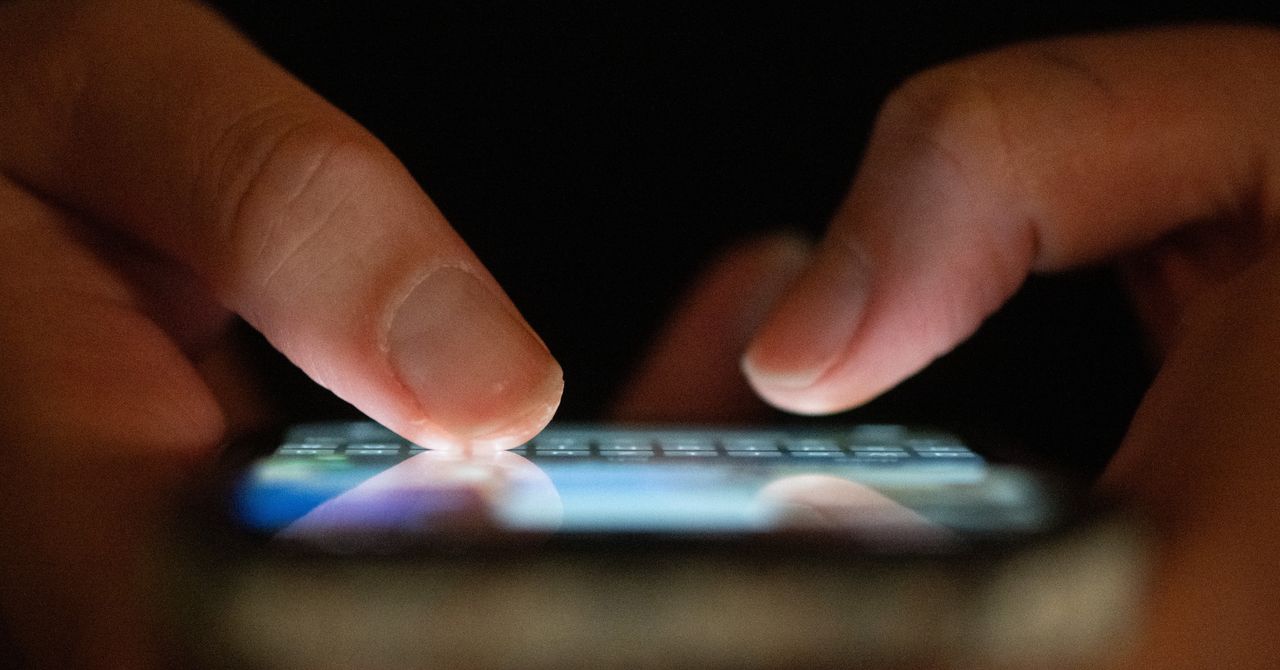
When you have multiple keyboards installed, you can manage them on iOS by opening Settings, then choosing General > Keyboard > Keyboards. To swap between keyboards you’ve installed, tap and hold the globe icon that appears in the lower left corner of all your keyboards.
On Android, you can find your keyboards via System > Keyboard > On-screen keyboard from Settings. To switch between them, tap and hold on the globe icon that appears in the lower right corner whenever a keyboard is on the screen.
The Best Phone Keyboards to Try
Gboard (Android, iOS) is a good option to start with here. It’s preinstalled by default on Pixel phones, but it’s also an excellent keyboard pick for iPhones and Android phones not made by Google. It’s fast and clean, works really well for GIFs, emoji, and stickers, and supports glide typing (where you swipe over letters to form words rather than tapping on each individual letter).
Then there’s SwiftKey (Android, iOS), which is developed by Microsoft. As you might expect, there’s Copilot AI integration built right in, so if you’re stuck for something to say, you can use generative AI to do your writing for you. SwiftKey will also learn your writing style as you go, meaning autocorrections and suggestions get more accurate over time.
Typewise (Android, iOS) demonstrates how third-party keyboards can be a little out of the ordinary. It offers an unusual layout that makes use of hexagonal letter and character tiles, and which Typewise says can seriously speed up your typing speed. There’s also support for multiple languages, AI integrations, and custom gestures.
You may be familiar with Grammarly from the web and the desktop (and from the recent news about its missteps), but the grammar and spell checker service is also available as a keyboard on iOS and as a keyboard extension on Android. As well as checking on your writing, Grammarly puts AI front and center: You can get writing suggestions from a prompt, for example, or change the tone of an existing message with a couple of taps.
If you’re interested in customization options above everything else, then consider Mister Keyboard for iOS. It’s stacked with ways to tweak the look and layout of your iPhone’s keyboard, and to access features like emoji and the clipboard. Either pick one of the preset themes, or take pixel-by-pixel control over the keyboard.
Mister Keyboard isn’t available for Android, but there is theming support in Futo Keyboard for Android. It also includes smart autocorrect and text editing tools, and prides itself on its privacy. The keyboard app doesn’t ask for permission to connect to the internet, so you know that your keystrokes aren’t being sent anywhere.









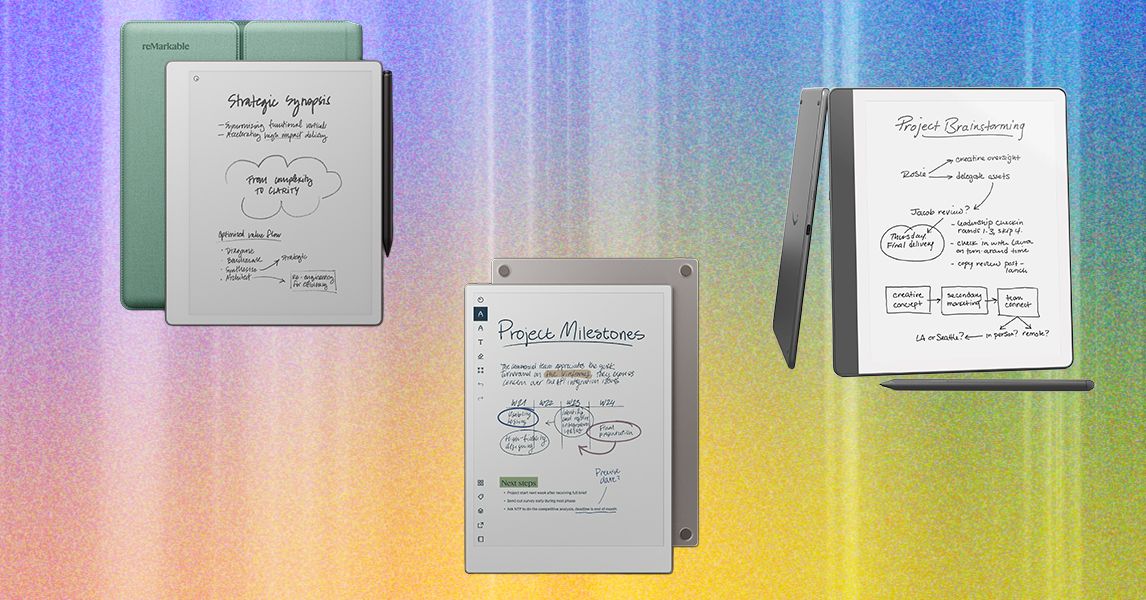
Comparing Our Favorite Digital Notebooks
Our Favorite Smart Pens
Neo Smartpen M1+ for $129: Skip the tablet and write directly on paper with a smart pen instead. The Neo Smartpen M1+ is the thinnest and lightest of all the pens I tried, which makes it feel a bit more like your standard pen. Importantly, it’s comfortable to hold and use. You should be able to find whatever size and style of notebook you need as well as planners. The Neo Studio app (iOS, Android) is nice, with an easy-to-navigate notebook system and the ability to search for pages by page number or date. You can change the color of the ink and thickness of the lines right on the page as you go, or you can switch them up later and edit the colors of what you’ve written. —Medea Giodiano
Moleskine Smart Writing Set for $251: Moleskine has garnered a devoted following for its classic notebooks and journals, but it has also moved into smart territory. The Smart Writing Set gets you a notebook and pen bundle, so this is the best option for most people starting out. Write in the notebook, and it’ll appear in the companion app! But you can buy the pen on its own, as well as the smart notebooks and planners in various sizes. The Moleskine Notes 2.0 app (iOS, Android) was easy to use once I settled into it. An older version of the app is available for download, but the 2.0 version is more streamlined. A pop-up let me know that 2.0 is still a work in progress and I might need to switch back to the older version if my device is having trouble, but my iPhone 11 didn’t have any issues. I tested the $149 2018 version of the Smart Writing Set, which is no longer available, but we plan to test the latest version soon. —Medea Giordano
Honorable Mentions
Kindle Scribe Colorsoft ($630) and Kindle Scribe (3rd Gen) ($500): The new versions of the Kindle Scribe are still solid all-around devices that have a good mix of e-reader and digital notebook features, but I still prefer the older model. While the new Scribe Colorsoft is a nice option if you want color, I think both are too expensive for what they are. The price comes from all the AI features packed into the device, but I don’t think any reader or digital notetaker was asking for more of those. Our picks above are a better price for similar features, though the Scribe does have the most impressive battery life of any digital notebook device I’ve tried (and that’s still true for the older model that I recommend above, too, so you don’t need the newest model for the best battery life).
Montblanc Digital Paper for $935: Yes, that Montblanc, the one with the famous pens, now has a digital notebook of its own. It’s no surprise that I’d call its digital pen one of the best. It’s got a super-lightweight feel while sporting three different buttons, two of which you can customize. (There’s no eraser, but I’ll give it up for that end of the pen to instead be a home button). I really like this device overall, but it’s pricey for what you get—aside from the customizable pen buttons, there’s not much to differentiate it from my top picks.
Neo Smartpen Dimo for $59: This is the cheapest smart pen option and uses replaceable batteries. It isn’t compatible with Google Calendar, iCal, or Outlook like our other picks.
ReMarkable 2 for $569 (with Marker Plus and Book Folio): This is the older ReMarkable digital notebook from 2020, and it’s still a great device with a great range of accessories (while they’re still available, that is). It feels similar to real paper with its matte screen, and works on the same platform as ReMarkable’s newer tablets. But the performance isn’t as snappy as newer models, and ReMarkable is no longer making it after launching the ReMarkable Paper Pure. I do really like using it with a Keyboard Folio as an e-paper tablet, though.
Rocketbook Fusion Plus for $30: If you really prefer the paper experience and don’t want something you need to charge, then Rocketbook is for you. Rocketbook makes several reusable notebooks, planners, and accessories like index cards and sticky notes. I like the Rocketbook Fusion Plus since it comes with a ton of different template styles, from your classic monthly and weekly pages to project management layouts and meeting notes, making it feel closer to the variety a digital notebook can offer you. Take notes with an erasable Pilot Frixion Pen (one comes with whichever item you buy), scan photos of the pages into the Rocketbook app, and erase the whole thing with the damp microfiber cloth (also included). The app is designed to keep everything organized and easily send things off to Google Drive, Slack, Trello, OneNote, and a handful of other options.
Supernote A6 X2 Nomad for $394 (with Standard Pen): This is a smaller version of the Supernote A5 X2 Manta, measuring almost 6 inches on one side and 7.5 inches on the other. Supernote designed it with travel in mind, but I find it to be a great size for a daily digital to-do list or writing down quick notes from a meeting. It’s too small for anything major, but if you’re looking for something compact, this is a good option with Supernote’s software (and with the same fantastic pens!). Like the Manta above, this model rose in price due to the tariffs, though it only went up $30.
FAQs
Do You Need a Digital Note-Taking Device?
The short answer is no. These devices are expensive, usually costing several hundred dollars when a simple notebook and pen costs a few bucks. But if you like the physical act of writing but need to have digital copies, they’re worth considering.
Pros:
- Digital notebooks are thin and light but hold hundreds of notes.
- You can transcribe your notes into text files, making them easier to read and manipulate.
- Depending on the device, you can export files as PDFs, Google Docs, Evernote files, and more.
- Instantly digitizes your art too.
Cons:
- Expensive.
- Need to be charged.
- Have a learning curve.
- Most smart pens need to be paired with an accompanying notebook. The upcoming Nuwa Pen promises smart notes on any paper.
E Ink notebooks are easier on the eyes and feel closer to paper than a glass-screened tablet. But in some cases, you might spend less getting an iPad and an Apple Pencil (and a keyboard if you also want to type sometimes). You can also do more on them thanks to the thousands of apps in the App Store. An iPad is pretty intuitive if you’re familiar with the Apple ecosystem (though both ReMarkable and Supernote’s ecosystems are also very intuitive). Former WIRED reviewer Jaina Grey recommended using her 11-inch iPad Pro with the GoodNotes and Notability apps for her writing, but there are other models that should work fine, including our top pick, the 2025 iPad. Check out our guide to the Best iPads for more advice on which to buy.
I also have an iPad, and I’ll say the upside of a digital notebook is that the battery tends to last longer, especially if you’re the type to use it for a day or two and then forget about it for a few days. My trusty Kindle Scribe usually manages to have plenty of battery available for whenever I feel the note-taking itch, even if it’s been a week or two since I last touched it.
Why Are Digital Notebooks So Expensive?
Just because these devices look like paper doesn’t mean they’re as cheap to make as a sheet of paper. Like any tablet or smartphone, these devices are packed with features, a special ecosystem, and the E Ink technology is no small feat to perfect, along with a sensation similar to writing on paper. It’s an impressive piece of technology.
Prices haven’t gotten cheaper for this category in the wake of tariffs’ causing technology prices to rise. ReMarkable recently raised the price of our top pick, the ReMarkable Paper Pro. Another favorite of ours from Supernote has gone up a little less than $50, and Kobo also slightly raised its prices, though the $10 increase is pretty minor compared to other increases we’ve seen. We’ll continue to monitor prices and flag if more price changes are to come.
Power up with unlimited access to WIRED. Get best-in-class reporting and exclusive subscriber content that’s too important to ignore. Subscribe Today.
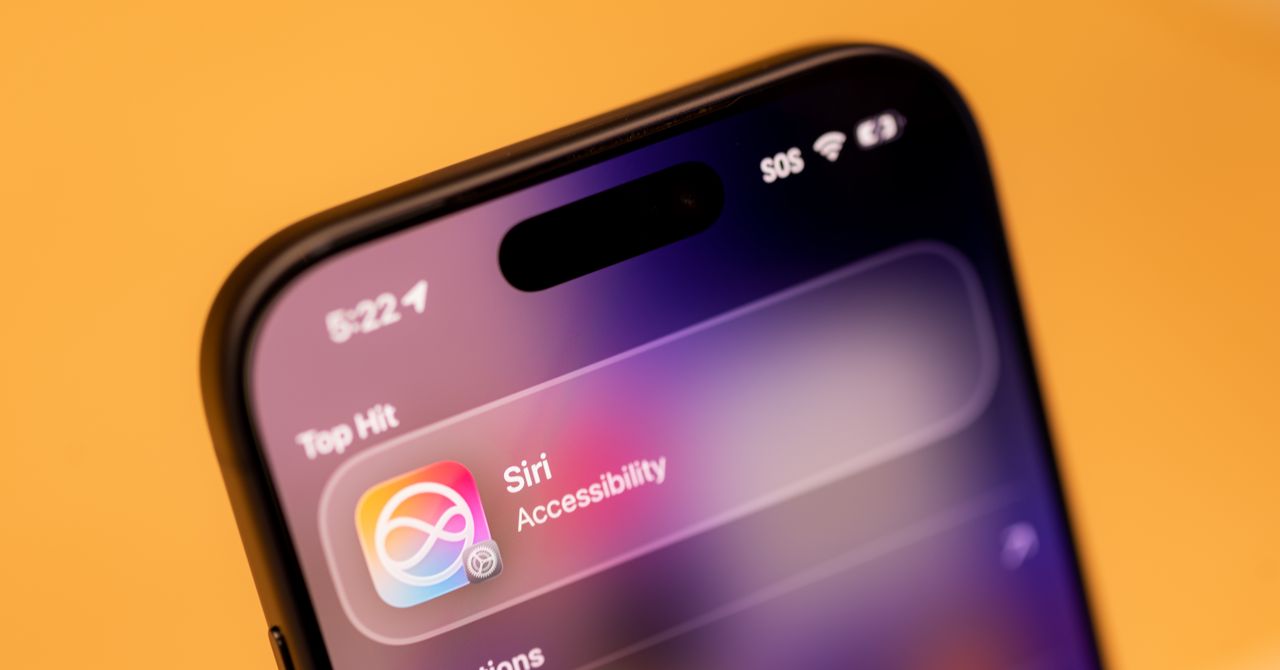
Apple has agreed to pay $250 million to settle a false advertising class-action lawsuit accusing the company of overhyping its Apple Intelligence features—specifically a promised AI overhaul of Siri that plaintiffs say never materialized and, according to their lawyers, may not arrive for years.
The announcement comes just before Apple is supposedly set to finally unveil some form of AI-enhanced Siri at its developer conference in June, which would mark another swing at detailing a radically improved digital assistant for the iPhone.
The legal complaint says that Apple allegedly saturated the market with deceptive ads, inducing consumers to purchase iPhones based on “the promise of certain Enhanced Siri features” that Apple had first announced at its Worldwide Developers Conference in 2024, a few months ahead of the release of the iPhone 16.
The proposed settlement, filed Tuesday in California federal court, is one of the largest Apple has ever reached. It covers only US customers who bought any model of an iPhone 15 or iPhone 16 between June 10, 2024 and March 29, 2025. Depending on the claim, those who qualify could possibly receive up to $95 per device.
Court documents state that a $250 million common fund will provide successful claimants with “a presumptive per-device payment of $25 for each eligible device, which may decrease or increase up to $95 per device depending on claim … The Settlement also reflects that Apple anticipates delivering additional Siri Apple Intelligence features in future software updates at no additional cost.”
The documentation goes on to cite that Apple’s advertising also drew the attention of the Better Business Bureau’s National Advertising Division, which found that “Apple’s claim that Apple Intelligence is ‘available now’ conveyed that the updated Siri was available at launch, when it was not.” In March 2025, Apple told consumers that Enhanced Siri features would not be delivered until a future date.
The settlement, which is still awaiting a judge’s approval, includes no admission of fault by the company. Marni Goldberg, an Apple spokesperson, gave a statement to The New York Times, claiming that with “the launch of Apple Intelligence,” Apple has “introduced dozens of features across many languages that are integrated across Apple’s platforms,” but the company has “resolved this matter to stay focused on doing what we do best, delivering the most innovative products and services to our users.”
Apple acknowledged last year that its AI upgrades to Siri were falling behind schedule. In a statement to Daring Fireball in March 2025, Apple spokesperson Jacqueline Roy said the company had “been working on a more personalized Siri, giving it more awareness of your personal context, as well as the ability to take action for you within and across your apps,” but confirmed that it was going to take the company “longer than we thought to deliver on these features and we anticipate rolling them out in the coming year.”
The next day, Apple reportedly pulled an advertisement starring Bella Ramsey showing the actor using a version of Siri that is capable of answering the query “What’s the name of the guy I had a meeting with a couple of months ago at Cafe Grenel?”
The is the second time in as many years Apple’s voice assistant has cost the company dearly. In May last year, Apple agreed to pay out $95 million to settle a class-action lawsuit over claims Siri listened in on private conversations.

In August 2017, Greg Brockman and Ilya Sutskever gathered at Elon Musk’s self-described “haunted mansion,” a 47-acre, $23 million estate in Hillsborough, south of San Francisco, to discuss the future of OpenAI. Actor Amber Heard, Musk’s then-girlfriend, had served the group whiskey and then dashed off with a friend, Brockman, OpenAI’s cofounder and president, testified in federal court during the trial for Musk v. Altman on Tuesday.
Ahead of the meeting, Musk gifted Brockman and Sutskever, OpenAI’s cofounder and former chief scientist, new Tesla Model 3 cars. “It felt like he was buttering us up,” Brockman said on the stand. “He wanted us to feel indebted to him in some way.” Sutskever tried to reciprocate for the occasion. The amateur artist presented Musk with a painting of a Tesla. Musk and the other cofounders wanted to establish a for-profit arm to entice investors to give them billions of dollars to pay for compute. But Musk also wanted control of the company, and Sutskever and Brockman objected to granting the Tesla CEO what they believed would be a “dictatorship” over the future of AI development. They proposed having shared control.
After several minutes of deliberation, Musk rejected their offer. “He stood up and stormed around the table,” Brockman recalled. “I actually thought he was going to hit me, physically attack me.” Musk grabbed the painting, said he would cut off his funding of the nonprofit until Brockman and Sutskever quit, and left the room, according to Brockman’s testimony. But that night, Musk’s so-called chief of staff Shivon Zilis called Brockman and Sutskever “to say it’s not over,” Brockman testified. “There were discussions of futures that included us.”
The story of the heated negotiations emerged as Brockman wrapped up his testimony on Tuesday. To OpenAI, the events at the mansion are representative of repeated instances of erratic behavior by Musk that they believe undermine his arguments about the company. Musk contends his roughly $38 million in donations to OpenAI were abused by Brockman and others on the path to creating the $852 billion for-profit venture now known for services such as ChatGPT and Codex. Brockman, OpenAI CEO Sam Altman, and OpenAI deny any wrongdoing, and the jury in Musk v. Altman could begin deliberating on an advisory ruling as soon as next week.
After Tuesday’s testimony, William Savitt, an attorney for OpenAI, told reporters that what Brockman had learned in 2017 was how tough it can be to meet one’s heroes. Brockman admired and respected Musk’s business acumen, but his desire for control was absolute and concerning, Savitt said. Marc Toberoff, an attorney for Musk, told reporters that the true concern was Brockman’s motivations for sharing control, with his desire for wealth having faced scrutiny in court a day earlier.
For his part, Brockman offered another story on Tuesday to underscore why he thought Musk was not up to the task of controlling an AI company. Brockman recalled then-OpenAI researcher Alec Radford showing Musk an early version of an AI chatbot that didn’t generate responses that he liked. Musk “kept saying this system is so stupid, that a kid on the internet could do better,” Brockman said. Radford “was absolutely crushed” and “demoralized” to the point that he almost quit the AI research field altogether, Brockman said. Brockman and Sutskever “spent a lot of time” rebuilding his confidence. Musk’s inability to see the potential in the early technology—which eventually became the basis for ChatGPT—made him unfit to control OpenAI, in Brockman’s view. “You needed to dream a little bit,” Brockman said. And Musk hadn’t shown that he could.
Boardroom Fights
Brockman said Tuesday that he, Sutskever, and Altman considered voting Musk off the OpenAI nonprofit board as negotiations with him about a for-profit sibling company dragged on for months. They would meet again over whiskey at Musk’s mansion to discuss alternative funding options. There was agreement over what not to do, but little on what to do instead. But Brockman and Sutskever decided removing Musk felt “wrong,” Brockman testified. Eventually, Musk left on his own after deeming OpenAI was on a path of “certain failure,” according to an email he wrote in early 2018.
Zilis, then an adviser to both OpenAI and Musk, kept him informed about developments at the AI venture in the years to come. “She was proxy Elon in some ways,” Brockman said, referring to her as “a friend” who he had first met in 2012 or 2013.


I’ve Tried Every Digital Notebook. These Are the Best Ones

ASEAN manufacturing momentum eases in April amid rising cost pressures

Travis Kelce shares how Taylor Swift transforms him into ‘different man’

A Brain Implant for Depression Is About to Be Tested in Humans

Pro wrestling star Steph De Lander reveals how colleague’s advice helped lead her to title triumph at ACW
‘I had £20,000 stolen and had to fight a 13-month fraud reporting rule to get it back’

-
 Tech1 week ago
A Brain Implant for Depression Is About to Be Tested in Humans
-
 Sports1 week ago
Pro wrestling star Steph De Lander reveals how colleague’s advice helped lead her to title triumph at ACW
-
Business1 week ago
‘I had £20,000 stolen and had to fight a 13-month fraud reporting rule to get it back’
-

 Entertainment1 week ago
Norway joins Type 26 Frigate Programme to boost NATO naval power
-

 Entertainment1 week ago
Melania Trump says ABC should ‘take a stand’ on late-night host Kimmel
-
 Business6 days ago
PSX plunges over 4,800 points | The Express Tribune
-
 Tech1 week ago
This Ambitious Laptop Doesn’t Leave Much Room for Your Hands
-

 Tech6 days ago
Almost half of UK businesses hit by cyber attacks | Computer Weekly