

Tech
HP’s ZBook 8 Gli Is a Workstation That Doesn’t Impress


The concept behind the portable workstation isn’t a new or particularly challenging one. Load up a laptop with top-tier specs to make it as powerful and future-proof as possible, and never mind if it adds a few ounces and inches to the load. Ostensibly, these machines are designed with heavy grind tasks in mind, such as video editing or CAD work. Money has historically been no object with the mobile workstation. If you needed this kind of juice, it was expected that you (or, more likely, your employer) would have to pay for it.
HP’s new ZBook 8 G1i checks off all those boxes, though it arrived with a curious twist: A deep discount of more than $2,500 off an over-$4,000 asking price, dramatically bringing the price of the machine down to something in line with a traditional laptop. I’m listening.
Photograph: Chris Null
Thick as a Brick
If it weren’t for the extra girth (27 mm) and weight (3.8 pounds), this laptop would easily pass for any old 14-inch system. (It’s also available in a 16-inch version.) It’s anonymous otherwise, and little thought has been given to industrial design here. Standard HP branding is affixed to a metallic gray chassis composed of partially recycled aluminum and plastic. Gently rounded corners do little to conceal the surprisingly wide bezels around the display, and the keyboard and trackpad are perfectly functional if utilitarian in appearance. If you’d been handed this machine on your first day of work in 2014, you’d probably be pretty jazzed.
Mobile workstations are all about the specs, and to that end, the ZBook 8 is rather surprising. While the inclusion of 64 GB of RAM is on point, the choice of CPU—an Intel Core Ultra 7 265H—is odd, landing just about in the middle of the Core Ultra Series 2 power spectrum. At the very least, it seems like an Ultra 9 would be in order. A 1-terabyte SSD was included in my test configuration. The screen size of 2560 x 1600 pixels is fine for a 14-inch (non-touchscreen) device, but shy of anything I’d consider dazzling.
Discrete graphics—common for a workstation—are present, but the system includes an Nvidia GeForce RTX 500 Ada Generation GPU, a niche processor I’ve never actually encountered in the wild. Nearly two years old, the 500 Ada is a stripped-down version of the GeForce RTX 4060. Benchmarks peg its performance as roughly on par with the mobile GeForce GTX 1000 series. Again, it’s a curious choice for the machine.













Just over a week into the US and Israel’s war with Iran, Eric Roscher, an Air Force veteran, published a YouTube video on what he describes as the “very real concerns surrounding sleeper cells and terrorist threats” in the US.
The video, titled “Credible DOMESTIC Threat? FBI warns of attack—Drills/Considerations for the Prepared Citizen,” was produced by Roscher’s Florida-based company Barrel and Hatchet, which runs military-style training, sells branded merchandise and tactical gear, and produces online content. In the video, Roscher and his associates advise viewers to carry “extra mags” and “that truck gun,” while keeping “your head on a swivel.” Toward the end of the post, Roscher shows off a tactical vest that’s on sale from one of the video’s sponsors.
The video, which is part of YouTube’s monetization program and has a total of eight ads, has been viewed over 110,000 times. (YouTube did not respond to a request for comment.)
Barrel and Hatchet is not a militia, but the company and Roscher are part of a broader rebranding of the entire militia movement in the US, one that is focused less on showing up at drag queen story hours and more on expensive weapons, manly sweatshirts, and highly curated Instagram grids.
Influencers like Roscher produce slickly edited content that is then shared widely among militia groups on platforms like Instagram, in an effort to promote not only their ideology but also, crucially, links to their online stores and training sessions. In turn, those same militias emulate Roscher by posting their own videos and images of weekend training sessions in the woods, close-ups of their camo gear and rifles, and slo-mo footage of live firing drills. The give-and-take between these groups, and the influencers and military members they seek to emulate, marks a new era of American militias, where gaining followers and earning clout on social media is as important as being able to hit a target from 300 yards.
Roscher and these modern militia groups, with names like River Valley Minutemen and Mountain State Contingency Group, have positioned themselves as emergency response organizations working to help their communities and prepare citizens to “weather the storm”—whatever, or wherever, that may be. They use real-world events like the Iran war and ICE attacks on immigrant communities to spread fear, leveraging that fear to recruit new members.
These influencers are filling a gap in the US militia landscape, which has changed dramatically in recent years. With the Oath Keepers and Proud Boys largely disbanded in the wake of prosecutions over the January 6 attack on the Capitol, these influencers and groups have filled the vacuum, resulting in a decentralized network of local groups and people who support or emulate the previous movement—albeit in smaller, local ways.
“What used to be a national movement, with groups like Oath Keepers and Three Percenters, has really gone back to their local and regional roots,” says Travis McAdam, a senior analyst with the Southern Poverty Law Center (SPLC) who tracks militias and anti-government groups. “A lot of them have really tried to reframe themselves as auxiliary emergency preparedness groups and have done quite a bit to reform their reputation post-January 6, portraying themselves as ‘oh, we’re just here to help the community.’”
This is a new era of militia recruitment and influence—and it’s all happening in social feeds near you.
The Militia Business
Dirty Civilian is a Tennessee-based group of influencers that describes itself as “prepared citizens inspiring and informing capable men to build strong families and resilient communities” in order “to weather the storms ahead.” The group doesn’t specify what those storms are, but in one YouTube video published on Sunday, Dirty Civilian outlined a scenario where a group of vigilantes take it upon themselves to assassinate someone they believe is a pedophile. The Dirty Civilian channel has almost 750,000 subscribers, and the video, which is monetized, racked up over 100,000 views on YouTube in its first 24 hours. Multiple militia groups reposted the video on Instagram.
“It’s almost like a tutorial or something,” one commenter wrote under the video. “Food for thought at least.” Another commenter, using the acronym for minor-attracted person, a term some online communities use to refer to pedophiles, wrote: “A show that could inspire the targeting of MAPs? FANTASTIC.”

Agentic artificial intelligence (AI) has the potential to fundamentally change how telecom networks are operated, but only if their operators build on the right foundations, introduce cloud-native maturity and establish a clear path to integrate autonomy without sacrificing reliability or control, according to a briefing document from The Next Generation Mobile Networks Alliance (NGMN).
The NGMN organisation comprises an association of mobile operators, suppliers, manufacturers and research institutes. Its stated mission is to ensure that next-generation mobile network infrastructure, service platforms and devices meet operators’ requirements while addressing the demands and expectations of end users.
In its report, Cloud native next chapter – agentic AI-based operating models, it offers guiding principles, architectural guidelines and strategic insights to help mobile network operators to support the adoption of Agentic AI into telecom network operating models.
Moreover, NGMN said that it is providing a framework for mobile network operators to support the adoption of agentic AI in telecom network operating models, helping operators navigate the transformation across technology, processes, skills, and organisational culture.
NGMN stated that the document maps cloud-native maturity levels to corresponding stages of AI readiness, outlining how AI – including generative AI (GenAI) and its more autonomous form, agentic AI – can be progressively integrated into telecom operating models. This phased approach supports a structured transition from early AI experiments through standardised AI-driven workflows toward fully agentic AI-enabled autonomous network operations.
This framework builds on NGMN’s Cloud native manifesto and established cloud-native frameworks such as the Cloud Native Computing Foundation’s (CNCF’s) Cloud Native Maturity Model (CNMM), and introduces a structured approach to integrate agentic AI-based capabilities into telecom operations.
The study defines five progressive AI adoption levels and maps them to the CNCF CNMM stages for operators to assess their readiness and required next steps to gradually evolve towards more intelligent and autonomous network operations. For each AI adoption level, there is guidance on what is required across technology, people, skills and organisational culture. It also emphasises “the importance of defining clear transformation targets and measuring business outcomes as operators progress along this journey”.
The publication also highlights how the transition towards AI-driven operating models is not solely a technological shift, stating that successful adoption requires organisational transformation across people, processes and culture, including new skillsets, responsible AI governance and redesigned operational workflows. AI-enabled tools can support tasks such as network troubleshooting, capacity planning and predictive operations, enabling more efficient and resilient network management.
“Agentic AI has the potential to fundamentally change how telecom networks are operated, but only if telecom operators build on the right foundations,” said Laurent Leboucher, chairman of the NGMN Alliance board and Orange Group CTO and EVP Networks. “AI adoption doesn’t happen in isolation; it depends on cloud-native maturity and a clear path to integrate autonomy without sacrificing reliability or control.”
Bernard Bureau, NGMN board member and vice-president of wireless technology and services at Telus, added: “Cloud-native adoption provides the essential foundation for integrating advanced AI into telecom operations. By mapping cloud-native maturity levels to AI adoption stages, NGMN offers operators a practical framework to gradually introduce AI-enabled automation from early experimentation to increasingly autonomous network operations.”

In-orbit hosting services provider SpaceLocker is claiming to have reached a milestone in its history by transitioning into the ranks of satellite operators and towards a gateway to space through Out of the Box, a shared satellite model offering a direct response to both economic and environmental challenges.
SpaceLocker was founded in 2022 with the aim of becoming a global reference for access to orbit.
In the long term, the company aims to operate across multiple orbital regimes, scale its mission cadence and open space to a new generation of users.
Rather than multiplying dedicated satellites, the French orbital hosting firm said it was maximising existing capacity by hosting multiple missions on a single platform. This approach, it believes, not only reduces costs, but also helps limit space debris and decrease total mass launched into orbit.
The new phase for SpaceLocker comes a year after its first in-orbit mission, and Out of the Box is its first fully owned and operated satellite. At the core of the new service is a patented “universal space port” technology, comparable to a USB port for satellites. Plug-and-play and payload-agnostic, it is designed to transform satellites into shared infrastructures capable of hosting multiple payloads simultaneously.
Offering more detail on this transition from dedicated satellites to a “space cloud”, the company said that until now, sending technology to orbit required designing or procuring an entire satellite – a long, costly and inflexible process that has remained largely unchanged for decades. In addition, it argued that currently, nearly one in five space missions is dedicated to technology demonstration, yet these opportunities remain complex and expensive to execute. By simplifying access to orbit, SpaceLocker said it was positioning itself as a key enabler of space innovation.
“We want to do for space what cloud computing did for IT: shift from ownership to shared infrastructure,” said SpaceLocker CEO and co-founder Théophile Lagraulet. “In the future, sending an instrument to orbit won’t require building a satellite. Access to space can become a standardised service.”
With Out of the Box, SpaceLocker says it has reached a key inflection point – becoming a satellite operator and building its own mission portfolio, demonstrating rapid execution in a sector known for long development cycles.
It is deploying a 16U CubeSat (~20kg) carrying five European customers – making access to space possible without building a dedicated satellite. Customers develop their payloads independently and integrate them into a standardised “container” using the company’s universal space port. SpaceLocker then manages the full orbital stack, from integration to operations.
The company claims that such a model reduces costs “dramatically”, up to three times cheaper than traditional missions, while cutting time-to-orbit in half. It also significantly lowers environmental impact through resource sharing, and helps limit space debris and decrease total mass launched into orbit.
The Out of the Box mission carries five payloads from across the European ecosystem, showcasing the diversity of next-generation space applications. Among the customers onboard, the Out of the Box mission brings together four European players.
EDGX, which develops technologies that enable compute in orbit, will demonstrate edge computing capabilities, enabling satellites to process data onboard and reduce reliance on ground infrastructure. Fédération Open Space Makers will fly FOSM-1, a payload dedicated to amateur radio and open communication experiments, supported by CNES. Solar MEMS will operate a high-precision star tracker for satellite orientation, while Arcsec will test two advanced star trackers to demonstrate high-performance attitude determination for small satellites.


Swiss government eyes dropping purchase of US Patriot air defence system

Wetzel: Why Big Ten men’s hoops dominance might be here to stay

FTSE 100 soars as Middle East peace hopes grow

-
 Politics1 week ago
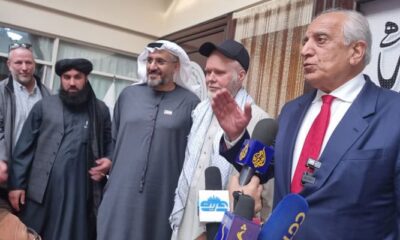
Afghanistan announces release of detained US citizen
-

 Tech1 week ago
Can a Home Appliance Fix the Problem of Soft-Plastic Waste?
-

 Sports1 week ago
Broadcast industry CEO says consolidation is ‘essential’ to compete for NFL soaring media rights prices
-

 Entertainment1 week ago
UN warns migratory freshwater fish numbers are spiralling
-
 Business1 week ago
Property Play: Home flippers see smallest profits since the Great Recession, real estate data firm says
-
 Business1 week ago
Gold prices soar in Pakistan – SUCH TV
-
 Business1 week ago
More women are entering wealth management, but few are in advisory roles, study finds
-

 Fashion1 week ago
ICE cotton slips on weaker crude, profit booking