

Tech
The Best Carpet Cleaners We’ve Found, Tested in Busy Households

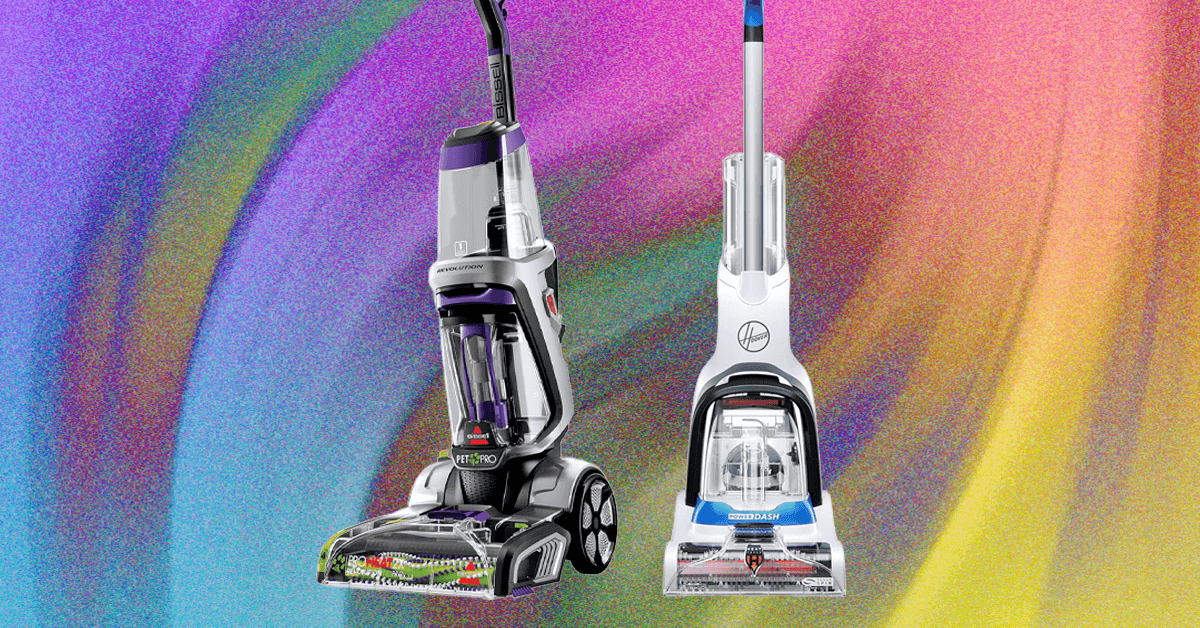
Compare Our Picks
Others Tested
Photograph: Simon Hill
Hoover HF4 Hydro for £199: For UK folks in flats or small houses with a mix of carpet and hard floor, this cordless, space-saving vacuum and mop from Hoover could be a smart pick. You get a standard cordless stick vac with around half an hour of battery life, but you can switch the head to mop. It’s excellent for cleaning hard floors, with a shape that gets right into corners and two rotating pads to lift stains. But the water tank, contained within the head, is tiny, the vacuum is only moderately powerful at lifting, and battery life drops to just 15 minutes in turbo mode.
Hoover SmartWash Automatic Carpet Cleaner for $250: It’s bulky, but it has automatic cleaning and drying cycles—pushing it forward releases the solution and pulling it back starts the drying process. After you’ve gone over the whole area, you can turn just the drying mode on for an extra pass if the carpet needs it. The handle comes out with the click of a button, and you can use its separate tank with a cleaning solution to spot-treat before vacuuming. A hose and separate antimicrobial pet tool can clean stairs or any other hard-to-reach areas that need extra elbow grease. Some customer reviews say it worked well for a few months but then shorted out. We’ll keep trying it to see if we run into that issue. —Medea Giordano
Bissell Little Green Portable Carpet Cleaner for $79: If you’ve landed on the cleaning side of TikTok, you’ve probably seen people cleaning their carpets and furniture with this Little Green machine. This opens up the world of upholstery cleaning too, not just carpets. It worked well and it’s easier to store and tote around your house than our top pick. But use the included hose-cleaning tool frequently. These hoses can get nasty. —Brenda Stolyar
Cleaners We Like for Hard Floors

Photograph: Simon Hill
Dreame H14 Pro for $380: The Dreame H14 Pro is quite large, but I found it easy to maneuver, and it can lie flat to get under furniture. A handy LED headlight helps you see what you are cleaning clearly. A full charge proved enough to do all my hard floors twice over, and the result was super shiny. What I love about this vac is that it effectively cleans up dry or wet spills, so whether you are cleaning cat litter or a spilled bowl of cereal, it performs. It’s best for cleaning recent spills but can shift stubborn stains with repeated passes on Ultra mode. When you finish, you can return it to the charging cradle and trigger the self-cleaning mode to sterilize the soft roller and dry it (though it gets loud and takes a long time). No one wants to install an app or create an account just to use a vacuum, but it enables you to choose modes and schedule the self-cleaning, which could be handy if you want it to wait until you go out. —Simon Hill
Shark S5003D Genius Steam Mop for $100: This steam mop is great for cleaning hardwood, tiles, or laminate flooring (not carpets). Simply fill the water tank, plug it in, and attach one of the mop pads. It has three heat levels, and you press down to release a jet of steam for stubborn stains. There’s no need for any detergent, it’s light and maneuverable, and it doesn’t require much space. The clever pad design enables you to flip it over when one side is soiled, and the mechanism makes it easy to attach, with a button to detach the dirty pad, which is machine washable. (You get two pads in the box.) I regularly use this mop to clean laminate, composite, and tile floors, but you must be careful using steam, especially on wood or vinyl flooring. Test it on the lowest heat setting before going over the whole floor. There are no special attachments or extras here, and it’s only suitable for use on hard floors. You also need to empty any remaining water if you don’t plan on using it for a while, or the tank can go nasty. —Simon Hill
Karcher SC 3 for $164: If your budget can stretch, this option is better if you want attachments and the option to steam-clean harder-to-reach surfaces and your hard floors. It’s good for complete kitchen or bathroom cleaning without the need for any detergent or other products. It’s effective for cleaning glass and mirrors too. It only comes with one microfiber cover, and it’s not recommended for use on fabrics or carpets. —Simon Hill
Not Recommended

Eufy E28 HydroJet Robot Vacuum with Carpet Cleaner for $1,400: I generally love Eufy’s attractive, smart, multipurpose robot vacuums, and since I have two dogs and two kids, I was expecting to love a robot vacuum that could also mop hardwood floors and has a detachable carpet cleaner. Unfortunately, the water injection system is wonky. It has to be perfectly positioned to get water from the portable carpet cleaner tank (I often had to tap it into place), and every time I mopped, it leaked constantly all over my kitchen floor. At least the carpet cleaner was effective. —Adrienne So
Things to Consider When Shopping for a Carpet Cleaner
There is a lot to think about when shopping for or using a carpet cleaner, such as how much space you’ll need for storage and whether you should rent or buy. Here are some tips to keep in mind.
Carpet cleaners are heavy and bulky, especially when filled with water. They can be harder to maneuver than regular upright vacuums. They will also need quite a bit of storage space.
Tackle stain-causing spills immediately. Most households only need to wash carpets once every six months to a year, but spot cleaners are ideal for treating immediate spills, plus they’re easier to store and use.
You likely won’t use a carpet cleaner often, so it’s OK to consider hiring professionals to do your whole home, especially if you have limited storage space. (It also can depend on how dirty and stained your carpets are.) Look at options for renting a machine from local businesses or retail stores like Home Depot. You’ll be able to get the benefits of a commercial-grade cleaner without paying a fortune.
Clean your carpet before you use a carpet cleaner. This may seem counterintuitive, but you don’t want dirt and hair to form wet clumps that block the cleaner. And if you haven’t washed your carpets in a while (or ever), be prepared for an embarrassing amount of hairy clogs to fill the dirty water tank.
The carpet shampoo or detergent you use is important. Manufacturers often insist you use their brand, and while other types may work fine, you might void your warranty (although I have no idea how they’d know). Most carpet cleaners come with some detergent.
Try, try, and try again. It can be disappointing to fire up a carpet cleaner and find that it’s incapable of removing that old red wine stain or ground-in toothpaste. Don’t lose heart. Multiple cleaning sessions can sometimes chip away at established stains, and at least reduce, if not remove, them.
Drying your carpets can take a long time. Most carpet cleaners have different settings, and they will suck up some of the water, but they all leave carpets a bit damp. The deeper cleans tend to leave carpets wet, so think about how you might speed drying time. Use fans, fire up the heating, or do your carpet cleaning in the spring and summer months when you can leave windows open.
Protect your hearing. Of all the ways you can damage your hearing, a carpet cleaner is perhaps the least fun, so protect your ears. Some of these get very loud, so wear earplugs while you work.
Power up with unlimited access to WIRED. Get best-in-class reporting and exclusive subscriber content that’s too important to ignore. Subscribe Today.








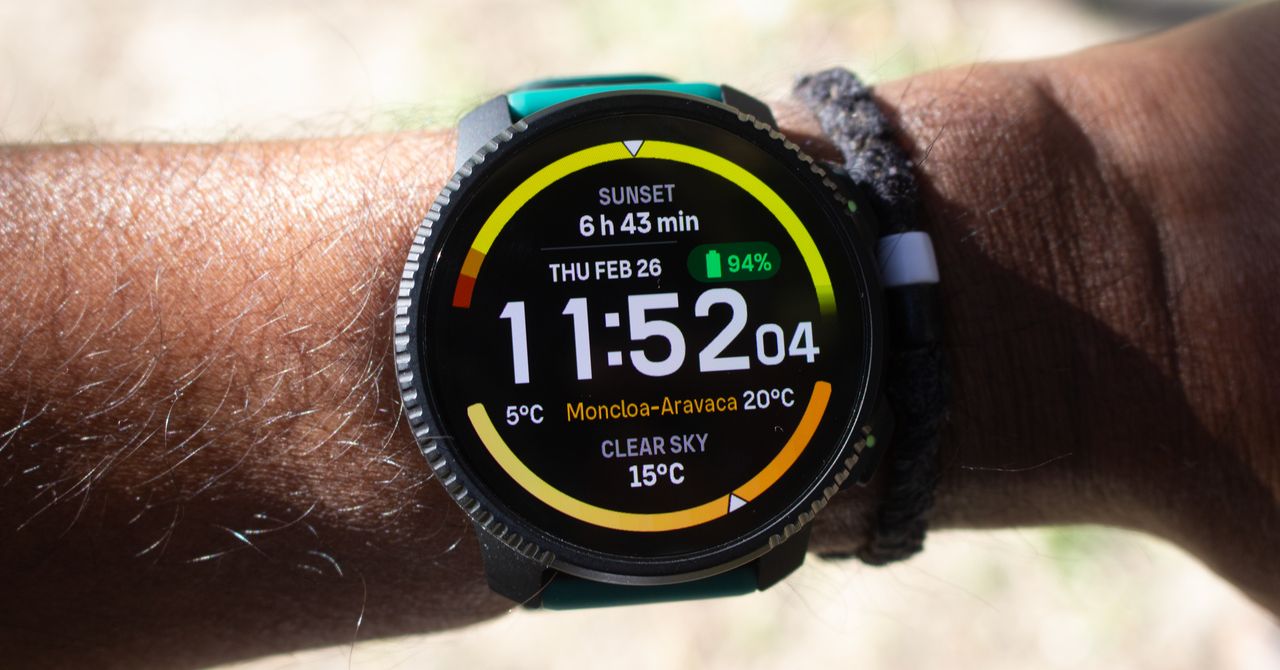
It’s always pleasing to see an array of physical buttons, and you get sizable ones too. You’re not going to miss these wide flat ones even when picking the pace up. The silicone strap has a nice stretch to it and while the button clasp is a bit awkward to get into place, this watch does not budge.
Suunto has jumped on the flashlight trend, with an LED light strip sat on the front of the case. You can adjust brightness levels and there’s SOS and alert modes to emit a very noticeable pulsating light pattern. This is a light I found useful rooting around indoors as well as on nighttime outings.
The biggest change is the introduction of a 1.5-inch, 466 x 466 AMOLED display. This replaces the dull, albeit very visible, memory-in-pixel (MIP) display. Suunto also ditched the solar charging that did require spending a significant amount of time outside to reap its battery benefits.
Adding AMOLED screens to outdoor watches has been contentious. The older MIP displays are just more power-efficient. The Vertical 2 is down by about 10 days from the older Vertical for what Suunto calls daily use.
Still, even if you’re putting its tracking and mapping features to use, you’re not going to be reaching for the charger every few days. After two hours of tracking in optimal GPS mode, the battery only dropped by 2 to 3 percent. The battery drop outside of tracking is also small and the standby performance is excellent as well.
Software Updates
Photograph: Michael Sawh
A more streamlined set of smartwatch features helps reserve battery for when it really matters. Unfortunately, I probably got better battery life because you don’t get phone notifications or responses if it’s paired to an iPhone instead of an Android. There’s also no onboard music player, but you do get a pretty slick set of music playback controls that are accessible during tracking.
Tech
Police do not have to explain to lawyer Fahad Ansari why they seized his phone data, says court | Computer Weekly

Police do not have to give a lawyer who was stopped, questioned and had his work mobile phone seized for forensic examination reasons for their actions, the UK’s high court has ruled.
The decision means that lawyers can be subject to counter-terrorism powers and have their privileged communications extracted and examined by the state, without having the right to know the case against them, said advocacy group Cage.
Fahad Ansari, who acts for Hamas in a legal appeal to have its proscribed status in the UK overturned, was stopped by police under Schedule 7 of the terrorist act while returning from holiday with his family last year.
The case is believed to be the first targeted use of Schedule 7 powers, which allow police to stop and question people and seize their electronic devices without the need for suspicion, against a practising solicitor.
The high court ruled on 4 March that police may present evidence about the reasons stopping Ansari in a closed court in front of a special advocate without Ansari or his lawyers being present – preventing Ansari or his legal team from learning the reasons why he was stopped.
Lawyers for Ansari argued the lawyer was entitled to be given a sufficient “gist” of the police’s case against him to enable him to disprove the police’s case, even if doing so would be damaging to national security.
Privileged material
Hugh Southey KC told the court in October 2025 that Ansari’s work phone contained data going back 15 years, including privileged material relating to his clients, and that any data extracted by the police should be deleted.
Ansari, an Irish citizen, argues that he was unlawfully stopped, detained and questioned under Schedule 7 of the Terrorism Act when he disembarked from a ferry with his family at Holyhead after visiting relatives in Ireland in August 2025.
The court was told last year that the phone contains details of at least 3,000 contacts, voice notes, memos, case papers, search terms and metadata, the overwhelming proportion of which is likely to be legally protected.
Justice Chamberlian found in a judgment published today the question was not whether any allegations made against Ansari by police in closed hearings were true, but whether police had a lawful basis for stopping and searching the lawyer at the time the search was carried out.
He found in a 15-page ruling that the use of Schedule 7 powers against Ansari to question him and seize his phone does not require any allegation to have been made against him, and that the seizure and retention of his personal information does not affect Ansari’s legal position.
The judge found that there were “substantial protections” in place to protect the integrity of legally privileged information, and that even if legally privileged material could be used against third parties, which it could not, they would enjoy the “full panoply of procedural rights”.
Ansari said he handed over the password to his phone after police warned him that to fail to do so would be an arrestable offence. He said that police also questioned him about Palestine Action, a direct action protest group that was proscribed under the Terrorism Act 2000, though Ansari has no connection with the group.
South Wales Police, which is responsible for counter-terrorism in Wales, has denied that Ansari was stopped because of his political views, and maintains that asking him questions about proscribed organisations is not unlawful.
Ansari, a registered freelance solicitor, became consultant at Duncan Lewis Solicitors, where he specialises in national security and complex human rights cases, after training at Fisher Meredith LLP and Birnberg Peirce.
Speaking after the judgement, Ansari said he would challenge the judge’s order that the police should not disclose their reasons for stopping him in open court.
“Seven months on, I remain in the dark about why counter-terrorism police detained and interrogated me and continue to examine the contents of my work phone,” he added. “I am exploring all options to challenge this dangerous precedent.”
Commenting on the case, Anas Mustapha, head of public advocacy at Cage, said that allowing secret evidence was a “thin end of the wedge” that could undermine justice. “Once courts accept that the state can accuse someone without revealing the accusation, the foundations of justice begin to collapse,” he added.
“The legal profession now faces a serious question: whether it will continue to accommodate secret courts through mechanisms like the special advocate system, or whether it will begin the difficult work of rolling back a process that has steadily eroded open justice for more than two decades,” said Mustapha.
Today, Apple announced its new budget MacBook. At $599, it looks seriously impressive. While I haven’t tested its performance, battery life, or display just yet, it may end up being hard to beat at that price based on some of the specs alone.
But that doesn’t mean the competition isn’t there. I want to recommend a couple of Windows laptops deals that offer various advantages over the MacBook Neo, showing where the Neo has both strengths and weaknesses.
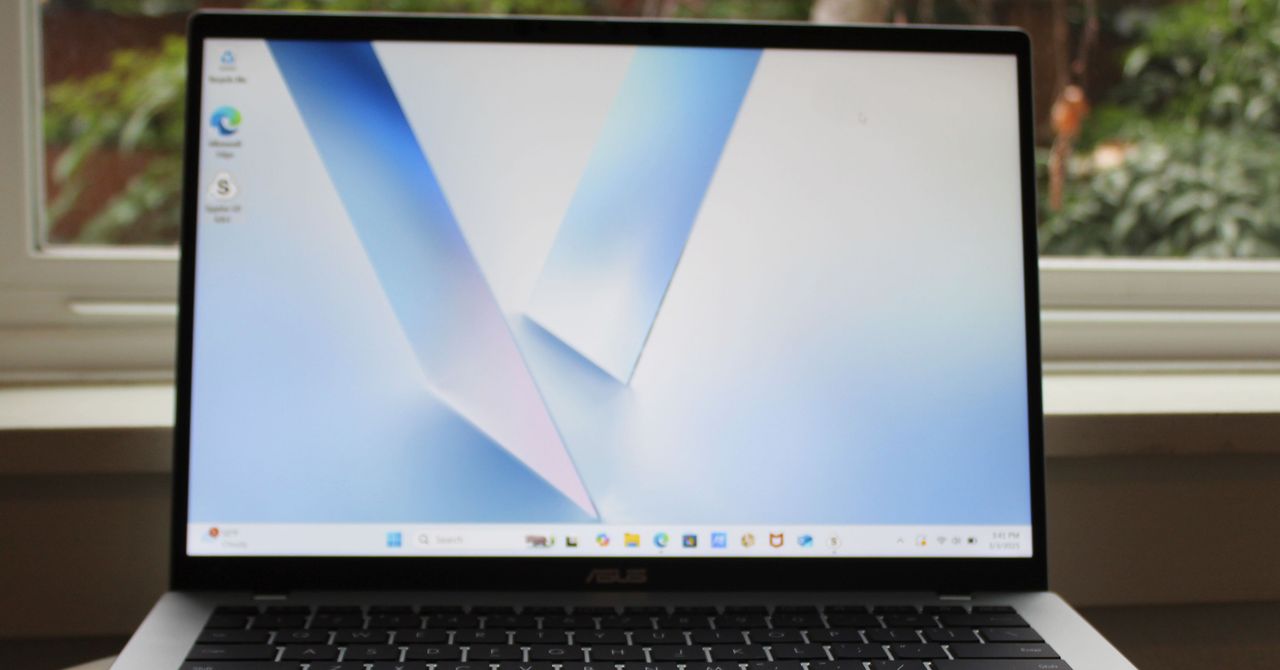
First, check out this Asus Vivobook 14, a laptop I’ve been happy to recommend as a budget computer for the past year. In many ways, this is the Windows version of a laptop like the MacBook Neo. It uses a highly-efficient ARM chip, the Qualcomm Snapdragon X, meaning it gets great battery life and performs admirably in daily tasks. It’s not quite as thin or light as the MacBook Neo, but it’s fairly portable for a laptop at this price.
Unlike the MacBook Neo, the Vivobook 14 comes with 16 GB of RAM and 512 GB of storage. That’s twice what you get in the MacBook Neo’s starting configuration. Right now, this configuration of the Vivobook 14 is on sale for $539. That’s a killer deal for those specs. It even comes with a healthier mix of ports, including HDMI, two USB-A, one USB-C, and a headphone jack. That also means it can support two external displays unlike the MacBook Neo, which can only handle just one.
Don’t get me wrong—I’m not at all saying the Vivobook 14 is a slam dunk over the MacBook Neo. Based on specs alone, I know the Vivobook 14 is a serious step down when it comes to the display. It’s less sharp, stretched across a larger screen, and the color performance isn’t so good. The Vivobook 14 maxes out at 280 nits, whereas Apple says the MacBook Neo can go all the way up to 500 nits. I have a hunch that the MacBook Neo will deliver a much better display in just about every regard.
There’s also the touchpad. It’s a little clunky to use, which is typical of budget Windows laptops. This is just a guess—but the touchpad on the MacBook Neo will likely feel smoother. It’s a mechanical trackpad (unlike the MacBook Air’s haptic feedback trackpad), but Apple has almost never made a bad trackpad.
If you’re not convinced by the Asus Vivobook 14, I’d also recommend the HP OmniBook 5, which is currently on sale for $500 and uses the same Snapdragon X chip. While it only has 256 GB of storage, it has a much better screen than the Vivobook 14, using an OLED display. It’s not any brighter than the Vivobook 14, but it gives you far better color performance and contrast. It’s also just 0.50 inches thick, matching the MacBook Neo exactly in portability.


Switzerland’s Calida narrows sales decline, lifts profit in 2025

If a Garmin Is Too Expensive, Consider Suunto’s Latest Adventure Watch

Zayn Malik shares ‘best’ concert experience with daughter Khai

India Us Trade Deal: Fresh look at India-US trade deal? May be ‘rebalanced’ if circumstances change, says Piyush Goyal – The Times of India

Attock Cement’s acquisition approved | The Express Tribune

What are Iran’s ballistic missile capabilities?

-
Business6 days ago
India Us Trade Deal: Fresh look at India-US trade deal? May be ‘rebalanced’ if circumstances change, says Piyush Goyal – The Times of India
-
 Politics1 week ago
What are Iran’s ballistic missile capabilities?
-
Business7 days ago
Attock Cement’s acquisition approved | The Express Tribune
-
 Business1 week ago
Households set for lower energy bills amid price cap shake-up
-

 Politics1 week ago
US arrests ex-Air Force pilot for ‘training’ Chinese military
-

 Fashion7 days ago
Policy easing drives Argentina’s garment import surge in 2025
-

 Sports6 days ago
LPGA legend shares her feelings about US women’s Olympic wins: ‘Gets me really emotional’
-
 Fashion6 days ago
Texwin Spinning showcasing premium cotton yarn range at VIATT 2026