

Tech
This Extremely Cute Bean Wants to Help You Stop Doomscrolling


The bean just wants to knit.
With their back to me, Poe, the name I gave the animated brown bean in the Focus Friend app, is stitching up a little storm that will eventually become socks—if I can leave them alone. Unfortunately, I need to check my texts. I cancel the timer after six minutes, which warns me that Poe’s knitting will unravel and “they’ll be really sad.” Their shoulders slump as their work falls apart and a little bubble appears over their head. “It’s ok, we tried,” they reassure me. It turns out the text I was so desperate to see was spam.
Focus Friend, a productivity timer app designed to keep your off your phone by essentially taking it over to knit, has climbed the mobile charts over the last few days, and as of this writing sits at No. 2 on Google Play and No. 3 on the App Store. The brainchild of developer Bria Sullivan and YouTuber and author Hank Green, it briefly beat out apps like ChatGPT, TikTok and the now infamous Tea.
Focus Friend isn’t the first of its kind, but rather the latest in a growing movement of apps, including Forest, Focus Traveler, Exocus, and Focus Tree, designed to keep users from doomscrolling or dawdling on their phones. Like the Pomodoro method, the time management technique that breaks work into periods of focus and rest, these apps use a timer to encourage users to lock in and tune out everything else. Unlike the traditional, analog Pomodoro, apps have gamified the experience with rewards. For every successful chunk of time I allow the bean to knit uninterrupted, it makes me socks I can then broker for decorations. These go straight into the bean’s living space, a tiny brown room with wood floors that feels woefully empty of any life. I have the power to make the bean’s life better, if only I can keep myself from scrolling.
Sullivan has smartly designed the app in a way that instills a little bit of guilt and a little bit of love for this legume with a Hank Hill ass. (Green, she says, dictated this specific design: “He said the character should be a bean, and it should have a butt crack,” Sullivan says.) Users are asked to name their bean, which wanders around its room making puns (“Beenage Mutant Ninja Turtles,” “Beanage Wasteland”) and wondering in little speech bubbles about “if beans have parents.” Sullivan says it was important to make sure the bean had not only a personality but also a point of view. It gets a little nostalgic about its own past, or wonders about who it is now. “That makes people more emotionally invested in what’s happening,” Sullivan says.
McKenna, a 19-year-old Focus Friend user who declined to give their last name, agrees with that sentiment, crediting the bean’s persona with making the app more “fun” and approachable. Although they’ve found the Pomodoro method and productivity timers to be helpful in general, McKenna says they previously haven’t been able to find one they liked until now. “I have also been using Focus Friend to set a timer for myself in the morning so I am more motivated to be off of my phone and get out of bed,” they add.
Still, even the bean isn’t immune from the siren song of a phone. Sullivan made sure to include them enjoying a little scroll, tongue out, when the app is placed into a break between focus sessions. When we talk on the phone, Sullivan herself is multitasking. She’s busy changing a diaper. “I feel like I use my phone against my will, most of the time,” she says. “I feel kind of addicted to it.” Instead of being present, Sullivan says, she’s always scrolling. “There’s times where I feel like I should be focusing on my baby while she’s, like, eating, or meditating and just being present,” she says, adding that “there’s a lot of guilt that comes with owning a phone and participating in technology these days.”












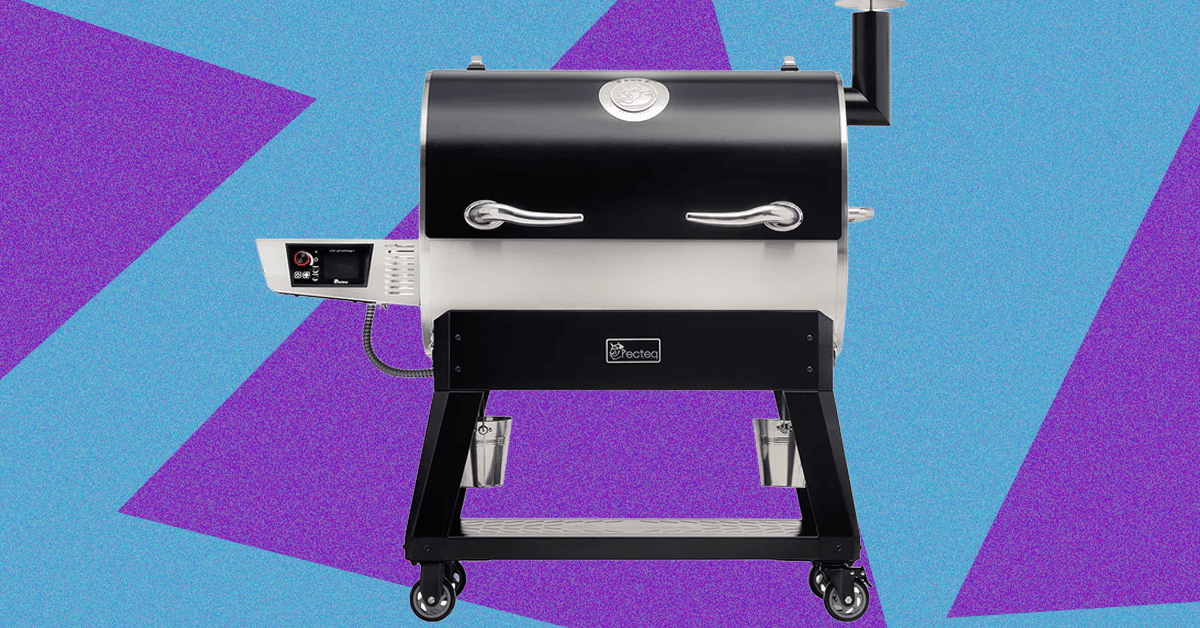
While my love of smoked meats is well-documented, my own journey into actually tending the fire started just last spring when I jumped at the opportunity to review the Traeger Woodridge Pro. When Recteq came calling with a similar offer to check out the Flagship 1600, I figured it would be a good way to stay warm all winter.
While the two smokers have a lot in common, the Recteq definitely feels like an upgrade from the Traeger I’ve been using. Not only does it have nearly twice the cooking space, but the huge pellet hopper, rounded barrel, and proper smokestack help me feel like a real pitmaster.
The trade-off is losing some of the usability features that make the Woodridge Pro a great first smoker. The setup isn’t as quite as simple, and the larger footprint and less ergonomic conditions require a little more experience or patience. With both options, excellent smoked meat is just a few button presses away, but speaking as someone with both in their backyard, I’ve been firing up the Recteq more often.
Getting Settled
Photograph: Brad Bourque
Setting up the Recteq wasn’t as time-consuming as the Woodridge, but it was more difficult to manage on my own. Some of the steps, like attaching the bull horns to the lid, or flipping the barrel onto its stand, would really benefit from a patient friend or loved one. Like most smokers, you’ll need to run a burn-in cycle at 400 degrees Fahrenheit to make sure there’s nothing left over from manufacturing or shipping. Given the amount of setup time and need to cool down the smoker after, I would recommend setting this up Friday afternoon if you want to smoke on a Saturday.

The main job of Google Chrome is to give you a window to the web. With so much engaging content out there on the internet, you may not have given much thought to the browser framework that serves as the container for the sites you visit.
You’d be forgiven for still using the default toolbar configuration that was in place when you first installed Chrome. But if you take a few minutes to customize it, it can make a significant difference to your browsing. You can get quicker access to the key features you need, and you may even discover features you didn’t know about.
If you’re reading this in Chrome on the desktop, you can experiment with a few customizations right now—all it takes is a few clicks. Here’s how the toolbar in Chrome is put together, and all the different changes you can make.
The Default Layout
Take a look up at the top right corner of your Chrome browser tab and you’ll see two key buttons: One reveals your browser extensions (the jigsaw piece), and the other opens up your bookmarks (the double-star icon). There should also be a button showing a downward arrow, which gives you access to recently downloaded files.
Right away, you can start customizing. If you click the jigsaw piece icon to show your browser extensions, you can also click the pin button next to any one of these extensions to make it permanently visible on the toolbar. While you don’t want your toolbar to become too cluttered, it means you can put your most-used add-ons within easy reach.
For the extension icons you choose to have on the toolbar, you can choose the way they’re arranged, too: Click and drag on any of the icons to change its position (though the extensions panel itself has to stay in the same place). To remove an extension icon (without uninstalling the extension), right-click on it and choose Unpin.
Making Changes

Click the three dots up in the top right corner of any browser window and then Settings > Appearance > Customize your toolbar to get to the main toolbar customization panel, which has recently been revamped. Straight away you’ll see toggle switches that let you show or hide certain buttons on the toolbar.

“The trade-off isn’t only ethical or economic,” Andreaux adds. “It’s also about reliability, privacy and personal security.”
Abed Kataya, digital content manager at SMEX, a Beirut-based digital rights organization focused on internet policy in the Middle East and North Africa, says piracy in the region is shaped less by culture than by structural barriers.
“I see that piracy in MENA is not a cultural choice; rather, it has multiple layers,” Kataya tells WIRED Middle East.
“First, when the internet spread across the region, as in many other regions, people thought everything on it was free,” Kataya says. “This perception was based on the nature of Web 1.0 and 2.0, and how the internet was presented to people.”
Today, he says, structural barriers still lead many users towards illegal platforms. “Users began to watch online on unofficial streaming platforms for many reasons: lack of local platforms, inability to pay, bypassing censorship and, of course, to watch for free or at lower prices.”
Payment access also remains a major factor. “Not to mention that many are unbanked, do not have bank accounts, lack access to online payments, or do not trust paying with their cards and have a general distrust of online payments,” Kataya adds.
Algerian students also share external hard drives loaded with television series, while in Lebanon streaming passwords are frequently shared across households. In Egypt, large Telegram channels distribute content across different genres, including Korean dramas, classic Arab films and underground music.
“We grew up solving problems online,” says Mira. “When something is blocked, you find a way around it. It’s … a fundamental human instinct.”
Streaming Platforms Adapting
Andreaux says StarzPlay has tried to address some of the payment barriers that limit streaming adoption in the region. “StarzPlay recognized early that payment friction was a regional barrier to adoption,” he says. “That’s why we invested in flexible subscription models and alternative payment methods, including telecom-led billing options that make access easier across different markets.”
At the same time, international media companies are working together to combat piracy through the Alliance for Creativity and Entertainment (ACE), a coalition of film studios, television networks and streaming platforms that targets illegal distribution of films, television and sports content. Its members include global companies such as Netflix as well as regional players like OSN Group, which operates the streaming service OSN+ across the Middle East and North Africa.
Kataya notes that legitimate streaming platforms are still expanding across the region. “The user base of official streaming platforms has been growing in the region,” he says. “For example, Shahid, the Saudi platform, is expanding and Netflix has dedicated packages for the region.”
“Other players, like StarzPlay and local platforms in Egypt, are also finding their place,” Kataya adds. “Social media also plays a huge role, especially when a film is widely discussed or controversial.”
Piracy carries legal and security risks, Andreaux says. “Rather than just ‘free streaming’, piracy exposes consumers to malware and insecure payment channels,” he says. “It also weakens investment in local content by depriving creators of revenue and reducing jobs.”
But the structural barriers described by users across the region remain. For many viewers in North Africa and the Levant, the challenge is not choosing between piracy and legality—it is whether legitimate access exists at all.


Two ships hit near Strait of Hormuz as fears grow of oil price rises

IRGC Claims Missile Strikes on US Aircraft Carrier Amid Escalation

Maggie Gyllenhaal details emotional reunion with brother Jake Gyllenhaal

ICE cotton ticks higher on crude oil rally

Pakistan carries out precision strikes on seven militant hideouts in Afghanistan

Eye-popping rise in one year: Betting on just gold and silver for long-term wealth creation? Think again! – The Times of India

-
 Fashion1 week ago
ICE cotton ticks higher on crude oil rally
-
 Politics1 week ago
Pakistan carries out precision strikes on seven militant hideouts in Afghanistan
-
Business1 week ago
Eye-popping rise in one year: Betting on just gold and silver for long-term wealth creation? Think again! – The Times of India
-

 Sports1 week ago
Kansas’ Darryn Peterson misses most of 2nd half with cramping
-

 Entertainment1 week ago
Saturday Sessions: Say She She performs "Under the Sun"
-

 Entertainment1 week ago
Viral monkey Punch makes IKEA toy global sensation: Here’s what it costs
-

 Tech1 week ago
These Cheap Noise-Cancelling Sony Headphones Are Even Cheaper Right Now
-

 Sports1 week ago
Floyd Mayweather to come out of retirement again