

Tech
Sunset for Windows 10 updates leaves users in a bind


Microsoft’s plan to halt updates for its Windows 10 operating system in mid-October has raised hackles among campaign groups and left some users worried they must buy new computers to be safe from cyberattacks.
Here is what you need to know about the planned end of support for the software.
What happens on October 14?
Computers running Microsoft’s 2015-vintage Windows 10 will receive no further updates from the American tech giant from October 14.
Such downloads were used to “regularly patch (update) the operating system because it had become the target of many cyberattacks,” said Martin Kraemer, a computer security expert with American firm KnowBe4.
What does this mean for users?
Microsoft has urged its customers to upgrade to the latest version of its operating system: Windows 11, released in 2021.
But the company is also offering a $30 one-year extension of Windows 10 security updates for users whose computer hardware is not compatible with the new operating system.
Consumer groups have blasted the move.
“The lack of backwards compatibility for certain Windows 10 machines sold only a couple of years ago is a blow to consumers’ pocketbooks” as they face being forced to upgrade, US campaign organization Consumer Reports said in a blog post last week.
In Europe, French groups such as End Planned Obsolescence (HOP) have started a petition demanding free updates extending to 2030.
And Germany’s Verbraucherzentrale federation of consumer groups said in May that the move “worries consumers and leaves them unable to make free purchase decisions.”
“Such a large volume of new (computer) purchases are also bad for the environment,” including by creating large amounts of hard-to-recycle electronic waste, they added.
How many users are affected?
Microsoft declined to answer AFP’s request for data on how many Windows users are unable to upgrade.
But Consumer Reports tallied 650 million people worldwide still using Windows 10 in August.
Another American outfit, the Public Interest Research Group (PIRG) estimates that up to 400 million computers are incompatible with Windows 11.
What are the dangers ?
Users unable to make the switch and who do not pay for security updates face a heightened threat of cyberattacks.
“By receiving no updates, you’re no longer protecting yourself against the most recent cybersecurity risks,” Kraemer said.
Although the increase in exposure is “very difficult” to quantify for individual users, as a group they would become priority targets for attackers sniffing for security holes.
As time goes on, Windows 10 users may also find themselves unable to install the latest third-party software, said Paddy Harrington of American consulting firm Forrester.
“Application vendors rely on the operating system vendor to provide certain features and functions,” Harrington pointed out.
“If these are not updated, the app vendor can’t be assured that their application will continue to function properly.”
What alternatives do users have?
Even the most recent antivirus software may not be enough to protect an operating system no longer receiving updates.
“There’s a limit to how much protection they can offer… it’s much better than doing nothing, but should be a temporary patch while you find a permanent solution,” Harrington said.
Users determined to stick with their existing hardware could switch instead to a different operating system, such as the open-source alternative Linux—already the choice for many devices like internet servers and the basis for Google’s Android smartphone operating system.
“As long as your applications support that OS and your management and security tools will support it, it’s a good choice,” Harrington said.
© 2025 AFP
Citation:
Sunset for Windows 10 updates leaves users in a bind (2025, September 23)
retrieved 23 September 2025
from https://techxplore.com/news/2025-09-sunset-windows-users.html
This document is subject to copyright. Apart from any fair dealing for the purpose of private study or research, no
part may be reproduced without the written permission. The content is provided for information purposes only.













After a relatively quiet few months, Amazon is bringing back another of its famously invented shopping holidays. The Amazon Spring Sale is in its third year, running now through March 31. Like during last year’s event, Amazon is promising customers thousands of deals across various daily, themed categories.
Of course, as we’ve seen in the past with Prime Day, Black Friday, and Cyber Monday, the true discounts on good products will likely be buried among junk deals on shoddy wares. The WIRED Reviews team tests gear all year long, and we fact-checked discounts on the products we actively recommend to our friends, family, and readers. We’ve highlighted the best deals from the Amazon Spring Sale below.
Be sure to check out our other deals coverage for vacuum discounts, smart bird feeders, and more.
Updated March 27, 2026: We’ve added additional deals, removed expired discounts, and checked for accuracy throughout.
WIRED Featured Deals:
Our audiophile reviewers test more headphones than anyone would deem sane or necessary. The Sony WH-1000XM6 are the pair they’ve declared the best wireless headphones of all, with “the best noise reduction on Earth.” You’ll also get 30 hours of battery life, multipoint Bluetooth pairing, folding ear cups and a travel case, sparkling and clear sound, and fabulous controls. They’re nearly perfect. When they’re not on sale for this price, they’re selling for the full MSRP. If you’re in the market, now is the time—or, if you’re not ready right now, wait until the next time they’re on sale for this price.
Tech
I Tested Garmin Watches for a Decade While Hiking, Biking, and Climbing. Here’s What You Should Buy
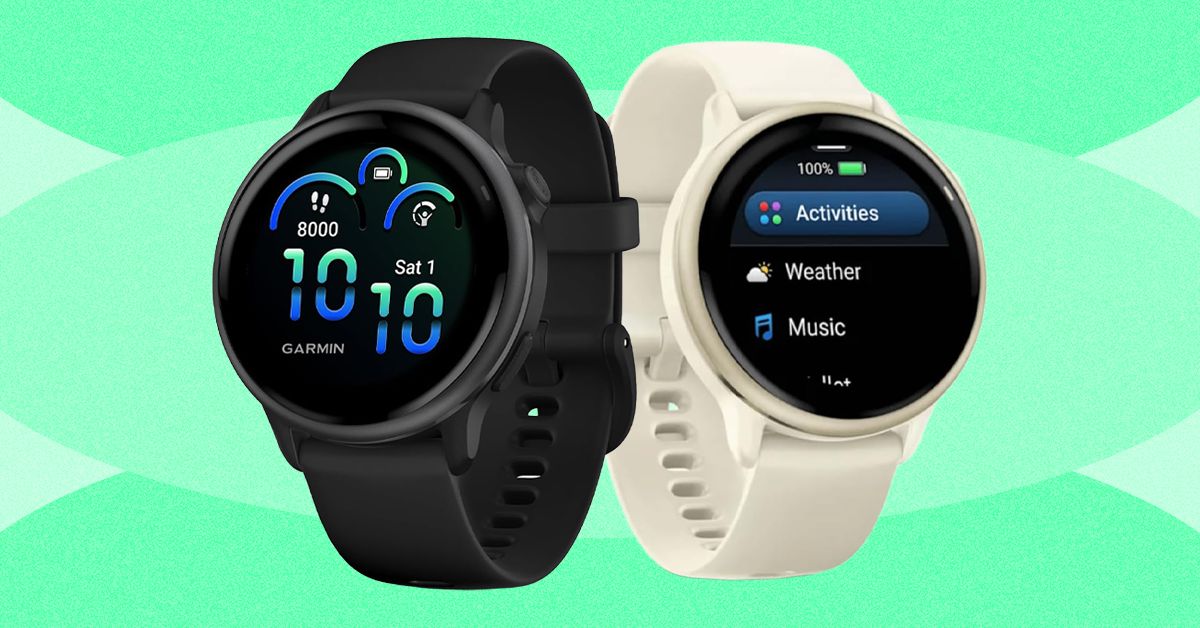
Last year, Garmin introduced a Pro version that incorporates the inReach’s satellite communications savvy. Not only does it cost at least $400 more than the Apple Watch Ultra and $200 more than the regular Fenix 8, but you also have to pay for the inReach subscription plan, which has several tiers and ranges from $8/month to $50/month depending on whether you want features like unlimited texting or sending photo messages.
What you get for this mind-boggling price is a sports watch that can do anything and everything. It has best-in-class battery life (every Fenix can last for weeks on a single charge, and up to a month with solar charging) and features like the depth sensor from Garmin’s Descent line, which means this watch works as a full-on dive computer for scuba and free diving. It has a microphone and speaker for basic voice commands (although no onboard cellular connectivity), the surprisingly useful built-in LED flashlight, and Garmin’s signature built-in topographic maps, 24/7 health monitoring, and tracking for over a hundred different activities.
I’ve taken the 51-mm version on pretty much every outdoor sport—snowboarding, trail running, mountain biking, and rock climbing. Every time I use it, its capabilities far outclass my own. I have irritated many a fellow climber by attempting to track route difficulty, duration, and falls while integrating my Body Battery metrics and so on. The danger is always that you’ll spend more time fiddling with your Garmin Fenix 8 than you do with your actual sport. I have the version with the sapphire glass face and the titanium bezel, and have smashed it into rock faces with nary a scratch. If you’re up for paying the price and want a good-looking watch that will last forever (I have friends who are still wearing their Fenix 5s and 6s, and honestly, they’re fine), this is the one to get.
Best Running Watch
The Garmin Forerunner series launched in the early 2000s and has become the quintessential runner’s watch. Like all Garmins, the Forerunner comes in a range of price points, each offering different features. Last year, Garmin released the Forerunner 570 ($550), a midrange model with no LED flashlight or onboard maps, and the Forerunner 970 ($750), which is the premium version. Before I go into detail about why the Forerunner 970 is the best option, I should also say that I have tested many previous Garmin Forerunners at various price points. If you’re not a triathlete, the older Forerunners are still worth considering, and the entry-level $200 Forerunner 165 is aimed explicitly at runners, instead of including triathletes as the more expensive models do.

Acer is one of the top largest PC manufacturers in the world, perhaps best known for its gaming line and budget-friendly options. If you’ve already got your eye on an Acer product like a laptop or monitor, and are shopping at the company’s online storefront, you should be using one of these Acer promo codes and coupons to save some cash on your purchase.
Save 40% on Accessories When You Build an Acer Bundle
If you’re buying from Acer, you’re most likely shopping for either a desktop PC or laptop. With this discount, you can get a really solid deal on accessories if you bundle it with a mouse, laptop bag, or headset. When you go to purchase a PC, just click “Build Bundle” and you’ll see some of the eligible options, all of which are reduced by 40%. The Nitro Mechanical Keyboard, for example, goes from $50 to just $30. That 40% is a real discount, too, as that same keyboard costs $50 on Amazon when I checked.
Beyond peripheral add-ons, you can also save 10% off Acer Care Plus extended service plans or McAfee LiveSafe antivirus subscriptions. You can bundle up to five products together to save the most money. If you’re headed off to college (or have a kid in the family), a bundle like this can get you everything you need for a gaming or studying setup on the go.
Shop Rotating Weekly Deals on Monitors and Gaming Gear
Acer’s PC gaming offerings come in either the flagship Predator brand or the budget-tier Nitro. Acer offers rotating weekly deals on everything from monitors to gaming laptops, some of which are my favorites that I’ve tested in their given category. The Acer Nitro V 16, for example, was a budget gaming laptop that I recommended quite a lot last year because of its incredible price. The one I tested was the entry-level version with an Nvidia RTX 5050 inside, but Acer has the RTX 5060 model in its own storefront. It’s $100 off right now at $1,200, which comes with 16 GB of RAM and a terabyte of storage. In fact, it’s only $30 more than the RTX 5050 model, despite offering a significant jump in gaming performance. These discounts are reflected right on the product pages, so there’s no promo code, discount code, or coupon code required.
Acer has a wide selection of monitors available, too, whether that’s a massive 49-incher or a more modest 27-inch gaming workhorse. One of my favorite discounts I saw right now was the Acer Nitro XV2, a 27-inch 1440p display with a 300 Hz refresh rate. It’s 44% off at the time of writing, bringing the price down to just $250. Because these discounts are swapped out on a weekly basis, it’s worth checking back to see if the product you’re eyeing has a new discount.
Select Customers Can Get 15% Off Their Purchase
Acer also offers a number of added discounts at checkout, including 15% off for students. Students will need to verify through Student Beans or SheerID. Because a lot of the devices Acer offers are budget-friendly, they can be attractive for students, and the extra 15% off is the icing on the cake.
We tested the Acer Swift 16 AI last year and really enjoyed the high-resolution, OLED screen and impressively quiet performance. Acer has the smaller version of this same laptop available, the Swift 14 AI, which is currently $150 off. You also might check out the Acer Chromebook Plus 514, a laptop we liked quite a bit when we reviewed it in 2024.
Acer offers this same 15% discount for active duty military, veterans, and their families. It also applies to healthcare professionals, which can be verified through its healthcare discount portal.


Reranking the MVP for each of the top Premier League clubs

Deals From the Amazon Spring Sale That Passed Our BS Test

Venezuela’s Maduro thanks supporters in first online post from US prison

-
 Business1 week ago
Flipkart group CFO to leave co amid IPO plans – The Times of India
-

 Sports1 week ago
Rating Adidas’ 2026 World Cup away shirts: Argentina, Spain, Mexico and more
-

 Fashion1 week ago
China’s textile & apparel exports surge 17% to $50 bn in Jan-Feb 2026
-

 Sports1 week ago
American Conference Commissioner Tim Pernetti thanks Trump for Army-Navy game executive order
-
Tech1 week ago
The Corsair 4000D RS PC Case Keeps Your System Cool
-

 Tech1 week ago
Gamers Hate Nvidia’s DLSS 5. Developers Aren’t Crazy About It, Either
-
 Business5 days ago
Property Play: Home flippers see smallest profits since the Great Recession, real estate data firm says
-
 Business1 week ago
‘Marriage penalty’ in Washington state’s new millionaire tax stirs debate