

Tech
Arelion boosts Baltic connectivity with resilient route | Computer Weekly


In a move that it said will reduce latency to Western Europe for multinational enterprises in a key region, global connectivity and digital infrastructure provider Arelion has completed a major expansion of its Baltic network, constructing a fully diverse, high-capacity route between Helsinki and Warsaw, creating a resilient ring for traffic between Sweden, Finland, Estonia, Latvia, Lithuania and Poland.
Explaining the rationale for the move, Arelion noted that Finland’s datacentre market is projected to reach $5.23bn by 2030, growing at a CAGR of 54.6 percent, underscoring the importance of robust digital infrastructure across the Baltic region. The project, partially funded by the EU’s Connecting Europe Facility 2 (CEF2) program, highlights how strategic investment can advance digital sovereignty in a historically underserved region.
Scandinavia has long been regarded as a connectivity hotspot, and to maintain this reputation for its clients in the era of increased and network-intensive artificial intelligence (AI) workloads, Arelion upgraded its Scandinavian network in summer 2025 to connect hyperscale datacentres and serve the region’s booming AI markets.
The new terrestrial path is intended to reduce latency between the Baltics and Western Europe, increase diversity in a geopolitically sensitive region and secure future capacity for what the connectivity provider regards as an underserved EU region.
The diverse terrestrial route connects the Baltics to Western Europe via subsea and land systems from Helsinki through the Baltics to Warsaw, bypassing Copenhagen and Stockholm to avoid bottlenecks and ensure high-availability connectivity for customers. Using open optical line systems with 400G coherent pluggable optics and 1.6 Tbps connectivity from its Waves programme, the route will provide long-term scalability to support what are anticipated as being the massive data flows of next-generation applications in Europe’s growing AI sectors.
Arelion’s expansion is also claimed to be able to deliver backbone-grade performance with predictable service-level agreements (SLAs) to reduce downtime risk, ensuring reliable business continuity for customers in cloud, financial services, manufacturing and other critical sectors.
Arelion added that by combining network fibres from regional partners with own infrastructure, the expansion provides enterprises and service providers with scalable, future-ready connectivity amid increased investment in local markets.
The infrastructure is also designed to provide customers with reliable, secure connectivity from Baltic markets into Nordic, Central and Western European data centre hubs. Arelion believes that organisations with latency-sensitive applications can benefit from consistent, predictable performance, resilient infrastructure and backbone-level security that could mitigate DDoS attacks and routing threats before they reach enterprise networks.
The route offers metro routing flexibility in major cities, including Warsaw and Helsinki and supports scalable IP Transit, Dedicated Internet Access (DIA), Ethernet, DDoS Mitigation and other global services.
Among the various points-of-presence (PoPs) throughout the region that will be connected through the expansion are Arelion’s Iso-Roobertinkatu 21-25 PoP in Helsinki; Greenergy’s Tallinn DC-1 PoP in Hüüru, Estonia; Tet’s Pērses datacenter in Riga, Latvia; The Riga TV Tower datacentre; the Delska DC2 (formerly RackRay) data centre in Vilnius, Lithuania; the Vilnius TV Tower datacentre; and Equinix’s WA1 datacentre in Warsaw.
Commenting on the route, Arelion vice-president and chief evangelist Mattias Fridström said: “This new route enhances diversity and bandwidth between the Baltics and Western Europe, delivering the secure, low-latency connectivity our customers need to scale AI and cloud applications. With support from the EU, we are strengthening Europe’s digital sovereignty while ensuring that enterprises and hyperscale operators can rely on resilient infrastructure to power innovation.”

If there was any doubt, AI mania was on full display at Google Cloud Next in Las Vegas this week, but history shows us that when humans start getting manic about things, it doesn’t always work out great.
Lately, I’ve seen a few commentators bringing up the horrible story of the radium girls to try to make this point. Have you ever heard of them? They were factory workers of the 1920s hired to paint watch faces with newfangled luminous paint containing deadly radium.
The camel hair paintbrushes the workers used lost their shape after a few brush strokes so they were encouraged to reshape the brushes by licking the tips. Many of the workers also used the paint as lipstick or nail polish, because why not?
This did not go well for anybody involved. Many radium girls experienced dental issues, lost teeth, and suffered oral lesions and ulcers. Others developed anaemia and necrosis of the jaw. Some experienced disruption to their menstrual cycles or were even rendered sterile.
At least 50 women died prematurely as a result.
This wasn’t the only misuse of radium. In a short-lived mania for the radioactive metal – first discovered by Marie and Pierre Curie in 1898 – humans also put it in toothpaste, hair cream, and a medicinal tonic drink called Radithor. Doctors even used it to try to treat cancer.
AI is manifestly not a radioactive element but there are clear parallels between its widespread application and the reckless use of radium a century ago. And I believe there is a warning here for us, or a lesson if we care to hear it; we need to figure AI out before we do something really dumb.
Put your hands in the air, the use cases aren’t there
Just look at the application of AI to the ‘creation’ of art and music and other forms of self-expression. Here, take-up has become so pervasive that the well of human creativity, perhaps our most awesome trait, is rapidly being poisoned with utter slop.
As a case in point, ahead of the opening keynote at Google Cloud Next, 32,000 humans and a handful of AIs were treated to a Google Gemini-enhanced DJ set accompanied by AI-generated visuals created by the complex ‘art’ of waving your hands about in midair.
To be fair to the performers, the results were quite impressive and the audience was bopping along.
But it’s worth a sidenote that Italian DJ Robert Miles created his breakthrough 1995 track Children using nothing more than a Korg 01/W FD synthesiser, its 16’ Piano patch, and his own skill.
My point is that Children remains an iconic piece of genre-defining ‘90s dance music, but nobody in the Google audience will be able to hum today’s set in 30 years’ time.
Next, in a demonstration of the power of Google’s Gemini Agent Platform – officially unveiled at the show – Google Cloud’s Erica Chuong, manager for applied AI forward deployed engineering, designed a ground-up interior design campaign for a fictional furniture company that had found itself lumbered with dead stock that nobody wants.
Analysing current ‘modern organic’ interior design trends the agent designed a campaign for Chuong where relevant dead stock was repriced to undercut the competition and created a series of videos showing off its flair for interior design.
Unfortunately for the agent the result was a banal and unimaginative sofa and coffee table combo dominated by dull neutral tones and devoid of personality. It would have looked okay in a Travelodge lobby.
In a world where interior design trends are being dictated by consumers asking their AI assistants about the latest interior design trends while interior designers ask their AI agents what interior design trends consumers are into, you may be wondering how any new information about interior design trends gets into this loop. If you find out how, please let someone at Computer Weekly know.
But at this point, the AI cat is not only out of the bag, it’s on top of your living room shelves knocking over your good wine glasses. Three quarters of Google Cloud customers already leverage Google’s AI, says CEO Thomas Kurian. “You have moved beyond the pilot, the experimental phase is behind us and now the real challenge begins,” he told the audience.
Moving AI into production of course needs a unified stack and happily for Google Cloud, right on cue, here comes a Google-branded one. As Google iterates its tensor processing units (TPUs) at an ever-increasing pace, it also comes with a whole new chipset, TPU 8i to support inference and TPU 8t to run training.
Lest his existence be forgot during the love-in, Kurian’s boss, Google and Alphabet CEO Sundar Pichai, appeared on a big screen to tell everyone how glad he was that they were in Las Vegas even though he hadn’t made the trip himself, and revealed just how much money – almost two hundred billion dollars – Google will spend on capex investment in innovation this year, a good portion of it to the cloud unit and much of it supporting AI.
“We are more on the front foot than ever before,” remarked Pichai. “We are moving in a bold and responsible way.”
So if that’s true, where are the bold and responsible use cases? Do they even exist? Or are they just the usual conference waffle? I went looking.
Resident agents
Resident Evil developer Capcom says it is using Google Cloud to enhance its videogame development processes, not by taking over the creativity but by enabling creatives to be creative.
A big challenge for videogame developers is playtesting their products prior to release, and as their properties grow in scale – many now encompass vast digital worlds with unthinkable numbers of permutations – the strain on developers has ramped up, big time, leading to a phenomena known as defensive development.
Defensive development is a situation where the cost of making technical changes to an in-progress project gets so high that the human engineers feel pressurised to prioritise maintenance over innovation. In gaming this often occurs late in the production cycle, leading to problems with titles being released that seem, well, unfinished in some way.
It’s not an issue that’s unique to companies like Capcom, though. Take the manufacturing sector, where facility managers might see similar challenges when trying to simulate how a hardware update will work within their current procedures, or in retail, where logistics experts must navigate dynamic data reserves when trying to optimise supply chains without disrupting their current inventory systems.
Working with Google Cloud, Capcom has now launched an in-house agentic platform that not only relieves some of this burden but also serves as a blueprint for where AI might be used better in the creative sector, and others.
It describes its approach as a multimodal workbench, and at its core, it comprises a small group of distinct agents that optimise the playtesting process using vision and reasoning to understand the intent of a system.
The first of these, the visual inspection agent, uses Gemini Vision to look at the screen through near-human eyes, working out what is an intentional design choice and what is a technical failure.
The second, the predictive agent, pores over historical data to work out where a system might break next and directs a mini army of test bots to ‘swarm’ high-risk areas, rather than testing randomly.
The third, the institutional knowledge agent, enables new team members, human ones, to learn how their colleagues or predecessors worked similar problems before, preserving decades of expertise – three of them in the case of the Resident Evil franchise.
The fourth, the data inefficiency agent, spots inefficiencies within datasets to optimise overall game performance. Developers can query it to help summarise complex technical logs and make more advanced data more widely available to their teams.
Data inefficiency agents: These agents identify inefficiencies within massive datasets to optimize game performance. Developers can query their AI teammates to receive summaries of complex technical logs, making advanced development data accessible to all team members.
Collectively, Capcom’s agents are now running for 30,000 human hours every month and the firm’s developers say they now feel empowered to focus on higher value creative tasks, while Google Cloud, for its part, says that many of the tasks the agents are performing have applications in many other industries.
Citi Sky lines up
Elsewhere, Citi Wealth, the wealth management arm of Citibank parent Citigroup, unveiled an AI team member called Citi Sky, which it says will help reshape how its clients access market insights, act on potential opportunities, and work with their human financial advisors. Bilingual in English and Spanish, in time it will be integrated into Citi Wealth’s platforms – although in the US only for now.
Citi head of wealth, Andy Sieg, said that for decades, managing your financial life has meant navigating calls, meetings, and more recently apps. With the new agentic service, you simply ask and then act. It’s a shift from interface to intelligence and transactions to outcomes, he says, with a universal question at the centre: am I financially okay?
Citi Sky will answer this question in real time, marrying insight and execution simply and clearly – not replacing human advisors, but extending their reach and deepening their impact. In fact, Citi Wealth plans to hire advisors in the years ahead.
For Citi Wealth as a business, Sieg says the goal is to unlock massive scale and apply basically unlimited cognitive resources to its clients. “And the real need that we’ve met … is creating a relationship that can evoke the same kind of trust, we believe, that clients have with their human financial advisors,” he says.
Citi Wealth invoked Google’s full AI stack to build Sky, from Google Cloud infrastructure to Google DeepMind and, of course, Gemini models running on Gemini Enterprise Agent Platform. It worked closely with both teams to incorporate DeepMind’s real-time avatar technology and Gemini’s live application programming interface (API) to solve challenges around providing low-latency audio and video conversations.
A plea for rational thinking
I must acknowledge that Google Cloud’s customer stories are carefully curated by its communications teams – not every customer wants to talk, some will be forbidden from doing so, even more are still shivering on the edge of the pool with their inflatable armbands on, too scared to jump in.
And to be blunt, some customers will be at the deep end doing really stupid things with AI that will blow up in their faces.
But in the examples of Capcom and Citi Wealth – and others that would have pushed the word count unreasonably high – I think there is some hope.
With forethought – not even very much of it – and a rational head, we can turn AI loose on both the small challenges we face in our daily lives, and the grand challenges we face collectively.
But to do this we need to resist the advances of the snake oil salesmen, the charmers and grifters, and especially the tech bros who want to disrupt something that doesn’t need disrupting, like the habit of art, for the sake of making themselves richer.
And I fear we may be running out of time to do so.

The base of the lamp has two slider buttons. One toggle adjusts the warmth, from cold white light all the way to red. One adjusts the intensity, from ultra-bright down to a glareless glow. Hard taps on each button skip ahead, while holding the toggle down on one side or another adjusts the light settings quite slowly—slowly enough I at first sometimes question whether it’s happening.
The maximum brightness is 1,000 lumens—the approximate intensity of a 75-watt incandescent bulb. At this brightness, the battery lasts about five hours. At a lower intensity, this can extend to as long as a dozen hours.
Red Shift
Photograph: Matthew Korfhage
There’s an added feature I have come to appreciate at night, which is the red-light mode. There’s little evidence that blue light from your little smartphone is keeping you awake at night. But numerous studies do show that blue light wavelengths can affect melatonin levels and thus your body’s circadian rhythm, while red light doesn’t do this.
Red light therapy is, of course, the province of TikTok as much as science—a field where wild exaggerations live alongside legitimate uses and benefits. For every sleep study showing that red light is superior to blue light when it comes to melatonin levels, there’s another showing that red light is associated with “negative emotions” before bed.
So I can only offer my own experience, which is that Edge Light Go’s red reading light offers me a pleasant liminal space between awake time and sleepy time, one not offered by a basic nightstand lamp. It allows me to sort of bask in a darkroom space that still lets me see and read, and drift off a little easier.
If I fall asleep, the light has an automatic 25-minute shut-off, which means I won’t do what I far too often do, which is drift off while reading and then wake up, alarmed, to a room filled with bright light in the middle of the night.
Caveats and Quirks

Photograph: Matthew Korfhage
This said, for all the virtues of portability, the Edge Light Go does not boast a base that’s heavy enough to stop the lamp from tipping over if I bend it forward from its lowest hinge. This can be an annoyance when trying to use the lamp as a reading light from a bedside table or the arm of a couch.

For decades, engineering teams treated code like a vintage Ferrari – expensive to build, painstakingly maintained and too precious to ever throw away. Every line represented a significant investment of human capital and time, and has led to a culture where code was cherished and its longevity was a marker of success.
But at the AWS Summit in London this week, Ryan Cormack, principal engineer at online used car marketplace Motorway, consigned that philosophy to the scrapyard. In the age of agentic artificial intelligence (AI-)driven software development, he says, engineering teams can become more productive and are able to build, revise and maintain code at speeds previously unthinkable.
In this article, we look at Motorway’s radical shift from manual coding to an AI-first development pipeline powered by AWS Kiro. Cormack talks about how the company achieved a 4x increase in engineering output, the challenges that come with the ability to produce more code, why the future of software development lies in treating code as disposable, and the core benefits of codifying organisational culture into AI steering files.
The mindset shift: Disposability vs polish
The most profound change at Motorway is speed of delivery but also a psychological break from the past. Historically, writing code was a “time-expensive process”, Cormack says, adding: “We wanted to have code that was so good that we could cherish it for years to come, because we had invested so much time into making it.”
But since starting to use Kiro – AWS’s agentic AI-capable IDE – that mindset became a bottleneck. “We shifted away from, ‘We need the most well-polished code for every line we write, all the time’, because we can rewrite it again tomorrow at a speed that’s never been possible before,” says Cormack.
This has led to a strategy of “evaluation over production”. Motorway now generates vast amounts of code – a million lines a month – much of which may never reach a customer, says Cormack. Instead, it is used to test and evaluate multiple different ways to solve a problem before committing to it.
The lesson for other organisations is clear. Don’t aim for a perfect first pass. Use AI to cycle through iterations, then use human expertise to refine exactly what you want from the options the AI helps provide.
Managing the ‘volume crisis’: Rigour over speed
While a 4x increase in output sounds like an engineering dream, it creates a real “review bottleneck”. If you write 400% more code but maintain 100% manual review processes, the system collapses. To combat this, Motorway hollowed out the “manual middle” of the development process and moved human energy to the ends of the process – namely, the spec and the review.
“We find ourselves spending more time planning code and the whole process up front, and a little bit more time reviewing what comes out,” Cormack says. “But we lose all this time in the middle where we previously had to manually write all the code.”
To ensure AI doesn’t just produce any code but “Motorway code”, the team utilises “steering files”. These files augment the AI’s system prompts with the company’s specific DNA. They are specific to Kiro and are markdown documents that contain instructions, standards and preferences to guide the AI behaviour and coding style.
They include, for example, naming conventions that standardise how application programming interfaces (APIs) are labelled across Motorway’s 7,500-dealer network, and design patterns that enforce specific software architectures.
By injecting these rules via the AI, generated code looks and feels like it was written by a veteran Motorway engineer.
And AI isn’t just used for the build; it’s used for the full lifecycle. “We need to use AI to help us debug, analyse, understand, and evaluate systems as they run,” Cormack adds, noting that agents now monitor logs and metrics to help humans manage a massive fleet of services.
The ‘Kiro’ engine and model agnosticism
A critical component of Motorway’s success is that Kiro acts as an agentic loop rather than just a simple “autocomplete” tool.
“Kiro knows how our CI pipelines work,” says Cormack. “It knows how our infrastructure is code-driven and it knows how our internal applications work together. It’s able to help guide us every step of the way.
“We’re using Kiro across our full software development lifecycle. Our product and UX teams can ship real prototypes into our customers’ hands quicker than we’ve ever been able to before. What would take weeks now takes hours.”
His team can leverage its model agnosticism too. Cormack explained they aren’t locked into a single LLM: “We use Kiro with Claude’s latest Opus 4.7 model, we use it with some of the open weight models, things like Meta’s Llama models … we’re able to selectively pick the LLM that we know is going to be able to best perform the specific task.”
This flexibility helps to mitigate the risk of hallucinations. Motorway relies on a spec-driven approach where the AI must think through the problem and generate a technical design before writing a single line.
“It will help us write automated tests that are able to prove that each of these points has been accurately done,” Cormack says. This means the AI provides its own proof of work before a human ever touches it.
Legacy transition from Heroku to AWS
Motorway wasn’t always this agile. The company was “born in the cloud”, on Heroku, which Cormack acknowledges was “great for scaling and getting going”. But as the company grew, it hit friction points.
The transition to AWS was driven by a need for “flexibility, adaptability, and scalability”, says Cormack, who views their Kiro-enabled AI-first pipeline as the ultimate tool for such transitions.
If he were to do things all over again, Cormack says he would “adopt this model of thinking much earlier on”. The ability to use AI to map migration logic and service dependencies would have saved months of manual effort during the move off their legacy platform, he believes.
Lessons for the boardroom
For organisations that want to replicate Motorway’s 250% increase in deployment frequency, Cormack warns against automating the grind of coding without also automating the rigour of testing.
“If you try to build just by writing code faster, it doesn’t solve the problems,” he says. “I don’t think our customers necessarily want code; they want features and functionality.”
The winners of the AI era won’t be the ones who write the most code, but the ones who build the most rigorous frameworks to manage its disposability.
As Cormack says: “Kiro’s now writing over a million lines of code for us every single month. So, before we start any new piece of work, our engineering team chooses Kiro to help understand exactly what it is that we want to build.
“The rigour at the start of this process helps enable the precision we want in our engineering at the end. So, every piece of work that we do starts with a spec, understanding the intent of what it is that we’re building and why.”


Violations, threats, blockade main obstacle to genuine talks: President Pezeshkian

Fernando Mendoza reveals Tom Brady’s no-nonsense mentorship pledge ahead of NFL Draft

Meta says it will cut 8,000 jobs as AI spending grows

-

 Fashion1 week ago
France’s LVMH Q1 revenue falls 6%, shows resilience amid Iran war
-
 Entertainment1 week ago
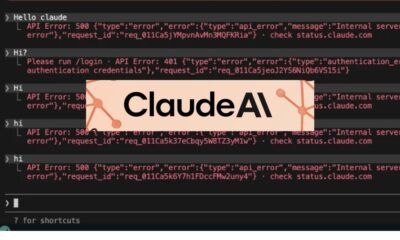
Is Claude down? Here’s why users are seeing errors
-

 Tech1 week ago
The Deepfake Nudes Crisis in Schools Is Much Worse Than You Thought
-

 Sports1 week ago
PSL 11: Peshawar Zalmi win toss, opt to field first against Quetta Gladiators
-
 Business1 week ago
Standard Life buys rival in £2b deal to create savings giant
-

 Tech1 week ago
CYBERUK ’26: UK lagging on legal protections for cyber pros | Computer Weekly
-

 Sports1 week ago
World Cup kit ranking: Which teams will look best in 2026?
-
 Business1 week ago
PepsiCo earnings beat estimates as North American food business improves