

Tech
Canva uses 1Password to secure ID during growth phase | Computer Weekly


In May 2019, graphic design platform Canva fell victim to a major cyber security breach in which a threat actor known as Gnosticplayers hacked its database and stole the personal data of more than 100 million users, including their usernames, email addresses and bcrypt-hashed passwords.
In the wake of this unfortunate incident, the company, based in Sydney, Australia, ploughed significant investment into cyber security measures, alongside which came a new engagement with credential management service 1Password.
By the time Kane Narraway arrived at the firm as head of enterprise security towards the end of 2023, the firm had righted the ship and entered a major growth phase as its active user base ballooned to more than 260 million per month, generating over $3.5bn (£2.5bn) in annualised revenues. This went alongside a fivefold increase in headcount since 2020, and an expanding global base of operations.
Narraway, who previously worked in security roles at Shopify and Atlassian, and also spent some time working on digital forensics for the UK government – although he now calls New Zealand home – says that managing this phase has proved an interesting challenge.
Indeed, throughout his time at the firm so far, the pressure to maintain and improve its security posture has been immense, says Narraway. In the past three years, he has juggled keeping Canva’s growing enterprise customer portfolio safe, securely managing onboarding and access, mitigating the risks associated with shared accounts and balancing security with in-house developer efficiency.
“When you scale out rapidly, people do more things, they have more unique workflows, and then it becomes harder and harder to lock things down, essentially,” says Narraway. “So, it’s a case where you’ll see people buying more SaaS [software-as-a-service] tools that need to be secured, you’ll see people using more IDEs [integrated development environments] for coding and things like that. There’s lots of different scenarios.
“There’s nothing unique about rapid growth assuming that you’re putting investment in, but I definitely think it’s a case where you need to scale out your security organisation alongside your engineers and your non-engineering organisation as well, otherwise you’ll end up falling behind and not be able to catch up.”
New hires: a security blind spot
Two of the biggest cyber security blind spots for many organisations are introducing new recruits to the business and saying goodbye to old ones. The risks associated with former employees – particularly disgruntled ones – absconding with your most valuable data are pretty well known at this point. However, the risk that new employees present when they walk through the door is perhaps less talked about. New hires bring their own preconceptions and misconceptions about security, and will need to be quickly brought up to speed on how things are done in their new role lest they accidentally cause a mishap.
At the core of Canva’s engagement with 1Password sits the supplier’s Enterprise Password Manager product, which it is now using to mitigate some of these risks, onboarding so-called Canvanauts swiftly and securely – ensuring consistent credential management from the second they first sit down at their new workstation, and supporting SOC2 compliance into the bargain.
“If you have your password manager set up, where people get onboarded on day one, it takes them through initial onboarding training on how to use it,” says Narraway. “All the other team’s credentials are already in it, so they’re kind of forced to use it. People use it because it’s the easiest option.”
At the same time, he is using 1Password’s SCIM Bridge (System for Cross-domain Identity Management) to automate provisioning of new applications across the business, so that new users can be integrated seamlessly with clear documentation on migrating credentials from any legacy tools in play. For higher-risk applications, this service can reset credentials to cut the chances of inherited vulnerabilities sneaking in.
“1Password has turned security into a growth enabler,” he says. “We can integrate new teams and systems quickly while maintaining the highest security standards and enabling exceptional creative experiences for our customers.”
Narraway characterises the role 1Password plays as making the path to security as smooth as possible. “We have this concept in security called the paved road,” he says. “The idea is that people will use your paved road because it’s the easiest thing. Whereas, if the paved road isn’t so paved, it’s like a gravel road, people are going to use the other easiest thing, right?”
Fumbling the identity experience as is probably the easiest way to introduce potholes along this path, says Narraway, because doing so will force people to take alternate routes, like using password managers on their personal phones, or Google’s in-built management services.
“While all of those things are good, you don’t have any of those enterprise settings [and] you don’t know the security of those accounts,” he says. “As much as possible, you want to prevent any sort of personal password syncing.”
Canva is also benefiting from 1Password’s centralised approach to storing and accessing logins and secrets. For example, on shared accounts – such as social media logins used by comms and marketing teams – 1Password enables Canva to apply stronger authentication measures, such as one-time passcode-based logins for accounts that aren’t tied to any one person, meaning they are accessible to the teams that need them but are still protected by multifactor authentication (MFA).
“When you look at security incidents, a non-trivial amount of breaches happen because of secret sprawl,” says Narraway. “1Password solves this by providing granular access controls, so teams can share only what’s necessary, protect credentials, and still give them access to the tools they need.”
Securing developer workflows
Canva prides itself on rapidly evolving its visual communications platform and quick iteration, so with a highly active developer population, 1Password is also being heavily used to support the tools and workflows these teams need, going beyond mere password management.
Among other things, Canva’s developers are now using 1Password to secure things like service account credentials, SSH keys and other infrastructure secrets, while the 1Password Command Line Interface (CLI) is helping to streamline access in their workflows.
Canva’s developers use this CLI to authenticate, retrieve credentials and continue working directly from the command line, with no browser or user interface (UI) prompt.
“With your typical workflow, say if you’re logging into LinkedIn, you’re going to just open a browser, you’re going to log in, you’re going to use the 1Password extension,” says Narraway. “It’s all going to be built-in for you.
“The problem with this CLI is that you’re not going to get any of that – it’s just going to come up with the command prompt terminal, and it’s going to say ‘enter your password’, which means that you’re stuck back in those clunky days from 10 years ago, where you’ve got to go to your password manager, you’ve got to copy your password, you’ve got to paste it,” he says.
“I want to make the user experience as nice as possible, so we’ve integrated the 1Password command line with our internal developer tooling. It will ask if you want to store the credentials automatically. It’ll ask if you want to retrieve a certain credential. It saves you a lot of this effort of going to select manual stuff. It speeds up workflows.
“We’re only talking like two, three seconds each time – we’re not talking big numbers,” says Narraway. “But when you scale that out across 5,000 engineers, we’re saving weeks and weeks of effort every year just doing basic stuff.”
Security begins at home
But the engagement doesn’t end at the office door. Beyond becoming a cornerstone of Canva’s workforce security architecture, the global team is also offered free access to the 1Password Families consumer product to safeguard their personal accounts and data outside of work. Narraway is among those who have taken it up.
As any security expert knows full well, one of the biggest challenges faced by the industry is getting people to listen to security advice, do the right thing, and not write down credentials on sticky notes or update them every few months by adding a new number to the end.
Narraway says that bringing tools like 1Password to bear on the personal lives of Canva’s employees not only helps address these challenges by making it easier for them to do the right thing at home, but has the potential to improve Canva’s cyber posture, too – particularly if, for example, a remote working employee’s kid gets access to their PC.
It helps that password management technology has improved no end in recent years, he adds.
“If you used one 10 years ago, they weren’t great,” says Narraway. “They were clunky and awkward. You had to copy and paste your passwords on your phone, and not a lot of people used them.
“It’s looking a lot better these days – Google and Apple have obviously integrated the technology into their ecosystems … but the onus is still on individuals, so you still have to go through that pre-emptive hygiene.
“A lot of people don’t think about that until they get hacked, or their email turns up in a breach somewhere,” he concludes.

When you think of Star Wars, you think of lightsabers. Right? What could be better, from a movie-making standpoint, than a futuristic sword that lets you create awesome fencing duels like in old-time Errol Flynn swashbucklers. (So much better than watching Stormtroopers fire their blasters into walls and ceilings and anything else except their targets.)
Lightsabers come in a cosmic rainbow of hues (color-coded blue or green for good guys, red for bad) and a variety of shapes. There’s even a double-bladed version in Phantom Menace. (I don’t want to start a nerd fight—yet—but the best lightsaber battle in the canon has to be the “Duel of the Fates” in that movie, thanks to the skills and scariness of Darth Maul actor Ray Park.)
So … exactly what are lightsabers? Of course, they aren’t real, so nobody really knows how they work. Even the characters in the movies seem a little confused about it. In Phantom Menace, Anakin calls it a “laser sword.” Yeah, he was a kid, but both Din Djarin (the Mandalorian) and Luke Skywalker also refer to it as a laser sword—though I suspect Luke was being sarcastic.
Anyway, that’s just wrong: It can’t be a laser. For starters, lasers beams are invisible from the side, so you wouldn’t see a thing unless you staged the duels in a disco with fog machines to scatter the beams. Second, the beams go on forever; they don’t have an end. Third, laser beams can’t clank together like swords—they’d just pass through each other when you try to parry.
But what is it then? We can greatly narrow the possibilities by asking if the blade has mass. If it’s some kind of light (as you’d think from the name “lightsaber”), then the answer is no—light, or electromagnetic radiation, has no mass. If we can determine that it has mass, then it’s not light.
This is a question we can answer, by analyzing how lightsabers move when you wave them around. In other words, it’s time for some physics!
Mass and Motion
Don’t confuse mass and weight. Mass is a measure of how much “stuff” like protons, neutrons, and electrons are in an object, and weight is the amount of gravitational force acting on an object. Here we want to see what impact the mass of a lightsaber would have on its motion. But let’s start with something simpler.
Instead of a lightsaber, say we have a “lightball” made of the same buzzy substance. Since it’s symmetrical, we can describe its motion without worrying about rotation. If we want to move this ball back and forth, we call on Newton’s second law of motion. This says the acceleration (a) of an object depends on its mass (m) and the amount of force (F) applied to it.
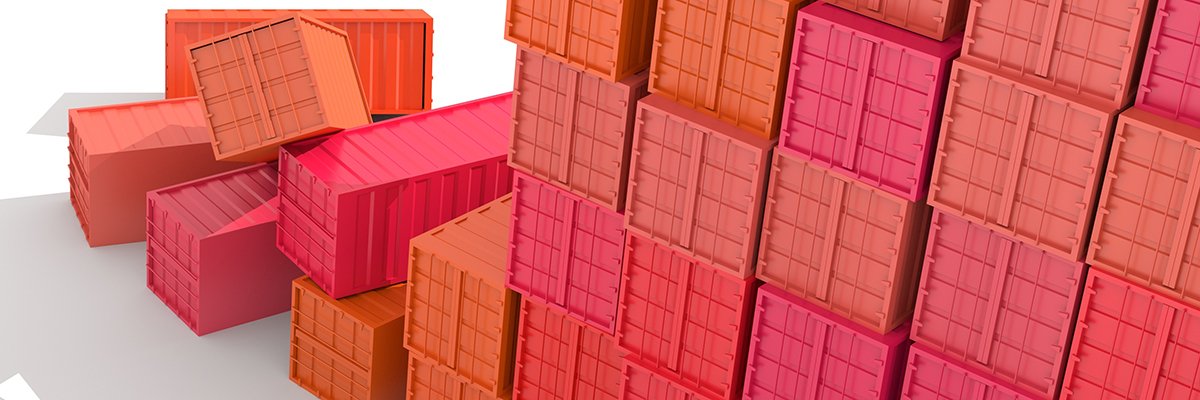
Cloud-native, or containerised, applications are now mainstream. As many as 82% of enterprises now have Kubernetes in production, according to the Cloud Native Computing Forum (CNCF). That is up from 66% in 2023. And a full 98% of organisations have at least some cloud-native applications, the industry body says.
But moving applications to cloud-native environments does not just mean creating new code. It also means adapting infrastructure. Compute, networking and data storage all need to work with container environments. By no means can all systems do this out of the box, especially when it comes to on-premise hardware.
At the same time, enterprise IT architects need to consider the requirements of legacy applications and virtual machines (VMs) that are not being updated. And enterprises will want to make the most efficient use of their storage hardware, regardless of their application environments.
Moving to containers means adapting a technology that was not designed for persistent storage to handle business-critical data.
Stateless states
Containerised applications started out as stateless, or ephemeral. The designers never intended containers to hold persistent data. They expected that microservices or containerised applications would use no non-volatile storage and discard the contents of memory, and even their settings, once they had completed their tasks.
Instead, containerised applications rely on an external data store, usually a database or cache.
There are advantages to this approach. These include simpler deployment, easier scaling, fault tolerance and recovery, and application portability. But most business applications, if not the majority, need persistent data.
“Most business applications require storage. In reality, unless you’re converting Fahrenheit to Celsius and back, you’re storing something somewhere,” says Dan Ciruli, vice-president and general manager for cloud native at Nutanix.
And the need to work with persistent data is all the more important, as enterprises look to containers as an alternative to conventional virtual machines.
But this means rethinking the way applications work. And it requires IT architects to update their storage systems to support modernised, cloud-native applications. This can be directly, where array manufacturers support containers, or through a control plane such as Nutanix or Everpure’s Portworx.
Almost inevitably, changes are being driven by AI, as enterprises look to support its data-heavy workloads in modern, cloud-native environments. But there are other drivers, too, including a trend to move virtualised applications to containers and the need for cost controls.
“Kubernetes might be over a decade old, but it’s continuing to evolve as AI transforms the way we handle data. Already, Kubernetes has moved beyond the days when it was built only for ephemeral, stateless applications,” says Michael Cade, global field chief technology officer at Veeam Software.
“Today, stateful applications such as databases, machine learning pipelines and streaming systems are now being treated as first-class citizens [in containerised environments] and have been given the specialised tools they need to thrive.”
Storage connections
Connecting storage to Kubernetes, though, relies on support from both application developers and hardware suppliers.
The main way to connect storage to container environments is through the container storage interface (CSI). CSI needs to be supported directly by the storage provider, be that the hardware manufacturer, a cloud service, or a software-defined storage (SDS) supplier.
As the CNCF’s Kubernetes page notes: “CSI was developed as a standard for exposing arbitrary block and file storage systems to containerised workloads on container orchestration systems like Kubernetes.” CSI allows third-party storage providers to write, and deploy, plug-ins for storage without changing the core Kubernetes code.
SDS technologies, for their part, also use CSI drivers, but run on commodity hardware rather than dedicated storage arrays, as well as hyper-converged infrastructure. It also includes open source options, such as OpenEBS, Longhorn and Ceph.
“Every environment needs a storage back end, with a CSI driver that connects it to Kubernetes. It’s up to the storage provider to provide the CSI driver,” says Nigel Poulton, an author and independent expert in Kubernetes and containers.
“Most CSI drivers create at least one StorageClass that maps to a tier of storage and its capabilities. For example, a CSI driver might create a StorageClass called ‘fast-replicated’ that maps to high-speed flash storage automatically replication to a remote location. Any application using this class automatically gets that tier and set of capabilities,” he adds.
This level of abstraction is highly useful for application developers, as they no longer have to worry about the physical capabilities of the storage system. That is handled by the CSI drivers.
“The CSI drivers enable us to give access to storage from the containerised application, but [for firms to] still administer the storage the way they do the storage that’s running under their VMs,” says Nutanix’s Ciruli. “And that’s a big advantage.” He also sees customers installing Kubernetes on bare metal clusters.
This also maintains separation between the Kubernetes workloads and the underlying storage hardware. On paper at least, enterprises can move their containerised applications to a different platform or supplier, or new storage hardware, without rewriting code and with minimal disruption.
In practice, large-scale moves of Kubernetes applications between platforms are still relatively rare. Enterprises tend to develop applications to run on Amazon Web Services (AWS), Google Cloud Platform (GCP), Microsoft Azure, or local hardware, depending on their business requirements.
Application portability, supported by CSI, is a useful insurance, even if there are enough differences between platforms to suggest caution.
“We really don’t need to become an expert in how EBS [Elastic Block Store] works versus Azure disk, or local SSD [solid-state drives] and how that works,” says Greg Muscarella, general manager for Portworx at Everpure. “If you have to manage those things, it becomes somewhat complex. Companies tend to focus on a single cloud environment.”
Few organisations, he suggests, have code where they could “push a button and move it to a different cloud”, not least because of differences between storage architectures from both hardware suppliers and cloud providers. However, enterprises are moving more applications to cloud-native environments. And this increasingly includes databases and applications that previously ran in conventional virtual machines.
New platforms
One of the most significant trends in application modernisation is to move both virtual machines and database-driven applications to containers. Cost, avoiding supplier lock-in and the need to consolidate on fewer platforms are all drivers.
“The line between ‘containerised’ and ‘virtualised’ is blurring,” suggests Veeam’s Cade. “For a long time, containers and VMs were seen as two separate siloes. But as stateful applications have developed, and since VMs are essentially a typical stateful workload, we’re seeing a significant rise in businesses running them directly within Kubernetes using platforms such as Red Hat OpenShift Virtualization.”
Poulton agrees. He sees more organisations moving virtualised workloads to containers, via tools such as KubeVirt. But, although organisations are porting over virtualised applications, and databases, IT architects need to be sure that all the application’s requirements are met by the storage layer.
“Databases have much more demanding requirements, including ordered startup, replication, automated failover and backup,” he cautions. “The two biggest changes are ensuring a CSI driver exists for the storage system and potentially deploying an operator.”
A Kubernetes operator provides details about a database’s specific requirements, and sometimes storage, too. Operator support is essential to allow databases to deliver enterprise workloads over Kubernetes. Again, the operator supports the modern application goal of separating the code from the storage array or cloud storage service.
Percona, for example, provides operators for MySQL, PostgreSQL and MongoDB, as well as Everest. “The operators are basically the game changers,” says Kate Obiidykhata, the company’s general manager for cloud native. “They encode the human DBA knowledge into the software, and you have all those most important resilience components, backup, failover, replication and upgrades automated.”
Operators, she adds, help enterprises to adopt hybrid architectures or multicloud strategies, allowing data portability without the need to rewrite applications. But workloads that operate on VMs will not automatically run on containers, she says. Firms will need to plan, and test, their deployments with care.
“There are specific playbooks that you should apply and methodologies that are obviously different from the classic database setup on VMs,” says Obiidykhata. “But it’s all doable, and many companies are now running those databases on Kubernetes. They just have a different playbook to mitigate those issues.”
Firms also need to factor in how they run their ported applications in production. Development, understandably, attracts much of the attention. But how systems run from “day two” onwards is critical. This includes storage provisioning and tiering, as well as backup, recovery and security.
The CSI drivers take care of much of the hard work, but enterprises are likely to look to invest in new hardware, or even storage from suppliers focused on cloud-native environments, to ease the migration to containers.
“This is usually by deploying new storage architectures, either via new storage products from existing vendors, but increasingly by engaging with new vendors,” says Poulton. Enterprises, he adds, might still be running older hardware systems, but they are unlikely to use them for Kubernetes.

So, what’s not to like? Well, early compatibility problems slowed the initial uptake of Snapdragon X, and the CPU’s integrated graphics performance turned out to be pretty terrible. And to date, powerful onboard AI features just haven’t proven important, as most AI workloads are still being done in the cloud. With the second-generation X2, Qualcomm set out to deliver on the original promise of faster performance.
But what exactly does “faster” mean? As with most claims in the PC computing space, it’s all about the benchmarks. On the Zenbook A16, the tests I ran indeed showcased exemplary performance from the X2 Elite Extreme, in some of the most widely used benchmarking tools, namely Geekbench 6 and Cinebench 2024. (I don’t have enough competitive Cinebench 2026 results to make wide comparisons yet on that benchmark.)
The performance boost on Geekbench is particularly striking, with the A16 scoring 50 to 100 percent faster than competing systems from AMD and Intel. It’s even faster than the Apple MacBook M4 Pro, the last Mac for which I have comparable benchmark scores. However, that Mac did beat the Asus on the Cinebench benchmark, but not by much, and the Asus now stands solidly in second place in my testing archive.
Graphics performance is much better than in previous generations of Snapdragon X chips, with frame rates quadrupling on average, depending on the test. That’s a dramatic and much-needed improvement for the CPU, and while no one will accuse the A16 of being a gaming rig, it does at least make for a workable experience with less taxing games and graphics-heavy workloads.
Beige Belies Performance
Photograph: Chris Null
I’m happy enough with how the Snapdragon X2 Elite Extreme performs to sign off on its performance claims, but there’s a lot more to the Zenbook A16 than its CPU.
Under the hood, the Snapdragon X2 Elite Extreme X2E94100 CPU is complemented by 48 GB of RAM and a 1-TB SSD. The 16-inch touchscreen offers a solid resolution of 2880 x 1800 pixels, and it’s incredibly bright. A weight of 2.9 pounds is impressive (if not unheard of) for the 16-inch category, and at 0.65 inches (at its thickest), it has a svelte, quite portable carrying experience. Asus’s Ceraluminum technology (now with added magnesium) is used in the machine’s lid, base, and keyboard frame. That helps keep it thin and light, though when adjusted or touched, the screen shimmied more than I expected.

Heineken to boost British pubs with £44 million investment before World Cup

India aligns RoDTEP schedules with amended customs tariff

Emily Blunt celebrates as ‘Devil Wears Prada 2’ dominates box office

-

 Tech7 days ago
A Brain Implant for Depression Is About to Be Tested in Humans
-

 Tech1 week ago
Almost 90% of women leave tech industry within 10 years | Computer Weekly
-
 Business7 days ago
‘I had £20,000 stolen and had to fight a 13-month fraud reporting rule to get it back’
-
 Business1 week ago
Pakistan’s oil market is fuelling the crisis | The Express Tribune
-

 Sports6 days ago
Pro wrestling star Steph De Lander reveals how colleague’s advice helped lead her to title triumph at ACW
-

 Entertainment7 days ago
Melania Trump says ABC should ‘take a stand’ on late-night host Kimmel
-

 Tech6 days ago
This Ambitious Laptop Doesn’t Leave Much Room for Your Hands
-

 Entertainment7 days ago
Norway joins Type 26 Frigate Programme to boost NATO naval power