

Tech
Faithful Companions: The Best Printers We’ve Tried

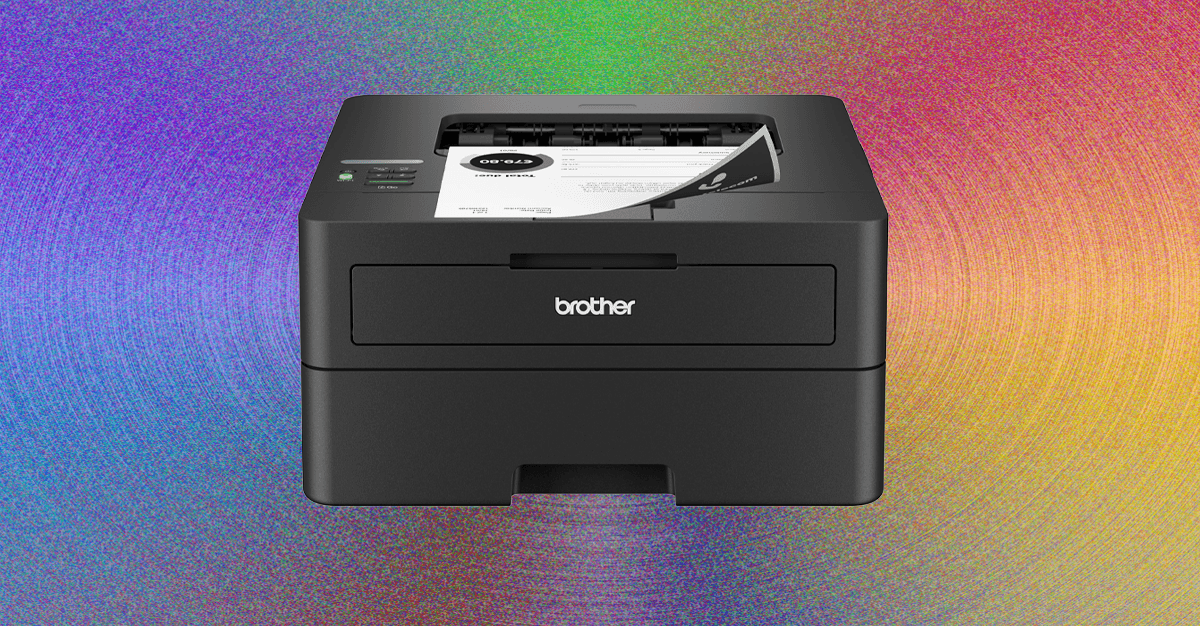
Before anything else, you’ll have to decide between ink and laser. I’ll get into the details when it comes to each model, but the most important consideration is paper type, because it’s a limitation rather than a benefit. Laser printers use heat in the bonding process, which means if you regularly print on windowed envelopes or photo paper, you’ll need to either use an ink printer or change to a thermally safe alternative, which can be cost prohibitive if you print a lot.
Inkjets are the most common flavor of home printer, and they work like you might expect, by boiling ink until it splatters through a series of tiny holes. You didn’t expect that? Me neither! Pretty exciting stuff.
Inkjet printers come in two flavors, with either prefilled cartridges or built-in tanks. The latter is quickly becoming more popular thanks to better pricing, more convenience, and a massive reduction in wasted plastic. If you’re buying a new printer in 2025 you should opt for an ink tank, if not a laser printer. They’re a little more work to setup and maintain, since you have to keep the tanks topped off, and they should remain in one place on a flat surface to avoid leaks. I can’t imagine many situations where a printer would be constantly moving and tilting, but it’s a consideration.
You thought InkJets were cool? Laser printers work by blasting a tube full of dried plastic particles, then fusing them to the paper with heat. They tend to cost more upfront, but the cost per page is overall much lower. Where a $20 ink cartridge might print 200 pages, a $60 toner cartridge could print 2000. They tend to be a lot faster than inkjet printers, and you don’t have to worry about them drying out. Plus, the pages come out of the printer nice and warm, and you can’t really put a price on that.
There are also thermal printers, which are commonly used for receipts or shipping labels. Instead of filling the printer with ink and depositing it onto a surface, they apply heat in precise patterns to special paper, allowing you to print text and images in low resolution, and typically in one color. If you print shipping labels or simple stickers at home, these can save you a lot of time and ink cost, but they have more limitations.
Laser printers are my preferred type, as long as your paper type and budget can support them, but most home users will be happy with an ink tank printer.











Mexico City is one of the fastest sinking cities in the world. Now, a powerful satellite from the US National Aeronautics and Space Administration (NASA) confirms the accelerated advance of this silent threat that puts nearly 20 million people at risk.
The satellite designed by NASA and the Indian Space Research Organization (ISRO), known as NISAR (NASA-ISRO Synthetic Aperture Radar), was able to capture with unprecedented precision the magnitude and evolution of this phenomenon in different areas of the Mexican capital. The analysis is based on preliminary measurements taken from space between October 2025 and January of this year, during the dry season in Mexico City.
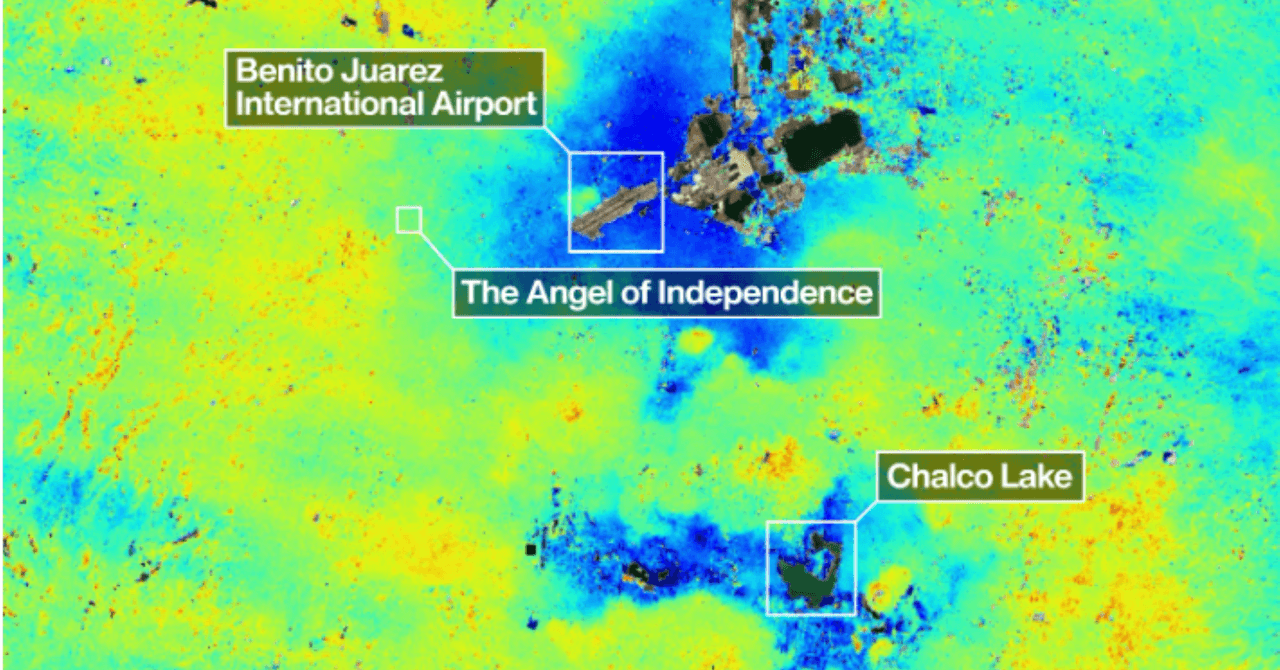
Their findings were captured in a map that shows how the subsurface of the metropolis is shifting. In the map, NASA identified areas with subsidence greater than 2 centimeters per month (marked in dark blue). The agency specifies that the areas marked in yellow and red could correspond to background signals (or noise) that are expected to diminish as the satellite instrument collects more data.
The image also highlights the location of Benito Juarez International Airport, located near Lake Nabor Carrillo, which operates in the middle of an area with accelerated subsidence. “Images like this confirm that the NISAR measurements are in line with expectations,” said Craig Ferguson, deputy director of the project.
Mexico City sits atop the clay and lake bed of ancient Lake Texcoco. NASA explains that this process is a consequence of intense groundwater pumping and the increasing weight associated with urban development. Both factors have caused the compaction of the ancient lake soil for more than a century.
The phenomenon was first documented in 1925 by engineer Roberto Gayol. Between the 1900s and 2000s, some areas experienced a drop of nearly 35 centimeters per year, causing damage to infrastructure such as the Metro, one of the largest mass transit systems in the Americas.
A study conducted in 2024 by Dario Solano-Rojas, a remote-sensing specialist at the National Autonomous University of Mexico, found that subsidence is not uniform. After analyzing changes in the city’s elevation between 2011 and 2020, the researcher and his team concluded that subsidence rates are highly variable: While some areas register up to 50 centimeters per year, in others the phenomenon is almost imperceptible.
This creates “differential subsidence,” where the ground sinks unevenly not only across square kilometers or city blocks, but even on a meter scale. When a street, railway, or building sinks differently at one end compared to the other, its stability is compromised.
I’m looking at Volume 1,536 of the Epstein files, page 311. It’s an early 2016 email thread between Jeffrey Epstein and a woman whose name is redacted by the Department of Justice.
In the thread, Epstein asks the unidentified woman for a “naughty selfie” and later sends her a camera. In late February, he replies with a different ask: “Do you have any friends that might want to work for me?…I will give you money if you find someone willing to travel, 22-25, educated. Personable.”
The exchange carries extra resonance when you consider that Epstein is accused of sex trafficking minors, with the Department of Justice estimating that he had more than 1,200 potential victims. But I just happen to flip to it randomly during my recent visit to the newly opened Donald J. Trump and Jeffrey Epstein Memorial Reading Room.
Photograph: Anna Maria Lopez/Courtesy of BPI Group
Tucked away in a nondescript gallery in New York City’s Tribeca neighborhood, the reading room is a massive library of all 3.5 million pages of Epstein-related records released by the Department of Justice earlier this year, compiled into more than 3,700 individual volumes. From May 8 to 21, the reading room will be open to the public by appointment only.
The library—essentially, the Epstein files in analog—is intended to represent the staggering scale of Epstein’s crimes, as well as the impunity with which he carried them out. More than 17,000 pounds of evidence is on display at the library, says David Garrett, the main organizer of the exhibit at the Institute for Primary Facts, a nonprofit intended to promote transparency and accountability in the US government.
“The evidence in this room is evidence of one of the most horrific crimes in American history,” Garrett says. “When people come through this room, I hope they realize that in America, we have the rule of law, and if they stand up they can take action and demand accountability for the crimes that were committed.”
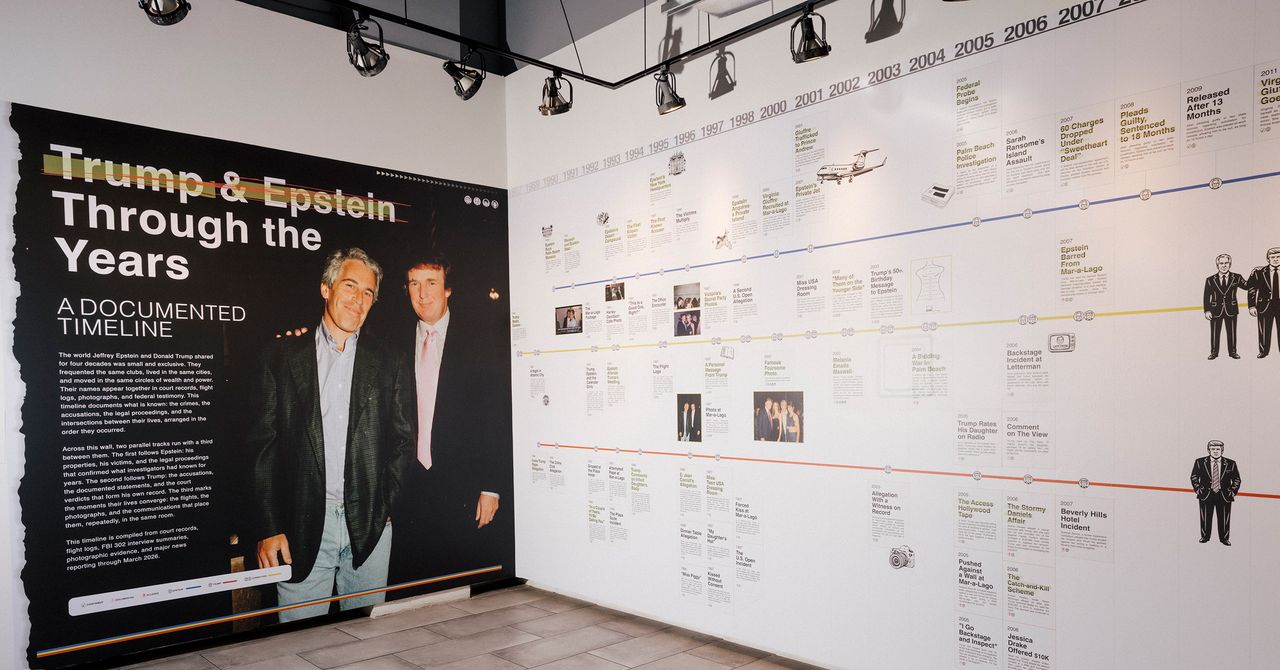
Epstein, who died in prison in 2019, is now synonymous with systemic corruption and abuse, particularly in light of his ties to President Donald Trump. The installation features a detailed timeline of Epstein’s relationship with Trump, from their purported initial meeting in Palm Beach in 1987 to Epstein’s 1993 attendance at Trump’s wedding to Marla Maples to the end of Epstein’s membership at Mar-a-Lago in 2007, when Trump allegedly witnessed him behaving inappropriately toward the teenage daughter of another member. The shelves are organized around an exhibit in support of Epstein’s survivors, with candles laid out on the ground to represent the more than 1,200 victims. In response to a request for comment, White House spokesperson Abigail Jackson said Trump has “been totally exonerated on anything relating to Epstein,” claiming that he “has done more for Epstein’s victims than anyone.”
Tech
Police wrongly identified solicitor Fahad Ansari as Hamas member during Schedule 7 phone seizure | Computer Weekly
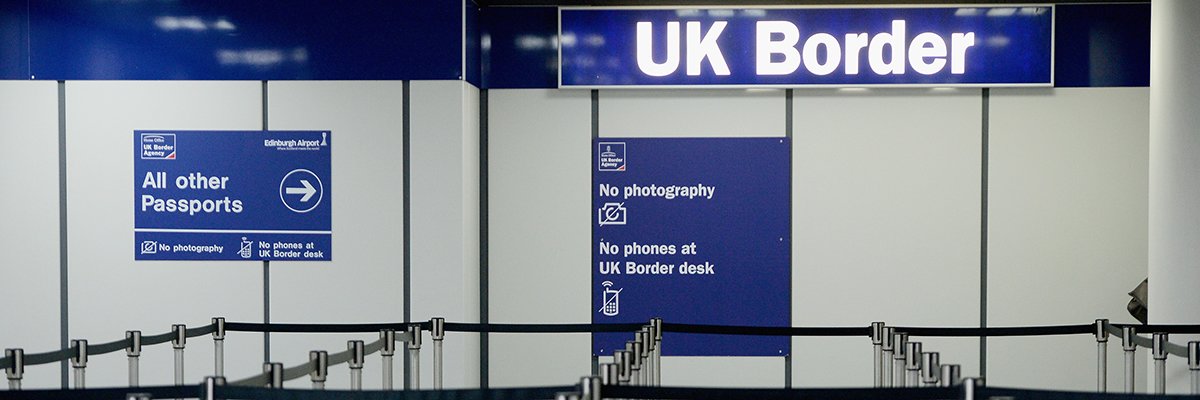
A solicitor who had his mobile phone containing legally privileged material seized and downloaded by police was wrongly described in a police risk assessment as being a member of Hamas.
Fahad Ansari, who specialises in national security cases, argues that police unlawfully stopped and questioned him because they wrongly “equated” him acting as a lawyer for Hamas with being a member of the proscribed organisation.
The case is believed to be the first targeted use of Schedule 7 powers, which allow police to stop and question people and seize their electronic devices without the need for suspicion, against a practising solicitor.
The Court of Appeal ordered an immediate stay on Tuesday to a judicial review brought by Ansari while it considers whether police should be required by law to disclose details of their case against him.
Ansari, an Irish solicitor who represents Hamas in a legal appeal to have its proscribed status overturned in the UK, was stopped and questioned by police after returning home with his family from Ireland to Holyhead in August 2025.
Police risk assessment stated ‘Hamas’
A police officer who completed a risk assessment made a handwritten note under the heading “membership of a known group” stating “Hamas”.
According to a legal submission from Ansari’s barrister for a judicial review originally due to be held today, the police officer was “essentially” equating Ansari, who is not a member of Hamas, with his client.
The police officer confirmed in a witness statement that his note was inaccurate. “What I had intended to write was that Mr Ansari worked as a solicitor for Hamas, and not that he was a member of the group,” he said.
Ansari not questioned in earlier stop
It emerged that Ansari was stopped previously in 2024 under Schedule 7 of the Terrorism Act, before he represented Hamas, in what appeared to be a random stop.
He identified himself as a solicitor and was not asked any questions about Hamas or Palestine. He did not have his mobile phone seized, downloaded or copied, unlike his later Schedule 7 stop , barrister Hugh Southey KC, wrote in a skeleton argument.
He said the significant difference between the two Schedule 7 stops was that Ansari had made an application on behalf of Hamas before the second stop.
The chief constable of North Wales Police has made contradictory statements about the reasons for stopping Ansari for the second time in 2025.
In January 2026 she stated that “there was an underlying reason or reason for the stop: it was not random”. The chief constable now states that she has “not confirmed” that the stop was a “targeted stop”.
It appears that the chief constable has approached litigation heard in open court in a “confused, contradictory and less than candid manor”, Southey wrote.
Legally privileged material
The phone seized by North Wales Police, contained legally privileged material, including communications with clients, their families, witnesses and experts, documents, financial information, and internet research related to clients.
A police officer subsequently prepared a list of keywords, including names of UK proscribed organisations and keywords based on research the officer had conducted into Ansari, to allow an independent counsel to “sift and review” data on Ansari’s phone.
Ansari argues that the safeguards, including using an independent counsel to assess the contents of the phone, were inadequate to protect legally privileged material, and that he has no way of knowing whether such material was accessed by investigators.
The Chief Constable wrote to Ansari in March this year stating that the police had completed their examination of Ansari’s work phone. Ansari has sought confirmation whether police officers had inadvertently seen privileged material from the phone.
Lack of rights
The consequence of the approach taken by the Chief Constable of North Wales Police is that Ansari would be entitled to greater safeguards if he were investigated for having committed an actual offence, and where there had already been a judicial warrant, Southey wrote in the skeleton argument.
Ansari said that Court of Appeal had recognised that his argument for greater disclosure from the police had merit.
“Previously, the High Court allowed the police to rely on secret evidence. In situations like this, it’s normally expected that at least a summary of the allegations is shared to allow a semblance of a fair hearing,” he wrote in a post on LinkedIn.
The police’s apparent lack of distinction between being a member of Hamas and being a legal representative of Hamas raised “serious concerns,” and would deter lawyers from representing proscribed groups, he added.
“This is not Belfast in the 1980s when such messages were delivered by bullets, but the intention feels uncomfortably similar: represent clients and face consequences,” he said.
Phantom Parrot
A document leaked by whistleblower Edward Snowden in 2013, raised concerns that information collected from phones during Schedule 7 searches was being covertly collected at UK borders under GCHQ’s “Phantom Parrot” programme.
Ansari said that North Wales Police had declined to say whether information from his phone had been shared with any other organisations.


Airlines spent 56.4% more on jet fuel in month after Iran war started, U.S. government says

Mexico City Is Sinking. A Powerful NASA Satellite Just Exposed How Fast

Iran conflict may have motivated Trump dinner shooting suspect: report

Pro wrestling star Steph De Lander reveals how colleague’s advice helped lead her to title triumph at ACW

‘I had £20,000 stolen and had to fight a 13-month fraud reporting rule to get it back’

Norway joins Type 26 Frigate Programme to boost NATO naval power

-
 Sports1 week ago
Pro wrestling star Steph De Lander reveals how colleague’s advice helped lead her to title triumph at ACW
-
Business1 week ago
‘I had £20,000 stolen and had to fight a 13-month fraud reporting rule to get it back’
-
 Entertainment1 week ago
Norway joins Type 26 Frigate Programme to boost NATO naval power
-
 Business7 days ago
PSX plunges over 4,800 points | The Express Tribune
-

 Tech1 week ago
This Ambitious Laptop Doesn’t Leave Much Room for Your Hands
-

 Tech6 days ago
Almost half of UK businesses hit by cyber attacks | Computer Weekly
-
 Business1 week ago
BP profits more than double as oil trading booms amid Iran war
-

 Sports1 week ago
Match officials announced for HBL PSL 11 qualifier – SUCH TV