

Tech
I’m a Chronic Sloucher. These Posture Correctors Changed That

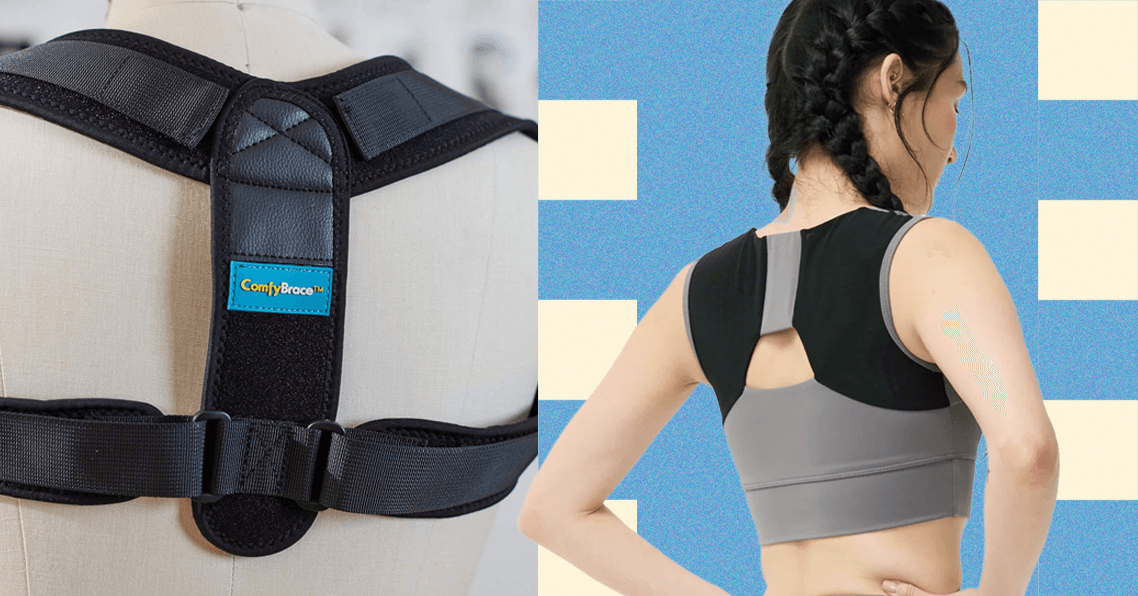
Compare Top 5 Posture Correctors
How We Test Posture Correctors
We tested each posture corrector, wearing them through the routines of daily life—from sitting at a desk to running errands and working out—for both short and long periods, over several months. No one wants to feel like they’re strapped into armor, so we evaluated wearability by focusing on comfort, breathable materials, and adjustability. Material quality was a priority, and we kept an eye out for signs of wear or damage after consistent use. Size inclusivity was another major factor; we sought options that catered to a range of body types. To ensure accessibility, we also made sure to test different types of posture correctors, from traditional braces to supportive bras and tech-enhanced wearables. Since there isn’t much clinical data comparing these gadgets, we learned by firsthand experience: Did we personally feel a noticeable difference in our posture?
More Accessories to Try
Photograph: Branch
Branch Adjustable Laptop Stand for $65: If you work at a desk, a simple change is to set it up to be as ergonomic as possible. This laptop stand from Branch is our favorite. It’s easily adjustable in height and angle, and super sturdy. If you can also add a monitor with a separate keyboard and mouse, you can be even more comfortable sitting upright. If you have a bigger budget, consider a standing desk and a great desk chair—we’ve tested several in our Best Home Office Gear guide.
Gaiam Yoga Strap for $10: If you already own a long yoga strap, you can easily make your own shoulder strap posture brace for temporary use—a yoga teacher recommended this to me for use during a class. Everyday Yoga also sells some affordable options, but all of them work basically the same. According to yoga teacher Kathryn Budig: Wrap the strap around your back, right around the base of your shoulder blade or bra line, and pull the excess out evenly in front of you. Bring each end over your shoulders and crisscross them behind you, making an X shape on your back. Bring the straps around to the front, pulling your shoulders back, and buckle it in the front. The length of the strap you’ll need depends on your body, including shoulder and chest size, but we recommend at least 10 feet. Anything smaller will likely be more painful than helpful.
Final Tips and Advice
Try yoga and other exercises. A sedentary lifestyle is a one-way ticket to bad posture. Yoga, in particular, has been touted as a means to better posture. When I’m consistent with my practice, I notice I sit and stand taller outside of the studio, almost instinctively. If you’re not into yoga, core-strengthening exercises like planks and chest presses are also an option. Alternatively, just incorporating morning stretches into your routine will work wonders.
Seek a medical professional. A doctor, physical therapist, or chiropractor can help you find a corrector that supports your body’s problem areas‚ or steer you toward an alternative solution that does. Also, if you have severe neck or lower back pain, kyphosis, or scoliosis, always consult a healthcare professional before trying any at-home remedies.
Frequently Asked Questions
Your spine naturally has three curves: at your neck (cervical spine), mid-back (thoracic spine), and lower back (lumbar spine). Proper alignment shouldn’t add extra curvature to any of these sections. Here are some general guidelines:
- Your head should be above your shoulders, and the top of your shoulders should be above your hips. If you’re standing, keep your feet hip-distance apart. Most of your weight should be on the balls of your feet.
- If you’re sitting, keep your feet flat on the floor, knees bent at 90 degrees, and your ankles separated. If you can’t reach the floor, a footrest can help.
The writers at the Natural Posture explain that poor posture—sitting with your shoulders forward—causes the soft muscles in your chest to get tight, which in turn makes it feel uncomfortable to sit up straight. Bad posture isn’t just about slouching. Poor alignment can also come from genetics, injuries, or repetitive movements. “A wrong posture is anything for too long,” according to Smith.
We slouch over screens, lug totes on one dominant shoulder, and lean on one hip while standing. Your workstation setup often hinders your posture, and how you sit matters too. Are your feet flat on the ground, with your knees and hips at a 90-degree angle? Or are you, like me, guilty of tucking one leg under the other? Over time, these habits throw your body out of balance. Here are some tips on how to set up your desk ergonomically for working or gaming.
How do posture correctors work?
Posture correctors aren’t a one-size-fits-all cure for slouching or hunched backs. Think of them as little gentle wake-up calls for your muscles—the ones that have been slacking off while you hunch over your laptop. These tools come in all shapes and designs, but the best ones address the muscle imbalances created by our everyday habits. They’re not supposed to hold you in place (and if they do, that’s a red flag). Overly rigid correctors can actually weaken your muscles by doing all the work for you.
Instead, posture correctors are more like training wheels. They guide your body toward better alignment and then let your muscles take over. “I would compare it to when you were a kid and your mom poked you to sit up straight at the dinner table,” says physician Matthew Smith. “The goal is not to wear this forever. The goal is to be able to change your posture on your own from here on out.”
Are posture correctors safe to use daily?
Yes(ish), but not all day, and you wouldn’t want to. Posture correctors are designed for short-term use. Wearing one all day can backfire by weakening your core and making your body reliant on an external crutch. “I would only pop it on for a few minutes here and there as a reminder,” Smith recommends.
Some posture-correcting bras and wearable devices are gentler, making them better suited for longer periods, but these are often the exception. To be safe, refer to the specific product’s instructions. I’ve found them helpful in short bursts—like when I’m at my desk or cooking dinner. As Smith puts it: “We’re just trying to remind ourselves to come back and fight against gravity.”
What are we testing next?
Power up with unlimited access to WIRED. Get best-in-class reporting and exclusive subscriber content that’s too important to ignore. Subscribe Today.










Bose’s QuietComfort Ultra 2 earbuds are the best noise-canceling earbuds you can buy. Right now, they’re $50 off, which matches the best price we tend to see outside of special events like Black Friday and Cyber Monday. If you want to wait until November, they might hit $200 again, but otherwise $250 is a very fair deal—especially since they pop back up to $300 regularly. The discounted price applies to all five color options, including Black, Deep Plum, Desert Gold, Midnight Violet, and White Smoke (another rarity, as usually only the vivid colors go on sale).
Sometimes you just need to quiet the world. Whether it’s to play 10 hours of Coconut Mall on a loop to help you lock in and meet your Friday deadlines (thanks to my colleague Julia Forbes for that suggestion); muffle the crying babies, sniffling neighbors, and mysterious, potentially concerning clunking noises on an airplane; or to help you better appreciate the mix on Space Laces’ Vaultage 004 EP, active noise cancellation makes a huge difference to your listening experience.
The Bose QuietComfort Ultra 2 earbuds also have some of the best active noise cancellation you can find. They sound great out of the box, thanks to a custom sound profile based on the shape of your ears, but you can customize the EQ by using the app. The app also allows you to tweak touch controls and spatial audio.
The battery life lasts for about six hours, or 24 with the charging case. And while the noise cancellation can’t be beaten, these also have a pass-through feature called Aware mode, which filters in outside noise but smooths the loudest bits. That means you’ll be able to hear what’s going on, but you won’t be startled. True-crime podcast listeners, this one’s for you.
In fact, just about the only drawback we can find is that these might not be ideal for folks with super-small ears. Otherwise, they’re great all around, with solid call quality, excellent sound overall, and a sleek aesthetic. We think they offer good value at full price, so an extra $50 off is especially nice.
If you’re in the market for new headphones, but these don’t exactly fit what you’re looking for, we have plenty of other recommendations. Check out our guides to the Best Wireless Earbuds, Best Headphones for Working Out, Best Noise-Canceling Headphones, and Best Open Earbuds for additional hand-tested picks.

On November 16, 2021, Matthew Ziburis sat in his car in a residential neighborhood in the Bay Area stalking an “enemy,” as he put it. A veteran of both the US Army and Marine Corps, Ziburis had previously served in Iraq. But on this mission, he was working at the behest of China’s government. The targets that autumn day were American citizens: Arthur Liu and his teenage daughter, Alysa.
Arthur’s personal story was an exemplar of the American Dream. As a university student, he took part in the 1989 pro-democracy movement in China. After the crackdown at Tiananmen Square that year, he fled to the United States, settling in California. Arthur poured a small fortune and an equal amount of energy into molding Alysa into a figure skating phenom. As a national champion at age 13, she bantered along with Jimmy Fallon on The Tonight Show, and was at the time on track to represent America at the Winter Olympics the following year in Beijing.
Ziburis was surveilling the Liu home when he called Arthur, falsely claiming that he was a member of the US Olympic Committee who needed to discuss upcoming travel to Beijing, Arthur says. Ziburis was adamant that Arthur fax him copies of his and his daughter’s passports as part of a travel “preparedness check,” Liu tells WIRED. This struck Arthur as odd. In his many years dealing with sports bodies, he had never fielded such a request. Alysa’s agent did not respond to a request for comment.
Ziburis’ surveillance of Arthur and Alysa Liu that November day five years ago was just one episode in a bizarre saga that spanned from California to Beijing, touched New York City mayors and members of the US Congress, and has seen two people plead guilty and two more awaiting trial.
Unbeknownst to Ziburis, as he sat outside Aurthur and Alysa’s Northern California home, he too was being watched.
Ziburis had allegedly been dispatched to Northern California by Frank Liu, a self-styled fixer in the Chinese community from Long Island, New York, who was in turn receiving orders from a person in China named Qiang Sun. According to US authorities, Sun was working at the behest of the Chinese government. A concerned private investigator who once worked for Frank Liu had alerted the FBI to Frank’s escapades and was assisting authorities. Law enforcement was already on to Ziburis by the time he arrived. Anthony Ricco, Ziburis’ lawyer, did not respond to requests for comment.
Officers watched as Ziburis surveyed Arthur’s home and visited his law office. The heavy-set man sulking around Arthur’s office also caught the attention of a neighbor, who approached Ziburis and asked him if he needed help, Arthur says. Apparently concerned, the FBI called Arthur to warn him that Ziburis was heading to his home. By then, in part because of the harassment, Arthur and Alysa were boarding a plane to fly out of California. “It was like a movie,” Arthur says.
Alysa’s showing in Beijing in 2022 was disappointing. Burned out, she retired from the sport. Then in February, after returning to the ice after a two year hiatus, Alysa became the first US women’s figure skater to win Olympic gold since 2002—intentionally without her father by her side.
Despite her much-publicized complicated relationship with Arthur, Alysa’s success—punctuated by her signature pierced smile, racoon-tail dye job, and palpable joy for her sport—has reignited interest in the long-running case of transnational repression against her and her father. Human rights advocates and researchers have documented in recent years the lengths Beijing has taken to suppress critical voices, even those residing abroad or whose perceived transgressions date back decades.
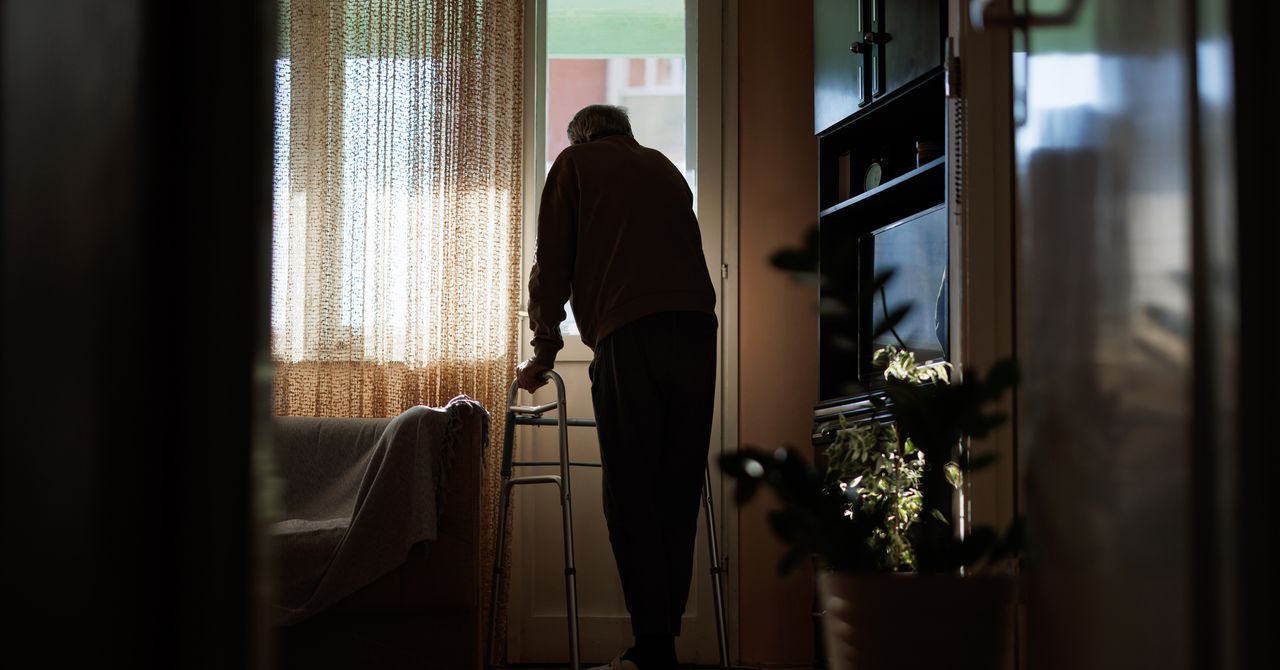
Neuroscientists know that there is a link between loneliness and cognitive decline in older adults, although it is still difficult to understand the exact magnitude of the link. A new longitudinal study provides evidence that a proportion of people who feel lonely end up having more memory impairment, though this doesn’t necessarily mean that their brains age faster.
The report, published in Aging & Mental Health, shows that older adults with higher levels of loneliness scored lower on tests of immediate and delayed recall. Even so, the rate at which their memory declined over six years was virtually identical to those who were not lonely.
“It suggests that loneliness may play a more prominent role in the initial state of memory than in its progressive decline,” said Luis Carlos Venegas-Sanabria of the School of Medicine and Health Sciences at Universidad del Rosario, who led the research. “The study underscores the importance of addressing loneliness as a significant factor in the context of cognitive performance in older adults.”
Six-Year Study of Thousands of Single People
The team analyzed data from the Survey of Health, Ageing and Retirement in Europe (SHARE), one of the most robust longitudinal databases for studying aging. For six years, the researchers followed 10,217 adults, aged 65 to 94, from 12 European countries. They assessed their level of loneliness and their performance on memory tests.
The results show that age was the most important determinant of memory level and speed of decline. From the age of 75 onwards, scores began to fall more rapidly. After 85 the decline became more pronounced. Depression and chronic diseases such as diabetes also reduced the initial score. Loneliness, while influencing the starting point, did not accelerate the slope of cognitive decline.
The study also found that physical activity was associated with better initial memory scores. People who engaged in moderate or vigorous physical activity at least once a month recalled more words on immediate and delayed recall tests. This effect did not change the speed of decline, but it did raise the baseline level, which functions as a kind of “cognitive buffer.”
Although the study does not explore the causes of the link between loneliness and cognition, previous research has proposed plausible mechanisms. Loneliness is often associated with less social interaction, a factor that influences cognitive performance. It is also associated with increased risk of depression, which does directly affect memory tests. In addition, lonely people tend to have more health problems, such as hypertension or diabetes, which also affect cognitive function.
By 2050, according to United Nations projections, one in six people in the world will be over the age of 65. Societies are entering a stage where old age will no longer be the exception but will become the norm. Dementia, as well as other neurodegenerative diseases that appear with age, will be a major challenge for health care institutions.


Long energy disruptions to raise pressures on SEA nations: S&P Global

start time, schedule, route—here’s your complete guide

India and South Korea plan $50 billion trade push with new deals

-

 Fashion4 days ago
France’s LVMH Q1 revenue falls 6%, shows resilience amid Iran war
-

 Sports1 week ago
The case for Man United’s Fernandes as Premier League’s best
-

 Entertainment1 week ago
Palace left in shock as Prince William cancels grand ceremony
-
 Business1 week ago
UK could adopt EU single market rules under new legislation
-

 Entertainment5 days ago
Is Claude down? Here’s why users are seeing errors
-

 Fashion1 week ago
Energy emerges as biggest cost driver in textile margins
-

 Sports1 week ago
Lamar Jackson hits back at critics with faithful message on social media
-

 Tech1 week ago
A Lot of Shops Won’t Fix Electric Bikes. Here’s Why