

Tech
There Are Hundreds of VPNs, But I Only Recommend These 6

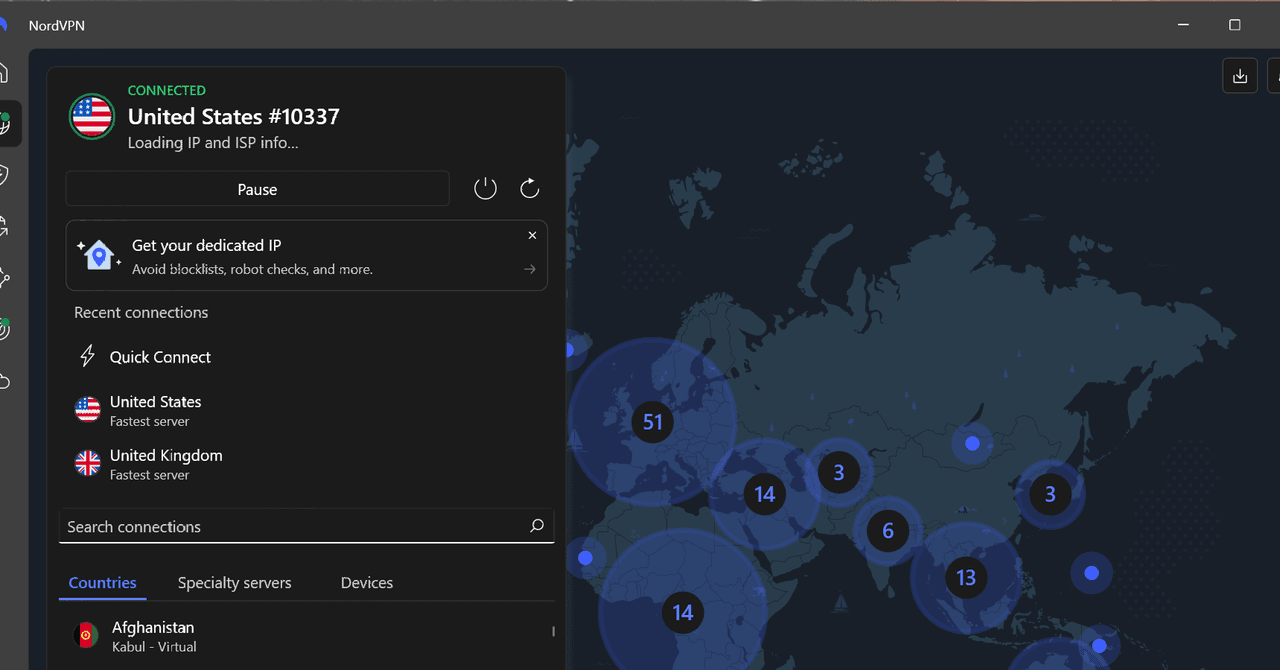
VPNs, Compared
Other VPNs We’ve Tested
EventVPN is the new hotness in the VPN world. It’s a free, ad-supported VPN that comes from ExpressVPN. Ads and VPNs don’t really mix, but EventVPN says it’s able to offer a free service via Apple’s App Tracking Transparency (ATT) and Identifier for Advertisers (IDFA), basically allowing it to serve ads without harvesting your personal data. The problem is the pervasiveness of ads. A banner lives at the top of the app at all times, and you’ll need to sit through a 30-second ad each time you connect or disconnect; a big problem when some servers posted unreasonably slow speeds. I’ll admit that EventVPN is a unique concept, but I see nothing about it that’s better than ProtonVPN or Windscribe for a free VPN service. And when it comes to the inconvenience of sitting through ads, it’s straight-up worse.
Private Internet Access (PIA) has a long history in the VPN space, and it’s maintained a track record of defending user privacy—even in the face of actual criminal activity. In 2016, a criminal complaint was filed in Florida against Preston Alexander McWaters for threats made online. McWaters was eventually convicted and sentenced to 42 months in prison. Investigators traced the online threats back to PIA’s servers and subpoenaed the company. As the complaint reads, “A subpoena was sent to [Private Internet Access] and the only information they could provide is that the cluster of IP addresses being used was from the east coast of the United States.” McWaters engaged in several other identifying activities, according to the complaint, but PIA wasn’t among them. Despite such a clear view of a VPN provider upholding its no-logging policy, PIA didn’t impress me during my tests. It’s slightly more expensive than a lot of our top picks, and it delivered the worst speeds out of any VPN I tested, with more than a 50 percent drop on the closest US server. (Windscribe, for context, only dropped 15.6 percent of my speed.)
MysteriumVPN is the go-to dVPN, or decentralized VPN, as far as I can tell. The concept of a decentralized VPN has existed for a while, but it’s really gained traction over the last couple of years. The idea is to have a network of residential IP addresses that make up the network, routing your traffic through normal IP addresses to get around the increasingly common block lists for VPN servers. Mysterium accomplishes this network with MystNodes. It’s a crypto node. People buy the node to earn crypto, and they’re put into the Mysterium network. It’s not inherently bad, but routing your traffic through a single residential IP is a little worrisome. Even without the decentralized kick, Mysterium was slow, and it doesn’t maintain any sort of privacy materials, be it a third-party audit, warranty canary, or transparency report.
PrivadoVPN is one of the popular options to recommend as a free VPN. It offers a decent free service, with a handful of full-speed servers and 10 GB of data per month. You’ll have to suffer through four—yes, four—redirects begging you to pay for a subscription before signing up, but the free plan works. The problem is how new PrivadoVPN is. There’s no transparency report or audit available, and although the speeds are decent, they aren’t as good as Proton, Windscribe, or Surfshark. PrivadoVPN isn’t bad, but it’s hard to recommend when Proton and Windscribe exist with free plans that are equally as good.
VPNs to Avoid
You’ll find dozens of free VPNs all claiming to protect your privacy. Most of them don’t. There are plenty of VPNs I don’t recommend, but these are a few I’ve tested worth mentioning.
Hola is an infamous name in the VPN industry, but it’s been close to a decade since its very public debacle. Hola is free, and it’s able to stay free because it uses a peer-to-peer network. Hola also owns Bright Data (formerly Luminati), which is a data collection company. In 2015, Hola sold access to the network of its free users (via Luminati), which was used in a distributed denial-of-service attack on 8chan. It’s been a decade since that incident, but Hola still operates in a similar way. If you don’t pay, you could be used as an exit node in Bright Data’s network, and the privacy policy makes it clear that Hola logs data about your usage, including your IP address, the pages you visit, and timestamps.
X-VPN is available on desktop, but it primarily shows up in results on the Apple App Store and Google Play, targeting mobile users with a free offering. X-VPN hasn’t done anything explicitly wrong like Hola, but it has way too many inconsistencies to recommend. For starters, it uses a proprietary VPN protocol, which it obfuscates within the app. Proprietary protocols like NordVPN’s NordLynx and ExpressVPN’s Lightway are based on existing, open source protocols. Further, X-VPN was highlighted in a Tech Transparency Project report about free VPNs with links to the Chinese government; X-VPN is based in Hong Kong. There’s no smoking gun with X-VPN, but there doesn’t need to be. The speeds aren’t the best, the app lacks basic features like split tunneling, and the pricing for a paid plan is in line with top providers.
How We Test VPNs
Functionally, a VPN should do two things: keep your internet speed reasonably fast, and actually protect your browsing data. That’s where I focused my testing. Extra features, a comfy UI, and customization settings are great, but they don’t matter if the core service is broken.
Speed testing requires spot-checking, as the time of day, the network you’re connected to, and the specific VPN server you’re using can all influence speeds. Because of that, I always set a baseline speed on my unprotected connection directly before recording results, and I ran the test three times across both US and UK servers. With those baseline drops, I spot-checked at different times of the day over the course of a week to see if the speed decrease was similar.
Security is a bit more involved. For starters, I checked for DNS, WebRTC, and IP leaks every time I connected to a server using Browser Leaks. I also ran brief tests sniffing my connection with Wireshark to ensure all of the packets being sent were secured with the VPN protocol in use.
On the privacy front, the top-recommended services included on this list have been independently audited, and they all maintain some sort of transparency report. In most cases, there’s a proper report, but in others, such as Windscribe, that transparency is exposed through legal proceedings.
Power up with unlimited access to WIRED. Get best-in-class reporting and exclusive subscriber content that’s too important to ignore. Subscribe Today.












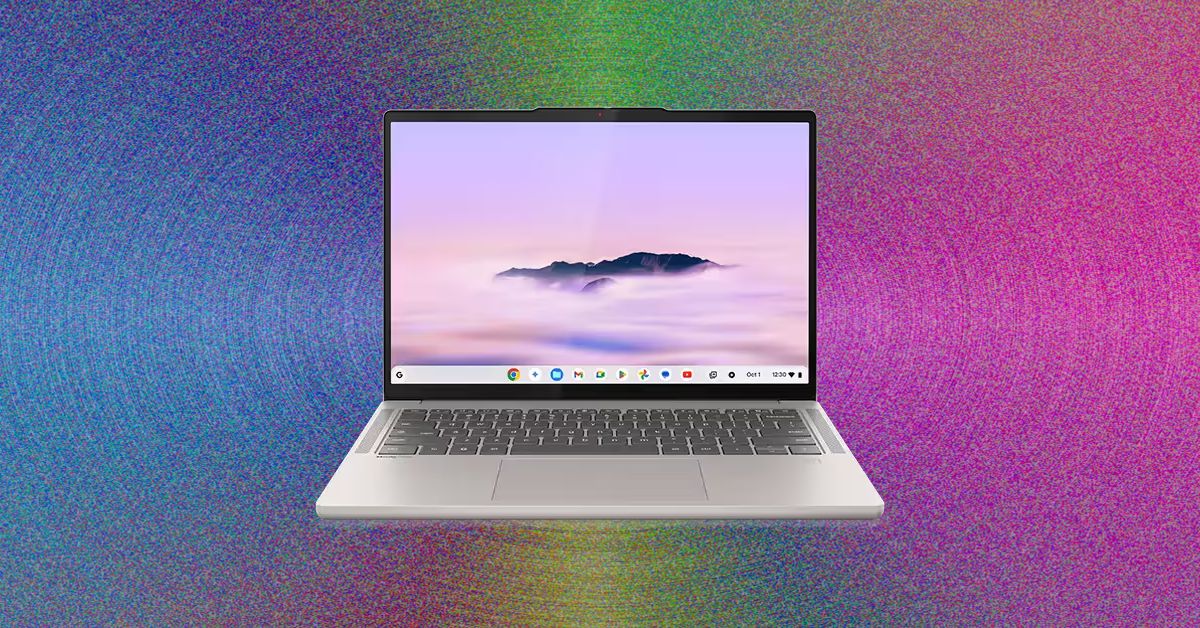
I was delighted to see that the Acer Chromebook Plus 516 didn’t skimp on a crappy touchpad. That goes a long way toward improving the experiencing of actually using the laptop on a moment-by-moment basis. I wasn’t annoyed every time I had to click-and-drag or select a bit of text. This one’s biggest weakness is definitely the screen, which is true of just about every cheap Chromebook I’ve tested. The colors are ugly and desaturated, giving the whole thing a sickly green tint. It’s also not the sharpest in the world, as it’s stretching 1920 x 1200 pixels across a large, 16-inch screen. But in terms of usability and performance, the Acer Chromebook Plus 516 is a great value, combining an Intel Core i3 processor with 8 GB of RAM and a 128 GB of storage. For a Chromebook that’s often on sale for $350, it’s a steal.
While we’re here, let’s go even cheaper, shall we? Asus has two dirt-cheap Chromebooks that I tested last year that I was mildly impressed by. The Asus Chromebook CX14 and CX15. Notice in the name that these are not “Chromebook Plus” models, meaning they can be configured with less RAM and storage, and even use lower-powered processors. That’s exactly what you get on the cheaper configurations of the CX14 and CX15, which is how you sometimes get prices down to as low as $130. I definitely recommend the version with 8 GB of RAM, but regardless of which you choose, the both the CX14 and larger CX15 are mildly attractive laptops. You’d know that’s a big compliment if you’ve seen just how ugly Chromebooks of this price have been in the past.
With these, though, I appreciate the relatively thin bezels and chassis thickness, as well as the larger touchpad and comfortable keyboard. The CX15 even comes in a striking blue color. The touchpad isn’t great, nor is the display. Like the Acer Chromebook Plus 516, it suffers from poor color reproduction and only goes up to 250 nits of brightness. It only has a 720p webcam too, which makes video calls a bit rough. But that’s going to be true of nearly all the competition (and there isn’t much).
Of the two models, I definitely prefer the CX14 though, as it doesn’t have a numberpad and off-center touchpad, which I’ve always found to be awkward to use. Look—no one’s going to love using a computer that costs the less than $200, but if it’s what you can afford, the Asus Chromebook CX14 will at least get you by without too much frustration.
Whatever you do, don’t just head over to Amazon and buy whatever ancient Chromebook is selling for $100 for your kid. It’s worth the extra cash to get something with better battery life, a more modern look, and decent performance.
Other Good Chromebooks We’ve Tested
We’ve tested dozens and dozens of Chromebooks over the past years, having reviewed every major release across the spectrum of price. Unlike Macs and Windows laptops, Chromebooks tends to stick around a bit longer though, and aren’t refreshed as often. I stand by my picks above, but here are a few standouts from our testing that are still worth buying for the right person.
Photograph: Daniel Thorp-Lancaster

Two of Big Tech’s most influential billionaires, Sam Altman and Elon Musk, will go head-to-head in a highly anticipated trial beginning April 27. In Musk v. Altman, a judge, advised by a jury, will ultimately determine whether OpenAI has strayed from its founding mission to ensure that artificial general intelligence (AGI) benefits humanity, and the ruling could influence how the world’s leading AI developer controls and distributes its technology. For now, you can learn more about the trial here.
On the Panel
On May 8, a panel of WIRED experts will go live to answer your questions about this consequential case.
- Zoë Schiffer: WIRED’s director of business and industry, who oversees coverage of business and Silicon Valley.
- Maxwell Zeff: a senior writer at WIRED covering the business of artificial intelligence. He writes the weekly Model Behavior newsletter, which focuses on the people, communities, and companies behind Silicon Valley’s AI scene.
- Paresh Dave: a senior writer at WIRED covering the inner workings of Big Tech companies. He writes about how apps and gadgets are built and about their impacts while giving voice to the stories of the underappreciated and disadvantaged.
Ask a Question
Submit all your burning questions about this historic legal battle at WIRED’s next, subscriber-only livestream scheduled for May 8 at noon ET / 9 PT. To leave questions in advance as the trial unfolds, head to the comment section below.
Become a Subscriber
The event will be streamed right here. For subscribers who are not able to join, a replay of the livestream will be available after the event. Not a subscriber yet? Subscribe now to get access to this livestream, plus full access to WIRED.
In the meantime, check out past livestreams on Big Tech and the military, the future of electric vehicles, and more.

The UK government has declared its intention to modernise payment services regulation, updating it to support innovations in money and payments, according to an HM Treasury statement. It is also set to publish a consultation inviting feedback from the payments sector.
Lucy Rigby, economic secretary to the HM Treasury, said: “Fintech is a true British success story, and we are backing the industry to maintain its competitive edge and go even further and faster in driving growth.
Rigby will attend events during Fintech Week in London to promote the government’s efforts in maintaining the UK as the leading destination for fintechs to start, scale and succeed, said the Treasury.
“Today’s package is our latest stake in the ground as we build a payments ecosystem that is secure, competitive and fully equipped to harness the opportunities created by rapid technological change,” said Rigby.
Britain is a world-leading destination for fintech, second only to the US in global fintech investment rankings. More than 3,000 fintech firms operate in the country, which account for tens of thousands of jobs.
Revolut – a UK-headquartered fintech firm – reported a £23bn value jump last year, bringing the company to £57bn. The digital bank has since been called Britain’s “leading technology company” by The Finanser CEO Chris Skinner. But in 2025, fintech investment in the UK fell to its lowest level since 2020.
Now, during this week’s London Fintech Week, the government is announcing strategies to grow Britain’s fintech industry, keep pace with technological progress and protect consumers. As part of the announced plan, the government has committed to spending a additional £1m to fund the Centre for Finance, Innovation and Technology (CFIT) from April to continue the centre’s work facilitating collaboration across the fintech sector.
The plan includes:
- Bringing the Payment Systems Regulator (PSR) into the Financial Conduct Authority (FCA);
- Laying out a single framework for both traditional and tokenised payment;
- Setting guidelines on how payment service regulation should respond to AI agents conducting purchases for customers and businesses;
- And regulating stablecoins use while cutting administrative burdens for companies who want to provide stablecoins payments.
Alongside this, the government is appointing Chris Woolard CBE as wholesale digital market’s champion to make the country’s financial sector more competitive.
Woolard praised British investment in the sector, claiming the country offers “a thriving startup ecosystem, global banks and insurers, and leading universities”, as well as regulators who keep up with innovation to let firms “test, learn and scale responsibly”.
Ultimately, he called for open dialogue between the private and public sectors to create a tokenised wholesale financial markets ecosystem. To improve communication, the government will publish a consultation, asking the payment sector for feedback.
This isn’t the first step in Britain’s path to fintech leadership. A few months ago, the government decided to establish itself as globally competitive by creating a financial service regulatory regime for crypto assets. Recently, the FCA outlined its open finance plan for 2030, which set out a roadmap to giving consumers and businesses more control over their financial data.
In a press release, stakeholder Philip Belamant, co-founder and CEO of Zilch, said: “The UK has a real opportunity to lead globally in enabling agentic finance, helping consumers benefit from smarter, more efficient ways to manage their money.”


US’ Gap & FIT launch programme to mentor fashion students

Nasa unveils new space telescope to probe mysteries of ‘dark energy’

Dubai to build $9.25bn ‘Golden Line’ metro, completion set for 2032

-

 Fashion6 days ago
France’s LVMH Q1 revenue falls 6%, shows resilience amid Iran war
-

 Entertainment7 days ago
Is Claude down? Here’s why users are seeing errors
-

 Fashion1 week ago
Asia claims largest share of markets on Kearney FDI Confidence Index
-

 Sports1 week ago
PSL 11: Peshawar Zalmi win toss, opt to field first against Quetta Gladiators
-

 Tech1 week ago
The Deepfake Nudes Crisis in Schools Is Much Worse Than You Thought
-

 Tech1 week ago
Bremont Is Sending a Watch to the Moon’s Surface
-

 Tech1 week ago
Human-machine teaming dives underwater
-
 Business1 week ago
BP sees ‘exceptional’ oil trading result as Iran war sends crude costs soaring