

Tech
Two Kitchen Robots Turned Me Into Their Prep Cook for Thanksgiving

The holiday is still almost a week away, and I’m sick of Thanksgiving. I’ve already made four rounds of mashed potatoes, three of mac and cheese, and three turkeys (with more still waiting in my fridge) as part of testing smart probes to help smoke turkeys outside and preparing seven-course holiday meal kits for friends and family.
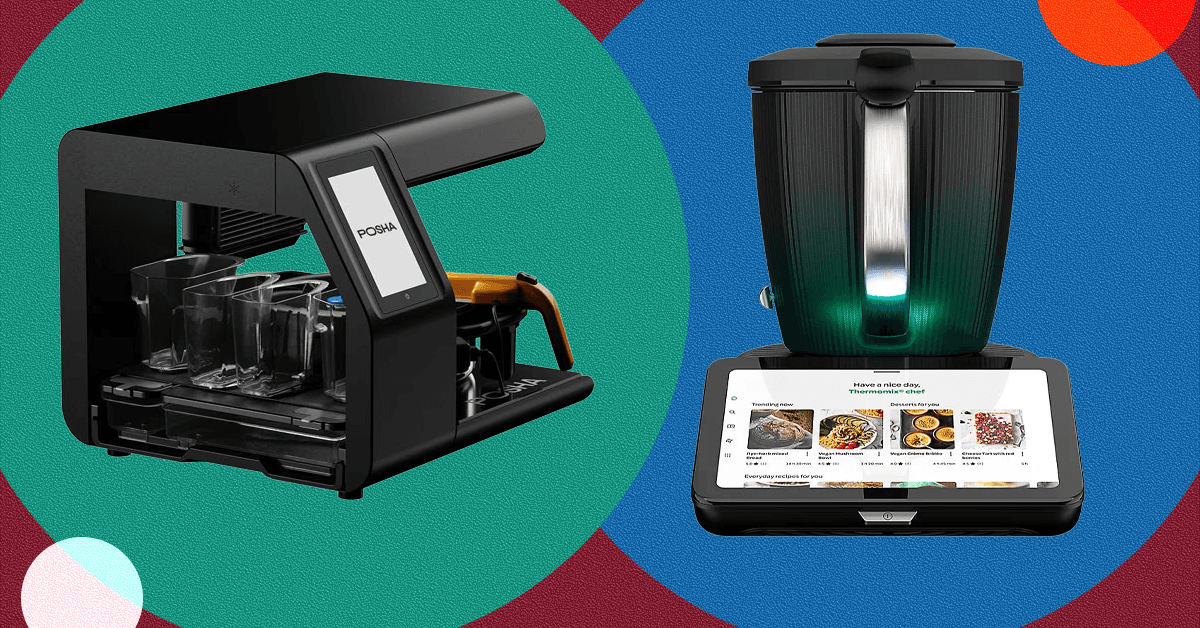
I was eager to finally outsource some of the cooking by testing two very different robo-chef devices, the Thermomix TM7 and the Posha kitchen robot. Both promise to plan my meals and also do most of the cooking, which sounds pretty good to me.
The Thermomix descends from a German device launched in 1968—a time when the best-known robot chef was cartoon Rosie on The Jetsons—that was essentially a blender with a heater. It’s since caught on big in countries from Italy to Portugal to Australia, and over the years it’s added multi-tier steaming, baking, proofing, a touchscreen, an encyclopedic recipe app, and a whole lot of smart features. WIRED reviewer Joe Ray called 2020’s last-generation Thermomix TM6 (9/10, WIRED Recommends) the “smartest of the smart kitchen.” The newest version, the seventh-generation TM7, was released in August and looks like a giant trophy with a computer screen. It retails for $1,699 and its goal is to replace almost every appliance in your kitchen. It’ll even happily order groceries for you on InstaCart.
The newest robo-chef entrant is Posha, a Silicon Valley-via-Bangalore startup device that aims at truly autonomous one-pot cooking, once you’ve chopped up the proper ingredients into little bins. The Posha kitchen robot was released in January at a price of $1,750 and promptly sold out, as has each successive batch. The device comes complete with a robot stirring arm, and a camera to monitor moisture and browning. Press a button, and Posha will add ingredients at the appropriate moment, spice and stir your food, add water and oil, and cook it down, all without your participation.
I used both the Posha and Thermomix to make a spread of Thanksgiving sides: candied yams, mashed potatoes, mac and cheese, brussels sprouts, and a more complex wild card entry chosen because I thought my Aunt Katherine might like it—and assessed cooking experience overall. Consider it a robo-chef face-off.
Here is my experience with each of the Thermomix and the Posha—and how each fared on five Thanksgiving side recipes.
Cooking Experience With Thermomix
-
Photograph: Matthew Korfhage
-
Photograph: Matthew Korfhage
-
Photograph: Matthew Korfhage
-
Photograph: Matthew Korfhage


WIRED
- Steams, blends, bakes, proofs, roasts, mixes, weighs, orders groceries….
- Choice of 100,000 recipes, often quite well tested
- Beautifully powerful and fast blending
TIRED
- You’re still doing all the prep
- Many recipes still call for an oven
- Cleaning the multiple parts is a chore if you don’t run the dishwasher
The Thermomix has almost 60 years of history. This is a good thing. It began as, essentially, a blender that can cook. It is still a very powerful blender that can cook. Lord, it makes pesto or mashed potatoes as quickly and easily as anything. I stood by in actual awe of its raw cooking-blending power.
But it’s also evolved into a whole lot more, an all-in-one device that purports to replace just about every appliance in your kitchen. Today’s Thermomix has become a beast of multifarious functionality.










At the beginning of the year, The Cut kicked off a brief discourse cycle by declaring a new lifestyle trend: “friction-maxxing.”
The idea, in a nutshell, is that people have overconvenienced themselves with apps, AI, and other means of near-instant gratification—and would be better off with increased friction in their daily lives, which is to say those mundane challenges that ask some minor effort of them.
Whatever your feelings on that philosophy, the use of “maxxing” as a suffix assumed to be familiar or at least intelligible to most readers of a mainstream news outlet is evidence of another trend: the assimilation of incel terminology across the broader internet. The online ecosystem of incels, or “involuntarily celibate” men, is saturated with this sort of clinical jargon; its aggrieved participants insulate, isolate, and identify themselves through in-group codespeak that is meant to baffle and repel outsiders. So how did non-incels (“normies,” as incels would label them) end up adopting and recontextualizing these loaded words?
Slang, no matter its origins, has a viral nature. It tends to break containment and mutate. The buzzword “woke,” as it pertains to our current politics, comes from African American Vernacular English and once referred to an awareness of racial and social injustice—this usage dates to the middle of the 20th century, preceding even the civil rights movement. But the culture wars of this century have turned “woke” into a favorite pejorative of right-wingers, who wield it as a catchall term for anything that threatens their ideology, such as Black pilots or gender-neutral pronouns.
Back in 2014, the eruption of the Gamergate harassment campaign set the stage for a different linguistic realignment. An organized backlash to women working in the video game industry, and eventually any sort of diversity or progressivism within the medium, it exposed a vein of reactionary anger that would gain a fuller voice during Donald Trump’s 2016 presidential campaign. This was a period when many in the digital mainstream got their first taste of the trollish nihilism and invective that fuels toxic message boards such as 4chan and gave rise to a network of anti-feminist manosphere sites collectively known as the “PSL” community: PUAHate (a board for venting about pickup artists, it was shut down soon after the 2014 Isla Vista killing spree carried out by Elliot Rodger, who frequented the forum), SlutHate (a straightforward misogyny hub), and Lookism (where incels viciously critique each other’s appearance).
Lookism, named for the idea that prejudice against the less attractive is as common and pernicious as sexism or racism, is the only forum of the PSL trifecta that survives today, and while we don’t know who coined the “maxxing” idiom, it’s the likeliest source for the first verb with this construction. “Looksmaxxing,” which borrows from the role-playing game concept of “min-maxing,” or elevating a character’s strengths while limiting weaknesses, became the preferred expression for attempts to improve one’s appearance in pursuit of sex. This could mean something as simple as a style makeover or as extreme as “bonesmashing,” a supposed technique of achieving a more defined jaw by tapping it with a hammer.
If the 2000s introduced people to pickup lingo like “game” and “negging,” the 2010s ushered in language that extended the Darwinian vision of the dating pool as a cutthroat and strictly hierarchical marketplace. “AMOG,” an initialism for “alpha male of the group,” gave us “mogging,” a display where one man flexes his physical superiority over a rival. An ideally masculine specimen might also be recognized as a “Chad,” who allegedly enjoys his pick of attractive partners, while a Chad among Chads is, of course, a “Gigachad.” Women were disparaged as “female humanoids,” then “femoids,” and finally just “foids.”

In San Francisco, it feels like OpenClaw is everywhere. Even, potentially, some places it’s not designed to be. According to posts on social media, people appear to be using the viral AI tool to scrape websites and access information, even when those sites have taken explicit anti-bot measures.
One of the ways they are allegedly doing this is through an open source tool called Scrapling, which is designed to bypass anti-bot systems like Cloudflare Turnstile. While Scrapling, which was built with Python, works with multiple types of AI agents, OpenClaw users appear to be particularly fond of the software. On Monday, viral posts promoting Scrapling as a tool for OpenClaw users started to spread on X. Since its release, Scrapling has been downloaded over 200,000 times.
“No bot detection. No selector maintenance. No Cloudflare nightmares,” reads one viral post this week about the open source tool. “OpenClaw tells Scrapling what to extract. Scrapling handles the stealth.”
Cloudflare is not enthused. The company already blocked previous versions of Scrapling, since users of the open source software kept trying to get around anti-scraping protections. This week, the company was working on a patch for Scrapling’s most recent iteration. “We make changes, and then they make changes,” says Dane Knecht, chief technology officer at Cloudflare. He says the company’s trove of website data and its ability to track trends has given it the upper hand.
“We already had a signal that they’re starting to get a higher ability to get around us,” says Knecht. “The team of security operations engineers had already been working on a new set of mediations.”
Large language models were trained on the corpus of the internet—and the process involved a lot of scraping. In some sense, Scrapling users are following in the footsteps of the original model builders, but on a more individualized scale.
Over the past few years, website owners have attempted to put up additional anti-bot protections, either to block software like Scrapling or to find a way to make money off of the bots trying to access their sites. In turn, Cloudflare has been working overtime to keep blocking increasingly powerful bots attempting to get around these protections.
In July 2024, Cloudflare started to offer its customers additional tools that block AI crawlers, unless the bots pay for access. In less than the span of a year, the company claims to have blocked 416 billion unsolicited scraping attempts.
“I Didn’t Know What I was Getting Into”
As Scrapling gained traction in recent days, crypto enthusiasts capitalized on the attention by launching a $Scrapling memecoin. Karim Shoair, who claims to be the sole developer of Scrapling, posted about the memecoin on X (those posts have since been deleted). After the price skyrocketed for around five hours, $Scrapling quickly fell off a cliff as users sold off their stakes. “Bunch of fucking scammers,” reads one comment on the Pump.Fun site that hosts the coin.
“I didn’t know what I was getting into when people made that coin and I endorsed it,” says Shoair, in a direct message with WIRED. “But once I knew, I didn’t want any association with it and the money I withdrew before will go to charity, I won’t benefit from it in anyway. Or maybe just leave it to be wasted.”
In the fallout of this event, the unofficial GitHub Projects Community account, which has over 300,000 followers on X, deleted its posts from this week highlighting Scrapling’s open source software, and appeared to distance itself from the project. “We do not support, promote, or engage in crypto assets, token offerings, trading activity, or crypto-based fundraising,” it said in a post late Monday night.
Putting the crypto forays aside, most software leaders continue to see agents and autonomous AI tools as the future of the web. Even Knecht from Cloudflare, whose work includes blocking bots from nonconsensual scraping, wants to build toward a world where humans and agents benefit from online data and the wishes of website owners are respected. “I see a path forward for an internet that is both friendly to agents and humans,” he says.
This is an edition of Will Knight’s AI Lab newsletter. Read previous newsletters here.
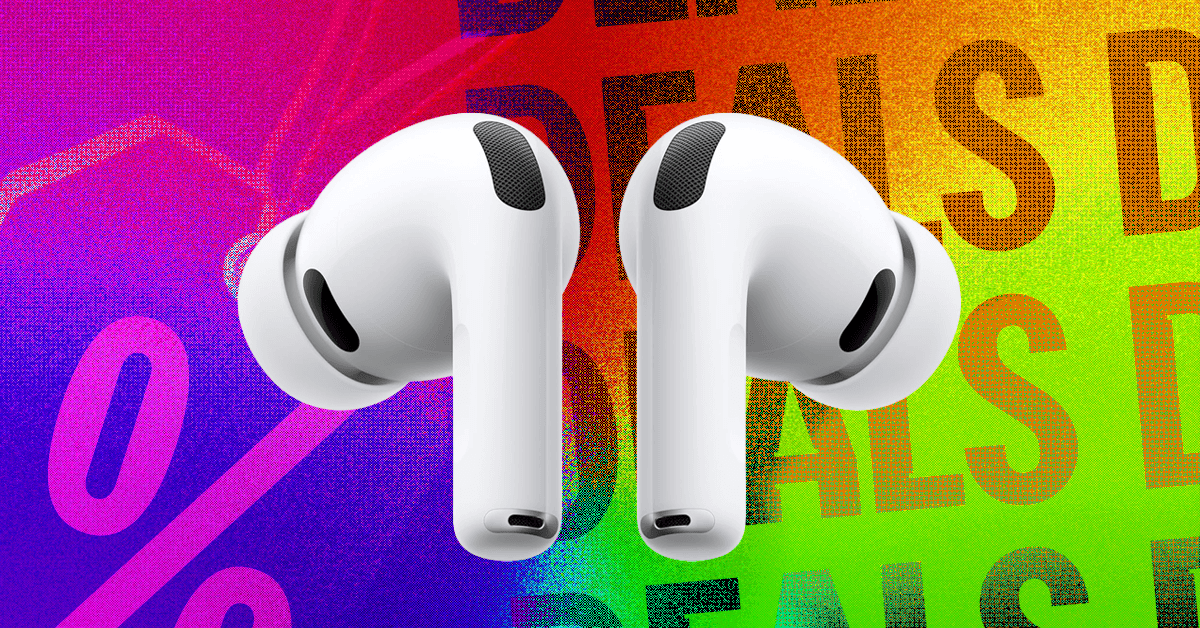
Looking for a new pair of earbuds to pair with your favorite iPhone or iPad? Right now, you can grab the Apple AirPods Pro 3 for just $229 on Amazon or Best Buy, a $20 break from their usual price. They’re our favorite wireless headphones for iPhone owners, with great noise-canceling, easy connectivity, and unique features like heart rate and live translation.
-
-
Review: Apple AirPods Pro 3
-
Review: Apple AirPods Pro 3


The active noise-canceling on the third generation AirPods Pro has improved a great deal, with our reviewer Parker Hall comparing them to the Bose QuietComfort Ultra 2 Earbuds when it comes to filtering out all but the highest frequency, loudest noises. The improved ear tips, now lined with foam, are more comfortable and fit better in smaller ears, with four different sizes to choose from. They also have better sound isolation, which improves the noise canceling and transparency mode performance noticeably.
While Android owners have a variety of choices when it comes to earbuds and headphones, iOS users will appreciate the extra features specifically built for anyone in the Apple ecosystem. If you’re into running with minimal devices, the AirPods Pro 3 can actually take your heart rate through your ears, a neat trick that we found surprisingly consistent with other fitness trackers. Another unique feature, live translation, will bring up the Translate app on iOS and relay what someone else is saying directly into your ears in your own language. Once again, we were impressed by how fast and accurate the system was, and as more languages are added it will become even more useful.
We really only had two minor complaints about the AirPods Pro 3, one of which was that the default EQ is a bit V-shaped, with a slightly overdone bass that’s either really appealing or slightly grating. Thankfully you can tweak your EQ in Spotify or Apple Music to dial in that experience. The other issue is that these have limited compatibility with Android devices, so if you’re on a Samsung or Pixel, you’ll want to check out our other favorite earbuds. For iPhone and iPad owners looking for the latest and greatest for their listening experience, the discounted AirPods Pro 3 are an excellent choice.


Vellayan Subbiah To Exit Cholamandalam Investment Finance Under Murugappa Family Pact

India-Israel FTA talks begin to deepen bilateral trade ties

US-Iran nuclear talks to resume in Geneva against backdrop of military threat

-

 Entertainment1 week ago
Queen Camilla reveals her sister’s connection to Princess Diana
-

 Tech1 week ago
Rakuten Mobile proposal selected for Jaxa space strategy | Computer Weekly
-

 Politics1 week ago
Ramadan moon sighted in Saudi Arabia, other Gulf countries
-

 Entertainment1 week ago
Robert Duvall, known for his roles in "The Godfather" and "Apocalypse Now," dies at 95
-

 Politics1 week ago
Tarique Rahman Takes Oath as Bangladesh’s Prime Minister Following Decisive BNP Triumph
-
 Business1 week ago
Tax Saving FD: This Simple Investment Can Help You Earn And Save More
-

 Tech1 week ago
Businesses may be caught by government proposals to restrict VPN use | Computer Weekly
-

 Sports1 week ago
Usman Tariq backs Babar and Shaheen ahead of do-or-die Namibia clash