

Tech
A new guide to tackle tech abuse of older people


A new guide has been launched to help tackle the growing threat of domestic abusers using technology, like smart doorbells and mobiles, against older people.
Developed by Aberystwyth University researchers, Dyfed-Powys Police, and Parental Education Growth Support (PEGS), the resource for staff on the frontline highlights the growing threat of the use of new technology to abuse over 60-year-olds.
Evidence shows that perpetrators are increasingly using digital technology to threaten, stalk, or harass—1 in 3 women have experienced abuse on social media or other online platforms at some point in their lives.
Meanwhile, evidence gathered by PEGS shows that 14% of the older parents they supported had experienced digital abuse from children or grandchildren.
The new guide includes advice on practical ways to prevent technology abuse, such as how to prevent stalking via mobile phone tracking, secure access to bank accounts and lock smart devices.
The new toolkit draws on police data, victim insights, and real-life case studies to show how perpetrators misuse everyday technologies to monitor, control, exploit and intimidate older victims.
One case involves 67-year-old Keith, a terminally ill man, whose adult son spent over £20,000 of Keith’s money without permission using his smartphones and online shopping accounts.
Another case highlights Katherine, who was stalked, harassed and coercively controlled by her partner using a fake Facebook profile, a mobile tracking app and a Ring doorbell camera, alongside hundreds of abusive calls and messages.
Based at Aberystwyth University’s Center for Age, Gender and Social Justice, the Dewis Choice initiative supports older victims of domestic abuse. It combines direct service delivery with ground-breaking research and is the first long-term study exploring decision-making in later life.
Rebecca Zerk, Co-lead of the Dewis Choice project at Aberystwyth University said, “As more services shift online, increasing numbers of older people rely on family members or caregivers to manage digital tasks on their behalf. Without direct control over their online accounts, older adults can be at heightened risk of exploitation by the people closest to them. This dependency can leave older people at increased risk of financial abuse, fraud, identity theft, and coercion.
“Additionally, limited exposure to technology, lower confidence in navigating digital tools, and unfamiliarity with online risks can expose older adults to risks such as scams, fraud, and technology-facilitated abuse.
“Frontline staff and practitioners and the criminal justice system are increasingly aware of the role of technology in facilitating domestic abuse. However, the nature and impact of technology-facilitated abuse on older victims remains underexplored. This guide aims to address this gap and brings together knowledge, insights, and data from our partners. We really hope this guide can help protect older people from this risk of harm.”
Recent Dyfed-Powys Police data shows that between May 2024 and April 2025, over 950 domestic abuse-related crimes involved older victims. More than 10% of these cases were linked to technology such as mobile phones, social media and online banking.
Dyfed-Powys Police serves Carmarthenshire, Ceredigion, Pembrokeshire and Powys and is the largest geographical policing area in England and Wales. Covering more than 515,000 people, almost half of the total resident population is aged 45 and over, and 22% are aged over 65.
Allan Rush from Dyfed Powys Police added, “Technology-enabled abuse poses a growing threat to older people who may be less familiar with digital tools, making them vulnerable to manipulation. From online scams and phishing attacks to remote surveillance and financial exploitation, perpetrators can use smartphones, social media, and smart home devices to control, deceive, or isolate older individuals. The digital divide often leaves older people without the skills or support to recognize or report abuse.
“One challenge for police and frontline professionals is keeping up to date with this rapidly evolving technology and how its misuse could lead to the abuse of those in need of safeguarding.
“This guide will be a valuable resource for practitioners who may not be tech specialists by equipping them with the knowledge and tools to identify, respond to, and prevent digital forms of abuse.”
Michelle John, Director of PEGS added, “At PEGS, we see first-hand how technology can be used to extend patterns of abuse, including cases where parents and grandparents are exploited by those closest to them. The rise in technology-facilitated abuse against older people is a growing concern, and this guide provides frontline professionals with the tools and knowledge to respond effectively. By sharing evidence and practical strategies, we can ensure practitioners are better equipped to recognize digital abuse and protect victims from further harm.”
More information:
Guide: Supporting Older Victims of Technology-Facilitated Domestic Abuse
Citation:
A new guide to tackle tech abuse of older people (2025, October 3)
retrieved 3 October 2025
from https://techxplore.com/news/2025-10-tackle-tech-abuse-older-people.html
This document is subject to copyright. Apart from any fair dealing for the purpose of private study or research, no
part may be reproduced without the written permission. The content is provided for information purposes only.













Google DeepMind’s AlphaFold has already revolutionized scientists’ understanding of proteins. Now, the ability of the platform to design safe and effective drugs is about to be put to the test.
Isomorphic Labs, the UK-based biotech spinoff of Google DeepMind, will soon begin human trials of drugs designed by its Nobel Prize–winning AI technology. “We’re gearing up to go into the clinic,” Isomorphic Labs president Max Jaderberg said on April 16 at WIRED Health in London. “It’s going to be a very exciting moment as we go into clinical trials and start seeing the efficacy of these molecules.”
Jaderberg did not elaborate on the timeline, but it’s later than the company had planned to initiate human studies. Last year, CEO Demis Hassabis said it would have AI-designed drugs in clinical trials by the end of 2025.
Isomorphic Labs was founded in 2021 as a spinoff from Alphabet’s AI research subsidiary, Google DeepMind. The company uses DeepMind’s AlphaFold, a groundbreaking AI platform that predicts protein structures, for drug discovery.
Built from 20 different amino acids, proteins are essential for all living organisms. Long strings of amino acids link together and fold up to make a protein’s three-dimensional structure, which dictates the protein’s function. Researchers had tried to predict protein structures since the 1970s, but this was a painstaking process given the astronomically high number of possible shapes a protein chain can take.
That changed in 2020, when DeepMind’s Hassabis and John Jumper presented stunning results from AlphaFold 2, which uses deep-learning techniques. A year later, the company released an open-source version of AlphaFold available to anyone.
In 2024, DeepMind and Isomorphic Labs released AlphaFold 3, which advanced scientists’ understanding of proteins even further. It moved beyond modeling proteins in isolation to predicting other important molecules, such as DNA and RNA, and their interactions with proteins.
“This is exactly what you need for drug discovery: You need to see how a small molecule is going to bind to a drug, how strongly, and also what else it might bind to,” Hassabis told WIRED at the time.
Since its release, the AlphaFold platform has been able to predict the structure of virtually all the 200 million proteins known to researchers and has been used by more than 2 million people from 190 countries. The breakthrough earned Hassabis and Jumper the Nobel Prize for chemistry in 2024, with the Nobel committee noting that AlphaFold has enabled a number of scientific applications, including a better understanding of antibiotic resistance and the creation of images of enzymes that can decompose plastic.
Earlier this year, Isomorphic Labs announced an even more powerful tool, what it calls IsoDDE, its proprietary drug-design engine. In a technical paper, the company touts that the platform more than doubles the accuracy of AlphaFold 3.
The startup has formed partnerships with Eli Lilly and Novartis to work together on AI drug discovery and is also advancing its own “broad and exciting pipeline of new medicines” in oncology and immunology, Jaderberg said.
“The exciting thing about the molecules that we’re designing is because we have so much more of an understanding about how these molecules work, we’ve engineered them to be very, very potent,” Jaderberg told the audience at WIRED Health. “You can take them at a much lower dose, and they’ll have lower side effects, off target effects.”
Last year, Isomorphic appointed a chief medical officer and announced it had raised $600 million in its first funding round to gear up for clinical trials. Meanwhile, the company has been building a clinical development team. Its mission is to “solve all disease.”
“It’s a crazy mission,” Jaderberg said. “But we really mean it. We say it with a straight face, because we believe this should be possible.”

With huge crowds set to descend on London for the city’s iconic marathon this weekend, IT services provider Tata Consultancy Services (TCS), in partnership with Neurun, has launched a map-based tool powered by artificial intelligence (AI) to help participants and spectators navigate the event.
TCS RunConcierge is said to act as a “digital brain” for the London Marathon, bringing together official guidance, route support and course information in real time – a useful tool for this mass participation event, which saw more than 56,000 runners cross the finish line in 2025 and hundreds of thousands of spectators lining the 26.2-mile route.
Powered by Google Gemini, the platform is designed to deliver instant and reliable guidance for users, whether that be runners seeking information about start line logistics or the location of drinks stops – which will be very much needed with wall-to-wall sunshine forecast on the day – or supporters wishing to locate the best spot from which to cheer on participants or travel as quickly as possible between viewing points.
Users can see their current location on the map, ask for directions to key event destinations and access pre-loaded routes with direct links to Google Maps navigation. The tool also suggests personalised follow-up questions and features voice activation to enable hands-free use on the move. And with 60 languages supported, visitors from all over the world will be able to benefit from the event guidance.
For runners specifically, the immersive 3D map includes an elevation tracker, which could help them plan their strategy.
The partnership between TCS and Neurun is said to be built on a foundation of continuous innovation. New back-end capabilities include a self-serve admin portal that allows event organisers to manage RunConcierge independently, as well as a unique internal AI agent that tests the platform to help maintain content quality and identify improvements
Vinay Singhvi, head of UK and Ireland at Tata Consultancy Services, described the London Marathon as a monumental event, for which its goal is to use technology to make the experience as seamless and enjoyable as possible.
“Our partnership with Neurun allows us to innovate at pace, and the enhanced TCS RunConcierge is a prime example of how we are using AI to solve complex logistical challenges, providing runners and spectators with a trusted companion for the moments that matter most,” he said.
Neurun founder Cade Netscher said its partnership with TCS had been instrumental in developing the RunConcierge tool for the world’s most prestigious marathons, with previous successful deployments at the Sydney and New York City events.
“For London, we’ve integrated the latest AI advancements to create our most powerful and user-friendly version yet. We are excited to see how it helps thousands of people enjoy a more connected and stress-free marathon weekend,” he said.
Separately, in a demonstration of digital healthcare technology in action, TCS has created a digital twin of a para-athlete’s heart, which uses sensors and AI to monitor her heart during training sessions.
The para-athlete, Milly Pickles, is aiming to complete the London Marathon in under four-and-a-half hours next year, and is harnessing digital healthtech to reach her goal.
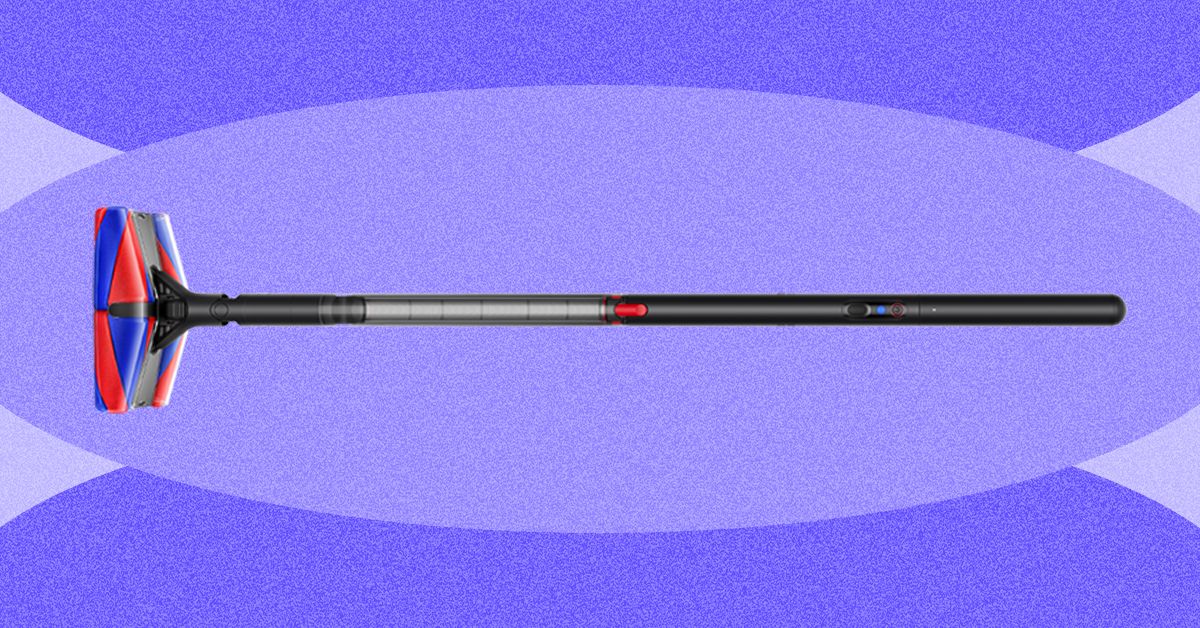
The vacuum connects to Dyson’s app, where you’ll find resources such as how to empty the dustbin and wash the filter, but not much else. It can tell you how long your last vacuuming session was, but no other details, so it’s not as interesting or as informative as the data you’d get from a robot vacuum.
Fluffy Face
Photograph: Nena Farrell

Photograph: Nena Farrell
This vacuum’s full name is the Dyson PencilVac Fluffycones, aptly named for the four fluffy cones inside the vacuum head. Dyson’s previous recent stick vacuums all have the Fluffy Optic cleaner head for vacuuming hard floors. While both have a fluffy roller bar, the Fluffycones have a conical shape that Dyson says will detangle and remove hair rather than the hair getting stuck all around it. It did detangle hair for me, but when I vacuumed up larger portions of hair from my bathroom floor (a place where many a stray hair comes to die at the hands of my hairbrush, comb, and towel), it actually bunched up the hair into a ball and spat it back out a few times before finally sucking it up into the dustbin.
Video: Nena Farrell
While the hair results weren’t great, I did love this vacuum for sucking up the cat litter that constantly plagues my home. It did a great job with flour on my hard floors and a solid job with dry oats, but it occasionally just bumped the oats around instead of immediately sucking them up. I was even able to quickly run it over the top of my carpet, but rolling back and forth on the carpet a bunch did stop the cones.
The head is designed to move in just about any direction. The cones make it easy to swivel around, and the green illuminating lights on the front and back help you spot any debris you might otherwise miss. With its compact size that fits in tricky corners, the PencilVac finally lets me vacuum up all the litter around the base of my toilet and pedestal sink. It’s part of what makes me reach for this vacuum over and over, even after my robot vacuum cleaned the day before.
Forward Momentum

Photograph: Nena Farrell
Do I think this vacuum replaces Dyson’s existing cordless options? No. But Dyson has other new vacuums planned that could do that. This vacuum has a specific design for a specific use: smaller homes with entirely hard floors. There’s an accessibility opportunity here, too. This lightweight vacuum can be much easier to use for folks with mobility and strength restrictions. The magnetic charging base also makes it easy to store and access for a variety of people, whether they struggle with fine motor skills or can’t bend over and grab the vacuum.


Giants legend Lawrence Taylor, 67, hospitalized after medical emergency: report

AI-Designed Drugs by a DeepMind Spinoff Are Headed to Human Trials

US justice department drops probe into Fed chairman Jerome Powell

-

 Fashion1 week ago
France’s LVMH Q1 revenue falls 6%, shows resilience amid Iran war
-

 Tech1 week ago
CYBERUK ’26: UK lagging on legal protections for cyber pros | Computer Weekly
-

 Sports5 days ago
WWE WrestleMania 42 Night 2: Live match results and analysis
-
 Business1 week ago
PepsiCo earnings beat estimates as North American food business improves
-

 Sports5 days ago
NCAA men’s gymnastics championship: All-time winners list
-

 Tech1 week ago
Anthropic Plots Major London Expansion
-

 Sports1 week ago
Faheem Ashraf backs Islamabad United’s push, calls league a ‘career-changing platform’
-
 Business1 week ago
Oil prices fall again amid Middle East ceasefire hopes