

Tech
A US startup plans to deliver ‘sunlight on demand’ after dark. Can it work? Would we want it to?

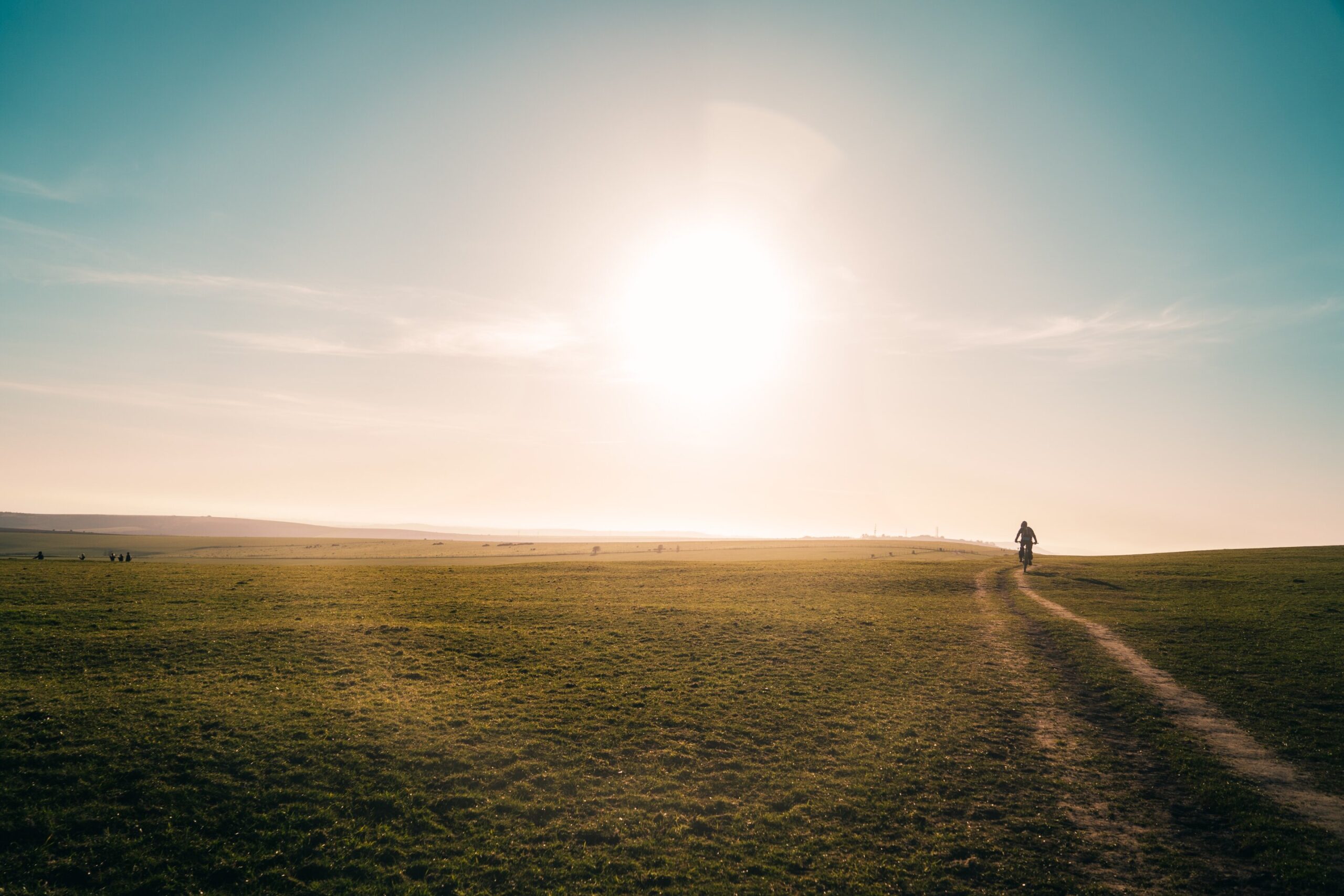
A proposed constellation of satellites has astronomers very worried. Unlike satellites that reflect sunlight and produce light pollution as an unfortunate byproduct, the ones by US startup Reflect Orbital would produce light pollution by design.
The company promises to produce “sunlight on demand” with mirrors that beam sunlight down to Earth so solar farms can operate after sunset.
It plans to start with an 18-meter test satellite named Earendil-1 which the company has applied to launch in 2026. It would eventually be followed by about 4,000 satellites in orbit by 2030, according to the latest reports.
So how bad would the light pollution be? And perhaps more importantly, can Reflect Orbital’s satellites even work as advertised?
Bouncing sunlight
In the same way you can bounce sunlight off a watch face to produce a spot of light, Reflect Orbital’s satellites would use mirrors to beam light onto a patch of Earth.
But the scale involved is vastly different. Reflect Orbital’s satellites would orbit about 625km above the ground, and would eventually have mirrors 54 meters across.
When you bounce light off your watch onto a nearby wall, the spot of light can be very bright. But if you bounce it onto a distant wall, the spot becomes larger—and dimmer.
This is because the sun is not a point of light, but spans half a degree in angle in the sky. This means that at large distances, a beam of sunlight reflected off a flat mirror spreads out with an angle of half a degree.
What does that mean in practice? Let’s take a satellite reflecting sunlight over a distance of roughly 800km—because a 625km-high satellite won’t always be directly overhead, but beaming the sunlight at an angle. The illuminated patch of ground would be at least 7km across.
Even a curved mirror or a lens can’t focus the sunlight into a tighter spot due to the distance and the half-degree angle of the sun in the sky.
Would this reflected sunlight be bright or dim? Well, for a single 54 meter satellite it will be 15,000 times fainter than the midday sun, but this is still far brighter than the full moon.
The balloon test
Last year, Reflect Orbital’s founder Ben Nowack posted a short video which summarized a test with the “last thing to build before moving into space”. It was a reflector carried on a hot air balloon.
In the test, a flat, square mirror roughly 2.5 meters across directs a beam of light down to solar panels and sensors. In one instance the team measures 516 watts of light per square meter while the balloon is at a distance of 242 meters.
For comparison, the midday sun produces roughly 1,000 watts per square meter. So 516 watts per square meter is about half of that, which is enough to be useful.
However, let’s scale the balloon test to space. As we noted earlier, if the satellites were 800km from the area of interest, the reflector would need to be 6.5km by 6.5km—42 square kilometers. It’s not practical to build such a giant reflector, so the balloon test has some limitations.
So what is Reflect Orbital planning to do?
Reflect Orbital’s plan is “simple satellites in the right constellation shining on existing solar farms”. And their goal is only 200 watts per square meter—20% of the midday sun.
Can smaller satellites deliver? If a single 54 meter satellite is 15,000 times fainter than the midday sun, you would need 3,000 of them to achieve 20% of the midday sun. That’s a lot of satellites to illuminate one region.
Another issue: satellites at a 625km altitude move at 7.5 kilometers per second. So a satellite will be within 1,000km of a given location for no more than 3.5 minutes.
This means 3,000 satellites would give you a few minutes of illumination. To provide even an hour, you’d need thousands more.
Reflect Orbital isn’t lacking ambition. In one interview, Nowack suggested 250,000 satellites in 600km high orbits. That’s more than all the currently catalogued satellites and large pieces of space junk put together.
And yet, that vast constellation would deliver only 20% of the midday sun to no more than 80 locations at once, based on our calculations above. In practice, even fewer locations would be illuminated due to cloudy weather.
Additionally, given their altitude, the satellites could only deliver illumination to most locations near dusk and dawn, when the mirrors in low Earth orbit would be bathed in sunlight. Aware of this, Reflect Orbital plan for their constellation to encircle Earth above the day-night line in sun-synchronous orbits to keep them continuously in sunlight.
Bright lights
So, are mirrored satellites a practical means to produce affordable solar power at night? Probably not. Could they produce devastating light pollution? Absolutely.
In the early evening it doesn’t take long to spot satellites and space junk—and they’re not deliberately designed to be bright. With Reflect Orbital’s plan, even if just the test satellite works as planned, it will sometimes appear far brighter than the full moon.
A constellation of such mirrors would be devastating to astronomy and dangerous to astronomers. To anyone looking through a telescope the surface of each mirror could be almost as bright as the surface of the sun, risking permanent eye damage.
The light pollution will hinder everyone’s ability to see the cosmos and light pollution is known to impact the daily rhythms of animals as well.
Although Reflect Orbital aims to illuminate specific locations, the satellites’ beams would also sweep across Earth when moving from one location to the next. The night sky could be lit up with flashes of light brighter than the moon.
The company did not reply to The Conversation about these concerns within deadline. However, it told Bloomberg this week it plans to redirect sunlight in ways that are “brief, predictable and targeted”, avoiding observatories and sharing the locations of the satellites so scientists can plan their work.
The consequences would be dire
It remains to be seen whether Reflect Orbital’s project will get off the ground. The company may launch a test satellite, but it’s a long way from that to getting 250,000 enormous mirrors constantly circling Earth to keep some solar farms ticking over for a few extra hours a day.
Still, it’s a project to watch. The consequences of success for astronomers—and anyone else who likes the night sky dark—would be dire.
This article is republished from The Conversation under a Creative Commons license. Read the original article.
Citation:
A US startup plans to deliver ‘sunlight on demand’ after dark. Can it work? Would we want it to? (2025, October 11)
retrieved 11 October 2025
from https://techxplore.com/news/2025-10-startup-sunlight-demand-dark.html
This document is subject to copyright. Apart from any fair dealing for the purpose of private study or research, no
part may be reproduced without the written permission. The content is provided for information purposes only.












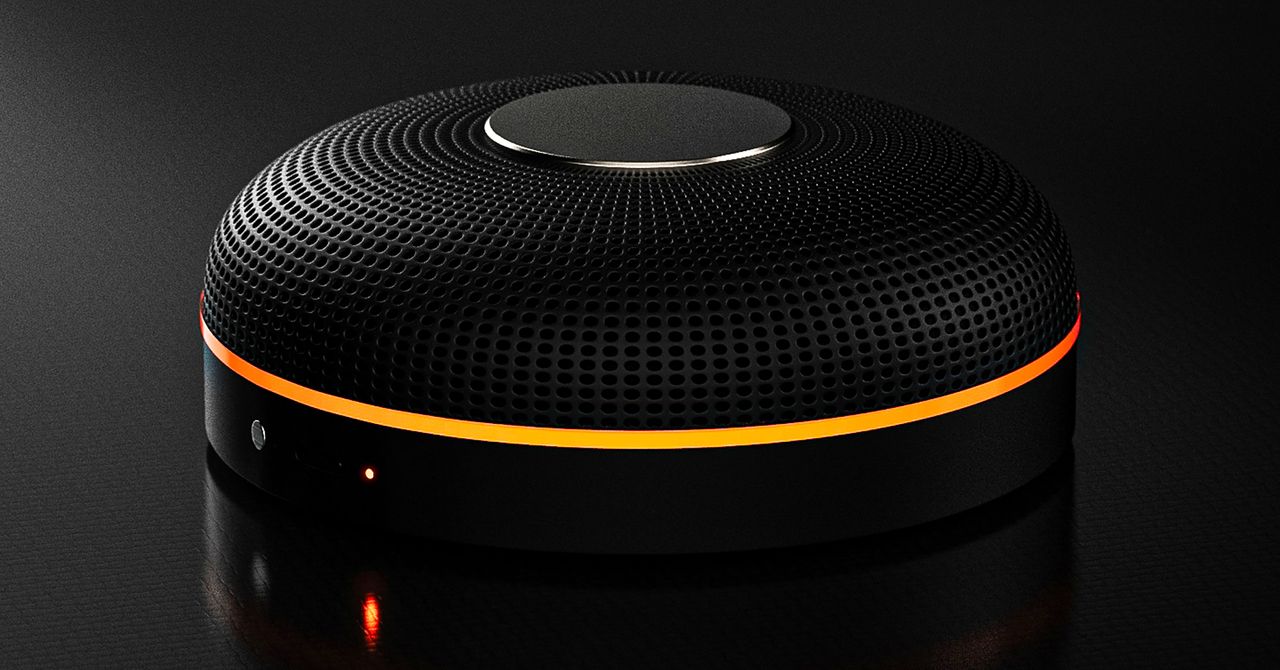
Deveillance also claims the Spectre can find nearby microphones by detecting radio frequencies (RF), but critics say finding a microphone via RF emissions is not effective unless the sensor is immediately beside it.
“If you could detect and recognize components via RF the way Spectre claims to, it would literally be transformative to technology,” Jordan wrote in a text to WIRED after he built a device to test detecting RF signatures in microphones. “You’d be able to do radio astronomy in Manhattan.”
Deveillance is also looking at ways to integrate nonlinear junction detection (NLJD), a very high-frequency radio signal used by security professionals to find hidden mics and bugs. NLJD detectors are expensive and used primarily in professional contexts like military operations.
Even if a device could detect a microphone’s exact location, objects around a room can change how the frequencies spread and interact. The emitted frequencies could also be a problem. There haven’t been adequate studies to show what effects ultrasonic frequencies have on the human ear, but some people and many pets can hear them and find them obnoxious or even painful. Baradari acknowledges that her team needs to do more testing to see how pets are affected.
“They simply cannot do this,” engineer and YouTuber Dave Jones (who runs the channel EEVblog) wrote in an email to WIRED. “They are using the classic trick of using wording to imply that it will detect every type of microphone, when all they are probably doing is scanning for Bluetooth audio devices. It’s totally lame.” Baradari reiterates that the Spectre uses a combination of RF and Bluetooth low energy to detect microphones.
WIRED asked Baradari to share any evidence of the Spectre’s effectiveness at identifying and blocking microphones in a person’s vicinity. Baradari shared a few short videoclips of people putting their phones to their ears listening to audioclips—which were presumably jammed by the Spectre—but these videos do little to prove that the device works.
Future Imperfect
Baradari has taken the critiques in stride, acknowledging that the tech is still in development. “I actually appreciate those comments, because they’re making me think and see more things as well,” Baradari says. “I do believe that with the ideas that we’re having and integrating into one device, these concerns can be addressed.”
People were quick to poke fun at the Spectre I online, calling the technology the cone of silence from Dune. Now, the Deveillance website reads, “Our goal is to make the cone of silence become reality.”
John Scott-Railton, a cybersecurity researcher at Citizen Lab, who is critical of the Spectre I, lauded the device’s virality as an indication of the real hunger for these kinds of gadgets to win back our privacy.
“The silver lining of this blowing up is that it is a Ring-like moment that highlights how quickly and intensely consumer attitudes have shifted around pervasive recording devices,” says Scott-Railton. “We need to be building products that do all the cool things that people want but that don’t have the massive privacy- and consent-violation undertow. You need device-level controls, and you need regulations of the companies that are doing this.”
Cooper Quintin, a senior staff technologist at the Electronic Frontier Foundation, echoed those sentiments, even if critics believe Deveillance’s efforts to be flawed.
“If this technology works, it could be a boon for many,” Quintin wrote in an email to WIRED. “It is nice to see a company creating something to protect privacy instead of working on new and creative ways to extract data from us.”
Portrait Light: You can change up the lighting in your portrait selfies after you take them by opening them up in Google Photos, tapping the Edit button, and heading to Actions > Portrait Light. This adds an artificial light you can place anywhere in the photo to brighten up your face and erase that 5 o’clock shadow. Use the slider at the bottom to tweak the strength of the light. It also works on older Portrait mode photos you may have captured. It works only on faces.
Health and Accessibility Features
Cough & Snore Detection (Tensor G2 and newer): On the Pixel 7 and newer, you can have your Pixel detect if you cough and snore when sleeping, provided you place your Pixel near your bed before you nod off. This will work only if you use Google’s Bedtime mode function, which you can turn on by heading to Settings > Digital Wellbeing & Parental Controls > Bedtime Mode.
Guided Frame (Tensor G2 and newer): For blind or low-vision people, the camera app can now help take a selfie with audio cues (it works with the front and rear cameras). You’ll need to enable TalkBack for this to work (Settings > Accessibility > TalkBack). Then open the camera app. It will automatically help you frame the shot.
Simple View: This mode makes the font size bigger, along with other elements on the screen, like widgets and quick-settings tiles. It also increases touch sensitivity, all of which hopefully makes it easier to see and use the screen. You can enable it by heading to Settings > Accessibility > Simple View.
Safety and Security Features
Theft Protection: This is a broader Android 15 feature, but essentially, Google’s algorithms can figure out if someone snatches your Pixel out of your hands. If they’re trying to get away, the device automatically locks. Additionally, with another device, you can use Remote Lock to lock your stolen Pixel with your phone number and a security answer. To toggle these features on, go to Settings > Security & privacy > Device unlock > Theft protection.
Identity Check: If your Pixel detects you’re in a new location, Identity Check will require your fingerprint or face authentication before you can make any changes to sensitive settings, offering extra peace of mind in case you lose your phone or if it’s stolen. You can enable this in Settings > Security & privacy > Device unlock > Theft protection > Identity Check.
Courtesy of Google
Private Space: Another Android 15 addition, Pixel phones finally have a feature that lets you hide and lock select apps. You can use a separate Google account, set a lock, and install any app to hide away. To set it all up, head to Settings > Security & privacy > Private space.
Satellite eSOS (Pixel 9 and Pixel 10 series, excluding Pixel 9a): Like Apple’s SOS feature on iPhones, you can now reach emergency contacts or emergency services even when you don’t have cell service or Wi-Fi connectivity. It’s not just available in the continental US, but also in Hawaii, Alaska, Canada, and even Europe.
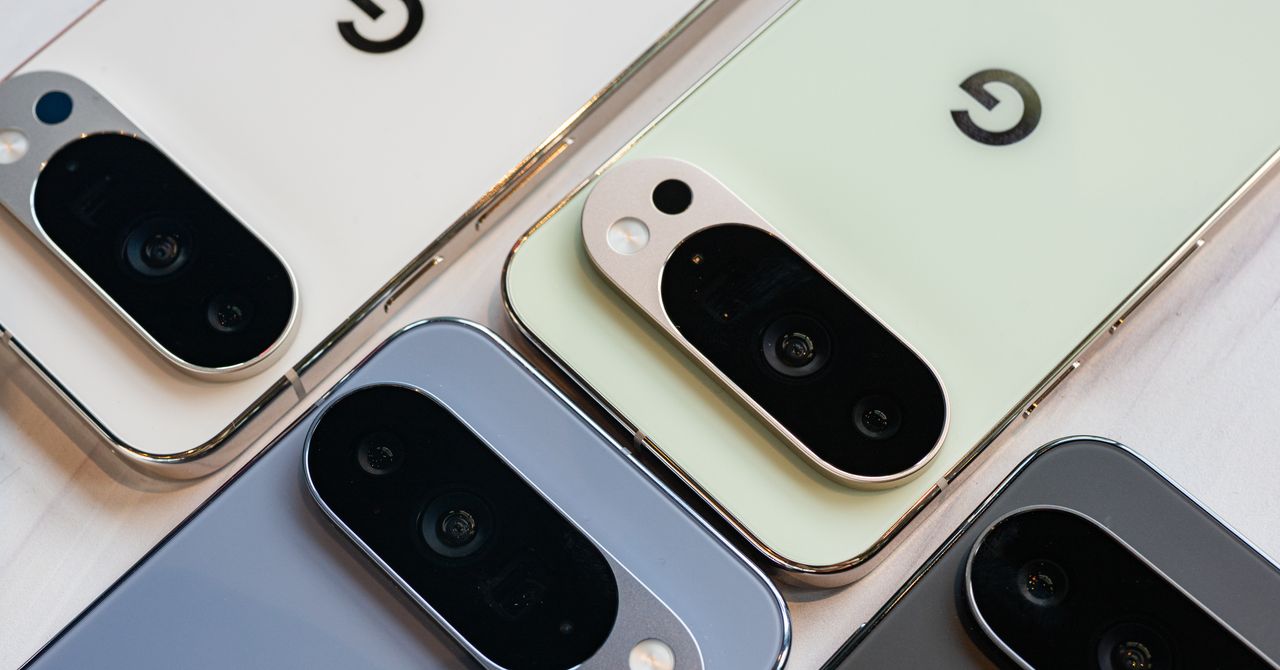
Portrait Light: You can change up the lighting in your portrait selfies after you take them by opening them up in Google Photos, tapping the Edit button, and heading to Actions > Portrait Light. This adds an artificial light you can place anywhere in the photo to brighten up your face and erase that 5 o’clock shadow. Use the slider at the bottom to tweak the strength of the light. It also works on older Portrait mode photos you may have captured. It works only on faces.
Health and Accessibility Features
Cough & Snore Detection (Tensor G2 and newer): On the Pixel 7 and newer, you can have your Pixel detect if you cough and snore when sleeping, provided you place your Pixel near your bed before you nod off. This will work only if you use Google’s Bedtime mode function, which you can turn on by heading to Settings > Digital Wellbeing & Parental Controls > Bedtime Mode.
Guided Frame (Tensor G2 and newer): For blind or low-vision people, the camera app can now help take a selfie with audio cues (it works with the front and rear cameras). You’ll need to enable TalkBack for this to work (Settings > Accessibility > TalkBack). Then open the camera app. It will automatically help you frame the shot.
Simple View: This mode makes the font size bigger, along with other elements on the screen, like widgets and quick-settings tiles. It also increases touch sensitivity, all of which hopefully makes it easier to see and use the screen. You can enable it by heading to Settings > Accessibility > Simple View.
Safety and Security Features
Theft Protection: This is a broader Android 15 feature, but essentially, Google’s algorithms can figure out if someone snatches your Pixel out of your hands. If they’re trying to get away, the device automatically locks. Additionally, with another device, you can use Remote Lock to lock your stolen Pixel with your phone number and a security answer. To toggle these features on, go to Settings > Security & privacy > Device unlock > Theft protection.
Identity Check: If your Pixel detects you’re in a new location, Identity Check will require your fingerprint or face authentication before you can make any changes to sensitive settings, offering extra peace of mind in case you lose your phone or if it’s stolen. You can enable this in Settings > Security & privacy > Device unlock > Theft protection > Identity Check.
Courtesy of Google
Private Space: Another Android 15 addition, Pixel phones finally have a feature that lets you hide and lock select apps. You can use a separate Google account, set a lock, and install any app to hide away. To set it all up, head to Settings > Security & privacy > Private space.
Satellite eSOS (Pixel 9 and Pixel 10 series, excluding Pixel 9a): Like Apple’s SOS feature on iPhones, you can now reach emergency contacts or emergency services even when you don’t have cell service or Wi-Fi connectivity. It’s not just available in the continental US, but also in Hawaii, Alaska, Canada, and even Europe.


Holly Willoughby spotted with Nicole Appleton as she prepares for Youtube comeback

Want To Buy A House In Karnataka? Know About The ‘Namma Mane’ Scheme With Affordable Housing & Subsidies

South Korea’s apparel imports slightly lower at $1 billion in January

-
 Business1 week ago
Attock Cement’s acquisition approved | The Express Tribune
-

 Fashion1 week ago
Policy easing drives Argentina’s garment import surge in 2025
-

 Politics1 week ago
What are Iran’s ballistic missile capabilities?
-
 Business1 week ago
India Us Trade Deal: Fresh look at India-US trade deal? May be ‘rebalanced’ if circumstances change, says Piyush Goyal – The Times of India
-

 Sports1 week ago
LPGA legend shares her feelings about US women’s Olympic wins: ‘Gets me really emotional’
-
 Entertainment1 week ago
Bobby J. Brown, “The Wire” and “Law & Order: SUV” actor, dies of smoke inhalation after reported fire
-

 Fashion1 week ago
South Korea’s Misto Holdings completes planned leadership transition
-

 Entertainment1 week ago
Pakistan’s semi-final qualification scenario after England defeat New Zealand