

Tech
Changing gears: Your guide to low emissions transport

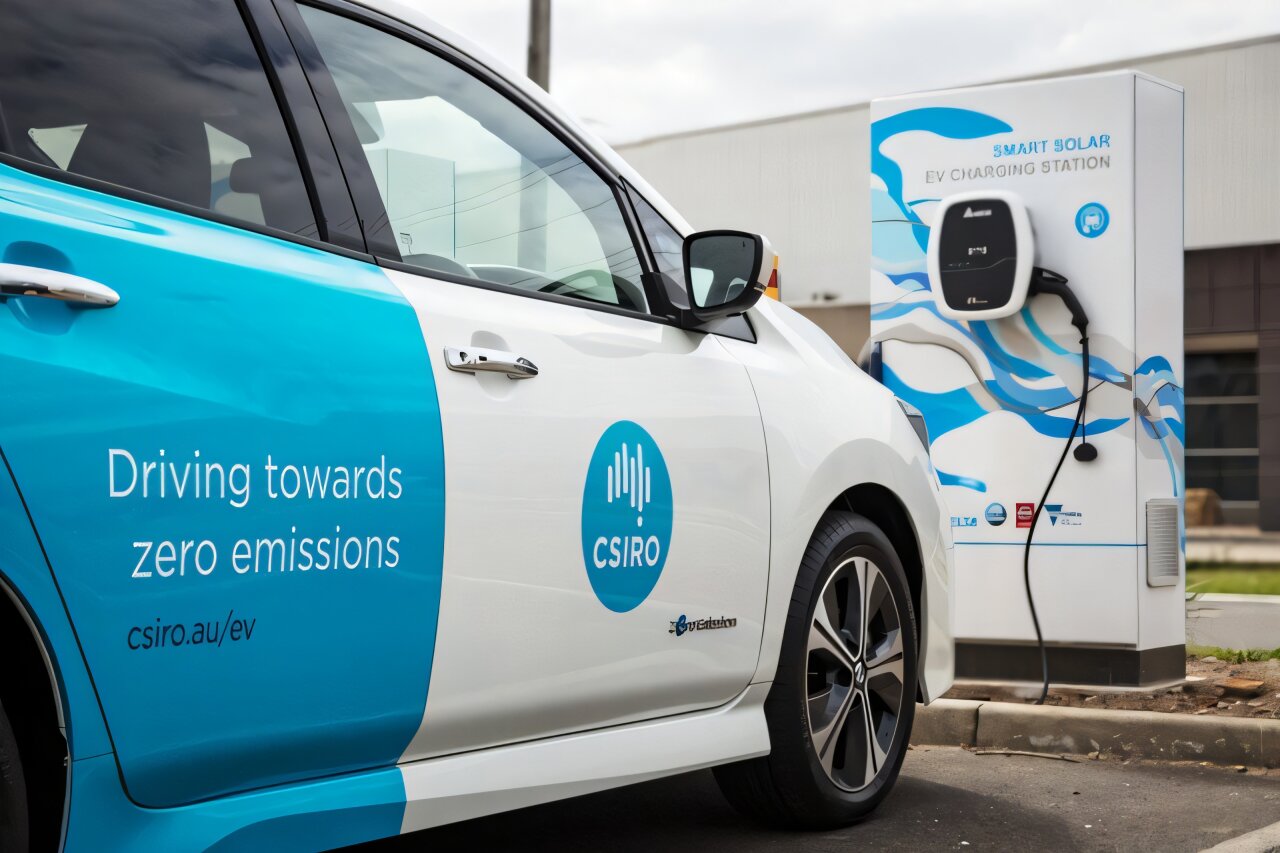
Curious about decarbonizing your personal transport? Perhaps soaring fuel costs, new financial rebates and vehicle options have sparked your interest? Maybe it is your growing appetite for environmental action?
If so, you’re not alone. The Electric Vehicle Council’s annual State of EVs report found that 46,624 electric cars were sold in the first half of 2023, compared to 39,353 in the previous year. EVs now account for 8.4% of all new car sales in Australia, but we need to reach 50% in order to meet climate emission targets.
We’re unpacking the latest low emissions transport options. We’ll also touch on the challenges and critical research that is getting us on track for a cleaner transport future.
Taking charge of low emissions transport
Transport is Australia’s third largest source of greenhouse gas emissions and is increasing faster than any other sector. Cars account for roughly half of these emissions. Switching to an EV can have a huge impact on reducing your carbon footprint, even if charged from the grid (that mostly relies on fossil fuels for the time being).
Despite more EVs being introduced in Australia, supply constraints and high demand continues to limit model choice and availability.
Let’s explore types of EVs and how they compare to standard Internal Combustion Engine (ICE) cars.
Hybrid
Powered by an internal combustion and electric motor. Regenerative braking and the ICE automatically recharge the battery.
- Pros: Thrifty on fuel, lower emissions, strong resale value, self-charging battery
- Cons: Higher purchase and maintenance costs, battery replacement is expensive, limited supply for some models
Plug-in hybrid electric vehicle (PHEV)
Offers the flexibility of using petrol or recharging the battery by plugging into the grid.
- Pros: Better fuel efficiency than a standard hybrid as it uses the electric motor more frequently, low emissions, opportunity to recharge with renewable energy
- Cons: Higher purchase cost, higher maintenance costs, limited model choice and availability
Battery Electric Vehicles (BEV)
Uses electrical energy stored in a rechargeable battery as its sole source of propulsion.
- Pros: Low running and maintenance costs, fast charging capability, silent, extra front boot space (where engine usually sits), zero emissions driving if charged with renewable energy
- Cons: Higher purchase cost, limited public charging infrastructure, reduced storage capacity in some models, it may require extra home charging investment, limited model choice and supply
There’s more to the EV scene than just cars
Registrations of electric motorbikes, scooters and mopeds have taken off in recent years. They offer an affordable, low emissions transport alternative. With limited range and low top speed, scooters and mopeds are suited to inner city commutes. In some states they only require a C-class driver license.
The rise of micromobility
Micromobility is the use of small, mostly electric powered vehicles for short urban trips. They have rapidly surged in popularity since the first Australian public trials in 2018.
E-bikes, e-scooters, electric unicycles and e-skateboards offer affordable, fun and convenient mobility. They offer the potential to reduce traffic congestion, pollution, emissions and gaps in public transport.
But our relationship with this emerging transport mode has been strained. Widespread concerns for rider and pedestrian safety, infrastructure challenges and conflicting regulation between states and territories are some of the barriers.
Beyond electric: Powering ahead with clean hydrogen
No harmful emissions, greater range and fast refueling. It’s easy to see why some consider clean hydrogen a fuel of the future.
Hydrogen-powered vehicles use an internal fuel cell. The driver refuels at a hydrogen bowser in around five minutes, like a petrol or diesel car. However, there is little hydrogen refueling infrastructure in Australia.
Currently, there is a limited range of hydrogen-powered vehicles in Australia, which are not yet available for private purchase. The development and deployment of hydrogen is better suited to heavy transport vehicles such as trucks and buses. This energy is compatible with large loads, long journeys and a central base for refueling.
Navigating roadblocks
The predicted surge in EV ownership from the late 2020s will be driven by improved affordability, model availability and charging facilities. But our aging energy infrastructure (and phase-out of fossil fuel generation) will require more investment and distribution to cope with our complex energy habits.
Australia has just over 2000 public EV charging stations today. To keep pace with the growing number of electric vehicles, the Australian Government plans to boost that to 50,000 by 2030.
EV resource production and manufacturing also present challenges. Each vehicle requires around 200 kilograms of critical minerals, such as cobalt, nickel and lithium. That’s six times more than a petrol car.
When EV batteries reach the end of their life, we need better strategies to recycle or repurpose them. While there are existing EV battery recycling programs in Australia, there’s more work to be done in this area.
Citation:
Changing gears: Your guide to low emissions transport (2025, August 18)
retrieved 18 August 2025
from https://techxplore.com/news/2025-08-gears-emissions.html
This document is subject to copyright. Apart from any fair dealing for the purpose of private study or research, no
part may be reproduced without the written permission. The content is provided for information purposes only.












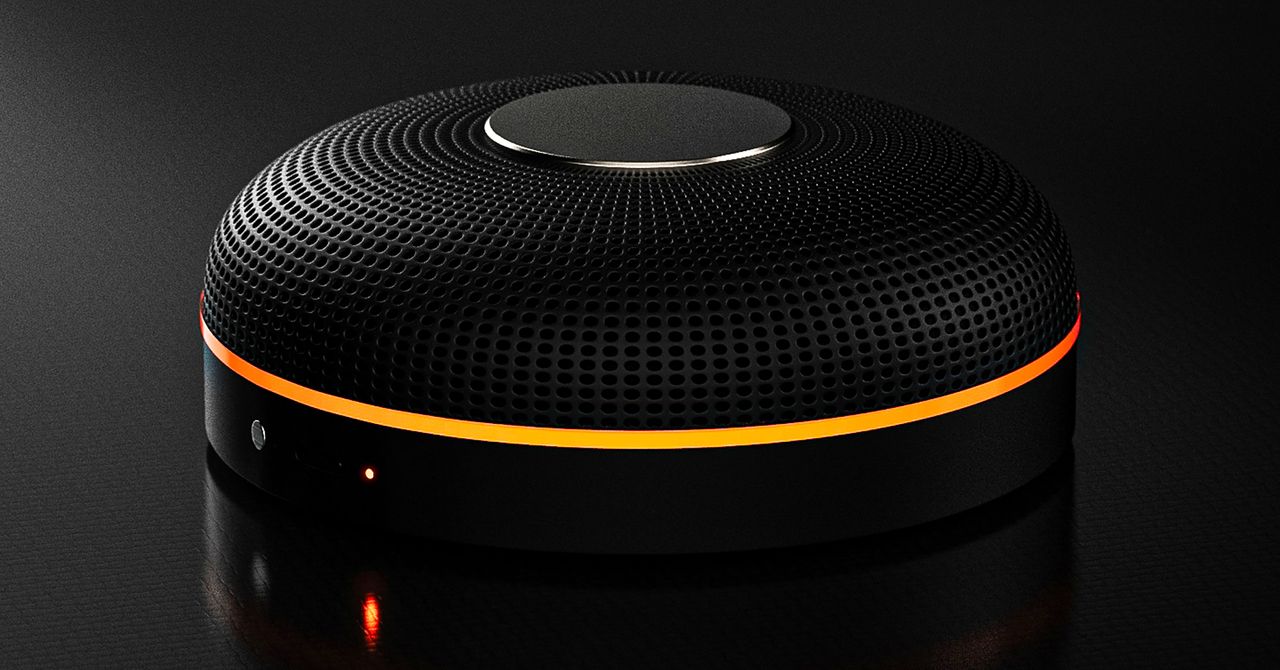
Deveillance also claims the Spectre can find nearby microphones by detecting radio frequencies (RF), but critics say finding a microphone via RF emissions is not effective unless the sensor is immediately beside it.
“If you could detect and recognize components via RF the way Spectre claims to, it would literally be transformative to technology,” Jordan wrote in a text to WIRED after he built a device to test detecting RF signatures in microphones. “You’d be able to do radio astronomy in Manhattan.”
Deveillance is also looking at ways to integrate nonlinear junction detection (NLJD), a very high-frequency radio signal used by security professionals to find hidden mics and bugs. NLJD detectors are expensive and used primarily in professional contexts like military operations.
Even if a device could detect a microphone’s exact location, objects around a room can change how the frequencies spread and interact. The emitted frequencies could also be a problem. There haven’t been adequate studies to show what effects ultrasonic frequencies have on the human ear, but some people and many pets can hear them and find them obnoxious or even painful. Baradari acknowledges that her team needs to do more testing to see how pets are affected.
“They simply cannot do this,” engineer and YouTuber Dave Jones (who runs the channel EEVblog) wrote in an email to WIRED. “They are using the classic trick of using wording to imply that it will detect every type of microphone, when all they are probably doing is scanning for Bluetooth audio devices. It’s totally lame.” Baradari reiterates that the Spectre uses a combination of RF and Bluetooth low energy to detect microphones.
WIRED asked Baradari to share any evidence of the Spectre’s effectiveness at identifying and blocking microphones in a person’s vicinity. Baradari shared a few short videoclips of people putting their phones to their ears listening to audioclips—which were presumably jammed by the Spectre—but these videos do little to prove that the device works.
Future Imperfect
Baradari has taken the critiques in stride, acknowledging that the tech is still in development. “I actually appreciate those comments, because they’re making me think and see more things as well,” Baradari says. “I do believe that with the ideas that we’re having and integrating into one device, these concerns can be addressed.”
People were quick to poke fun at the Spectre I online, calling the technology the cone of silence from Dune. Now, the Deveillance website reads, “Our goal is to make the cone of silence become reality.”
John Scott-Railton, a cybersecurity researcher at Citizen Lab, who is critical of the Spectre I, lauded the device’s virality as an indication of the real hunger for these kinds of gadgets to win back our privacy.
“The silver lining of this blowing up is that it is a Ring-like moment that highlights how quickly and intensely consumer attitudes have shifted around pervasive recording devices,” says Scott-Railton. “We need to be building products that do all the cool things that people want but that don’t have the massive privacy- and consent-violation undertow. You need device-level controls, and you need regulations of the companies that are doing this.”
Cooper Quintin, a senior staff technologist at the Electronic Frontier Foundation, echoed those sentiments, even if critics believe Deveillance’s efforts to be flawed.
“If this technology works, it could be a boon for many,” Quintin wrote in an email to WIRED. “It is nice to see a company creating something to protect privacy instead of working on new and creative ways to extract data from us.”
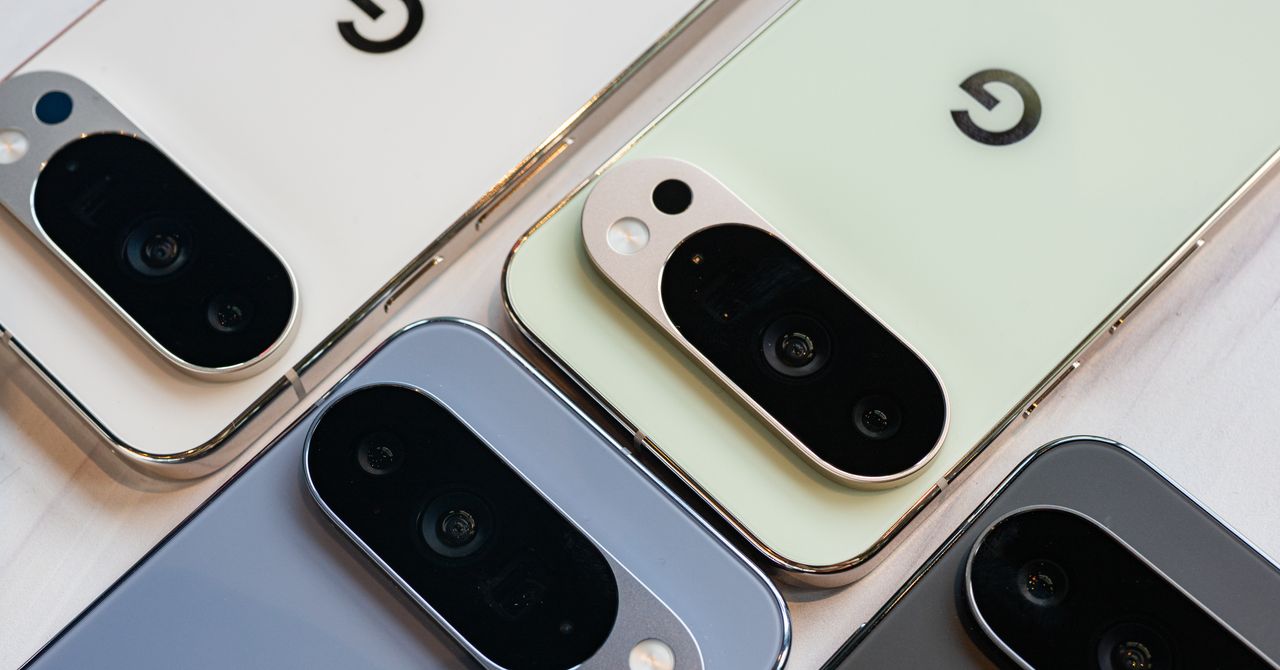
Portrait Light: You can change up the lighting in your portrait selfies after you take them by opening them up in Google Photos, tapping the Edit button, and heading to Actions > Portrait Light. This adds an artificial light you can place anywhere in the photo to brighten up your face and erase that 5 o’clock shadow. Use the slider at the bottom to tweak the strength of the light. It also works on older Portrait mode photos you may have captured. It works only on faces.
Health and Accessibility Features
Cough & Snore Detection (Tensor G2 and newer): On the Pixel 7 and newer, you can have your Pixel detect if you cough and snore when sleeping, provided you place your Pixel near your bed before you nod off. This will work only if you use Google’s Bedtime mode function, which you can turn on by heading to Settings > Digital Wellbeing & Parental Controls > Bedtime Mode.
Guided Frame (Tensor G2 and newer): For blind or low-vision people, the camera app can now help take a selfie with audio cues (it works with the front and rear cameras). You’ll need to enable TalkBack for this to work (Settings > Accessibility > TalkBack). Then open the camera app. It will automatically help you frame the shot.
Simple View: This mode makes the font size bigger, along with other elements on the screen, like widgets and quick-settings tiles. It also increases touch sensitivity, all of which hopefully makes it easier to see and use the screen. You can enable it by heading to Settings > Accessibility > Simple View.
Safety and Security Features
Theft Protection: This is a broader Android 15 feature, but essentially, Google’s algorithms can figure out if someone snatches your Pixel out of your hands. If they’re trying to get away, the device automatically locks. Additionally, with another device, you can use Remote Lock to lock your stolen Pixel with your phone number and a security answer. To toggle these features on, go to Settings > Security & privacy > Device unlock > Theft protection.
Identity Check: If your Pixel detects you’re in a new location, Identity Check will require your fingerprint or face authentication before you can make any changes to sensitive settings, offering extra peace of mind in case you lose your phone or if it’s stolen. You can enable this in Settings > Security & privacy > Device unlock > Theft protection > Identity Check.
Courtesy of Google
Private Space: Another Android 15 addition, Pixel phones finally have a feature that lets you hide and lock select apps. You can use a separate Google account, set a lock, and install any app to hide away. To set it all up, head to Settings > Security & privacy > Private space.
Satellite eSOS (Pixel 9 and Pixel 10 series, excluding Pixel 9a): Like Apple’s SOS feature on iPhones, you can now reach emergency contacts or emergency services even when you don’t have cell service or Wi-Fi connectivity. It’s not just available in the continental US, but also in Hawaii, Alaska, Canada, and even Europe.
Portrait Light: You can change up the lighting in your portrait selfies after you take them by opening them up in Google Photos, tapping the Edit button, and heading to Actions > Portrait Light. This adds an artificial light you can place anywhere in the photo to brighten up your face and erase that 5 o’clock shadow. Use the slider at the bottom to tweak the strength of the light. It also works on older Portrait mode photos you may have captured. It works only on faces.
Health and Accessibility Features
Cough & Snore Detection (Tensor G2 and newer): On the Pixel 7 and newer, you can have your Pixel detect if you cough and snore when sleeping, provided you place your Pixel near your bed before you nod off. This will work only if you use Google’s Bedtime mode function, which you can turn on by heading to Settings > Digital Wellbeing & Parental Controls > Bedtime Mode.
Guided Frame (Tensor G2 and newer): For blind or low-vision people, the camera app can now help take a selfie with audio cues (it works with the front and rear cameras). You’ll need to enable TalkBack for this to work (Settings > Accessibility > TalkBack). Then open the camera app. It will automatically help you frame the shot.
Simple View: This mode makes the font size bigger, along with other elements on the screen, like widgets and quick-settings tiles. It also increases touch sensitivity, all of which hopefully makes it easier to see and use the screen. You can enable it by heading to Settings > Accessibility > Simple View.
Safety and Security Features
Theft Protection: This is a broader Android 15 feature, but essentially, Google’s algorithms can figure out if someone snatches your Pixel out of your hands. If they’re trying to get away, the device automatically locks. Additionally, with another device, you can use Remote Lock to lock your stolen Pixel with your phone number and a security answer. To toggle these features on, go to Settings > Security & privacy > Device unlock > Theft protection.
Identity Check: If your Pixel detects you’re in a new location, Identity Check will require your fingerprint or face authentication before you can make any changes to sensitive settings, offering extra peace of mind in case you lose your phone or if it’s stolen. You can enable this in Settings > Security & privacy > Device unlock > Theft protection > Identity Check.
Courtesy of Google
Private Space: Another Android 15 addition, Pixel phones finally have a feature that lets you hide and lock select apps. You can use a separate Google account, set a lock, and install any app to hide away. To set it all up, head to Settings > Security & privacy > Private space.
Satellite eSOS (Pixel 9 and Pixel 10 series, excluding Pixel 9a): Like Apple’s SOS feature on iPhones, you can now reach emergency contacts or emergency services even when you don’t have cell service or Wi-Fi connectivity. It’s not just available in the continental US, but also in Hawaii, Alaska, Canada, and even Europe.


Holly Willoughby spotted with Nicole Appleton as she prepares for Youtube comeback

Want To Buy A House In Karnataka? Know About The ‘Namma Mane’ Scheme With Affordable Housing & Subsidies

South Korea’s apparel imports slightly lower at $1 billion in January

Attock Cement’s acquisition approved | The Express Tribune

What are Iran’s ballistic missile capabilities?

India Us Trade Deal: Fresh look at India-US trade deal? May be ‘rebalanced’ if circumstances change, says Piyush Goyal – The Times of India

-
Business1 week ago
Attock Cement’s acquisition approved | The Express Tribune
-

 Fashion1 week ago
Policy easing drives Argentina’s garment import surge in 2025
-
 Politics1 week ago
What are Iran’s ballistic missile capabilities?
-
Business1 week ago
India Us Trade Deal: Fresh look at India-US trade deal? May be ‘rebalanced’ if circumstances change, says Piyush Goyal – The Times of India
-

 Sports1 week ago
LPGA legend shares her feelings about US women’s Olympic wins: ‘Gets me really emotional’
-

 Fashion1 week ago
South Korea’s Misto Holdings completes planned leadership transition
-

 Entertainment1 week ago
Bobby J. Brown, “The Wire” and “Law & Order: SUV” actor, dies of smoke inhalation after reported fire
-

 Fashion1 week ago
Texwin Spinning showcasing premium cotton yarn range at VIATT 2026