

Tech
Eyeing robotaxis, Tesla hiring New York test car operator


Tesla is recruiting a motorist to test its driver-assistance technology in New York with an eye toward autonomous driving, according to a job listing reviewed by AFP on Wednesday.
The role of “Vehicle Operator, Autopilot” involves the driving of an “engineering vehicle” for extended periods, “conducting dynamic audio and camera data collection for testing and training purpose,” according to the job listing.
The position is based in Flushing, New York in the borough of Queens. The functions described in the full-time position are still many steps away from providing autonomous or robotaxi service in New York City.
New York State law currently limits the use of autonomous cars to testing. Waymo in June said it applied for a permit to begin testing self-driving cars.
Billionaire CEO Elon Musk has described Tesla as poised for potential rapid deployment of autonomous vehicles, emphasizing the company’s use of artificial intelligence to analyze real-world data that has been gathered by the company’s existing fleet of vehicles.
Tesla in June finally launched limited robotaxi service in Austin, Texas following many delays.
On a conference call in July, Musk predicted Tesla would “probably have autonomous ride-hailing in probably half the population of the US by the end of the year”—an ambitious target that looks highly unlikely.
Musk acknowledged that the rollout depends on regulatory approvals, adding that the company is being “very cautious” in light of safety concerns.
© 2025 AFP
Citation:
Eyeing robotaxis, Tesla hiring New York test car operator (2025, August 14)
retrieved 14 August 2025
from https://techxplore.com/news/2025-08-eyeing-robotaxis-tesla-hiring-york.html
This document is subject to copyright. Apart from any fair dealing for the purpose of private study or research, no
part may be reproduced without the written permission. The content is provided for information purposes only.












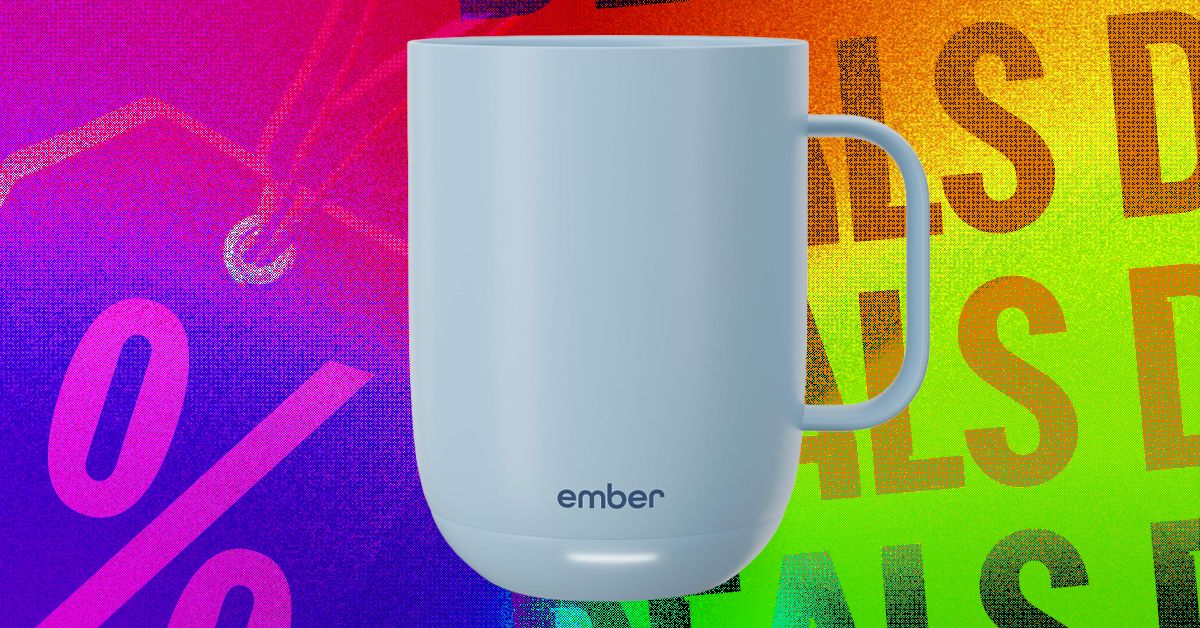
The Ember Smart Mug 2 is niche, but it has a loyal following. Even though we think there are better mug warmers on the market, Ember is like Apple AirPods or Kleenex. People want what they want. Right now, for Mother’s Day, the Ember Smart Mug 2 is on sale for just under $100, a 30 percent discount and a match of the very best price we’ve tracked. You can save at Amazon, Best Buy, and the manufacturer’s website.
This smart mug is probably overkill. It has a smartphone app that notifies you when your coffee reaches the ideal temperature, and its onboard light also provides a visual indicator that your brew is ready. It intelligently adjusts power usage to keep your drink warm when you’re nearby, and turns off when you’re not around. The self-heating mug is on sale in a few variations—10 or 14 ounces, in blue, white, black, and purple.
The mug offers up to 80 minutes of powered heating time, or you can pop it on the included charging coaster to keep the battery going all day. And you don’t need the smartphone app unless you want to precisely dictate your coffee temperature—the mug defaults to 135 degrees Fahrenheit without your specific input.
Our main gripe is that this proprietary warming system is not dishwasher safe. You need to hand-wash each component, and ensure you do so carefully, because the items are not cheap to replace. But if Mom has been putzing around the house drinking perpetually microwaved coffee, perhaps an upgrade is in order. We have additional recommendations in our guide to the Best Coffee Warmers. You may also want to check our related stories on the Best Espresso Machines, Best Coffee Machines, and Best Pod Coffee Makers.
Google DeepMind’s AlphaFold has already revolutionized scientists’ understanding of proteins. Now, the ability of the platform to design safe and effective drugs is about to be put to the test.
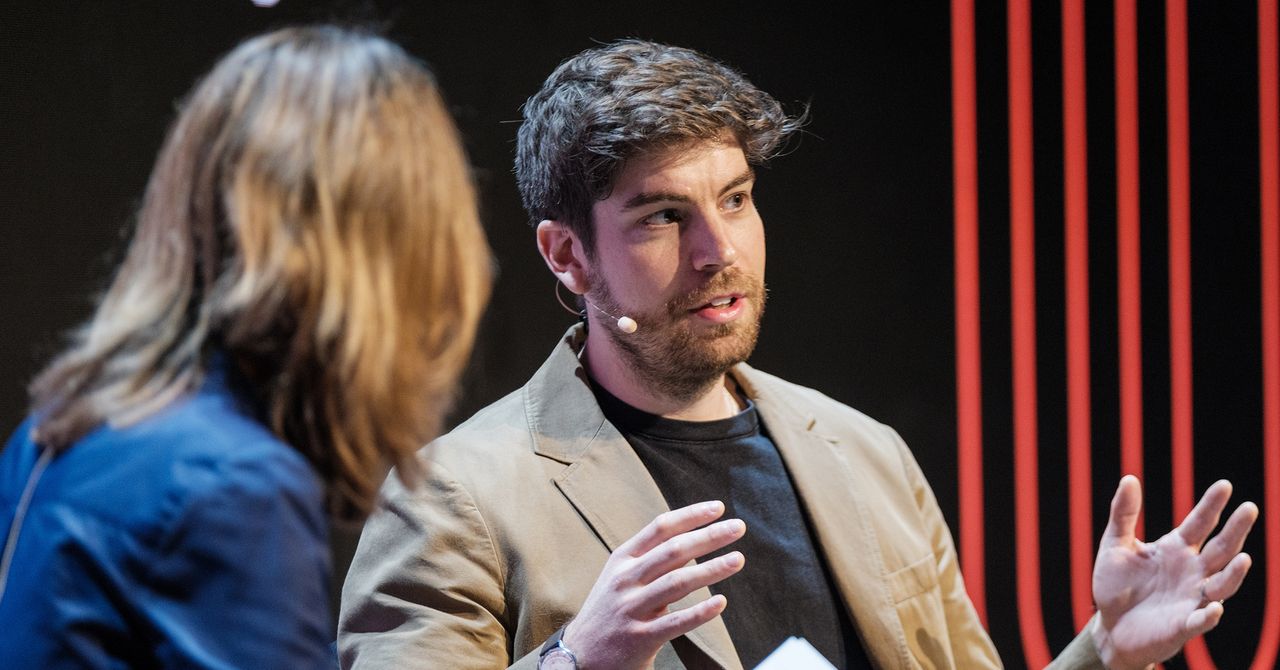
Isomorphic Labs, the UK-based biotech spinoff of Google DeepMind, will soon begin human trials of drugs designed by its Nobel Prize–winning AI technology. “We’re gearing up to go into the clinic,” Isomorphic Labs president Max Jaderberg said on April 16 at WIRED Health in London. “It’s going to be a very exciting moment as we go into clinical trials and start seeing the efficacy of these molecules.”
Jaderberg did not elaborate on the timeline, but it’s later than the company had planned to initiate human studies. Last year, CEO Demis Hassabis said it would have AI-designed drugs in clinical trials by the end of 2025.
Isomorphic Labs was founded in 2021 as a spinoff from Alphabet’s AI research subsidiary, Google DeepMind. The company uses DeepMind’s AlphaFold, a groundbreaking AI platform that predicts protein structures, for drug discovery.
Built from 20 different amino acids, proteins are essential for all living organisms. Long strings of amino acids link together and fold up to make a protein’s three-dimensional structure, which dictates the protein’s function. Researchers had tried to predict protein structures since the 1970s, but this was a painstaking process given the astronomically high number of possible shapes a protein chain can take.
That changed in 2020, when DeepMind’s Hassabis and John Jumper presented stunning results from AlphaFold 2, which uses deep-learning techniques. A year later, the company released an open-source version of AlphaFold available to anyone.
In 2024, DeepMind and Isomorphic Labs released AlphaFold 3, which advanced scientists’ understanding of proteins even further. It moved beyond modeling proteins in isolation to predicting other important molecules, such as DNA and RNA, and their interactions with proteins.
“This is exactly what you need for drug discovery: You need to see how a small molecule is going to bind to a drug, how strongly, and also what else it might bind to,” Hassabis told WIRED at the time.
Since its release, the AlphaFold platform has been able to predict the structure of virtually all the 200 million proteins known to researchers and has been used by more than 2 million people from 190 countries. The breakthrough earned Hassabis and Jumper the Nobel Prize for chemistry in 2024, with the Nobel committee noting that AlphaFold has enabled a number of scientific applications, including a better understanding of antibiotic resistance and the creation of images of enzymes that can decompose plastic.
Earlier this year, Isomorphic Labs announced an even more powerful tool, what it calls IsoDDE, its proprietary drug-design engine. In a technical paper, the company touts that the platform more than doubles the accuracy of AlphaFold 3.
The startup has formed partnerships with Eli Lilly and Novartis to work together on AI drug discovery and is also advancing its own “broad and exciting pipeline of new medicines” in oncology and immunology, Jaderberg said.
“The exciting thing about the molecules that we’re designing is because we have so much more of an understanding about how these molecules work, we’ve engineered them to be very, very potent,” Jaderberg told the audience at WIRED Health. “You can take them at a much lower dose, and they’ll have lower side effects, off target effects.”
Last year, Isomorphic appointed a chief medical officer and announced it had raised $600 million in its first funding round to gear up for clinical trials. Meanwhile, the company has been building a clinical development team. Its mission is to “solve all disease.”
“It’s a crazy mission,” Jaderberg said. “But we really mean it. We say it with a straight face, because we believe this should be possible.”

Security leaders should be turning offensive AI cyber tools on their own systems before threat actors do, exploiting the innate defenders’ advantage to attain the high ground and increase their chances of withstanding a cyber attack.
So says Yinon Costica, co-founder of Google-owned Wiz, who, speaking at Google Cloud Next in Las Vegas, argued that defenders can win against attackers by using AI to exploit an advantage that may not appear obvious at first glance, that of context.
“The same AI model can obviously produce very different results based on the context that we feed into it,” said Costica. “Now, attackers hopefully have much less context about us while as defenders we do have a lot of context about our environments that we can share with the model.
“If, as defenders, we take the first movers’ advantage and we use the AI against ourselves, with the context we have, we actually stand a chance to win…. But we need to act fast,” he said.
“We need to start using AI against ourselves as much as possible, whether it’s to scan attack surfaces, scan code, scan anything, in order to be the first one to see the results and not to wait for the bad guys to do it before us.”
As speed becomes ever more of the essence in cyber security, Costica conceded that this would be a challenge for defenders – but noted that the tools to do this are rapidly becoming available. To try to help, Wiz unveiled three new AI agents at Google Cloud Next – red, green and blue – which are named for the human cyber teams they are designed to help.
“What agents allow us to do is really to get to the next level of acceleration [and] automation of security work,” said Costica.
The red agent is designed to assist red team penetration testing work by probing deep into its owners’ IT estate, identifying potential exposures, such as application programming interfaces (APIs), end-of-life edge networking kit or operational technology (OT) assets, and runs penetration tests on them. The green agent follows on by automating the triage process, something that can take ages for humans. Finally, the blue agent acts as a detective, doing the investigative work that can also be a lengthy process for human teams.
“These three agents together form a layer that is autonomous and automated. Its not revolutionary in that it aligns closely to how security teams have been working for many years, but now it allows each team to automate their workflows,” said Costica.
“It’s like living in the future in the eyes of security teams because it means that from the moment they find a risk, they can automate the process to find who owns it and deliver the code fix to complete and redeploy to production.”
A little over a month on from the closure of the $32bn acquisition of Wiz – Google’s largest purchase to date – the two organisations reaffirmed their commitment to providing a unified security platform, retaining Wiz’s brand, that will enhance the speed with which customers detect, prevent and respond to threats, especially emerging ones created using AI.
They duo also claim their combined capability will accelerate adoption of multicloud security and spur more confidence in innovation around cloud and AI. Wiz’s products are also to continue to be made available across other platforms, including Amazon Web Services (AWS), Microsoft Azure and Oracle Cloud. It also announced support for Databricks and agent studios like AWS Agentcore, Microsoft Azure Copilot Studio, and Salesforce Agentforce, as well as Gemini Enterprise Agent Platform of course, and continues to support security ecosystems with integrations to the outer layer of the cloud, including Google Cloud Apigee, Cloudflare AI Security for Apps, and the Vercel platform.
Behind the scenes, Wiz has also updated how it integrates security detections from Wiz Defend with Google Security Operations and Mandiant Threat Defence to make life easier for human analysts.
And it announced new capabilities to secure the AI-native deployment cycle. These include scanning vibe coded applications for issues; AI-generated code scanning and vulnerability remediation; agent-based remediation allowing teams to automate remediation workflows; and an AI bill of materials (AI-BOM) to keep on top of the use of shadow AI for coding.


NASCAR makes major change in front office, including new CEO in unprecedented move: report

Extended interview: Don Cheadle – CBS News

Charlie Sheen updates on relationship with old pal Jon Cryer

-

 Fashion1 week ago
France’s LVMH Q1 revenue falls 6%, shows resilience amid Iran war
-

 Tech1 week ago
CYBERUK ’26: UK lagging on legal protections for cyber pros | Computer Weekly
-

 Sports5 days ago
WWE WrestleMania 42 Night 2: Live match results and analysis
-

 Sports1 week ago
Faheem Ashraf backs Islamabad United’s push, calls league a ‘career-changing platform’
-

 Sports5 days ago
NCAA men’s gymnastics championship: All-time winners list
-
 Business1 week ago
PepsiCo earnings beat estimates as North American food business improves
-

 Tech1 week ago
Anthropic Plots Major London Expansion
-
 Business1 week ago
Oil prices fall again amid Middle East ceasefire hopes