

Tech
I’ve Tested 17 Different Alexa Speakers in the Last 3 Years. These Are the Ones Worth Buying

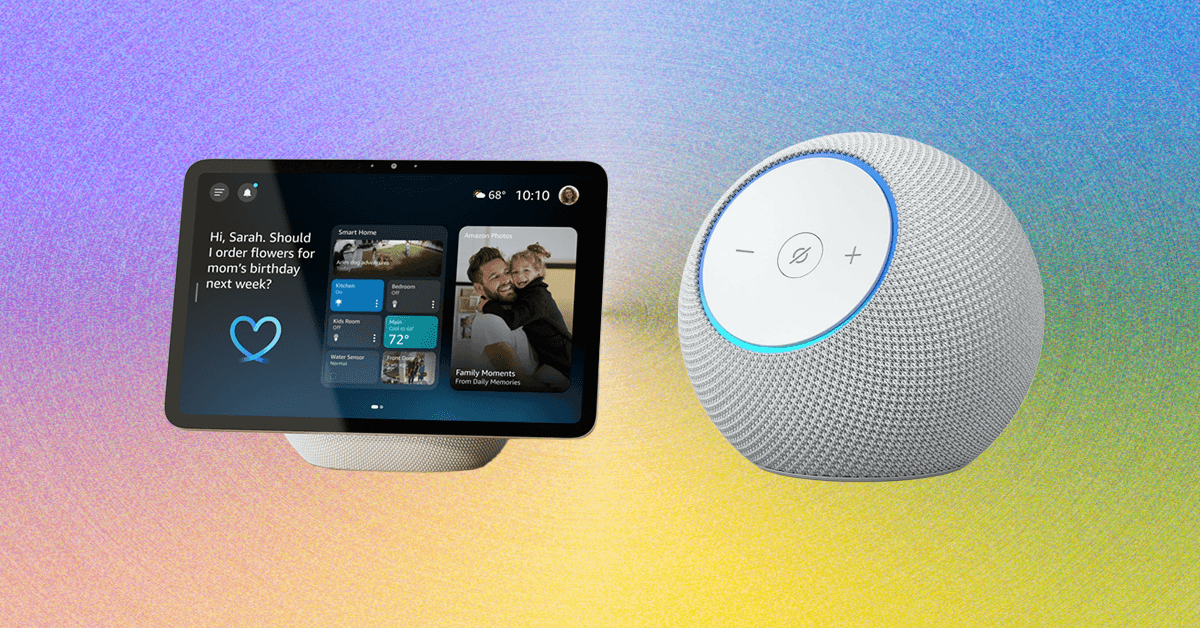
Comparing Our Favorite Alexa Speakers
Other Alexa (or Alexa-Compatible) Speakers
There are a lot of Echo devices out there, and some third-party speakers that are Amazon Alexa–compatible. Here’s every Alexa smart speaker we’ve tried and what we thought of it.
Amazon Echo (4th Gen) for $80: Amazon’s fourth-generation Echo notably changed the shape of the cylindrical speaker into a sphere. It was previously our top pick, but now has been discontinued as Amazon has launched new speakers, and there’s very limited stock available at third-party retailers like Walmart.
Amazon Echo Hub for $180: The Amazon Echo Hub is similar to an Echo Show, but without the speaker. Instead it’s a thin device that feels a bit like a tablet, designed to be mounted on the wall (or placed on a separately purchased stand, which is how I used it) and used to control your smart home devices. It’s a great choice for anyone who wants something focused on smart home control only. You can still ask Alexa questions and even play music, but the thin speakers aren’t worth playing music from. But you can tell your Echo Hub to play music on a different set of speakers, and even set up default speakers to work with it. It’s a great companion device if you already have a smart home setup.
Amazon Echo Pop for $40: The Echo Pop is a perfectly fine little speaker, and the cutest one in Amazon’s lineup. Does it have great sound? No. It’s fine enough for background tunes or if you’re limited to a dorm room, but you’ll get much better sound for a similar size from the Echo Dot (but you’ll pay a little more, and you won’t get as cute of colors!)
Amazon Echo Show 5 (3rd Gen) for $90: This smart display is another just-fine option, but it’s too small to be a great display, and the included camera makes it a no for a bedside table; better to go with the above Echo Spot or an Echo Dot.
Amazon Echo Show 8 (4th Gen) for $180: I usually love an Echo Show 8, but this model didn’t have the same sound quality as the older model. If you’re going to get one of Amazon’s new displays, you’re better off getting the Echo Show 11 ($220) for the same experience with a slightly larger screen (while it’s a three inch difference, it doesn’t feel that big) and better sound.
Amazon Echo Show 10 (3rd Gen) for $250: This smart display has big sound, but its wonky shape makes it hard to seamlessly fit into your home. It’s cool that it can follow you around while you speak to it, but also kinda weird. It’s great if you have a big kitchen island you’re always moving around, but not much else. It’s been out of stock for a while now, though, and with the new Echo Show 11 out, we’re guessing we won’t see it return.
Amazon Echo Show 15 (2nd Gen) for $300: This smart display is a good display, but it clearly wants to double as a TV and isn’t very good at it yet. I’m hoping we see better TV-related performance in the future to make it worth adding to a kitchen or office. It does a great job with widgets, though, thanks to the massive 15.6-inch screen. There’s also the larger Echo Show 21 ($400), which is essentially the same thing but larger.
Amazon Echo Sub for $130: This subwoofer was our top pick for bass, which can be paired with other Echo speakers to add some bass to your jam sessions. It’s currently unavailable on Amazon but still around for third-party retailers like Best Buy, and we’re keeping a eye out to see if it comes back in stock or not. Amazon did not confirm whether or not it would when asked.
JBL Authentics 200 for $380: This JBL smart speaker speaks both Google Assistant and Amazon Alexa, letting you split between the two for different tasks without having to switch your preference in the app. That makes this speaker particularly appealing for folks with a sprawling collection of smart products from both.
Sonos Era 100 for $199: If you’re looking for a speaker that can talk to Alexa but isn’t necessarily made by Amazon, the Sonos Era 100 is a great option. We just wished we liked the Sonos app better. You can catch our entire guide to the Sonos ecosystem here.
Meet Alexa+
Photograph: Nena Farrell
Amazon has started rolling out the new and improved Amazon Alexa, named Alexa+. It’s available right now for free in early access, though you’ll have to join a waiting list and wait to get selected. I got to check out Alexa+ on my Echo Show devices (which are the only devices you can use Alexa+ on during early access), and it’s been a pretty positive experience. I like the updated, more conversational voice, and Alexa+ did a good job answering all kinds of questions quickly and thoughtfully. Check out our early access hands-on for everything I thought while testing.
Alexa+ has caused some changes, even for those not using it. It requires that all voice recordings be sent to Amazon to be processed. Amazon has changed its features wholesale—now all recordings with regular Alexa go to Amazon, too. There used to be a “Do Not Send Voice Recordings” privacy feature that you could select to have voice requests processed locally, but that feature was killed on March 28, 2025, per an email Amazon sent out to current users of that feature.
There isn’t a timeline for when early access will be done and the final version will roll out. Once out of early access, Alexa+ will be available for $20 a month, or free if you have an Amazon Prime membership. While you likely have a membership if you added an Alexa device to your home, it’s a big jump from the previously free assistant. Still, it’s a nice upgrade and much more on par with the AI assistants of the world, which isn’t a surprise since it’s built on generative AI.
FAQs
What’s the Difference Between an Echo and an Echo Show?
A regular Echo is a smart speaker, or a speaker with microphones in it so it can hear you speak to it and respond. An Echo Show is a smart display, which has a screen and a camera to let you make video calls, stream content, and see your questions answered on a screen. Both have similar capabilities when it comes to smart home control, answering questions, and playing music, but Echo Shows have extra abilities thanks to the screen. All Echo Shows have a camera and come with a physical camera cover for privacy.
When’s the Best Time to Buy an Echo?
The best time to buy any Amazon speaker is during a major sale event like Black Friday or Amazon Prime Day, when there are often steep discounts. You’ll often see the cheaper speakers discounted for around 50 percent off, and the larger speakers see some nice sale prices too.
How and Where Should You Set Up Your Alexa?
Alexa speakers get the best use in spaces you’re in often. I like setting mine up in my kitchen and living room—usually a display in the kitchen, so I can pull up a recipe or the weather while I make my morning cup of tea, and a speaker in the living room so I can play music and command the lights without a screen to distract from the TV or playing with my son. You can also set one up in the bedroom to use as an alarm clock, but make sure it’s a model without a camera for the best privacy.
Ultimately, what’s most important is that the speaker is somewhere it can hear your commands. Where that will be will vary based on your home, but think about where you’ll be when you ask for the weather or to dim the lights, and place your speaker accordingly.
You’ll set up Alexa speakers using the Alexa app, which allows you to manage multiple Alexa speakers if you own more than one through your Amazon account. Third-party speaker setup methods may vary.
Is Alexa Always Listening?
Alexa is always listening, to a certain extent. It’s designed to only listen for its wake word, and shouldn’t be recording or processing any audio unless it hears that word. But Alexa can sometimes mishear a word and think it’s the wake word, or hear a word similar enough to activate the speaker. If you’ve owned an Alexa, there’s likely been times that the assistant suddenly responds when you weren’t speaking to it. Once it hears the wake word (or what it believes to be is the wake word) it will start listening to everything in an attempt to hear what you need and respond.
Alexa+, the latest version of Alexa, will also remain on for a little bit after you ask a question to listen for follow-up questions, no wake word required. Both Alexa and Alexa+ light up in some fashion (regular speakers will turn the light ring blue, while the displays will have a blue bar appear on the screen) to let you know the assistant is listening. Most Echo devices also have a physical mute button, and will display a red light or red bar to let you know when the mute is activated.
How Do You Remove Ads and Spam From an Echo Show?
If you’re using an Echo Show device, you’ve likely noticed there’s tons of default content the device will show you. Sports scores! Local news! A recipe you might be interested in! It makes the device exhausting and annoying to be near.
Here’s how you can control what you see:
- Swipe down from the top of your Echo Show to pull up the menu, and select Settings.
- In the Settings menu, choose Home Content.
- There are upward of 40 options you can toggle on and off on this menu, and you should remove as many as you can that you don’t use. I usually remove all but weather forecasts and recently played audio.
While you’re able to turn off interest-based ads from third-party skills (this is under Alexa Privacy in the Settings menu), it won’t stop all ads. The only setting that is ad-free is choosing Photo Display mode, which can use either Amazon’s included library of photos or your own. The downside is that that turns it into a digital photo frame, so you won’t even see a clock or features like widgets.
Can I Have My Alexa Requests Locally Processed, or Do They Have to Go to the Cloud?
There used to be a privacy feature called Do Not Send Voice Recordings that let you have all your voice requests processed locally on your Alexa device, instead of being sent to Amazon’s cloud storage. That feature was killed in March 2025 to support Alexa+, and even if you continue to use the old Alexa, you don’t have access to that feature any longer.
Alexa+ is still only in early access, and you can only get it by joining the wait list and waiting to be selected. It’s random, and so far Amazon doesn’t have a timeline for when everyone on the list will get it or when early access will be over. You’ll just have to join the wait list and wait to see when you’re chosen. Once you do, check out our hands-on for what we liked about Alexa+ so far.
How Does WIRED Select Smart Speakers to Test? How Are These Speakers Tested?
For this guide, we specifically test speakers that are compatible with Amazon Alexa. It’s a big limitation and narrows down the options significantly, especially compared to speaker options you’ll see in our other guides like the Best Bluetooth Speakers. That’s mainly Amazon’s own ecosystem of speakers, and while there are third party options, the best options tend to be of Amazon’s own design to work with its own voice assistant.
Each speaker gets installed in a tester’s home to test for day-to-day use, as well as to see how the microphone performs, how the speaker sounds with different types of music, how well the smart home control features work with compatible devices such as smart lights and video doorbells, and other features as necessary (e.g., streaming features on smart displays).
How Does WIRED Get Models? What Does WIRED Do After Testing Them?
We acquire review units usually as a press sample, though we will also independently purchase samples if need be. All review units in this guide were provided as press samples with no obligation to cover or promises for what that coverage would be.
After testing, we keep most of our picks either installed for long-term testing in our homes, or in storage to compare against updated models and new speakers that come out. If the sample becomes irrelevant or unnecessary to keep, we donate it locally.
Power up with unlimited access to WIRED. Get best-in-class reporting and exclusive subscriber content that’s too important to ignore. Subscribe Today.













Anthropic is moving into a new London office as it seeks to expand its research and commercial footprint in Europe, setting up a scrap between the leading AI labs for talent emerging from British universities.
The company, which opened its first London office in 2023, is moving to the same neighborhood as Google DeepMind, OpenAI, Meta, Wayve, Isomorphic Labs, Synthesia, and various AI research institutions.
Anthropic’s new, 158,000-square-foot office footprint will have space enough for 800 people—four times its current head count—giving it room to potentially outscale OpenAI, which itself recently announced an expansion in London.
“Europe’s largest businesses and fastest-growing startups are choosing Claude, and we’re scaling to match,” says Pip White, head of EMEA North at Anthropic. “The UK combines ambitious enterprises and institutions that understand what’s at stake with AI safety with an exceptional pool of AI talent—we want to be where all of that comes together.
UK government officials had reportedly attempted to coax Anthropic into expanding its presence in London after the company recently fell out with the US administration. Anthropic refused to allow its models to be used in mass surveillance and autonomous weapon systems, leading to an ongoing legal battle between the AI lab and the Pentagon.
As part of the expansion, Anthropic says it will deepen its work with the UK’s AI Security Institute, a government body that this week published a risk evaluation of its latest model, Claude Mythos Preview. According to Politico, the UK government is one of few across Europe to have been granted access to the model, which Anthropic has released to only select parties, citing concerns over the potential for its abuse by cybercriminals.
The increasing concentration of AI companies in the same London district is an important step in creating a pathway for research to translate into AI products, says Geraint Rees, vice-provost at University College London, whose campus is around the corner from Anthropic’s new office.
“This cluster didn’t emerge from a planning document. It grew because serious researchers and companies understand that proximity isn’t a nice-to-have,” he said last month, speaking at an event attended by WIRED. “That’s how the innovation system actually works. It’s not a clean, linear transfer from lab to market. It’s messier, richer, more human than that.”
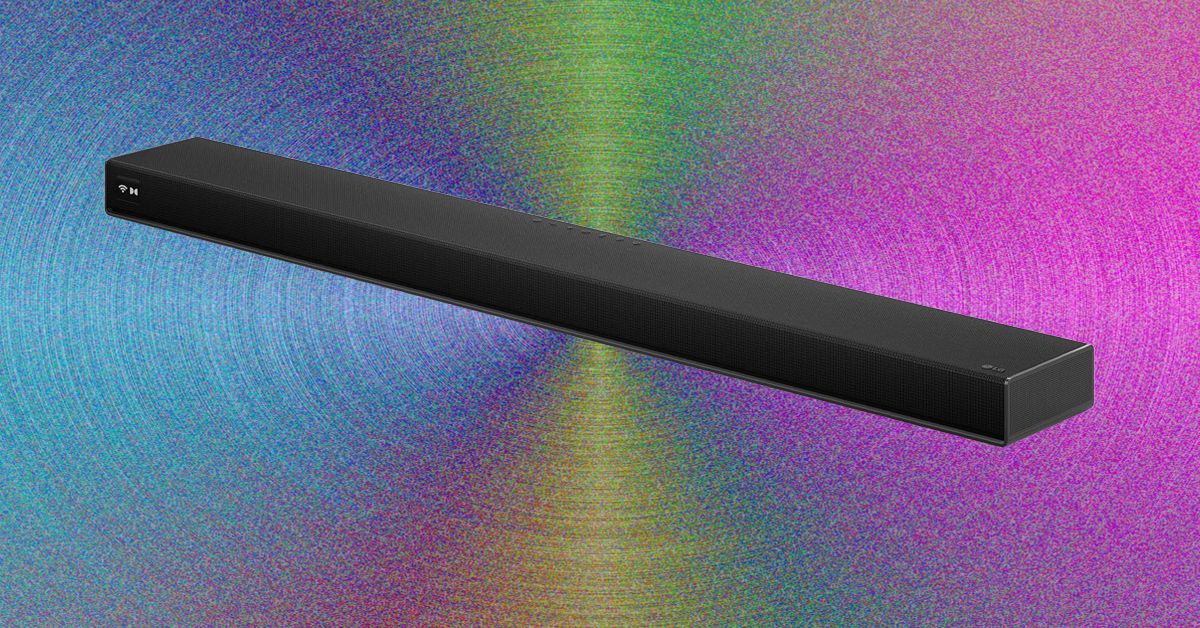
Setup was relatively quick and painless. You just have to unbox four speakers, a soundbar, and a subwoofer, attach their power cables, and plug in everything. Pairing happens through the LG ThinQ app, which allows you to set up the Sound Suite system and tune it to exactly where you’re sitting in the room using your cell phone’s microphone.
You can also set up each speaker to play music and group it with any other LG smart speakers you might have around your home, like the more affordable $250 M5 bookshelf speaker, to create a whole-home system.
Once all the components were synced, I plugged the soundbar into the C5 OLED via HDMI, and was able to easily control everything via the TV remote’s volume and mute buttons. More in-depth settings had to happen in the app, but if you’re anything like me, this won’t become a regular chore. You’ll set it how you like it once and move on. While the pairing functionality with the LG TV was nice, it’s not required–the eARC port lets the Sound Suite work perfectly with any modern TV.
The bar itself runs the show, with a black-and-white display on the far left that shows your mode and volume, among other settings. In the center of the bar and below each speaker, an LED light strip that also shows you the volume when you change it, which is a nice touch.
Getting Musical
Photograph: Parker Hall
The sound of the LG Sound Suite is full and cinematic, thanks in no small part to the extra dedicated speakers. Most competitors lack front left and right, simply opting to use the soundbar for these channels. As such, the width and breadth of the soundstage were bigger than most competitors I’ve tried, with only Samsung’s flagship HW-Q990F as a real contender. Even the Samsung lacked the lower-frequency audio quality that these LG speakers provide.
Tech
Cyber Essentials closes the MFA loophole but leaves some organisations adrift | Computer Weekly
On 27 April, the government backed security certification scheme, Cyber Essentials v3.3, takes effect and multi-factor authentication (MFA) becomes a pass-or-fail requirement for the first time.
If a cloud service your organisation uses offers MFA and you have not enabled it, you fail. No discretion, no partial credit, no route to remediate inside the assessment cycle.
This is the right call. I want to say that clearly, because what follows is a problem with the implementation, not the policy. MFA is the single most effective control against credential-based attacks, and the scheme has needed to stop tolerating its absence for a long time. The National Cyber Security Centre (NCSC), part of GCHQ, which developed Cyber Essentials and certification company, IASME have got this decision right.
But in the assessments we have conducted this year, I have seen two organisations that will hit a wall on 27 April, and I do not think they are unusual.
Train company could not deploy MFA
The first is a train operating company in the South East. Station operations rooms run on shared terminals where staff rotate through shifts in time-critical conditions. A transport union raised formal concerns that MFA would introduce delays at the keyboard that could affect train operations and, in their view, the safety of train movements.
The company listened and chose not to enable MFA in those environments. Under v3.2 they passed, with the relevant questions marked as non-compliant but not fatal. Under Cyber Essentials v3.3 they will fail.
Charity run by volunteers faces MFA hurdle
The second is a nationally known charity with hundreds of high street shops. The shops are staffed largely by volunteers many of whom work a few hours a week, and staff turnover is high.
The cost and management overhead of enrolling every volunteer onto MFA, using personal phones they may not have and authenticator apps they would not keep, was considered prohibitive. So MFA was never switched on. Same story: they passed under v3.2. Under v3.3 they fail.
Neither of these organisations is ignoring security. Both made considered decisions based on how their people actually work. The problem is not that they do not want to comply. It is that the standard toolkit of MFA methods, including SMS codes, authenticator apps on personal phones, and push notifications, does not fit a six-person shared terminal that has to be available in seconds, or a volunteer workforce that changes every week.
FIDO2 could offer solutions
The frustrating part is that there is a solution, and it is already proven in healthcare, manufacturing and retail. FIDO2 authentication delivered through NFC badge-taps lets a staff member authenticate in under two seconds: tap a badge, enter a short PIN, session opens.
It satisfies the MFA requirement by combining possession of the badge with knowledge of the PIN. It is faster than typing a password. Crucially, it is compliant, because each badge is enrolled as that individual’s unique FIDO2 credential, so the Cyber Essentials requirement for unique user accounts is met. Shared keys or shared PINs would not work. Individual badges do.
Need for better guidance
v3.3 explicitly recognises FIDO2 authenticators and passkeys as valid MFA methods. The compliance path is clear. What is missing is anyone telling the organisations most affected that this path exists.
That is the gap that must close. The NCSC and IASME have made the right policy decision; the scheme would be weaker without it.
But implementation guidance for shared-terminal, shift-based and high-turnover environments is thin, and these organisations are running out of time to find their way through it. Many of them hold Cyber Essentials because it is required for government contracts or in their supply chains; losing certification has a direct commercial cost.
The answer is not to soften the requirement. The answer is to make sure no one fails for lack of information about how to meet it.
Jonathan Krause is Founder and Managing Director of Forensic Control


Caleb Wilson says bye to UNC after 1 year, off to NBA draft

Fighter jets escort PM Shehbaz’s aircraft on arrival in Qatar

US’ Kontoor Brands appoints Erinn Murphy to lead finance role

-

 Entertainment1 week ago
Queen Elizabeth II emotional message for Archie, Lilibet sparks speculation
-

 Tech1 week ago
Azure customers up in arms over ‘full’ UK South region | Computer Weekly
-

 Tech1 week ago
As the Strait of Hormuz Reopens, Global Shipping Will Take Months to Recover
-

 Fashion1 week ago
CII submits 20-pt agenda to Indian govt to back firms hit by Iran war
-

 Tech1 week ago
This AI Button Wearable From Ex-Apple Engineers Looks Like an iPod Shuffle
-

 Politics6 days ago
Indian airlines hit hardest after Dubai limits foreign flights until May 31
-

 Entertainment3 days ago
Palace left in shock as Prince William cancels grand ceremony
-

 Politics6 days ago
Chinese, Taiwanese will unite, Xi tells Taiwan opposition leader