

Tech
Meta Has Already Won the Smart Glasses Race

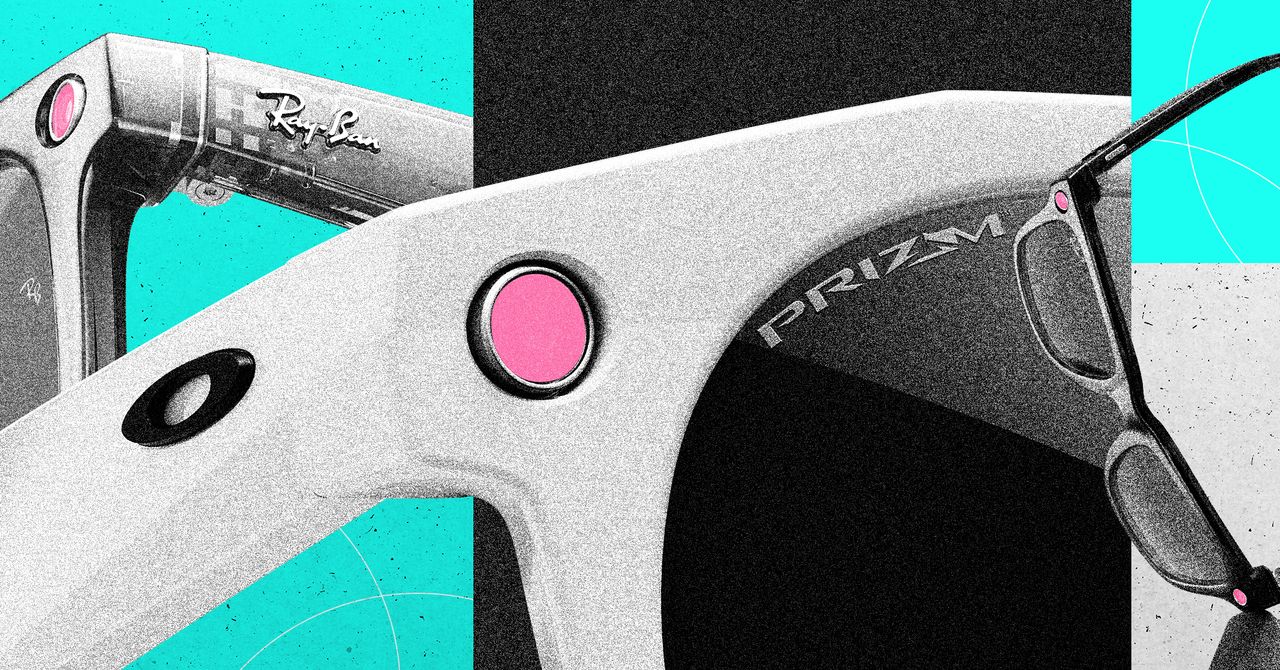
There’s a reason the first successful smart specs look like they’re from the 1950s. That extra thickness isn’t just retro flair, it’s hiding a processor and a battery. But that technical constraint creates a creative opportunity: In the right frame, smart tech can disappear. And transforming functional, medical-grade eyewear—like prescription glasses—into stylish, mass-market fashion accessories is exactly what EssilorLuxotica does best.
Still, blending smart tech with high fashion isn’t without risk. Do those two worlds really want to share a nose bridge? “Meta and EssilorLuxottica hope this collaboration will be one of the first successful attempts to integrate high-tech applications, like AI, into luxury products,” says Quillin, “While the Ray-Ban partnership appears successful so far, it’s unclear whether consumers will embrace tech features built into high-end products like Prada, Chanel, or Versace eyewear.”
Meta, for its part, is betting on convergence. The company sees a future where fashion and tech are inseparable. In a note titled “Personal Superintelligence,” Zuckerberg imagined a future where “personal devices like glasses that understand our context—because they can see what we see, hear what we hear and interact with us throughout the day—will become our primary computing devices.” That vision of AI-integrated eyewear shows just how deeply Meta believes the future will be both wearable and always on.
We might see the first glimpse of Zuckerberg’s wearable future as soon as September. Bloomberg reports that this is when Meta will unveil its latest smart glasses, complete with a heads-up display, that will supposedly drop later this fall with a starting price of around $800.
The Competitive Firewall
Still, while Meta may have taken the first credible swing at consumer-grade smart specs, it’s hardly alone. Google has quietly rebooted its wearable ambitions after the much-memed demise of Google Glass, acquiring smart-glasses startup North in 2020, and reportedly working with manufacturers like Samsung and Qualcomm to develop an XR (extended reality) ecosystem.
Then, in July, Google doubled down with a $100 million investment in Gentle Monster, the South Korean eyewear brand known for its fashion-forward, tech-ready designs. Together, they’re developing a next-gen pair of smart glasses that will supposedly fuse AI capabilities with high-end aesthetics—less cyborg, more catwalk.
Apple, true to form, is trying to play the long game. The Vision Pro was never meant to live on your face full-time, but it’s a stepping stone. In choosing to tackle the far trickier problem of fully immersive VR first, Apple effectively bet on the wrong horse—pouring effort into a technology that’s dazzled reviewers but hasn’t won over the average consumer.
Courtesy of Google
Meta, by contrast, staked out a beachhead with simpler AR glasses that looked like something people might actually wear in public. Now, reports from Bloomberg and The Information suggest Apple is working on lighter, more wearable AR glasses, though they may be years from release. When they do arrive, Apple will have the advantage of polished software and its own global retail footprint, while Meta is racing to secure the same distribution advantage via EssilorLuxottica.
Snap CEO Evan Spiegel, meanwhile, has long bet on AR. Snap has invested more than $3 billion over the past 11 years to build its own AR platform. Meta, by contrast, spends more than that every quarter through its Reality Labs division, which is focused on both AR and VR—but still, Snap’s persistence underscores just how long the runway is for this market.






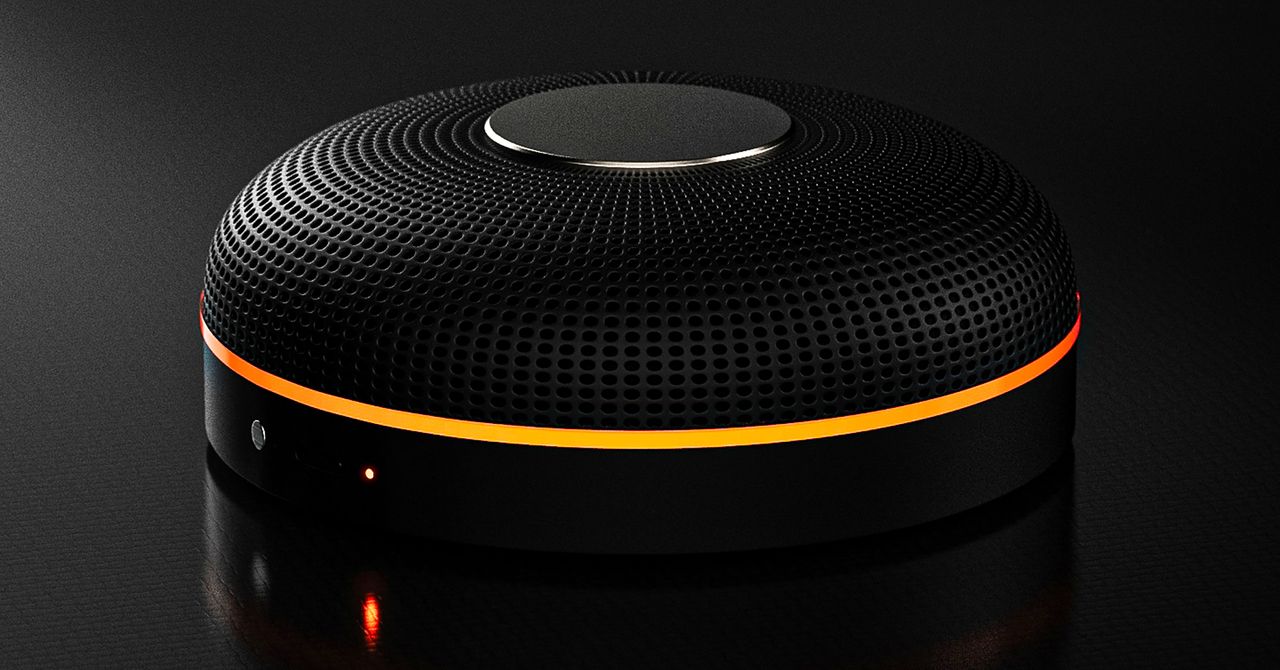
Deveillance also claims the Spectre can find nearby microphones by detecting radio frequencies (RF), but critics say finding a microphone via RF emissions is not effective unless the sensor is immediately beside it.
“If you could detect and recognize components via RF the way Spectre claims to, it would literally be transformative to technology,” Jordan wrote in a text to WIRED after he built a device to test detecting RF signatures in microphones. “You’d be able to do radio astronomy in Manhattan.”
Deveillance is also looking at ways to integrate nonlinear junction detection (NLJD), a very high-frequency radio signal used by security professionals to find hidden mics and bugs. NLJD detectors are expensive and used primarily in professional contexts like military operations.
Even if a device could detect a microphone’s exact location, objects around a room can change how the frequencies spread and interact. The emitted frequencies could also be a problem. There haven’t been adequate studies to show what effects ultrasonic frequencies have on the human ear, but some people and many pets can hear them and find them obnoxious or even painful. Baradari acknowledges that her team needs to do more testing to see how pets are affected.
“They simply cannot do this,” engineer and YouTuber Dave Jones (who runs the channel EEVblog) wrote in an email to WIRED. “They are using the classic trick of using wording to imply that it will detect every type of microphone, when all they are probably doing is scanning for Bluetooth audio devices. It’s totally lame.” Baradari reiterates that the Spectre uses a combination of RF and Bluetooth low energy to detect microphones.
WIRED asked Baradari to share any evidence of the Spectre’s effectiveness at identifying and blocking microphones in a person’s vicinity. Baradari shared a few short videoclips of people putting their phones to their ears listening to audioclips—which were presumably jammed by the Spectre—but these videos do little to prove that the device works.
Future Imperfect
Baradari has taken the critiques in stride, acknowledging that the tech is still in development. “I actually appreciate those comments, because they’re making me think and see more things as well,” Baradari says. “I do believe that with the ideas that we’re having and integrating into one device, these concerns can be addressed.”
People were quick to poke fun at the Spectre I online, calling the technology the cone of silence from Dune. Now, the Deveillance website reads, “Our goal is to make the cone of silence become reality.”
John Scott-Railton, a cybersecurity researcher at Citizen Lab, who is critical of the Spectre I, lauded the device’s virality as an indication of the real hunger for these kinds of gadgets to win back our privacy.
“The silver lining of this blowing up is that it is a Ring-like moment that highlights how quickly and intensely consumer attitudes have shifted around pervasive recording devices,” says Scott-Railton. “We need to be building products that do all the cool things that people want but that don’t have the massive privacy- and consent-violation undertow. You need device-level controls, and you need regulations of the companies that are doing this.”
Cooper Quintin, a senior staff technologist at the Electronic Frontier Foundation, echoed those sentiments, even if critics believe Deveillance’s efforts to be flawed.
“If this technology works, it could be a boon for many,” Quintin wrote in an email to WIRED. “It is nice to see a company creating something to protect privacy instead of working on new and creative ways to extract data from us.”
Portrait Light: You can change up the lighting in your portrait selfies after you take them by opening them up in Google Photos, tapping the Edit button, and heading to Actions > Portrait Light. This adds an artificial light you can place anywhere in the photo to brighten up your face and erase that 5 o’clock shadow. Use the slider at the bottom to tweak the strength of the light. It also works on older Portrait mode photos you may have captured. It works only on faces.
Health and Accessibility Features
Cough & Snore Detection (Tensor G2 and newer): On the Pixel 7 and newer, you can have your Pixel detect if you cough and snore when sleeping, provided you place your Pixel near your bed before you nod off. This will work only if you use Google’s Bedtime mode function, which you can turn on by heading to Settings > Digital Wellbeing & Parental Controls > Bedtime Mode.
Guided Frame (Tensor G2 and newer): For blind or low-vision people, the camera app can now help take a selfie with audio cues (it works with the front and rear cameras). You’ll need to enable TalkBack for this to work (Settings > Accessibility > TalkBack). Then open the camera app. It will automatically help you frame the shot.
Simple View: This mode makes the font size bigger, along with other elements on the screen, like widgets and quick-settings tiles. It also increases touch sensitivity, all of which hopefully makes it easier to see and use the screen. You can enable it by heading to Settings > Accessibility > Simple View.
Safety and Security Features
Theft Protection: This is a broader Android 15 feature, but essentially, Google’s algorithms can figure out if someone snatches your Pixel out of your hands. If they’re trying to get away, the device automatically locks. Additionally, with another device, you can use Remote Lock to lock your stolen Pixel with your phone number and a security answer. To toggle these features on, go to Settings > Security & privacy > Device unlock > Theft protection.
Identity Check: If your Pixel detects you’re in a new location, Identity Check will require your fingerprint or face authentication before you can make any changes to sensitive settings, offering extra peace of mind in case you lose your phone or if it’s stolen. You can enable this in Settings > Security & privacy > Device unlock > Theft protection > Identity Check.
Courtesy of Google
Private Space: Another Android 15 addition, Pixel phones finally have a feature that lets you hide and lock select apps. You can use a separate Google account, set a lock, and install any app to hide away. To set it all up, head to Settings > Security & privacy > Private space.
Satellite eSOS (Pixel 9 and Pixel 10 series, excluding Pixel 9a): Like Apple’s SOS feature on iPhones, you can now reach emergency contacts or emergency services even when you don’t have cell service or Wi-Fi connectivity. It’s not just available in the continental US, but also in Hawaii, Alaska, Canada, and even Europe.
Portrait Light: You can change up the lighting in your portrait selfies after you take them by opening them up in Google Photos, tapping the Edit button, and heading to Actions > Portrait Light. This adds an artificial light you can place anywhere in the photo to brighten up your face and erase that 5 o’clock shadow. Use the slider at the bottom to tweak the strength of the light. It also works on older Portrait mode photos you may have captured. It works only on faces.
Health and Accessibility Features
Cough & Snore Detection (Tensor G2 and newer): On the Pixel 7 and newer, you can have your Pixel detect if you cough and snore when sleeping, provided you place your Pixel near your bed before you nod off. This will work only if you use Google’s Bedtime mode function, which you can turn on by heading to Settings > Digital Wellbeing & Parental Controls > Bedtime Mode.
Guided Frame (Tensor G2 and newer): For blind or low-vision people, the camera app can now help take a selfie with audio cues (it works with the front and rear cameras). You’ll need to enable TalkBack for this to work (Settings > Accessibility > TalkBack). Then open the camera app. It will automatically help you frame the shot.
Simple View: This mode makes the font size bigger, along with other elements on the screen, like widgets and quick-settings tiles. It also increases touch sensitivity, all of which hopefully makes it easier to see and use the screen. You can enable it by heading to Settings > Accessibility > Simple View.
Safety and Security Features
Theft Protection: This is a broader Android 15 feature, but essentially, Google’s algorithms can figure out if someone snatches your Pixel out of your hands. If they’re trying to get away, the device automatically locks. Additionally, with another device, you can use Remote Lock to lock your stolen Pixel with your phone number and a security answer. To toggle these features on, go to Settings > Security & privacy > Device unlock > Theft protection.
Identity Check: If your Pixel detects you’re in a new location, Identity Check will require your fingerprint or face authentication before you can make any changes to sensitive settings, offering extra peace of mind in case you lose your phone or if it’s stolen. You can enable this in Settings > Security & privacy > Device unlock > Theft protection > Identity Check.
Courtesy of Google
Private Space: Another Android 15 addition, Pixel phones finally have a feature that lets you hide and lock select apps. You can use a separate Google account, set a lock, and install any app to hide away. To set it all up, head to Settings > Security & privacy > Private space.
Satellite eSOS (Pixel 9 and Pixel 10 series, excluding Pixel 9a): Like Apple’s SOS feature on iPhones, you can now reach emergency contacts or emergency services even when you don’t have cell service or Wi-Fi connectivity. It’s not just available in the continental US, but also in Hawaii, Alaska, Canada, and even Europe.


Holly Willoughby spotted with Nicole Appleton as she prepares for Youtube comeback

Want To Buy A House In Karnataka? Know About The ‘Namma Mane’ Scheme With Affordable Housing & Subsidies

South Korea’s apparel imports slightly lower at $1 billion in January

-
 Business1 week ago
Attock Cement’s acquisition approved | The Express Tribune
-

 Fashion1 week ago
Policy easing drives Argentina’s garment import surge in 2025
-

 Politics1 week ago
What are Iran’s ballistic missile capabilities?
-
 Business1 week ago
India Us Trade Deal: Fresh look at India-US trade deal? May be ‘rebalanced’ if circumstances change, says Piyush Goyal – The Times of India
-

 Sports1 week ago
LPGA legend shares her feelings about US women’s Olympic wins: ‘Gets me really emotional’
-

 Entertainment1 week ago
Bobby J. Brown, “The Wire” and “Law & Order: SUV” actor, dies of smoke inhalation after reported fire
-

 Fashion1 week ago
South Korea’s Misto Holdings completes planned leadership transition
-

 Entertainment1 week ago
Pakistan’s semi-final qualification scenario after England defeat New Zealand