

Tech
New control system teaches soft robots the art of staying safe

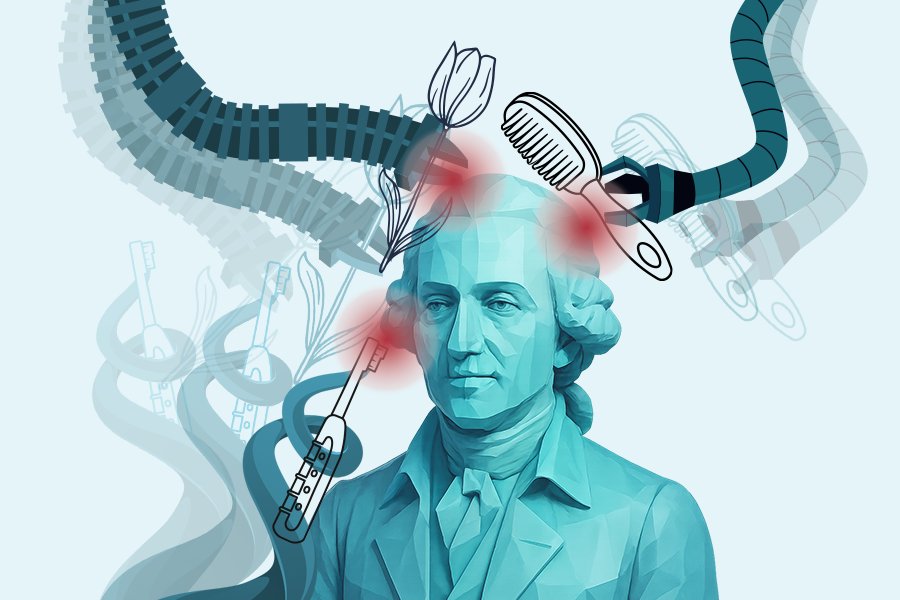
Imagine having a continuum soft robotic arm bend around a bunch of grapes or broccoli, adjusting its grip in real time as it lifts the object. Unlike traditional rigid robots that generally aim to avoid contact with the environment as much as possible and stay far away from humans for safety reasons, this arm senses subtle forces, stretching and flexing in ways that mimic more of the compliance of a human hand. Its every motion is calculated to avoid excessive force while achieving the task efficiently. In MIT Computer Science and Artificial Intelligence Laboratory (CSAIL) and Laboratory for Information and Decisions Systems (LIDS) labs, these seemingly simple movements are the culmination of complex mathematics, careful engineering, and a vision for robots that can safely interact with humans and delicate objects.
Soft robots, with their deformable bodies, promise a future where machines move more seamlessly alongside people, assist in caregiving, or handle delicate items in industrial settings. Yet that very flexibility makes them difficult to control. Small bends or twists can produce unpredictable forces, raising the risk of damage or injury. This motivates the need for safe control strategies for soft robots.
“Inspired by advances in safe control and formal methods for rigid robots, we aim to adapt these ideas to soft robotics — modeling their complex behavior and embracing, rather than avoiding, contact — to enable higher-performance designs (e.g., greater payload and precision) without sacrificing safety or embodied intelligence,” says lead senior author and MIT Assistant Professor Gioele Zardini, who is a principal investigator in LIDS and the Department of Civil and Environmental Engineering, and an affiliate faculty with the Institute for Data, Systems, and Society (IDSS). “This vision is shared by recent and parallel work from other groups.”
Safety first
The team developed a new framework that blends nonlinear control theory (controlling systems that involve highly complex dynamics) with advanced physical modeling techniques and efficient real-time optimization to produce what they call “contact-aware safety.” At the heart of the approach are high-order control barrier functions (HOCBFs) and high-order control Lyapunov functions (HOCLFs). HOCBFs define safe operating boundaries, ensuring the robot doesn’t exert unsafe forces. HOCLFs guide the robot efficiently toward its task objectives, balancing safety with performance.
“Essentially, we’re teaching the robot to know its own limits when interacting with the environment while still achieving its goals,” says MIT Department of Mechanical Engineering PhD student Kiwan Wong, the lead author of a new paper describing the framework. “The approach involves some complex derivation of soft robot dynamics, contact models, and control constraints, but the specification of control objectives and safety barriers is rather straightforward for the practitioner, and the outcomes are very tangible, as you see the robot moving smoothly, reacting to contact, and never causing unsafe situations.”
“Compared with traditional kinematic CBFs — where forward-invariant safe sets are hard to specify — the HOCBF framework simplifies barrier design, and its optimization formulation accounts for system dynamics (e.g., inertia), ensuring the soft robot stops early enough to avoid unsafe contact forces,” says Worcester Polytechnic Institute Assistant Professor and former CSAIL postdoc Wei Xiao.
“Since soft robots emerged, the field has highlighted their embodied intelligence and greater inherent safety relative to rigid robots, thanks to passive material and structural compliance. Yet their “cognitive” intelligence — especially safety systems — has lagged behind that of rigid serial-link manipulators,” says co-lead author Maximilian Stölzle, a research intern at Disney Research and formerly a Delft University of Technology PhD student and visiting researcher at MIT LIDS and CSAIL. “This work helps close that gap by adapting proven algorithms to soft robots and tailoring them for safe contact and soft-continuum dynamics.”
The LIDS and CSAIL team tested the system on a series of experiments designed to challenge the robot’s safety and adaptability. In one test, the arm pressed gently against a compliant surface, maintaining a precise force without overshooting. In another, it traced the contours of a curved object, adjusting its grip to avoid slippage. In yet another demonstration, the robot manipulated fragile items alongside a human operator, reacting in real time to unexpected nudges or shifts. “These experiments show that our framework is able to generalize to diverse tasks and objectives, and the robot can sense, adapt, and act in complex scenarios while always respecting clearly defined safety limits,” says Zardini.
Soft robots with contact-aware safety could be a real value-add in high-stakes places, of course. In health care, they could assist in surgeries, providing precise manipulation while reducing risk to patients. In industry, they might handle fragile goods without constant supervision. In domestic settings, robots could help with chores or caregiving tasks, interacting safely with children or the elderly — a key step toward making soft robots reliable partners in real-world environments.
“Soft robots have incredible potential,” says co-lead senior author Daniela Rus, director of CSAIL and a professor in the Department of Electrical Engineering and Computer Science. “But ensuring safety and encoding motion tasks via relatively simple objectives has always been a central challenge. We wanted to create a system where the robot can remain flexible and responsive while mathematically guaranteeing it won’t exceed safe force limits.”
Combining soft robot models, differentiable simulation, and control theory
Underlying the control strategy is a differentiable implementation of something called the Piecewise Cosserat-Segment (PCS) dynamics model, which predicts how a soft robot deforms and where forces accumulate. This model allows the system to anticipate how the robot’s body will respond to actuation and complex interactions with the environment. “The aspect that I most like about this work is the blend of integration of new and old tools coming from different fields like advanced soft robot models, differentiable simulation, Lyapunov theory, convex optimization, and injury-severity–based safety constraints. All of this is nicely blended into a real-time controller fully grounded in first principles,” says co-author Cosimo Della Santina, who is an associate professor at Delft University of Technology.
Complementing this is the Differentiable Conservative Separating Axis Theorem (DCSAT), which estimates distances between the soft robot and obstacles in the environment that can be approximated with a chain of convex polygons in a differentiable manner. “Earlier differentiable distance metrics for convex polygons either couldn’t compute penetration depth — essential for estimating contact forces — or yielded non-conservative estimates that could compromise safety,” says Wong. “Instead, the DCSAT metric returns strictly conservative, and therefore safe, estimates while simultaneously allowing for fast and differentiable computation.” Together, PCS and DCSAT give the robot a predictive sense of its environment for more proactive, safe interactions.
Looking ahead, the team plans to extend their methods to three-dimensional soft robots and explore integration with learning-based strategies. By combining contact-aware safety with adaptive learning, soft robots could handle even more complex, unpredictable environments.
“This is what makes our work exciting,” says Rus. “You can see the robot behaving in a human-like, careful manner, but behind that grace is a rigorous control framework ensuring it never oversteps its bounds.”
“Soft robots are generally safer to interact with than rigid-bodied robots by design, due to the compliance and energy-absorbing properties of their bodies,” says University of Michigan Assistant Professor Daniel Bruder, who wasn’t involved in the research. “However, as soft robots become faster, stronger, and more capable, that may no longer be enough to ensure safety. This work takes a crucial step towards ensuring soft robots can operate safely by offering a method to limit contact forces across their entire bodies.”
The team’s work was supported, in part, by The Hong Kong Jockey Club Scholarships, the European Union’s Horizon Europe Program, Cultuurfonds Wetenschapsbeurzen, and the Rudge (1948) and Nancy Allen Chair. Their work was published earlier this month in the Institute of Electrical and Electronics Engineers’ Robotics and Automation Letters.






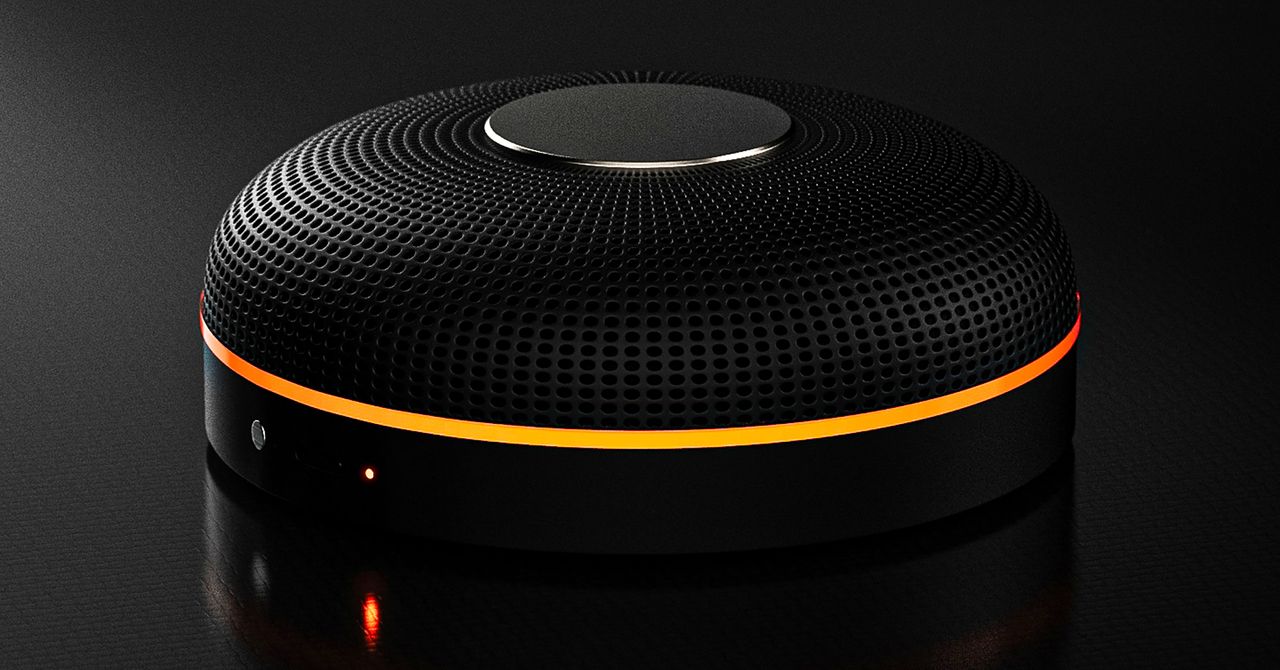
Deveillance also claims the Spectre can find nearby microphones by detecting radio frequencies (RF), but critics say finding a microphone via RF emissions is not effective unless the sensor is immediately beside it.
“If you could detect and recognize components via RF the way Spectre claims to, it would literally be transformative to technology,” Jordan wrote in a text to WIRED after he built a device to test detecting RF signatures in microphones. “You’d be able to do radio astronomy in Manhattan.”
Deveillance is also looking at ways to integrate nonlinear junction detection (NLJD), a very high-frequency radio signal used by security professionals to find hidden mics and bugs. NLJD detectors are expensive and used primarily in professional contexts like military operations.
Even if a device could detect a microphone’s exact location, objects around a room can change how the frequencies spread and interact. The emitted frequencies could also be a problem. There haven’t been adequate studies to show what effects ultrasonic frequencies have on the human ear, but some people and many pets can hear them and find them obnoxious or even painful. Baradari acknowledges that her team needs to do more testing to see how pets are affected.
“They simply cannot do this,” engineer and YouTuber Dave Jones (who runs the channel EEVblog) wrote in an email to WIRED. “They are using the classic trick of using wording to imply that it will detect every type of microphone, when all they are probably doing is scanning for Bluetooth audio devices. It’s totally lame.” Baradari reiterates that the Spectre uses a combination of RF and Bluetooth low energy to detect microphones.
WIRED asked Baradari to share any evidence of the Spectre’s effectiveness at identifying and blocking microphones in a person’s vicinity. Baradari shared a few short videoclips of people putting their phones to their ears listening to audioclips—which were presumably jammed by the Spectre—but these videos do little to prove that the device works.
Future Imperfect
Baradari has taken the critiques in stride, acknowledging that the tech is still in development. “I actually appreciate those comments, because they’re making me think and see more things as well,” Baradari says. “I do believe that with the ideas that we’re having and integrating into one device, these concerns can be addressed.”
People were quick to poke fun at the Spectre I online, calling the technology the cone of silence from Dune. Now, the Deveillance website reads, “Our goal is to make the cone of silence become reality.”
John Scott-Railton, a cybersecurity researcher at Citizen Lab, who is critical of the Spectre I, lauded the device’s virality as an indication of the real hunger for these kinds of gadgets to win back our privacy.
“The silver lining of this blowing up is that it is a Ring-like moment that highlights how quickly and intensely consumer attitudes have shifted around pervasive recording devices,” says Scott-Railton. “We need to be building products that do all the cool things that people want but that don’t have the massive privacy- and consent-violation undertow. You need device-level controls, and you need regulations of the companies that are doing this.”
Cooper Quintin, a senior staff technologist at the Electronic Frontier Foundation, echoed those sentiments, even if critics believe Deveillance’s efforts to be flawed.
“If this technology works, it could be a boon for many,” Quintin wrote in an email to WIRED. “It is nice to see a company creating something to protect privacy instead of working on new and creative ways to extract data from us.”
Portrait Light: You can change up the lighting in your portrait selfies after you take them by opening them up in Google Photos, tapping the Edit button, and heading to Actions > Portrait Light. This adds an artificial light you can place anywhere in the photo to brighten up your face and erase that 5 o’clock shadow. Use the slider at the bottom to tweak the strength of the light. It also works on older Portrait mode photos you may have captured. It works only on faces.
Health and Accessibility Features
Cough & Snore Detection (Tensor G2 and newer): On the Pixel 7 and newer, you can have your Pixel detect if you cough and snore when sleeping, provided you place your Pixel near your bed before you nod off. This will work only if you use Google’s Bedtime mode function, which you can turn on by heading to Settings > Digital Wellbeing & Parental Controls > Bedtime Mode.
Guided Frame (Tensor G2 and newer): For blind or low-vision people, the camera app can now help take a selfie with audio cues (it works with the front and rear cameras). You’ll need to enable TalkBack for this to work (Settings > Accessibility > TalkBack). Then open the camera app. It will automatically help you frame the shot.
Simple View: This mode makes the font size bigger, along with other elements on the screen, like widgets and quick-settings tiles. It also increases touch sensitivity, all of which hopefully makes it easier to see and use the screen. You can enable it by heading to Settings > Accessibility > Simple View.
Safety and Security Features
Theft Protection: This is a broader Android 15 feature, but essentially, Google’s algorithms can figure out if someone snatches your Pixel out of your hands. If they’re trying to get away, the device automatically locks. Additionally, with another device, you can use Remote Lock to lock your stolen Pixel with your phone number and a security answer. To toggle these features on, go to Settings > Security & privacy > Device unlock > Theft protection.
Identity Check: If your Pixel detects you’re in a new location, Identity Check will require your fingerprint or face authentication before you can make any changes to sensitive settings, offering extra peace of mind in case you lose your phone or if it’s stolen. You can enable this in Settings > Security & privacy > Device unlock > Theft protection > Identity Check.
Courtesy of Google
Private Space: Another Android 15 addition, Pixel phones finally have a feature that lets you hide and lock select apps. You can use a separate Google account, set a lock, and install any app to hide away. To set it all up, head to Settings > Security & privacy > Private space.
Satellite eSOS (Pixel 9 and Pixel 10 series, excluding Pixel 9a): Like Apple’s SOS feature on iPhones, you can now reach emergency contacts or emergency services even when you don’t have cell service or Wi-Fi connectivity. It’s not just available in the continental US, but also in Hawaii, Alaska, Canada, and even Europe.
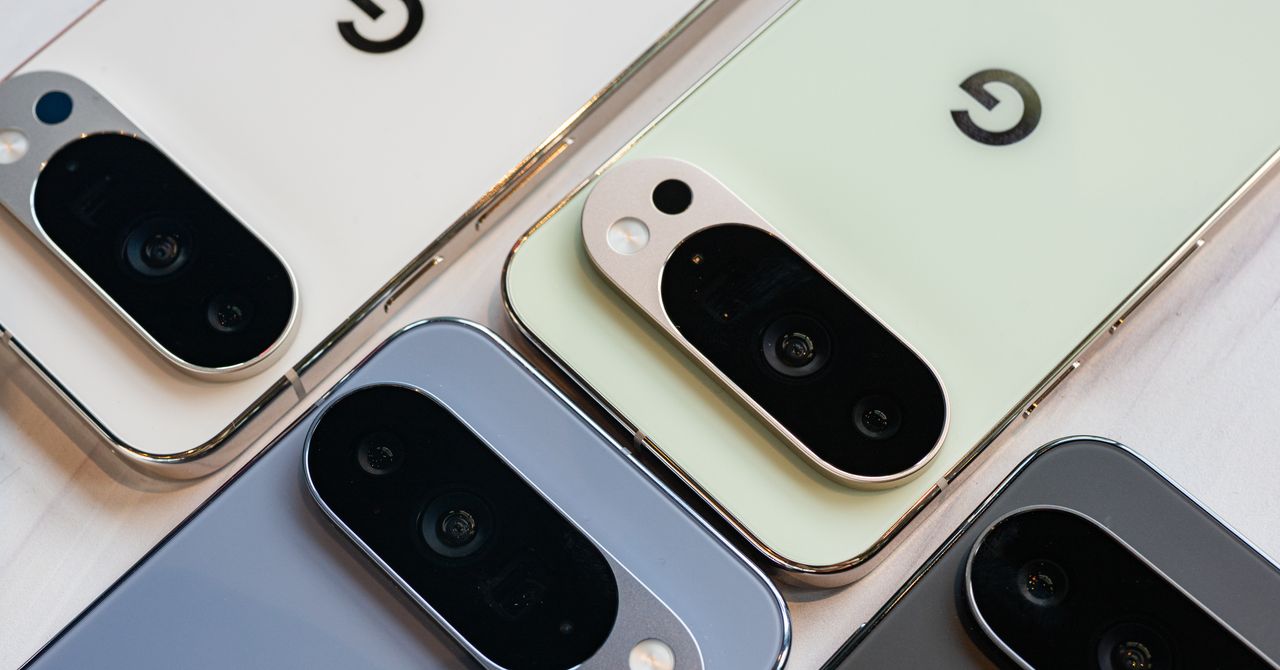
Portrait Light: You can change up the lighting in your portrait selfies after you take them by opening them up in Google Photos, tapping the Edit button, and heading to Actions > Portrait Light. This adds an artificial light you can place anywhere in the photo to brighten up your face and erase that 5 o’clock shadow. Use the slider at the bottom to tweak the strength of the light. It also works on older Portrait mode photos you may have captured. It works only on faces.
Health and Accessibility Features
Cough & Snore Detection (Tensor G2 and newer): On the Pixel 7 and newer, you can have your Pixel detect if you cough and snore when sleeping, provided you place your Pixel near your bed before you nod off. This will work only if you use Google’s Bedtime mode function, which you can turn on by heading to Settings > Digital Wellbeing & Parental Controls > Bedtime Mode.
Guided Frame (Tensor G2 and newer): For blind or low-vision people, the camera app can now help take a selfie with audio cues (it works with the front and rear cameras). You’ll need to enable TalkBack for this to work (Settings > Accessibility > TalkBack). Then open the camera app. It will automatically help you frame the shot.
Simple View: This mode makes the font size bigger, along with other elements on the screen, like widgets and quick-settings tiles. It also increases touch sensitivity, all of which hopefully makes it easier to see and use the screen. You can enable it by heading to Settings > Accessibility > Simple View.
Safety and Security Features
Theft Protection: This is a broader Android 15 feature, but essentially, Google’s algorithms can figure out if someone snatches your Pixel out of your hands. If they’re trying to get away, the device automatically locks. Additionally, with another device, you can use Remote Lock to lock your stolen Pixel with your phone number and a security answer. To toggle these features on, go to Settings > Security & privacy > Device unlock > Theft protection.
Identity Check: If your Pixel detects you’re in a new location, Identity Check will require your fingerprint or face authentication before you can make any changes to sensitive settings, offering extra peace of mind in case you lose your phone or if it’s stolen. You can enable this in Settings > Security & privacy > Device unlock > Theft protection > Identity Check.
Courtesy of Google
Private Space: Another Android 15 addition, Pixel phones finally have a feature that lets you hide and lock select apps. You can use a separate Google account, set a lock, and install any app to hide away. To set it all up, head to Settings > Security & privacy > Private space.
Satellite eSOS (Pixel 9 and Pixel 10 series, excluding Pixel 9a): Like Apple’s SOS feature on iPhones, you can now reach emergency contacts or emergency services even when you don’t have cell service or Wi-Fi connectivity. It’s not just available in the continental US, but also in Hawaii, Alaska, Canada, and even Europe.


Winners and losers of the 2026 NHL trade deadline

Ben Stiller condemns use of ‘Tropic Thunder’ clip in political video

Spain, France lead World Cup 2026 Power Rankings, 100 days out

Attock Cement’s acquisition approved | The Express Tribune

US arrests ex-Air Force pilot for ‘training’ Chinese military

India Us Trade Deal: Fresh look at India-US trade deal? May be ‘rebalanced’ if circumstances change, says Piyush Goyal – The Times of India

-
Business1 week ago
Attock Cement’s acquisition approved | The Express Tribune
-
 Politics1 week ago
US arrests ex-Air Force pilot for ‘training’ Chinese military
-
Business1 week ago
India Us Trade Deal: Fresh look at India-US trade deal? May be ‘rebalanced’ if circumstances change, says Piyush Goyal – The Times of India
-

 Fashion1 week ago
Policy easing drives Argentina’s garment import surge in 2025
-

 Politics1 week ago
What are Iran’s ballistic missile capabilities?
-

 Sports1 week ago
Sri Lanka’s Shanaka says constant criticism has affected players’ mental health
-

 Entertainment1 week ago
Bobby J. Brown, “The Wire” and “Law & Order: SUV” actor, dies of smoke inhalation after reported fire
-

 Sports1 week ago
LPGA legend shares her feelings about US women’s Olympic wins: ‘Gets me really emotional’