

Tech
One Tech Tip: Annoyed by junk calls to your iPhone? Try the new iOS 26 call screen feature

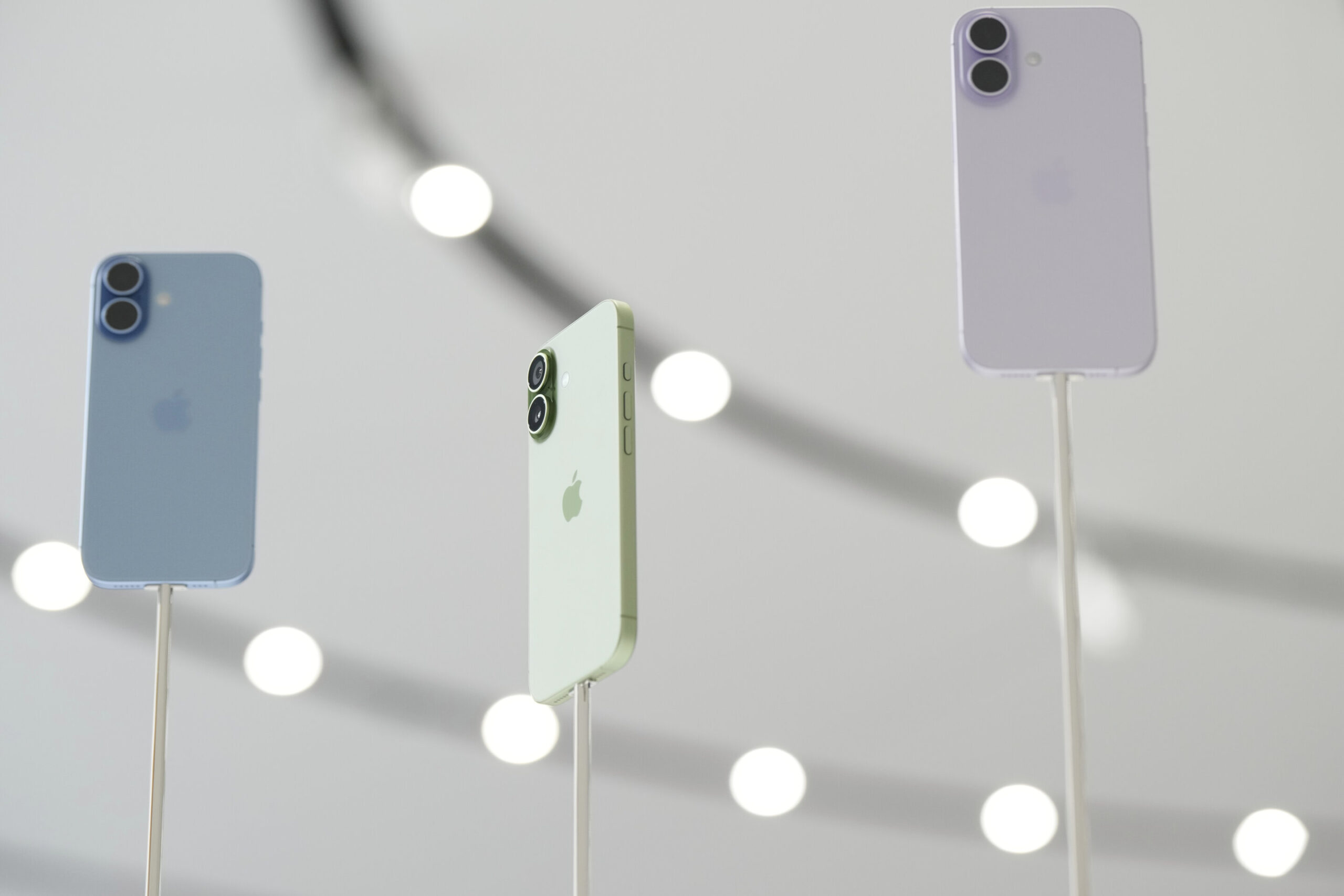
iPhone users have a new tool to combat the scourge of nuisance phone calls: a virtual gatekeeper that can screen incoming calls from unknown numbers.
It’s among the bevy of new features that Apple rolled out with last month’s release of iOS 26. The screening feature has been getting attention because of the ever-increasing amount of robocalls and spam calls that leave many phone users feeling harassed.
Here’s a run-through of the new function:
How to activate call screening
First, you’ll need to update your iPhone’s operating system to iOS 26, which is available to the iPhone 11 and newer models.
To switch call screening on, go into Settings—Apps—Phone. Scroll down and you’ll find a new option: Screen Unknown Callers.
You’ll be presented with three choices. The Never option lets any unknown call ring through, while Silence sends all unidentified numbers directly to voicemail. What you want to tap is the middle option: Ask Reason for Calling.
If the option isn’t there, try restarting your phone.
I still couldn’t find it after updating to iOS 26, but, after some online sleuthing, I checked my region and language settings because I saw some online commenters reporting they had to match. It turns out my region was still set to Hong Kong, where I lived years ago. I switched it to the United Kingdom, which seemed to do the trick and gave me the updated menu.
How it works
Call screening introduces a layer between you and new callers.
When someone who’s not in your contacts list dials your number, a Siri-style voice will ask them to give their name and the purpose of their call.
At the same time, you’ll get a notification that the call is being screened. When the caller responds, the answers will be transcribed and the conversation will pop up in speech bubbles.
You can then answer the call.
Don’t want to answer? Send a reply by tapping one of the pre-written messages, such as “I’ll call you later” or “Send more information,” which the AI voice will read out to the caller.
Or you can type out your own message for the computer-generated voice to read out.
If you don’t respond right away, the phone will continue to ring while you decide what to do.
Teething troubles
In theory, call screening is a handy third way between the nuclear option of silencing all unknown callers—including legitimate ones—or letting them all through.
But it doesn’t always work perfectly, according to Associated Press colleagues and anecdotal reports from social media users.
One AP colleague said she was impressed with how seamlessly it worked. Another said it’s handy for screening out cold callers who found his number from marketing databases.
“However, it’s not great when delivery drivers try to call me and then just hang up,” he added.
Some internet users have similar complaints, complaining that important calls that they were expecting from their auto mechanic or plumber didn’t make it through. Perhaps the callers assumed it was an answering machine and didn’t seem to realize they had to stay on the line and interact with it.
I encountered a different issue the first time it kicked in for me, when an unknown caller—whether mistakenly or not—threw me off by giving my name instead of theirs. So I answered because I assumed it was someone I knew, forgetting that I could tap out a reply asking them again for their name.
The caller turned out to be someone who had obtained my name and number and was trying to get me to do a survey. I had to make my excuses and hang up.
If you don’t like call screening, you can turn it off at any time.
As for Android
Apple is catching up with Google, which introduced a similar automatic call screening feature years ago for Pixel users in the United States.
Last month, the company announced the feature is rolling out to users in three more countries: Australia, Canada and Ireland.
If it’s not already on, go to your Phone app’s Settings and look for Call Screen.
Google’s version is even more automated. When someone you don’t know calls, the phone will ask who it is and why they’re calling. It will hang up if it determines that it’s a junk call, but let calls it deems to be legit ring through.
Google warns that not all spam calls and robocalls can be detected, nor will it always fully understand and transcribe what a caller says.
Samsung, too, lets users of its Galaxy Android phones screen calls by using its AI assistant Bixby’s text call function, which works in a similar way.
© 2025 The Associated Press. All rights reserved. This material may not be published, broadcast, rewritten or redistributed without permission.
Citation:
One Tech Tip: Annoyed by junk calls to your iPhone? Try the new iOS 26 call screen feature (2025, October 9)
retrieved 9 October 2025
from https://techxplore.com/news/2025-10-tech-annoyed-junk-iphone-ios.html
This document is subject to copyright. Apart from any fair dealing for the purpose of private study or research, no
part may be reproduced without the written permission. The content is provided for information purposes only.












Other Good USB Hubs to Consider
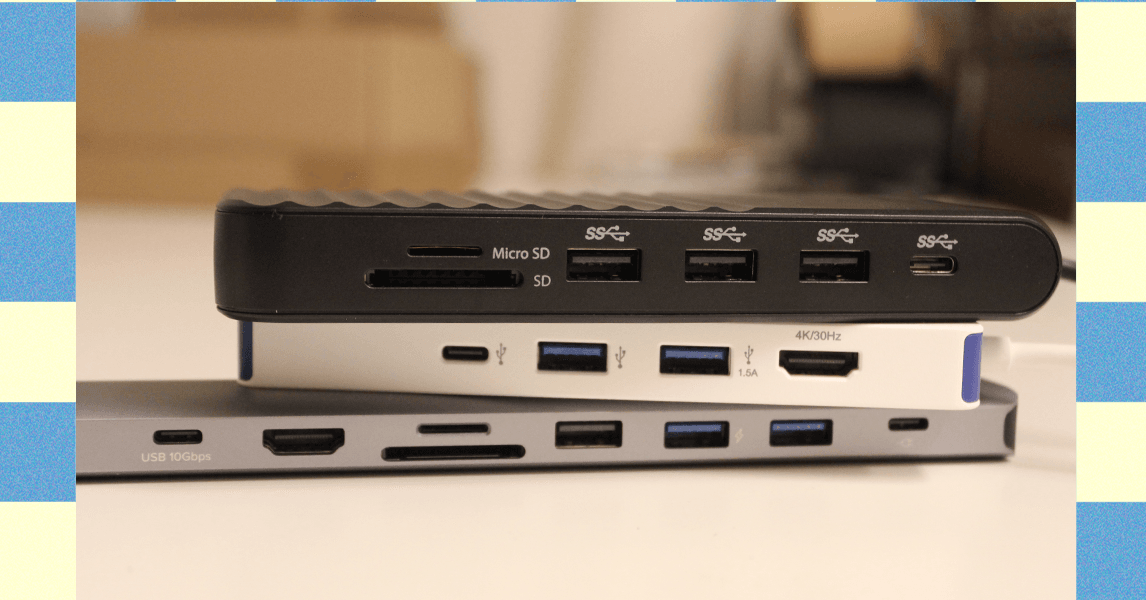
Ugreen Revodok Pro 211 Docking Station for $64: Most laptop docking stations are bulky gadgets that often require a power source, but this one from Ugreen straddles the line between dock and hub. It has a small, braided cable running to a relatively large aluminum block. It’s a bit hefty but still compact, and it packs a lot of extra power. It has three USB ports (one USB-C and two USB-A) that each reached up to 900 MB/s of data-transfer speeds in my testing. That was enough to move large amounts of 4K video footage in minutes. The only problem is that using dual monitors on a Mac is limited to only mirroring.
Photograph: Luke Larsen
Hyper HyperDrive Next Dual 4K Video Dock for $150: This one also straddles the line between dock and USB hub. Many mobile docks lack proper Mac support, only allowing for mirroring instead of full extension. The HyperDrive Next Dual 4K fixes that problem, though, making it a great option for MacBooks (though it won’t magically give an old MacBook Air dual-monitor support). Unfortunately, you’ll be paying handsomely for that capability, as this one is more expensive than the other options. The other problem is that although this dock has two HDMI ports that can support 4K, though only one will be at 60 Hz and the other will be stuck at 30 Hz. So, if you plan to use it with multiple displays, you’ll need to drop the resolution 1440p or 1080p on one of them. I also tested this Targus model, which is made by the same company, which gets you two 4K displays at 60 Hz but not on Mac.
.png)
Anker USB-C Hub 5-in-1 for $20: This Anker USB hub is the one I carry in my camera bag everywhere. It plugs into the USB-C port on your laptop and provides every connection you’d need to offload photos or videos from camera gear. In our testing, the USB 3.0 ports reached transfer speeds over 400 MB/s, which isn’t quite as fast as some USB hubs on this list, but it’s solid for a sub-$50 device. Similarly, the SD card reader reached speeds of 80 MB/s for reading and writing, which isn’t the fastest SD cards can get, but adequate for moving files back and forth.—Eric Ravenscraft
Kensington Triple Video Mobile Dock for $83: Another mobile dock meant to provide additional external support, this one from Kensington can technically power up to three 1080p displays at 60 Hz using the two HDMI ports and one DisplayPort. It’s a lot of ports in a relatively small package, though the basic plastic case isn’t exactly inspiring.
Power up with unlimited access to WIRED. Get best-in-class reporting and exclusive subscriber content that’s too important to ignore. Subscribe Today.

Global oil and gas prices have skyrocketed following the US attack on Iran last weekend. But another key global supply chain is also at risk, one that may directly impact American farmers who have already been squeezed for months by tariff wars. The conflict in the Middle East is choking global supplies of fertilizer right before the crucial spring planting season.
“This literally could not be happening at a worse time,” says Josh Linville, the vice president of fertilizer at financial services company StoneX.
The global fertilizer market focuses on three main macronutrients: phosphates, nitrogen, and potash. All of them are produced in different ways, with different countries leading in exports. Farmers consider a variety of factors, including crop type and soil conditions, when deciding which of these types of fertilizer to apply to their fields.
Potash and phosphates are both mined from different kinds of natural deposits; nitrogen fertilizers, by contrast, are produced with natural gas. QatarLNG, a subsidiary of Qatar Energy, a state-run oil and gas company, said on Monday that it would halt production following drone strikes on some of its facilities. This effectively took nearly a fifth of the world’s natural gas supply offline, causing gas prices in Europe to spike.
That shutdown puts supplies of urea, a popular type of nitrogen fertilizer, particularly at risk. On Tuesday, Qatar Energy said that it would also stop production of downstream products, including urea. Qatar was the second-largest exporter of urea in 2024. (Iran was the third-largest; it’s also a key exporter of ammonia, another type of nitrogen fertilizer.) Prices on urea sold in the US out of New Orleans, a key commodity port, were up nearly 15 percent on Monday compared to prices last week, according to data provided by Linville to WIRED. The blockage of the Strait of Hormuz is also preventing other countries in the region from exporting nitrogen products.
“When we look at ammonia, we’re looking at almost 30 percent of global production being either involved or at risk in this conflict,” says Veronica Nigh, a senior economist at the Fertilizer Institute, a US-based industry advocacy organization. “It gets worse when we think about urea. Urea is almost 50 percent.”
Other types of fertilizer are also at risk. Saudi Arabia, Nigh says, supplies about 40 percent of all US phosphate imports; taking them out of the equation for more than a few days could create “a really challenging situation” for the US. Other countries in the region, including Jordan, Egypt, and Israel, also play a big role in these markets.
“We are already hearing reports that some of those Persian Gulf manufacturers are shutting down production, because they’re saying, ‘I have a finite amount of storage for my supply,’” Linville says. “‘Once I reach the top of it, I can’t do anything else. So I’m going to shut down my production in order to make sure I don’t go over above that.’”
Conflict in the strait has intensified in the early part of this week, as the Islamic Revolutionary Guard Corps have reportedly threatened any ship passing through the strait. Traffic has slowed to a crawl. The Trump administration announced initiatives on Tuesday meant to protect oil tankers traveling through the strait, including providing a naval escort. Even if those initiatives succeed—which the shipping industry has expressed doubt about—much of the initial energy will probably go toward shepherding oil and gas assets out of the region.
“Fertilizer is not going to be the most valuable thing that’s gonna transit the strait,” says Nigh.
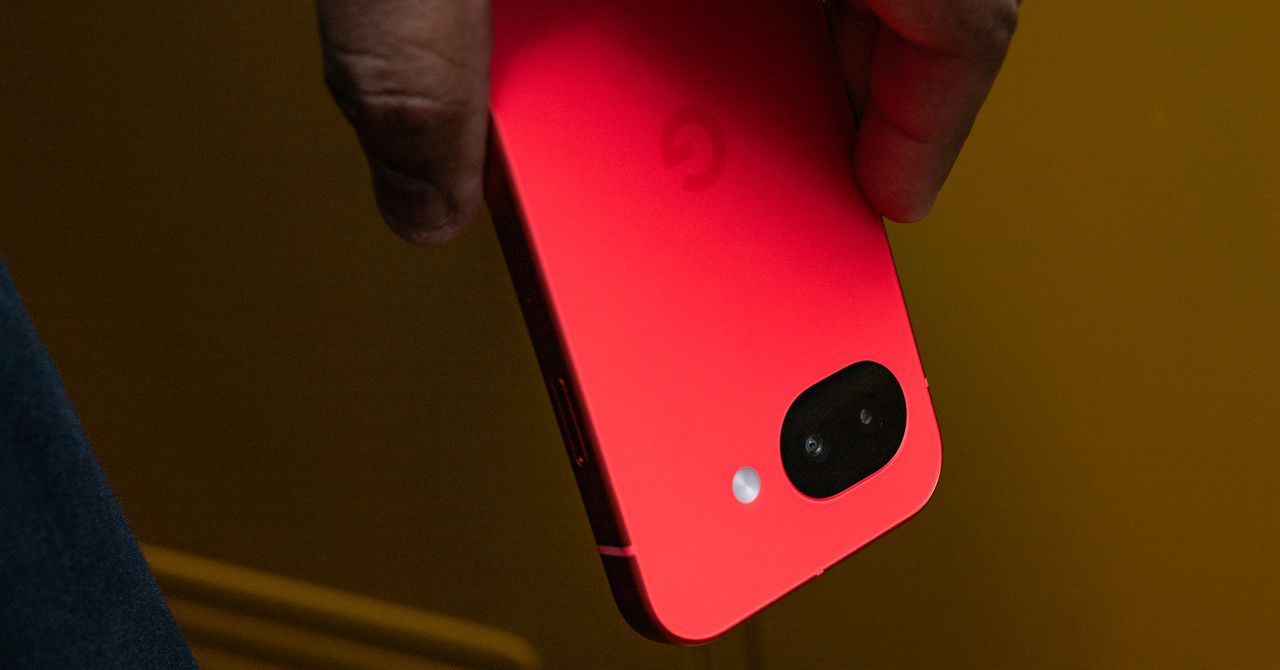
The screen is brighter now, reaching a peak brightness of 3,000 nits, and I haven’t had any trouble reading it in sunny conditions (though it hasn’t been as sunny as I’d like it to be these past few weeks). I appreciate the glass upgrade from Gorilla Glass 3 to Gorilla Glass 7i. It should be more protective, and anecdotally, I don’t see a single scratch on the Pixel 10a’s screen after two weeks of use. (I’d still snag a screen protector to be safe.)
Photograph: Julian Chokkattu
Another notable upgrade is in charging speeds—30-watt wired charging and 10-watt wireless charging. I’ll admit I haven’t noticed the benefits of this yet, since I’m often recharging the phone overnight. You can get up to 50 percent in 30 minutes of charging with a compatible adapter, and that has lined up with my testing.
My biggest gripe? Google should have taken this opportunity to add its Pixelsnap wireless charging magnets to the back of this phone. That would help align the Pixel 10a even more with the Pixel 10 series and bring Qi2 wireless charging into a more affordable realm—actually raising the bar, which wouldn’t be a first for the A-series. After all, Apple did exactly that with the new iPhone 17e, adding MagSafe to the table. Or heck, at least make the Pixel 10a Qi2 Ready like Samsung’s smartphones, so people who use a magnetic case can take advantage of faster wireless charging speeds.
Battery life has been OK. With average use, the Pixel 10a comfortably lasts me a full day, but it still requires daily charging. With heavier use, like when I’m traveling, I’ve had to charge the phone in the afternoon a few times to make sure it didn’t die before I got into bed. This is a fairly big battery for its size, but I think there’s more Google could do to extend juice, akin to Motorola’s Moto G Power 2026.


Don’t Buy Some Random USB Hub off Amazon. Here Are 5 We’ve Tested and Approved

Trump’s War on Iran Could Screw Over US Farmers

MLB Rank 2026: Ranking baseball’s top 100 players

India Us Trade Deal: Fresh look at India-US trade deal? May be ‘rebalanced’ if circumstances change, says Piyush Goyal – The Times of India

Households set for lower energy bills amid price cap shake-up

What are Iran’s ballistic missile capabilities?

-
Business6 days ago
India Us Trade Deal: Fresh look at India-US trade deal? May be ‘rebalanced’ if circumstances change, says Piyush Goyal – The Times of India
-
Business1 week ago
Households set for lower energy bills amid price cap shake-up
-
 Politics6 days ago
What are Iran’s ballistic missile capabilities?
-

 Politics7 days ago
US arrests ex-Air Force pilot for ‘training’ Chinese military
-
 Business6 days ago
Attock Cement’s acquisition approved | The Express Tribune
-

 Fashion6 days ago
Policy easing drives Argentina’s garment import surge in 2025
-

 Sports7 days ago
Sri Lanka’s Shanaka says constant criticism has affected players’ mental health
-

 Sports1 week ago
Top 50 USMNT players of 2026, ranked by club form: USMNT Player Performance Index returns