

Tech
The Best USB-C Cables for Your Phone, Tablet, or Laptop

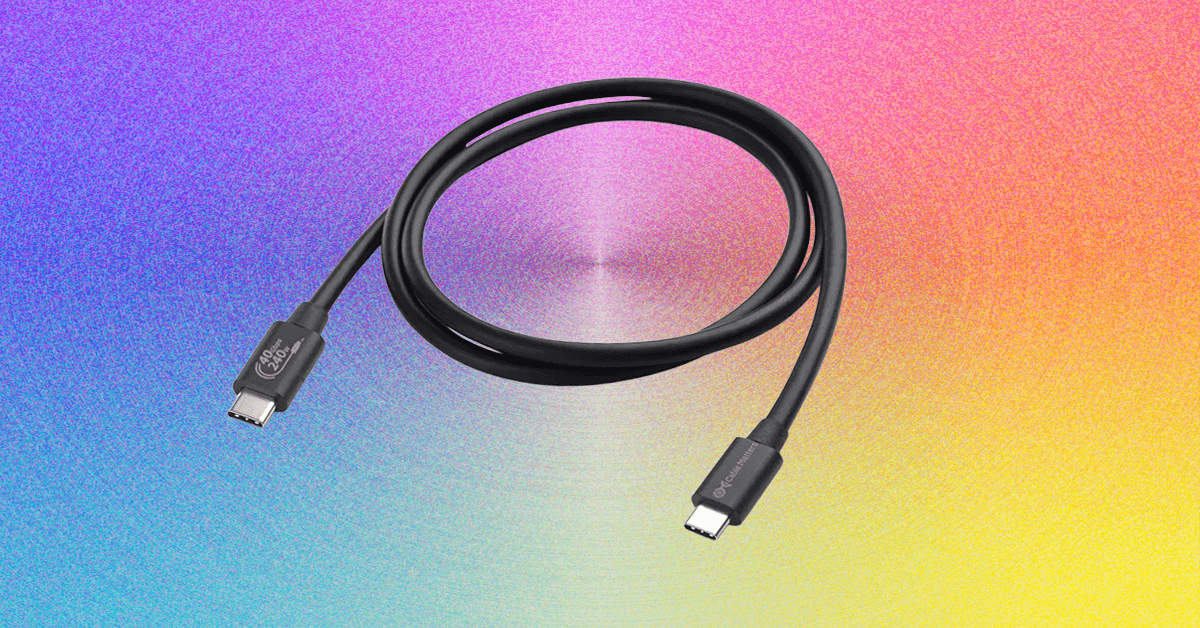
More USB-C Cables We Have Tested
There are so many cables out there, and plenty of solid options did not make the cut. Here are a few I’ve tested and liked.
Photograph: Simon Hill
Twelve South PowerCord for $30: While I don’t think we want to go back to permanently attached cables and power adapters, they offer a simplicity that could be useful for some folks or situations. The PowerCord from Twelve South is thick and durable-feeling, with a tangle-resistant woven (4- or 10-foot) USB-C cable attached to a compact 30-watt (Power Delivery) wall plug.
EcoFlow Rapid Pro for $21: Kept out of a place above by Anker’s cables, this durable charging cable from EcoFlow is a solid choice if you want fast charging, since it can supply 240 watts. It also has tough metal ends, a lovely woven finish, and comes with a cable tie.
Nomad Chargekey for $29 and USB-C Cable for $25: The Chargekey is a handy wee addition to your keyring with 12 cm of braided cable capable of delivering 240 watts and up to 10 Gbps data transfer, though it can be a little awkward to use. I also tried Nomad’s new Kevlar-reinforced USB-C cable, which is also 240 W but only has 480 Mbps data transfer. It feels durable with metal ends and braided cable, but you can get more capable cables for less.
QDOS PowerMotion Ultra for £40: This USB 4.0 cable is a solid alternative to our top picks for folks in the UK, combining up to 240-watt charging with data transfer speeds up to 40 Gbps. It is relatively thick, feels durable, and comes with a lifetime warranty. I like the braided nylon finish and color-matched cable tie. I also tried the QDOS Powerloop (£20), a handy wearable charging cable that doubles as a lanyard strap. It’s thick, woven, and durable, with screw-off ends that reveal a USB-C cable capable of supplying 60 watts of power and 480 Mbps of data.
Chargeasap Connect Pro for $60: Magnetic tip cables can be handy for kids and folks with dexterity issues. The idea is you stick the relevant tip in your device and then attach the cable magnetically when you need to charge. This one also has an LED display to show real-time power usage. It works best if you leave the tips in your devices, but that means they can’t be charged by regular cables, and the tips are very easy to lose if you remove them. Performance-wise, it’s a standard 100-watt charging cable.
Krafted Connex for £30: I like the idea of a Swiss Army Knife–style charging cable keyring, but the execution here is flawed. It does offer USB-A, USB-C, Lightning, and MicroUSB, but the flip-out plugs don’t have any cable attached, so they are not very adjustable, making it tough to plug into some ports. The Rolling Square InCharge X 6-in-1 Cable above is the same price and works far better.
Scosche Strikeline Premium USB-C Cable for $25: This braided cable comes in various lengths all the way up to the 10-foot cable I tested, and it’s a good alternative to our best long cable above if data transfer is more important to you than charging speed because it offers 5 Gbps data speeds, but only 60 watts for charging.
Ugreen Uno USB-C Cable for $10: I love the smiley-faced Uno line from UGreen, but I assumed the display on this cable would show the charging rate. It does not. It just displays smiley eyes when charging and changes when fully charged. I tested the 6.6-foot cable, but it also comes in 1.6-, 3.3-, or 10-foot lengths. It feels durable and is reasonably priced, but it is rated at a very ordinary 100 watts and 480 Mbps.
Native Union Pocket Cable for $30: This wee braided USB-C to USB-C cable is perfect for slipping on a keyring to ensure you are never caught without a cable. It’s a nice design with braided cables, but you only get around 7 inches, and it maxes out at 60 watts. It is built to last from recycled materials, USB-IF certified, and comes with a lifetime warranty.
Caudabe ChargeFlex for $25: This was our Lightning recommendation, and it’s still good, but the price has gone up and there’s no need to spend this much. It is a thick braided cable reinforced with Kevlar for durability. There is a leather clip you can use for cable management, and the ridged finish on the connectors makes them easy to grip when unplugging.
Cable Matters Gen 2 USB-A to USB-C cable for $10: This is a good alternative to our pick above if you want faster data transfer speeds (it maxes out at 10 Gbps), but it is limited to 15 watts for charging.
Bluebonnet Eco-Friendly Charging Cable for $25: Bluebonnet (an Austin-based studio named after the Texas state flower) made this cable from naturally biodegradable wheat straw. It promises 50,000 plus bends and uses plastic-free packaging. I love the dappled blue finish and the cream ends. They make it easy to pick this cable out of the crowd. It’s nothing special performance-wise, offering up to 60-watt charging and 480 Mbps data transfer.
RUGD Rhino Power USB-C to USB-C for £11: This is a solid option for folks in the UK seeking a tough cable. It has a braided nylon finish and can withstand a minimum of 100 kilograms of tension and 100,000 bends. It can also deliver up to 60 watts.
Casetify Powerthru USB-C to Lightning Cable for $25: This tough, braided cable comes in some fun colors (most notably cotton candy), but it’s kinda pricey for a 100-watt charging cable.
Iniu Braided USB-C Cable for $6: This is a cheap, 6.6-foot USB-C to USB-C charging cable that tops out at 100 watts. Data transfer is only 480 Mbps. One end lights up green when it’s charging.
Lindy USB 3.2 Type C to C Cable for $23: These active cables are suitable for hooking monitors up to your computer, and they support up to 8K at 60 Hz and 4K at 120 Hz. They also support DisplayPort 1.4. I tested the longer 3- and 5-meter variants that max out at 60 watts for Power Delivery and 10 Gbps for data (but they’re out of stock). The shorter cable linked here can go up to 20 Gbps. They work well and feel durable, but they’re a bit pricey.
Satechi USB-C to USB-C Charging Cable for $20: Gear from Satechi always has a classy look, and its braided nylon cables are no exception. This one is 6.5 feet, has a Velcro strap, and is capable of 100-watt charging, with support for PD and QC. Sadly, data transfer is limited to 480 Mbps.
Plugable Thunderbolt 4 Transfer Cable for $70: This active Thunderbolt 4 USB-C to USB-C cable matches our top pick with support for 100-watt charging and data transfers up to 40 Gbps. It is 6.6 feet long and comes with a two-year warranty.
Belkin Boost Charge USB-C for $10: This cable maxes out at 12 watts and 480 Mbps. The basic PVC finish is the cheapest, but you can opt for braided nylon too; both come in black or white at 3.3 or 6.6 feet. These cables are USB-IF certified and work as advertised (I’ve been using one in the car for the last few months).
Power up with unlimited access to WIRED. Get best-in-class reporting and exclusive subscriber content that’s too important to ignore. Subscribe Today.





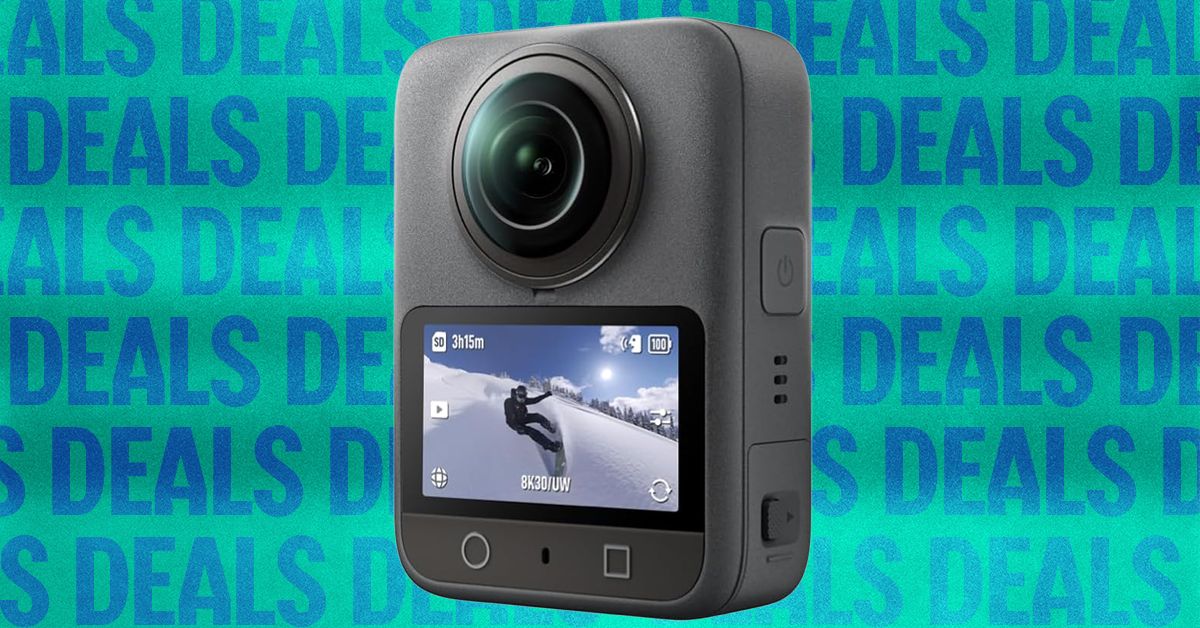
Tired of taking your action camera on an adventure, only to get home and find out you missed the action with a bad angle? One option is to switch to a 360-degree action cam, so you can capture all of the action and then edit down to just the good stuff later. One of our favorite options, the DJI Osmo 360, is currently available for just $390 on Amazon, a $209 discount from its usual price, and it comes with a selfie stick and an extra battery.
The DJI Osmo 360 achieves its impressive all-around video quality by leveraging a pair of 1/1.1-inch sensors, larger than some other offerings, and by supporting 10-bit color. You can really see that in the camera’s output, with colors that are vivid and bold, to the point that you may need to dial them back a bit in post if you want something more natural. With support for up to 50 frames per second at 8K when recording in 360 degrees, or 120 fps at 4K when shooting with only one sensor, you’ll have plenty of material to work with. In our testing, it ran for just shy of two hours at 30 fps, which is also around the time the internal storage had filled up anyway.
If you plan on catching any serious discussions with your Osmo 360, you’ll be pleased to know it connects directly to DJI’s line of wireless lavalier microphones, including the excellent and frequently discounted DJI Mic 2 and Mic Mini. If you want to mount it to something other than the included 1.2-meter selfie stick, it has both DJI’s magnetic attachment system and a more traditional ¼”-20 tripod mount. The DJI Mimo app lets you control the camera and adjust any settings, and there’s even a simple editor for on-the-fly production. For desktop users, DJI Studio has even more in-depth settings and editing options, in case you don’t want to pay for Premiere.
The DJI Osmo 360 is one of our favorite action cameras, and is particularly appealing at the discounted price point, but make sure to check out our full review for more info, or head over to our full roundup to see what else is available.
On day six of its mission, Artemis II is closing in on the far side of the moon. Meanwhile, the historic journey has not been without fascinating and curious stories, from the images and videos that its four crew members have shared with the world to the inevitable unforeseen events—including a tricky toilet situation.
A few hours before the crew begins its lunar flyby, here’s how things are going on Artemis II.
When Will They Reach the Far Side of the Moon?
While Artemis II won’t actually land on the moon (that won’t happen until Artemis IV), that does not make this mission any less compelling. Once the Artemis II astronauts finish flying over the dark side of the moon, they will have the historic distinction of being the humans who have traveled the farthest from Earth.
They will also test all the systems needed for future lunar missions, validating life support, navigation, spacesuits, communications, and other human operations in deep space.
But when are they supposed to reach this far-off point? First, the Orion capsule reached what is known as the moon’s “sphere of influence” on Sunday night. This is the point where the moon’s gravitational force is stronger than the force of the Earth.
At present, Orion is circling the moon. Once the capsule is on the dark side of the moon, approximately 7,000 kilometers from the surface, communications with Earth will be interrupted. For six hours, they will be able to view the far side of the moon, something no human being has ever seen with their own eyes—not even the astronauts of the Apollo program, as this region of the moon was always too dark or difficult for them to reach.
That six-hour flyby of the dark side of the moon is expected to begin Monday, April 6, at 2:45 pm EDT and 7:45 pm London time.
After that, the capsule will use the moon’s gravity to propel itself back to Earth. Splashdown, when the astronauts reach Earth, is scheduled for April 10 in the Pacific Ocean, not far from the coast of California, the tenth day of the mission.
Remember that you can follow the live broadcast of the Artemis II mission from NASA’s official channels.
What Has Happened so Far?
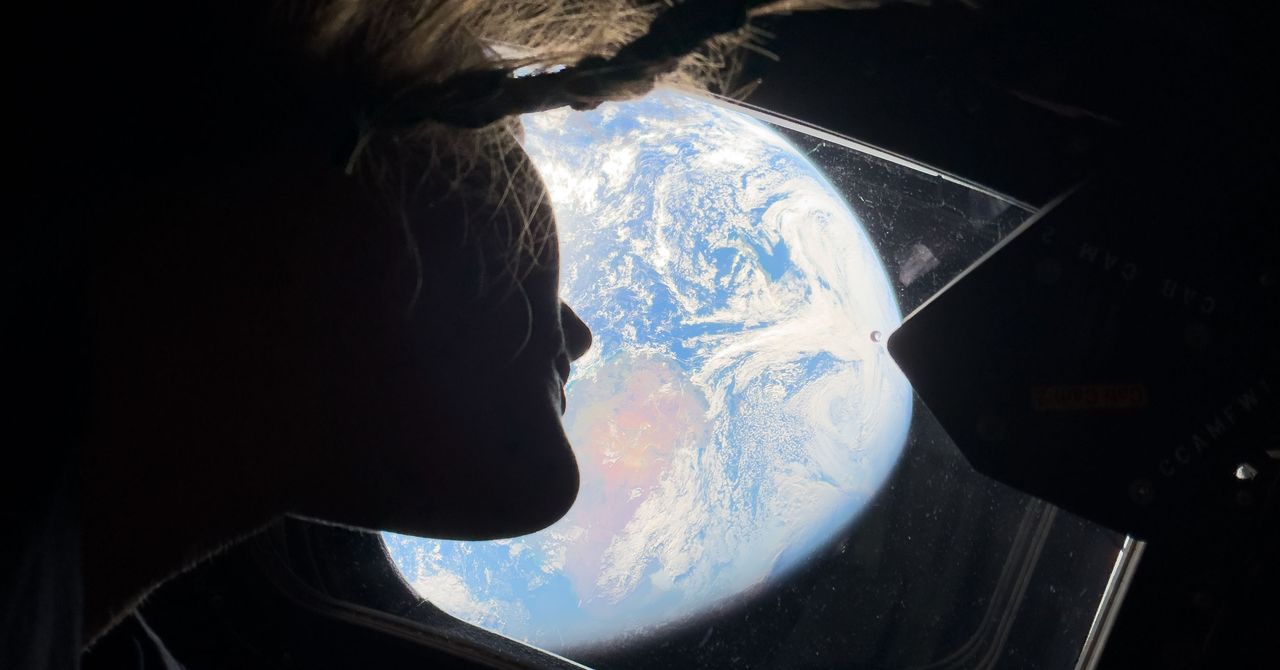
Since its successful launch on April 1 from Kennedy Space Center, the Artemis II crew has shared several spectacular photos, such as the featured image in this post, which shows mission specialist Christina Koch looking down at Earth through one of Orion’s main cabin windows.
This incredible photo of a Earth, taken on April 2, went viral on social media, referencing the famous “Blue Marble” image captured by the Apollo 17 astronauts in 1972.
View of Earth taken by astronaut Reid Wiseman from the window of the Orion spacecraft after completing the translunar injection maneuver on April 2, 2026.Photograph: Reid Wiseman/NASA/Getty Images
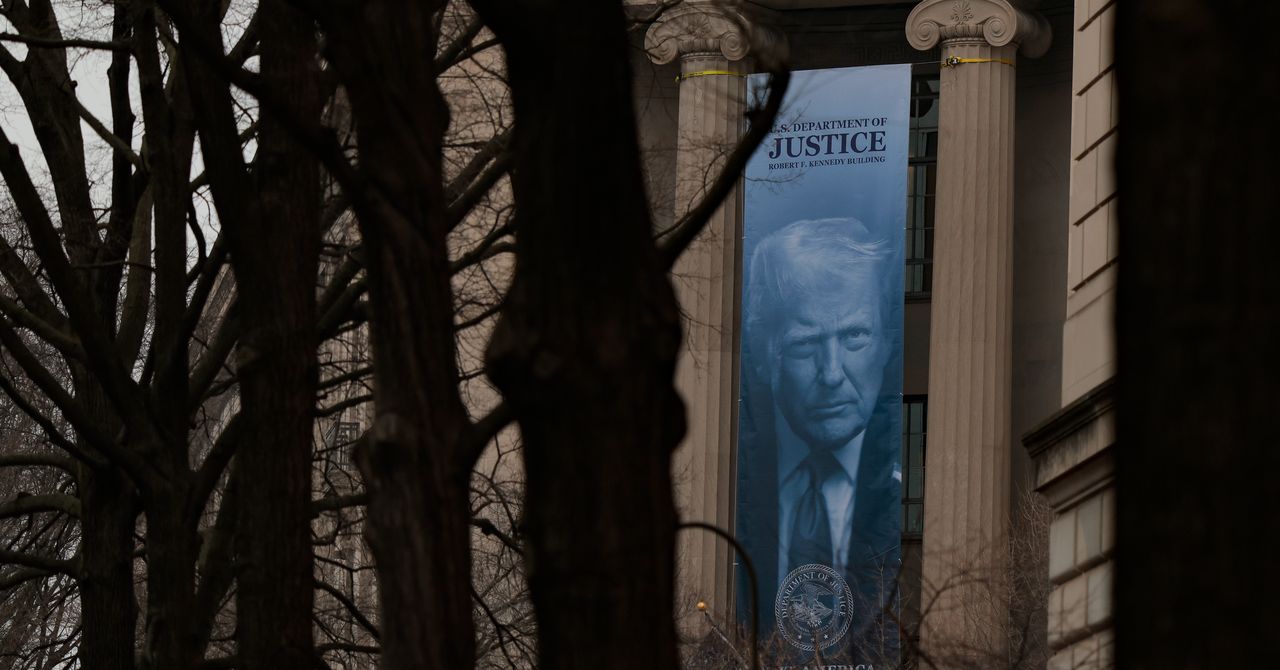
Last week in Rhode Island, in a hearing over the Trump administration’s efforts to access the state’s unredacted voter lists, US district judge Mary McElroy asked a Department of Justice lawyer what the agency had been doing with the voter roll data it already amassed from other states in recent months.
“We have not done anything yet,” said Eric Neff, the acting chief of the agency’s voting section, a core part of the DOJ’s civil rights division that focuses on enforcing federal laws that protect the right to vote. Neff added that the data the DOJ collected from states—which can include Social Security numbers, drivers licenses, dates of birth, and addresses—was being kept separate.
“The United States is taking extra concern to make sure that we’re complying with the Privacy Act in every conceivable way,” Neff added. The Privacy Act of 1974 regulates how government agencies collect and use personally identifiable information about US residents.
But Neff was not telling the truth: The DOJ, he later admitted, was pooling the data and already analyzing it to identify voting irregularities.
In a court document filed on March 27, Neff walked back his claims. “The United States represented that each data set was stored separately,” Neff wrote. “The United States also stated that no analysis had yet been conducted on the data. To correct and clarify the record, preliminary internal data analysis of the nonpublic voter registration data has begun. In particular, the Civil Rights Division has begun the process of identifying and quantifying the number and type of duplicate and deceased registered voters in each state.”
The revelation confirms what was widely speculated, which is that the DOJ appears to be pooling the data and using it to identify potential issues with suspected voting irregularities ahead of the midterms, which is a core part of Trump’s broad attack on elections.
Neff and the DOJ did not respond to repeated requests for comment.
Critics have grown increasingly concerned about the DOJ’s voting section, which has undergone a stark transformation since President Donald Trump has retaken office. A newly installed coterie of inexperienced but ultra-loyal lawyers in the DOJ’s voting section, many of whom have supported election denial conspiracy theories, have spent their time on forcing states to hand over their voter roll information.
The initiative began in May last year, when the Department of Justice sent letters to election officials in at least 48 states and Washington, DC, asking for unredacted voter rolls. Some Republican-led states immediately handed over the information, but dozens of others pushed back. As a result, Neff and his colleagues have sued 30 states, asking courts to force them to hand over the information. So far, courts have sided with the states, with judges already dismissing cases in California, Michigan, and Oregon.
In many of the lawsuits, state election officials pointed out the huge security risk involved in sharing such sensitive data, especially when it was unclear how the data would be stored or who it would be shared with. “We still have no idea what the government is doing with this data,” says David Becker, the head of the Center for Election Innovation and Research and a former Justice Department lawyer. “No idea where it is being stored, how it is being protected, or who has access to it. This data is incredibly sensitive. If someone has any of these three data points on any of us, Social Security number, driver’s license number, or date of birth, they can wreck us financially. This is why the states protect this data, and they do a good job of it.”


‘Sprit of resistance will continue’: Iran officials condemn Israeli assassination of IRGC intel. chief

One of Our Favorite 360 Cams Is 35 Percent Off

Why TV’s biggest series are coming to an end in 2026?

-

 Sports1 week ago
USMNT handed reality check by Doku, Belgium ahead of World Cup
-

 Sports1 week ago
2026 NCAA men’s hockey tournament: Schedule, results
-
Uncategorized4 days ago
[CinePlex360] Please moderate: “Trump signals p
-
Uncategorized1 week ago
[CinePlex360] Please moderate: “Further tariff
-

 Entertainment3 days ago
Joe Jonas shares candid glimpse into parenthood with Sophie Turner
-

 Tech3 days ago
Our Favorite iPad Is $50 Off
-

 Politics7 days ago
Trump considers asking Arab allies to help to pay for Iran war
-

 Sports7 days ago
Fakhar Zaman denies ball-tampering charge in PSL match | The Express Tribune