

Tech
What to Look for When Buying a Sleep Mask: Do They Really Help? What Type Is Best?

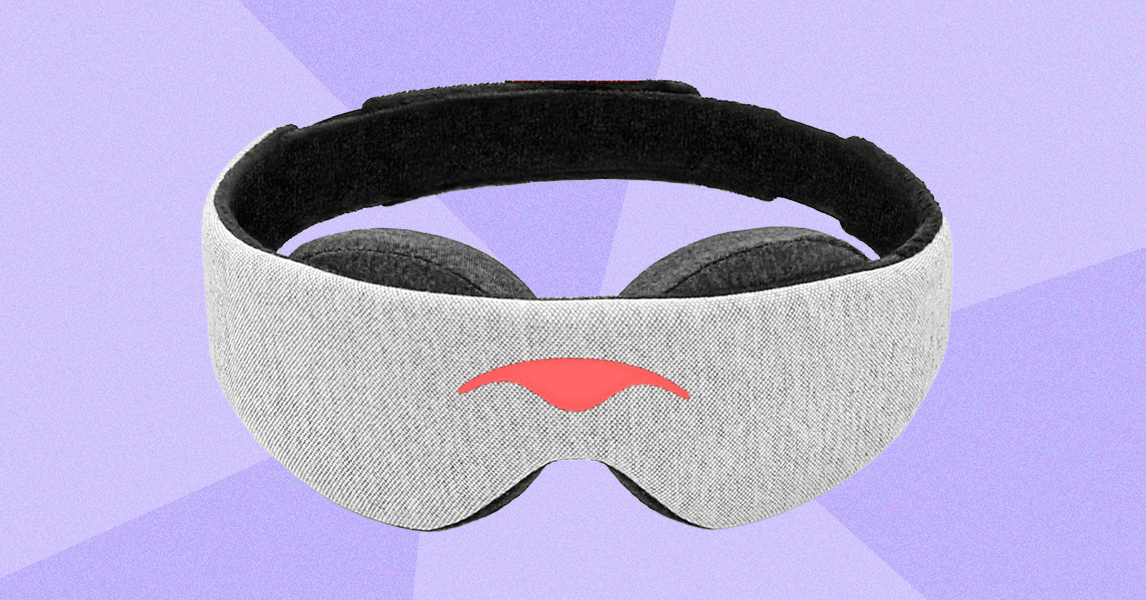
When it’s time to wind down, even a thin beam of streetlight coming through the curtains or the glow of a phone charger can keep your brain from fully switching off. A well-made sleep mask that blocks the light can help you drift off faster and stay asleep even through sunrise.
So forget those flimsy airline eye covers. Sleep masks have come a long way, and the market is filled with a myriad of options designed to help you fall asleep and maintain a good night’s rest. From luxurious silk masks to high-tech sleeping goggles, there’s a sleep mask for every need. Below, we break down what to look for in a sleep mask, the benefits each type offers, and how to get the most out of one so you can sleep like you mean it.
Don’t know where to start when it comes to purchasing a sleep mask for your needs? We’re here to break down all the things you should consider.
For better sleep all around, check out our guide to the Best Sleep Masks, as well as other sleep-related guides, including Best Mattresses, Best Sheets, Best Pillows, and Best Organic Mattresses.
Jump to Section
Sleep Mask Benefits
Sleep masks do more than just block out light. Whether you’re jet-lagged, catching up after a night shift, or simply looking to improve your nightly routine, the benefits of a sleep mask can be long-lasting after a good night’s rest.
Light is the most powerful cue for your circadian rhythm. It essentially tells your brain what time it is. Even the tiniest bit of light exposure can suppress melatonin and delay sleep.
“Most research has been conducted in hospitals due to the noise and lights,” says sleep physician Lourdes DelRosso. “Providing sleep masks and earplugs to hospitalized patients has been studied and published, showing that patients experience deeper and more restful sleep. Just by covering their eyes, we can promote better production of melatonin and send better signals to our brain.” Wearing sleep masks at night can also aid cognitive function, including memory, alertness, and episodic learning, according to a study from the Sleep Research Society.
Wearing sleep masks at night can also aid cognitive function, including memory, alertness, and episodic learning, according to a study from the Sleep Research Society.
And it’s not just the blackout effect of sleep masks that gives users a well-rested night. Sleep masks are a healthy sleep association, providing a relaxing and comforting experience that can help you wind down at night.
“We have touch receptors everywhere on our skin, including around the eyes,” certified sleep expert Annika Carroll says. “If we apply a little bit of light pressure there with this mask, it releases a hormone called oxytocin, often referred to as the love hormone. It promotes relaxation and comfort.”
If you’re prone to migraines, eye masks can be a simple and powerful ally. Light pressure around the eyes can help ease tension and increase blood flow, while total darkness helps reduce light sensitivity, a common migraine trigger.
Friction breaks down the skin’s elastin and collagen, the proteins that keep your face firm and smooth. Wearing an eye mask while you sleep protects the delicate skin around your eyes from rubbing against bedding or your arm, especially if you tend to toss and turn.
We all know the signs of a rough night of sleep: puffy eyes and dark circles. A sleep mask can help tip the odds by boosting circulation in your face, and weighted eye masks can help break up the excess fluid around the eyes that leads to puffiness.
What Shape and Fit Should I Consider?
Sleep mask fits aren’t universal, Carroll says: “I find that there’s a bit of trial and error in finding a mask that fits your face shape. There are rounder faces, and there are slimmer, longer faces.” Be sure to try on a new sleep mask before giving it a whirl; the mask should press gently against your face without feeling too tight, and there should be no gaps between the mask and your skin, especially around the nose. Additionally, several sleep mask characteristics may affect how well it fits on your face.
Flat sleep masks are the most traditional type you’ll see—a flat piece of fabric that covers the eyes. These types are generally lighter and more compact, making them easy to travel with. Comfort may be a factor here, since flat masks tend to press against the eyes, which some may find bothersome.
A common problem with traditional slip-on sleep masks is the bridge of the nose lifting the mask, allowing light to seep in and defeating the purpose of wearing it. Many sleep masks today are designed with a contoured nose or without fabric around the nose to prevent any light from penetrating.
-
Photograph: Louryn Strampe
-
Photograph: Louryn Strampe
-Reviewer-Photo-SOURCE-Louryn-Strampe%25201.png)
-Reviewer-Photo-SOURCE-Louryn-Strampe%25202.png)
Some eye masks are built like swim goggles: They feature two convex gaps that allow you to fully open and close your eyes beneath the mask without letting any light in. Eye cups are especially beneficial for people with sensitive eyes and for people who wear eyelash extensions.
Too loose, and the mask will fall off throughout the night. Too tight, and it could uncomfortably press against your eyes or snag your hair while you’re sleeping. Luckily, many sleep masks come with an adjustable strap so you can customize the fit.
When shopping for a sleep mask, examine the product to locate any clasps or adjustable closures. If you’re a back sleeper, you might prefer this piece on the side of your head. Stomach sleepers may find a clasp at the back more comfortable. For those who change positions frequently, consider an unobtrusive adjustment and/or closure mechanism like slim Velcro, a magnetic closure, or a slide buckle.








Oil prices surged on Monday following the United States and Israel’s attacks on Iran this weekend, as some analysts predict that it could soon reach over $100 a barrel. Amid escalating attacks on oil and gas infrastructure in the region and stopped traffic in a crucial shipping route, experts tell WIRED that how the White House directs the conflict over the coming week—as well as Iran’s and other oil producers’ responses—will be key in determining just how high prices eventually climb.
The price of Brent crude jumped to almost $80 a barrel—a nearly 13 percent increase over Friday’s prices—when markets opened Sunday evening. The market has been pricing in the risk of the US’s aggressive stance toward Iran for months, says Tyson Slocum, the director of the energy program at the progressive think tank Public Citizen, insulating prices from an even more severe jump. But the disorganized US follow-through to the initial attack—which killed Ayatollah Ali Khamenei, Iran’s supreme leader—is introducing much more uncertainty.
“For all of Trump saying, ‘Hey, you know, we took out Khamenei, we knew exactly where he was,’—apparently we didn’t do the same for Iran’s attack capabilities,” Slocum says. “It seems like our plan was to take out Khamenei and then hope for the best.”
Iran controls the Strait of Hormuz, one of the most important shipping routes in the world. One out of every five barrels of oil travels through the strait. Major members of the Organization of the Petroleum Exporting Countries (OPEC), the world’s dominant oil and gas cartel, rely almost entirely on the strait to get their product out of the region.
“As long as I have been in the oil market, Iran and the closure of the Strait of Hormuz has been kind of the ultimate risk scenario for prices,” says Canadian oil market researcher Rory Johnston. Usually, he says, OPEC would respond to an international crisis that involves oil by increasing production. “But if OPEC’s emergency production is on the other side of the problem area, it doesn’t do as much good.” Johnston compares the region to a garden hose, where a kink in one section can decrease output.
Throughout the weekend, while Iranian officials sent mixed messages on whether the strait is formally closed, traffic through the strait dropped to near zero. Insurance companies have jacked up policies on ships traveling through the strait, while some ships have been hit by drone strikes. What seems to be happening, Johnston says, is more of a “voluntary closure” than an official one.
There are worse scenarios for oil prices that could unfold in the coming days than just the closure of the strait. In September of 2019, drones hit major oil production facilities east of the Saudi Arabian capital of Riyadh. While the Houthi rebel movement in Yemen publicly claimed responsibility for the attack, US officials blamed Iran. The attack temporarily shot oil prices up 15 percent.
On Monday, Saudi officials said that they had closed a major domestic refinery following drone strikes, while a few other oil and gas fields across the region were also shut down. Qatar LNG, the country’s state-run liquefied natural gas producer, said Monday it was shutting down production due to drone strikes, sending gas prices in Europe spiking. Johnston says that continued, serious strikes like these could have a massive impact on prices.
“Going back to the garden hose thing … [that would be] more like taking a gun and blasting off the faucet,” Johnston says.
Clayton Seigle, a senior fellow at the Center for Strategic and International Studies, a think tank based in Washington, DC, agrees. “The more desperate Iran becomes, the greater likelihood for it to use energy as leverage to advance its interests,” he says. “If tankers abandon the Gulf trade in large numbers, and certainly if major oil infrastructure is damaged, we’re likely to see triple-digit crude prices again.”
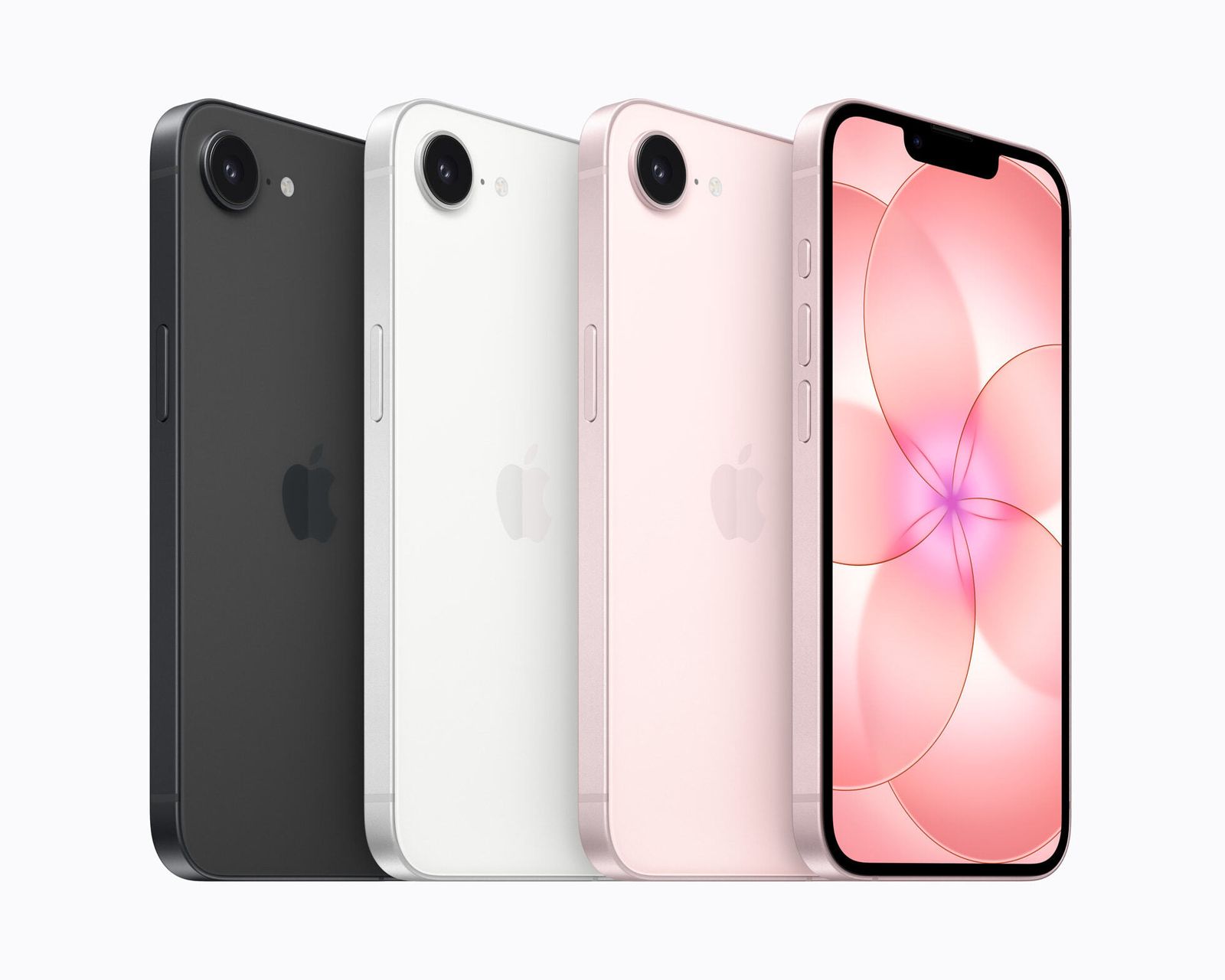
Apple’s first hardware launch of 2026—not counting the second-generation AirTag it debuted at the end of January—is the next iteration of the price-friendly iPhone: the iPhone 17e. The company announced the handset via an online press release, ahead of its “Special Apple Experience” in New York City this Wednesday.
While last year’s iPhone 16e was widely criticized for its questionable value—it replaced the iPhone “SE” models from yesteryear and jacked the price up from $429 to $599—the newer model in the series has some notable features that were missing in its predecessor, like Apple’s MagSafe technology and the Dynamic Island. The price remains firm at $599 despite the challenging economic environment and the memory shortage.
The iPhone 17e opens for preorder today and will be widely available on March 11.
E for Effort
Apple has stuck with the same 6.1-inch OLED display as the iPhone 16e, down to the same old-school notch design. That means you won’t get the sleek look of the Dynamic Island, which also doubles as a live notifications display. Thankfully, if you’re worried about durability, this iPhone has the same Ceramic Shield 2 front glass protecting the display as its pricier siblings, giving it a nice strength boost from the previous generation.
Apple did not upgrade the screen with its ProMotion refresh rate tech, as it’s stuck at 60 Hz. This capability is the number of times the screen refreshes with images—the higher the better, as your display will appear smoother, with interactions feeling more fluid. It’s something the company has offered in the iPhone Pro models, and finally enabled in 2025 with its entire iPhone 17 range, but you’ll have to upgrade for the luxury. It’s a shame, as most budget Android phones offer 120 Hz as standard, even devices as cheap as $200. That also means the iPhone 17e doesn’t have the option to enable an always-on display.
Arguably, the best upgrade is the addition of MagSafe, the magnetic ring that has been embedded in the back of mainline iPhones since the iPhone 12. Apple confusingly didn’t include it with the iPhone 16e despite a healthy accessory market that would have made the iPhone 16e a little more versatile. While the 16e still had basic wireless charging, with the iPhone 17e, you can take advantage of faster magnetic wireless charging at 15 watts (plus access to MagSafe accessories).
This iPhone is powered by the A19 chipset, which debuted on the iPhone 17, though there’s one less graphics core, so graphics performance is a small step below. That’s in line with what Apple did with the iPhone 16e and the iPhone 16 that came before. Apple didn’t share RAM details yet, but it’s likely that the iPhone 17e has 8 GB of RAM like its predecessor, whereas the rest of the iPhone 17 lineup has 12 GB.
Courtesy of Apple
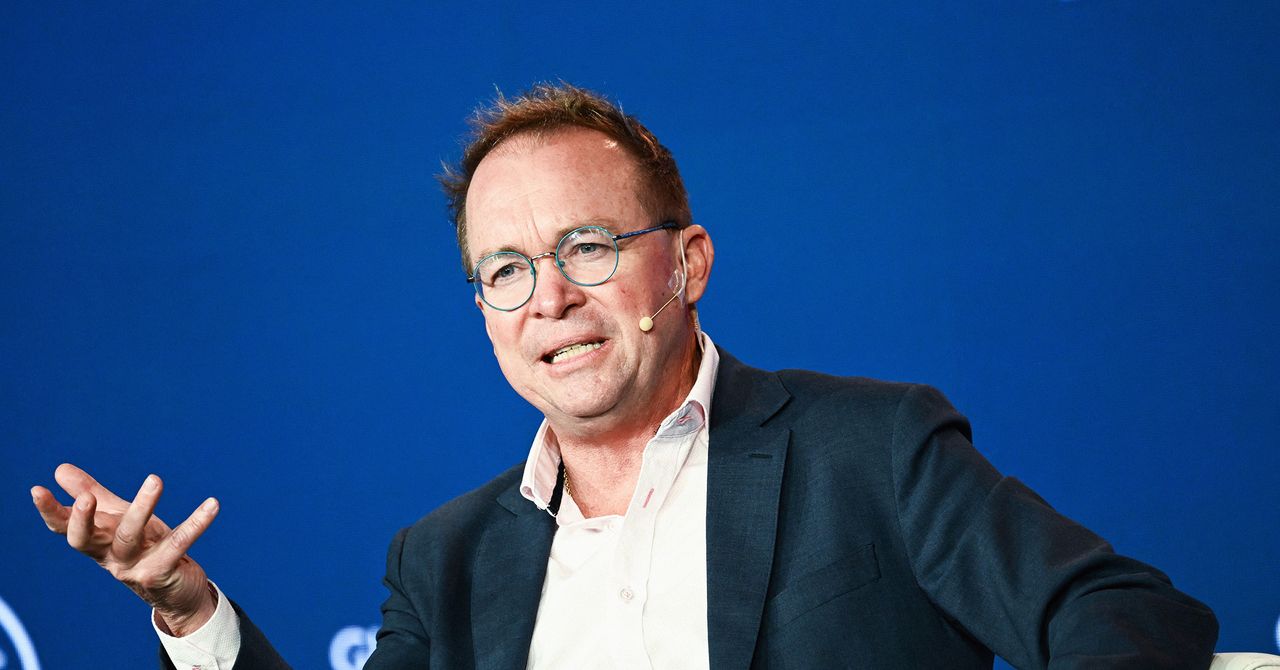
Mick Mulvaney wants to be clear: He really likes gambling. “You’re talking to the only former member of Congress who’s won a poker tournament in Las Vegas,” he tells WIRED. When he was representing South Carolina in the US House of Representatives, he pushed for the state to allow sports betting.
Because of his background, Mulvaney, a former Trump administration official, says he can tell when something is gambling—and that the sports contracts on prediction markets fit the bill. “You know the old saying, if it walks like a duck and quacks like a duck, it’s a duck?” he asks. “If it looks like a sports bet, if it sounds like a sports bet, if it pays off like a sports bet, if it’s on a sporting event—it’s a sports bet.”
Mulvaney, who was President Trump’s acting White House chief of staff from 2019 to 2020, is now leading a new advocacy coalition called Gambling Is Not Investing, which will lobby for prediction markets to be regulated by state gambling laws. He joins a number of other prominent Republicans calling for similar rules. Earlier this month, former New Jersey Governor Chris Christie and current Utah Governor Spencer Cox both spoke out against the current federal approach to regulating prediction markets. (Christie also used the “quack like a duck” line.)
These developments are part of a fierce political battle over how prediction markets are regulated. On the federal level, the Commodity Futures Trading Commission (CFTC) oversees these platforms, which are currently classified as derivatives markets. While a traditional sportsbook will offer customers a chance to place a bet on which team will win or lose a game, a prediction market will offer an “event contract” on the outcome. Critics view the difference as little more than a loophole, and state authorities from across the country are currently pursuing lawsuits against prediction market companies like Kalshi, alleging that they violate state gambling laws. (While these markets offer event contracts on a wide variety of topics, sporting events are their most popular offerings.) “I love the CFTC, but they’re not set up to do this,” says Mulvaney.
Recently, a group of 23 Democratic Senators sent the CFTC a letter urging it to allow these court cases to play out. It did not appear to go over well; CFTC head Michael Selig insists that prediction markets are correctly classified, and that his agency has jurisdiction over the industry. After Selig released a video promising to see those who “challenge our authority” in court, the CFTC even took the unprecedented step of filing a brief in support of the cryptocurrency platform Crypto.com, which faces a lawsuit from Nevada regulators over its prediction market offering.
During the Biden Administration, the CFTC took a notably different approach to prediction markets, even fining Polymarket $1.4 million for failing to register as a derivatives market and temporarily blocking it from operating in the US.
Now, though, the agency’s friendlier approach appears to dovetail with the White House’s interest in the industry. The Trumps have numerous ties to the prediction market world. Truth Social, the social media platform majority-owned by President Trump and his family, is planning its own prediction market offering, reportedly called Truth Predict. Donald Trump Jr is an advisor to both Kalshi and Polymarket, and his venture capital firm has invested in the latter.
But the launch of Gambling Not Investing demonstrates that there is a growing wing of the Republican party that feels the prediction markets need more guardrails. Its founding member organizations include a number of conservative consumer advocacy groups, including Moms for America, Consumer Action for a Strong Economy, and Frontiers of Freedom.
Mulvaney is hopeful that he can make his case to the current White House. “Their default position is going to be to regulate less, not more. And I respect that,” he says. “But I also know that in the first Trump administration, when there were common sense reasons to do some regulation, that we did that.”

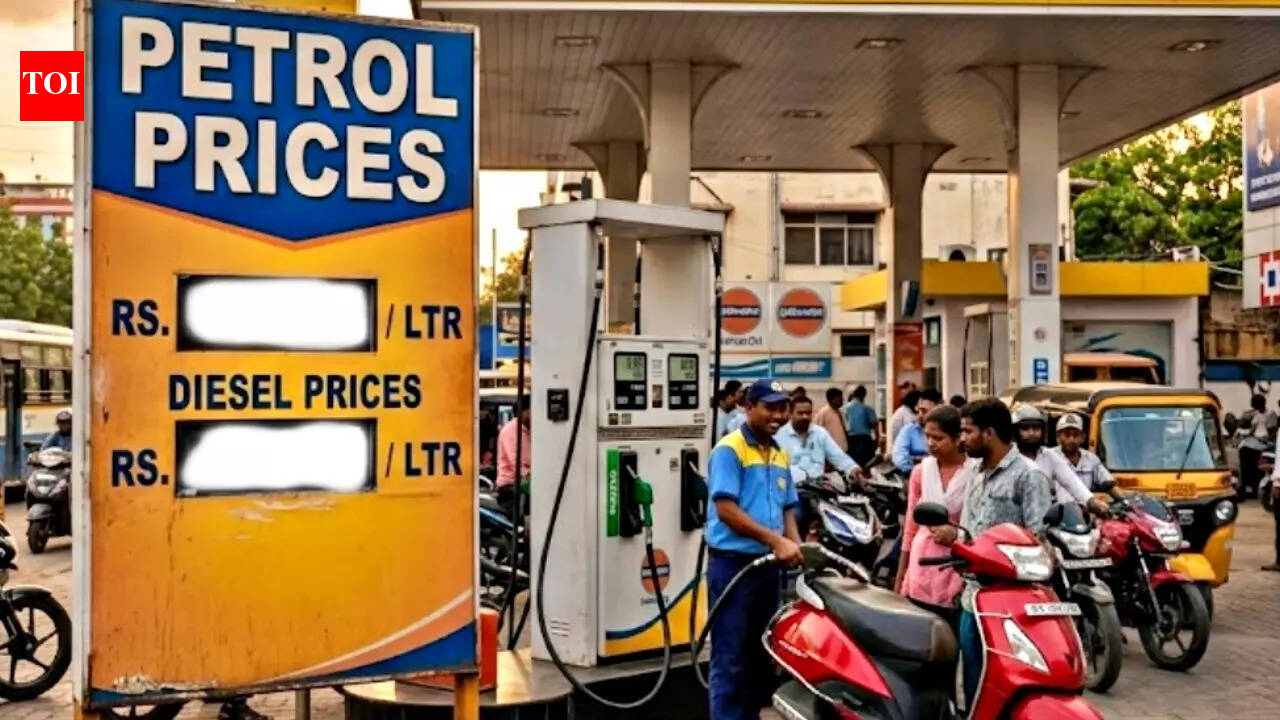
Oil prices spike! Will petrol, diesel rates be hiked in India as crude nears $80 mark on Middle East tensions? – The Times of India

US’ Old Navy launches little navy, a new newborn essentials collection

War in Iran Spiked Oil Prices. Trump Will Decide How High They Go

-

 Politics1 week ago
Pakistan carries out precision strikes on seven militant hideouts in Afghanistan
-

 Tech1 week ago
These Cheap Noise-Cancelling Sony Headphones Are Even Cheaper Right Now
-

 Sports1 week ago
Kansas’ Darryn Peterson misses most of 2nd half with cramping
-

 Entertainment1 week ago
Viral monkey Punch makes IKEA toy global sensation: Here’s what it costs
-
Sports1 week ago
Mike Eruzione and the ‘Miracle on Ice’ team are looking for some company
-
 Business6 days ago
Households set for lower energy bills amid price cap shake-up
-

 Entertainment1 week ago
Talking minerals and megawatts
-
 Business6 days ago
Lucid widely misses earnings expectations, forecasts continued EV growth in 2026