

Tech
Are bridges near you safe? This MRI-like scan may prevent disaster


Suyun Ham can’t take his eyes off a scanner. “Lower the sensors a little bit more,” Ham urges an assistant. Then a barrage of data floods in, filling computer screens for a diagnosis.
But Ham isn’t a medical doctor. Nor is his “patient” a living creature. An engineering professor from the University of Texas at Arlington, he is experimenting with a novel approach in bridge inspection.
Ham’s mobile-scanning system is part of efforts to make US infrastructure more heat-resilient. Unlike floods and tornados that can quickly destroy bridges, extreme heat is a silent killer that harms them over time, experts say.
“If temperatures are out of range, bridges can get damaged unexpectedly,” says Ham, who lives in the Dallas-Fort Worth area, where summer temperatures can exceed 100F (38C). “With our “MRI,” we can see what’s inside a bridge quickly.”
Bridge materials expand and contract in response to temperature fluctuations. While most are equipped with features to accommodate that movement, they were designed to withstand historically cooler temperatures, says Paul Chinowsky, a professor emeritus of civil engineering at the University of Colorado Boulder.
When temperatures hit a record high, bridges might behave in ways that engineers didn’t intend them to, he adds.Heat-swollen steel joints can impair the mobility of a swing bridge, making it unable to open or close—at least temporarily. Concrete also expands under heat. Once its expansion goes beyond a bridge’s original design limit, the concrete can crack, exposing it to moisture that can corrode internal metal components.
That’s an increasingly common scene around the world. In China, a concrete bridge broke in half because of brutal heat in 2022. That same year, London wrapped Hammersmith Bridge in giant pieces of foil to prevent it from overheating. And when the blistering sun baked Chicago’s DuSable drawbridge in 2018, its steel joints expanded and got stuck until firefighters hosed the bridge with cold water.
“Bridges are very susceptible,” Chinowsky says. “The hotter it gets compared to what typically it is, the more danger you have.”
‘A lot of headaches’
Hotter temperatures are baking US bridges at a time when their health is already deteriorating. The country has more than 600,000 bridges, almost half of which have exceeded their designed lifespan of 50 years, according to a 2025 report by the American Society of Civil Engineers.
With proper maintenance, many can last much longer, potentially exceeding 100 years, the industry group says. Still, about one in three bridges requires repair or replacement, according to an analysis published this year by the American Road and Transportation Builders Association.
Hussam Mahmoud, a professor at Vanderbilt University who has evaluated the structural integrity of about 90,000 steel-girder bridges across the US, found that many have aged prematurely, due in large part to the heat-accelerated malfunction of their expansion joints.
As the frequency and severity of heat waves increase with climate change, expansion joints, which connect two bridge spans, expand more often. That, coupled with the strain caused by debris or dirt accumulated in the joints over time, adds pressure to the structure, elevating the risk for a bridge to crack or buckle, Mahmoud says.
Although those defects don’t put a bridge in immediate danger of collapse, they need to be fixed to avoid further damage, which can be “a lot of headaches,” says Mahmoud.
With more than 4.9 billion trips taken across US bridges on any given day, bridge closures can take a toll on commerce and the economy, Mahmoud says. More damage also means higher maintenance costs. The US is already facing a $373 billion funding gap over the next 10 years to repair bridges properly, according to the American Society of Civil Engineers.Heat-induced damage can also cause bridges to malfunction at a time when the free movement of people is needed the most.
In June, a swing bridge in South Carolina got stuck for hours due to sweltering temperatures and was unable to open for ships to go through, delaying rescue efforts for a fatal boating accident.
Drive-by inspections
For Ham, better bridge monitoring is key. “Just like it is difficult to heal a human patient with stage-four cancer, it’d be too late to repair a bridge when there are a lot of defects,” he says.Ham, who spent a big chunk of his college time inspecting bridges, learned the limitations of the conventional method firsthand. He used to tap the bridge surface with a hammer and listen for hollow sounds that could indicate problems.
That hammer later evolved into more advanced devices, yet the time-consuming nature of manual inspection remains largely unchanged, Ham says. The conventional method also requires a bridge to shut down some of its lanes for inspection, a big ask for places such as Texas, which has 56,000-plus bridges.
While federal mandates typically require highway bridges to be inspected every two years, Ham and others at the University of Texas’s Smart Infrastructure and Testing Laboratory in Arlington want to help increase that frequency by introducing a new solution: a drive-through inspection.
Ham’s machine—a trailer loaded with dozens of electronics—is hauled by a pickup truck. On a sizzling afternoon in July, as the vehicle pulled the machine across a concrete bridge over a stream bed on the university campus, the tools generate mechanical waves that can propagate through concrete.
Sensors pick up the resulting bridge vibration signals, while a GPS device pins down where each signal comes from. Meanwhile, ground-penetrating radars emit pulses to create images of the structure under the bridge’s deck, and GoPros videotape the surface condition. The end goal, according to Ham, is to collect a wide range of data that enables engineers to identify cracks, voids and other anomalies.
The machine scanned the entire 5-feet-long bridge within seconds. By contrast, it would take hours for inspectors to complete the same job using the conventional method, according to Ham.
“There’s a lot of surface damage,” Ham says, pointing to a number of bright orange dots and stripes scattered across the dark blue background of one computer image generated from the onsite scanning. He also spots a cluster of tiny cracks, highlighted by a red rectangle.
Ham and his team then use artificial intelligence to refine the analysis and filter out “noises”—irregular vibration signals caused by a car driving by during the inspection, for instance. The engineers report their findings to bridge overseers for safety assessment and future repair work.
“It is better for time and efficiency,” says Mark Burwell, a bridge inspection coordinator at the Texas Department of Transportation whose agency has deployed Ham’s technology to inspect dozens of bridges since 2019. As inspectors no longer have to work next to moving traffic on a bridge, the automated inspection also helps put humans out of harm’s way, he adds.
For now, Ham’s “portable MRI” is only available for bridge inspection in the Lone Star state. Ham aims to scale up its deployment. To make that happen, the engineers will have to first perfect the innovation.
There have been many learning moments, Ham recalls. Once, a rough ride knocked off sensors, cutting an inspection mission short. (The machine is now equipped with a lift that lowers and raises it to avoid obstacles on the road.) On another occasion, the software grappled with the complexity of decoding signals from a concrete bridge covered with asphalt patches.
To help the AI better interpret signals, Ham and his team have turned their laboratory into a manufacturing hub of artificial defects. There, engineers soak metal sticks in brine to emulate corrosion. They also drill holes in concrete slabs to mimic cracks. By applying sensors and radars to examine those artificial defects, the engineers can pair different signals with different types of damage.
Even so, the machine is unlikely to catch all the heat-induced problems, according to Ham. For instance, searing temperatures can stress a bridge, but the machine can’t detect it until physical damage occurs.
But data collected from damaged bridges may pave a way for future protection, Ham says. That’s because, by comparing the number of cracks in bridges built with different methods and materials, the technology plays a role in helping regulators determine how to design structures more suitable for a hotter world.
“We’re like a medical doctor,” Ham says. “We can help them make a decision.”
2025 Bloomberg News. Distributed by Tribune Content Agency, LLC.
Citation:
Are bridges near you safe? This MRI-like scan may prevent disaster (2025, September 1)
retrieved 1 September 2025
from https://techxplore.com/news/2025-09-bridges-safe-mri-scan-disaster.html
This document is subject to copyright. Apart from any fair dealing for the purpose of private study or research, no
part may be reproduced without the written permission. The content is provided for information purposes only.












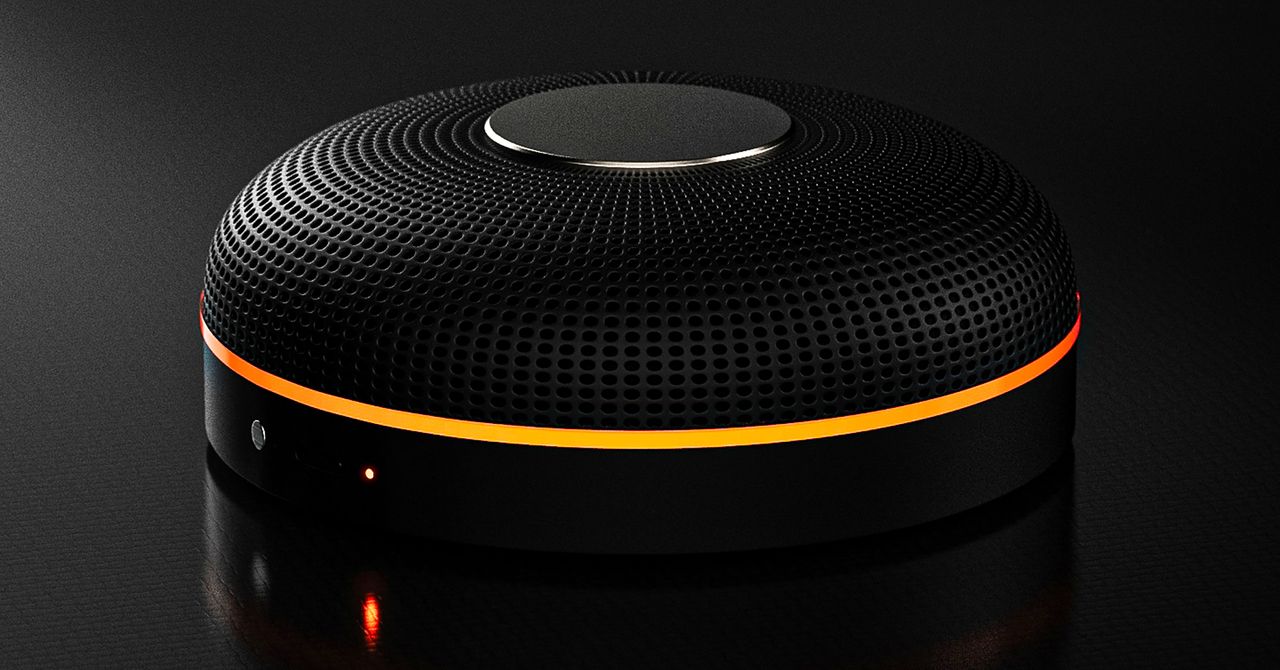
Deveillance also claims the Spectre can find nearby microphones by detecting radio frequencies (RF), but critics say finding a microphone via RF emissions is not effective unless the sensor is immediately beside it.
“If you could detect and recognize components via RF the way Spectre claims to, it would literally be transformative to technology,” Jordan wrote in a text to WIRED after he built a device to test detecting RF signatures in microphones. “You’d be able to do radio astronomy in Manhattan.”
Deveillance is also looking at ways to integrate nonlinear junction detection (NLJD), a very high-frequency radio signal used by security professionals to find hidden mics and bugs. NLJD detectors are expensive and used primarily in professional contexts like military operations.
Even if a device could detect a microphone’s exact location, objects around a room can change how the frequencies spread and interact. The emitted frequencies could also be a problem. There haven’t been adequate studies to show what effects ultrasonic frequencies have on the human ear, but some people and many pets can hear them and find them obnoxious or even painful. Baradari acknowledges that her team needs to do more testing to see how pets are affected.
“They simply cannot do this,” engineer and YouTuber Dave Jones (who runs the channel EEVblog) wrote in an email to WIRED. “They are using the classic trick of using wording to imply that it will detect every type of microphone, when all they are probably doing is scanning for Bluetooth audio devices. It’s totally lame.” Baradari reiterates that the Spectre uses a combination of RF and Bluetooth low energy to detect microphones.
WIRED asked Baradari to share any evidence of the Spectre’s effectiveness at identifying and blocking microphones in a person’s vicinity. Baradari shared a few short videoclips of people putting their phones to their ears listening to audioclips—which were presumably jammed by the Spectre—but these videos do little to prove that the device works.
Future Imperfect
Baradari has taken the critiques in stride, acknowledging that the tech is still in development. “I actually appreciate those comments, because they’re making me think and see more things as well,” Baradari says. “I do believe that with the ideas that we’re having and integrating into one device, these concerns can be addressed.”
People were quick to poke fun at the Spectre I online, calling the technology the cone of silence from Dune. Now, the Deveillance website reads, “Our goal is to make the cone of silence become reality.”
John Scott-Railton, a cybersecurity researcher at Citizen Lab, who is critical of the Spectre I, lauded the device’s virality as an indication of the real hunger for these kinds of gadgets to win back our privacy.
“The silver lining of this blowing up is that it is a Ring-like moment that highlights how quickly and intensely consumer attitudes have shifted around pervasive recording devices,” says Scott-Railton. “We need to be building products that do all the cool things that people want but that don’t have the massive privacy- and consent-violation undertow. You need device-level controls, and you need regulations of the companies that are doing this.”
Cooper Quintin, a senior staff technologist at the Electronic Frontier Foundation, echoed those sentiments, even if critics believe Deveillance’s efforts to be flawed.
“If this technology works, it could be a boon for many,” Quintin wrote in an email to WIRED. “It is nice to see a company creating something to protect privacy instead of working on new and creative ways to extract data from us.”
Portrait Light: You can change up the lighting in your portrait selfies after you take them by opening them up in Google Photos, tapping the Edit button, and heading to Actions > Portrait Light. This adds an artificial light you can place anywhere in the photo to brighten up your face and erase that 5 o’clock shadow. Use the slider at the bottom to tweak the strength of the light. It also works on older Portrait mode photos you may have captured. It works only on faces.
Health and Accessibility Features
Cough & Snore Detection (Tensor G2 and newer): On the Pixel 7 and newer, you can have your Pixel detect if you cough and snore when sleeping, provided you place your Pixel near your bed before you nod off. This will work only if you use Google’s Bedtime mode function, which you can turn on by heading to Settings > Digital Wellbeing & Parental Controls > Bedtime Mode.
Guided Frame (Tensor G2 and newer): For blind or low-vision people, the camera app can now help take a selfie with audio cues (it works with the front and rear cameras). You’ll need to enable TalkBack for this to work (Settings > Accessibility > TalkBack). Then open the camera app. It will automatically help you frame the shot.
Simple View: This mode makes the font size bigger, along with other elements on the screen, like widgets and quick-settings tiles. It also increases touch sensitivity, all of which hopefully makes it easier to see and use the screen. You can enable it by heading to Settings > Accessibility > Simple View.
Safety and Security Features
Theft Protection: This is a broader Android 15 feature, but essentially, Google’s algorithms can figure out if someone snatches your Pixel out of your hands. If they’re trying to get away, the device automatically locks. Additionally, with another device, you can use Remote Lock to lock your stolen Pixel with your phone number and a security answer. To toggle these features on, go to Settings > Security & privacy > Device unlock > Theft protection.
Identity Check: If your Pixel detects you’re in a new location, Identity Check will require your fingerprint or face authentication before you can make any changes to sensitive settings, offering extra peace of mind in case you lose your phone or if it’s stolen. You can enable this in Settings > Security & privacy > Device unlock > Theft protection > Identity Check.
Courtesy of Google
Private Space: Another Android 15 addition, Pixel phones finally have a feature that lets you hide and lock select apps. You can use a separate Google account, set a lock, and install any app to hide away. To set it all up, head to Settings > Security & privacy > Private space.
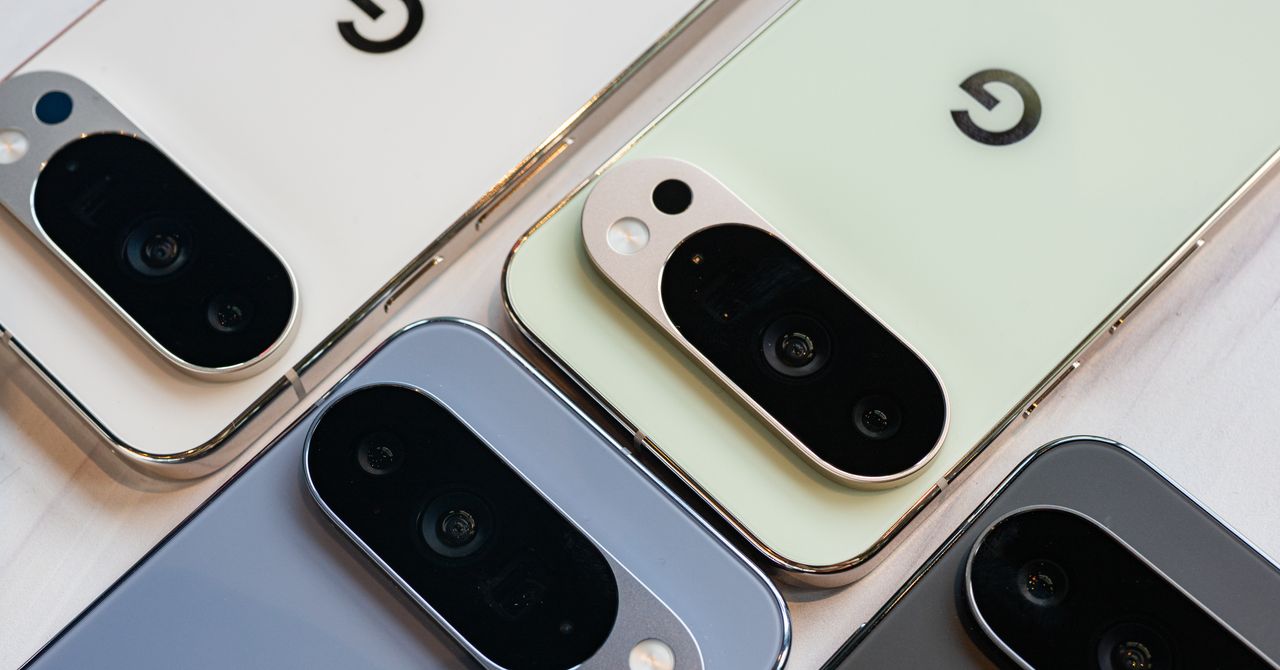
Satellite eSOS (Pixel 9 and Pixel 10 series, excluding Pixel 9a): Like Apple’s SOS feature on iPhones, you can now reach emergency contacts or emergency services even when you don’t have cell service or Wi-Fi connectivity. It’s not just available in the continental US, but also in Hawaii, Alaska, Canada, and even Europe.
Portrait Light: You can change up the lighting in your portrait selfies after you take them by opening them up in Google Photos, tapping the Edit button, and heading to Actions > Portrait Light. This adds an artificial light you can place anywhere in the photo to brighten up your face and erase that 5 o’clock shadow. Use the slider at the bottom to tweak the strength of the light. It also works on older Portrait mode photos you may have captured. It works only on faces.
Health and Accessibility Features
Cough & Snore Detection (Tensor G2 and newer): On the Pixel 7 and newer, you can have your Pixel detect if you cough and snore when sleeping, provided you place your Pixel near your bed before you nod off. This will work only if you use Google’s Bedtime mode function, which you can turn on by heading to Settings > Digital Wellbeing & Parental Controls > Bedtime Mode.
Guided Frame (Tensor G2 and newer): For blind or low-vision people, the camera app can now help take a selfie with audio cues (it works with the front and rear cameras). You’ll need to enable TalkBack for this to work (Settings > Accessibility > TalkBack). Then open the camera app. It will automatically help you frame the shot.
Simple View: This mode makes the font size bigger, along with other elements on the screen, like widgets and quick-settings tiles. It also increases touch sensitivity, all of which hopefully makes it easier to see and use the screen. You can enable it by heading to Settings > Accessibility > Simple View.
Safety and Security Features
Theft Protection: This is a broader Android 15 feature, but essentially, Google’s algorithms can figure out if someone snatches your Pixel out of your hands. If they’re trying to get away, the device automatically locks. Additionally, with another device, you can use Remote Lock to lock your stolen Pixel with your phone number and a security answer. To toggle these features on, go to Settings > Security & privacy > Device unlock > Theft protection.
Identity Check: If your Pixel detects you’re in a new location, Identity Check will require your fingerprint or face authentication before you can make any changes to sensitive settings, offering extra peace of mind in case you lose your phone or if it’s stolen. You can enable this in Settings > Security & privacy > Device unlock > Theft protection > Identity Check.
Courtesy of Google
Private Space: Another Android 15 addition, Pixel phones finally have a feature that lets you hide and lock select apps. You can use a separate Google account, set a lock, and install any app to hide away. To set it all up, head to Settings > Security & privacy > Private space.
Satellite eSOS (Pixel 9 and Pixel 10 series, excluding Pixel 9a): Like Apple’s SOS feature on iPhones, you can now reach emergency contacts or emergency services even when you don’t have cell service or Wi-Fi connectivity. It’s not just available in the continental US, but also in Hawaii, Alaska, Canada, and even Europe.


Canada & EU push to modernise trade deal amid global shifts

Bayern 4-1 Gladbach (Mar 6, 2026) Game Analysis – ESPN

Holly Willoughby spotted with Nicole Appleton as she prepares for Youtube comeback

Attock Cement’s acquisition approved | The Express Tribune

What are Iran’s ballistic missile capabilities?

India Us Trade Deal: Fresh look at India-US trade deal? May be ‘rebalanced’ if circumstances change, says Piyush Goyal – The Times of India

-
Business1 week ago
Attock Cement’s acquisition approved | The Express Tribune
-
 Politics1 week ago
What are Iran’s ballistic missile capabilities?
-
Business1 week ago
India Us Trade Deal: Fresh look at India-US trade deal? May be ‘rebalanced’ if circumstances change, says Piyush Goyal – The Times of India
-

 Fashion1 week ago
Policy easing drives Argentina’s garment import surge in 2025
-

 Sports1 week ago
LPGA legend shares her feelings about US women’s Olympic wins: ‘Gets me really emotional’
-

 Fashion1 week ago
South Korea’s Misto Holdings completes planned leadership transition
-

 Entertainment1 week ago
Bobby J. Brown, “The Wire” and “Law & Order: SUV” actor, dies of smoke inhalation after reported fire
-

 Fashion1 week ago
Texwin Spinning showcasing premium cotton yarn range at VIATT 2026