

Tech
Does AI really boost productivity at work? Research shows gains don’t come cheap or easy

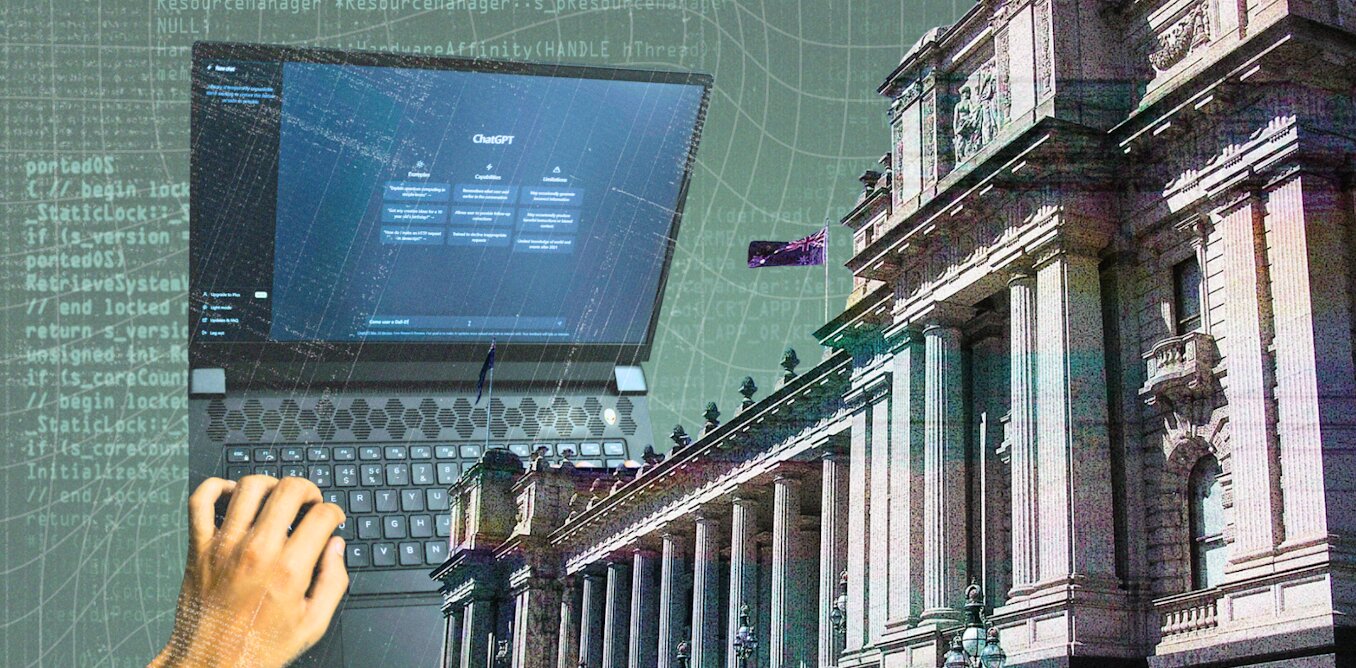
Artificial intelligence (AI) is being touted as a way to boost lagging productivity growth.
The AI productivity push has some powerful multinational backers: the tech companies who make AI products and the consulting companies who sell AI-related services. It also has interest from governments.
Next week, the federal government will hold a roundtable on economic reform, where AI will be a key part of the agenda.
However, the evidence AI actually enhances productivity is far from clear.
To learn more about how AI is working and being procured in real organizations, we are interviewing senior bureaucrats in the Victorian Public Service. Our research is ongoing, but results from the first 12 participants are showing some shared key concerns.
Our interviewees are bureaucrats who buy, use and administer AI services. They told us increasing productivity through AI requires difficult, complex, and expensive organizational groundwork. The results are hard to measure, and AI use may create new risks and problems for workers.
Introducing AI can be slow and expensive
Public service workers told us introducing AI tools to existing workflows can be slow and expensive. Finding time and resources to research products and retrain staff presents a real challenge.
Not all organizations approach AI the same way. We found well-funded entities can afford to test different AI uses for “proofs of concept.” Smaller ones with fewer resources struggle with the costs of implementing and maintaining AI tools.
In the words of one participant: “It’s like driving a Ferrari on a smaller budget […] Sometimes those solutions aren’t fit for purpose for those smaller operations, but they’re bloody expensive to run, they’re hard to support.”
‘Data is the hard work’
Making an AI system useful may also involve a lot of groundwork.
Off-the-shelf AI tools such as Copilot and ChatGPT can make some relatively straightforward tasks easier and faster. Extracting information from large sets of documents or images is one example, and transcribing and summarizing meetings is another. (Though our findings suggest staff may feel uncomfortable with AI transcription, particularly in internal and confidential situations.)
But more complex use cases, such as call center chatbots or internal information retrieval tools, involve running an AI model over internal data describing business details and policies. Good results will depend on high-quality, well-structured data, and organizations may be liable for mistakes.
However, few organizations have invested enough in the quality of their data to make commercial AI products work as promised.
Without this foundational work, AI tools won’t perform as advertised. As one person told us, “data is the hard work.”
Privacy and cybersecurity risks are real
Using AI creates complex data flows between an organization and servers controlled by giant multinational tech companies. Large AI providers promise these data flows comply with laws about, for instance, keeping organizational and personal data in Australia and not using it to train their systems.
However, we found users were cautious about the reliability of these promises. There was also considerable concern about how products could introduce new AI functions without organizations knowing. Using those AI capabilities may create new data flows without the necessary risk assessments or compliance checking.
If organizations handle sensitive information or data that could create safety risks if leaked, vendors and products must be monitored to ensure they comply with existing rules. There are also risks if workers use publicly available AI tools such as ChatGPT, which don’t guarantee confidentiality for users.
How AI is really used
We found AI has increased productivity on “low-skill” tasks such as taking meeting notes and customer service, or work done by junior workers. Here AI can help smooth the outputs of workers who may have poor language skills or are learning new tasks.
But maintaining quality and accountability typically requires human oversight of AI outputs. The workers with less skill and experience, who would benefit most from AI tools, are also the least able to oversee and double-check AI output.
In areas where the stakes and risks are higher, the amount of human oversight necessary may undermine whatever productivity gains are made.
What’s more, we found when jobs become primarily about overseeing an AI system, workers may feel alienated and less satisfied with their experience of work.
We found AI is often used for questionable purposes, too. Workers may use AI to take shortcuts, without understanding the nuances of compliance within organizational guidelines.
Not only are there data security and privacy concerns, but using AI to review and extract information can introduce other ethical risks, such as magnifying existing human bias.
In our research, we saw how those risks prompted organizations to use more AI—for enhanced workplace surveillance and forms of workplace control. A recent Victorian government inquiry recognized that these methods may be harmful to workers.
Productivity is tricky to measure
There’s no easy way for an organization to measure changes in productivity due to AI. We found organizations often rely on feedback from a few skilled workers who are good at using AI, or on claims from vendors.
One interviewee told us:
“I’m going to use the word ‘research’ very loosely here, but Microsoft did its own research about the productivity gains organizations can achieve by using Copilot, and I was a little surprised by how high those numbers came back.”
Organizations may want AI to facilitate staff cuts or increase throughput.
But these measures don’t consider changes in the quality of products or services delivered to customers. They also don’t capture how the workplace experience changes for remaining workers, or the considerable costs that primarily go to multinational consultancies and tech firms.
This article is republished from The Conversation under a Creative Commons license. Read the original article.
Citation:
Does AI really boost productivity at work? Research shows gains don’t come cheap or easy (2025, August 15)
retrieved 15 August 2025
from https://techxplore.com/news/2025-08-ai-boost-productivity-gains-dont.html
This document is subject to copyright. Apart from any fair dealing for the purpose of private study or research, no
part may be reproduced without the written permission. The content is provided for information purposes only.













Chances are, you’ve already used a satellite today. Satellites make it possible for us to stream our favorite shows, call and text a friend, check weather and navigation apps, and make an online purchase. Satellites also monitor the Earth’s climate, the extent of agricultural crops, wildlife habitats, and impacts from natural disasters.
As we’ve found more uses for them, satellites have exploded in number. Today, there are more than 10,000 satellites operating in low-Earth orbit. Another 5,000 decommissioned satellites drift through this region, along with over 100 million pieces of debris comprising everything from spent rocket stages to flecks of spacecraft paint.
For MIT’s Richard Linares, the rapid ballooning of satellites raises pressing questions: How can we safely manage traffic and growing congestion in space? And at what point will we reach orbital capacity, where adding more satellites is not sustainable, and may in fact compromise spacecraft and the services that we rely on?
“It is a judgement that society has to make, of what value do we derive from launching more satellites,” says Linares, who recently received tenure as an associate professor in MIT’s Department of Aeronautics and Astronautics (AeroAstro). “One of the things we try to do is approach these questions of traffic management and orbital capacity as engineering problems.”
Linares leads the MIT Astrodynamics, Space Robotics, and Controls Lab (ARCLab), a research group that applies astrodynamics (the motion and trajectory of orbiting objects) to help track and manage the millions of objects in orbit around the Earth. The group also develops tools to predict how space traffic and debris will change as operators launch large satellite “mega-constellations” into space.
He is also exploring the effects of space weather on satellites, as well as how climate change on Earth may limit the number of satellites that can safely orbit in space. And, anticipating that satellites will have to be smarter and faster to navigate a more cluttered environment, Linares is looking into artificial intelligence to help satellites autonomously learn and reason to adapt to changing conditions and fix issues onboard.
“Our research is pretty diverse,” Linares says. “But overall, we want to enable all these economic opportunities that satellites give us. And we are figuring out engineering solutions to make that possible.”
Grounding practical problems
Linares was born and raised in Yonkers, New York. His parents both worked as school bus drivers to support their children, Linares being the youngest of six. He was an active kid and loved sports, playing football throughout high school.
“Sports was a way to stay focused and organized, and to develop a work ethic,” Linares says. “It taught me to work hard.”
When applying for colleges, rather than aim for Division I schools like some of his teammates, Linares looked for programs that were strong in science, specifically in aerospace. Growing up, he was fascinated with Carl Sagan’s “Cosmos” docuseries. And being close to Manhattan, he took regular trips to the Hayden Planetarium to take in the center’s immersive projections of space and the technologies used to explore it.
“My interest in science came from the universe and trying to understand our place within it,” Linares recalls.
Choosing to stay close to home, he applied to in-state schools with strong aeronautical engineering departments, and happily landed at the State University of New York at Buffalo (SUNY Buffalo), where he would ultimately earn his bachelor’s, master’s, and doctoral degrees, all in aerospace engineering.
As an undergraduate, Linares took on a research project in astrodynamics, looking to solve the problem of how to determine the relative orientation of satellites flying in formation.
“Formation flying was a big topic in the early 2000s,” Linares says. “I liked the flavor of the math involved, which allowed me to go a layer deeper toward a solution.”
He worked out the math to show that when three satellites fly together, they essentially form a triangle, the angles of which can be calculated to determine where each satellite is in relation to the other two at any moment in time. His work introduced a new controls approach to enable satellites to fly safely together. The research had direct applications for the U.S. Air Force, which helped to sponsor the work.
As he expanded the research into a master’s thesis, Linares also took opportunities to work directly with the Air Force on issues of satellite tracking and orientation. He served two internships with the U.S. Air Force Research Lab, one at Kirtland Air Force Base in Albuquerque, New Mexico, and the other in Maui, Hawaii.
“Being able to collaborate with the Air Force back then kind of grounded the research in practical problems,” Linares says.
For his PhD, he turned to another practical problem of “uncorrelated tracks.” At the time, the Air Force operated a network of telescopes to observe more than 20,000 objects in space, which they were working to label and record in a catalog to help them track the objects over time. But while detecting objects was relatively straightforward, the challenge came in correlating a detected object with what was already in the catalog. In other words, is what they were seeing something they had already seen?
Linares developed image analysis techniques to identify key characteristics of objects such as their shape and orientation, which helped the Air Force “fingerprint” satellites and pieces of space debris, and track their activity — and potential for collisions — over time.
After completing his PhD, Linares worked as a postdoc at Los Alamos National Laboratory and the U.S. Naval Observatory. During that time he expanded his aerospace work to other areas including space weather, using satellite measurements to model how Earth’s ionosphere — the upper layer of the atmosphere that is ionized by the sun’s radiation — affects satellite drag.
He then accepted a position as assistant professor of aerospace engineering at the University of Minnesota at Minneapolis. For the next three years, he continued his research in modeling space weather, tracking space objects and coordinating satellites to fly in swarms.
Making space
In 2018, Linares made the move to MIT.
“I had a lot of respect for the people and for the history of the work that was done here,” says Linares, who was especially inspired by the legendary Charles Stark “Doc” Draper, who developed the first inertial guidance systems in the 1940s that would enable the self-navigation of airplanes, submarines, satellites, and spacecraft for decades to come. “This was essentially my field, and I knew MIT was the best place to continue my career.”
As a junior faculty member in AeroAstro, Linares spent his first years focused on an emerging challenge: space sustainability. Around that time, the first satellite constellations were launching into low-Earth orbit with SpaceX’s Starlink, which aimed to provide global internet coverage via a huge network of several thousand coordinating satellites. The launching of so many satellites, into orbits that already held other active and nonactive satellites, along with millions of pieces of space debris, raised questions about how to safely manage the satellite traffic and how much traffic an orbit can sustain.
“At what level do we reach a tipping point, where we have too many satellites in certain orbital regimes?” Linares says. “It was kind of a known problem at the time, but there weren’t many solutions.”
Linares’ group applied an understanding of astrodynamics, and the physics of how objects move in space, to figure out the best way to pack satellites in orbital “shells,” or lanes that would most likely prevent collisions. They also developed a state-of-the-art model of orbital traffic, that was able to simulate the trajectories of more than 10 million individual objects in space. Previous models were much more limited in the number of objects they could accurately simulate. Linares’ open-source model, called the MIT Orbital Capacity Assessment Tool, or MoCAT, could account for the millions of pieces of space debris, in addition to the many intact satellites in orbit.
The tools that his group has developed are used today by satellite operators to plan and predict safe spacecraft trajectories. His team is continuing to work on problems of space traffic management and orbital capacity. They are also branching out into space robotics. The team is testing ways to teleoperate a humanoid robot, which could potentially help to build future infrastructure and carry out long-duration tasks in space.
Linares is also exploring artificial intelligence, including ways that a satellite can autonomously “learn” from its experience and safely adapt to uncertain environments.
“Imagine if each satellite had a virtual Doc Draper onboard that could do the de-bugging that we did from the ground during the Apollo missions,” Linares says. “That way, satellites would become instantaneously more robust. And it’s not taking the human out of the equation. It’s allowing the human to be amplified. I think that’s within reach.”
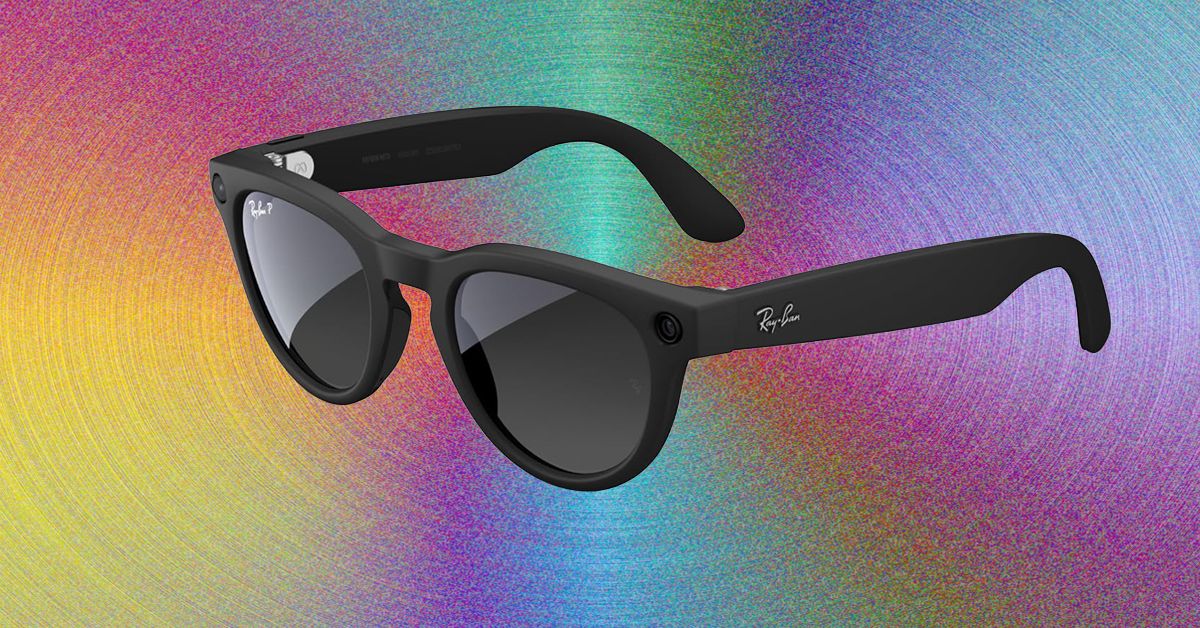
Every time I’ve written about Meta’s AI-enabled glasses, I invariably get asked these questions: Why do you even want these? Why do you want smart glasses that can play music or misidentify native flora in a weirdly cheery voice? I am a lifelong Ray-Ban Wayfarer wearer, and I’m also WIRED’s resident Meta wearer. I grab a pair of Meta glasses whenever I leave the house because I like being able to use one device instead of two or three on a walk. With Meta glasses, I can wear sunglasses and workout headphones in one!
Meta sold more than 7 million pairs in 2025. Take a look at any major outdoor or sporting event, and you’ll see more than a few people wearing these to record snippets for Instagram or TikTok. Meta’s partnership with EssilorLuxottica has made smart glasses accessible, stylish, and useful and is undoubtedly the reason why Google, and now Apple, are trying to horn in on the market. After the notable flop that is the Apple Vision Pro, Apple is recalibrating its face-wearable strategy, moving away from augmented reality (AR) toward simpler, display-less, and hopefully good-looking glasses.
That’s not to say that you shouldn’t be careful how you use these glasses. Meta doesn’t have the greatest track record on privacy, and the company has continued to push forward with policies that are questionable at best. Even if you’re not concerned that face recognition will allow Meta to target immigrants or enable stalkers to find their victims, at the very least, people really do not like the idea that you could start recording them at any moment.
Probably the biggest hurdle to wearing Meta glasses is that even doing so seems like a gross violation of the social contract. After all, these are Mark Zuckerberg’s “pervert glasses.” When I pop these on my head, I’ve had friends (and my spouse) recoil and say, “I have apps to warn me away from people like you.” The best part, though, is that Oakley and Ray-Ban already make really great sunglasses. Even if the battery runs out or you don’t use Meta AI at all, these are stellar at shading your eyes from the sun.
Anyway, if you decide to try them, here’s what you should get. If you do chicken out, check out our buying guides to the Best Smart Glasses or the Best Workout Headphones for more.
Table of Contents
Best Overall
-
Photograph: Boone Ashworth
-
%2520Shiny%2520Black%2520Green%2520Lenses.png)
Ray-Ban
Meta Glasses (Gen 2)
Last year, Meta upgraded the original Meta Ray-Ban Wayfarers that became a smash hit. These are Meta’s entry-level glasses, and they come in a variety of lens styles. You can order them with clear lenses, prescription lenses, transition lenses, or the OG sunglass lenses, as well as in a variety of fits, including standard, large, or high-bridge frames. Improvements to this generation include an upgrade to a 12-MP camera and up to eight hours of battery life; writer Boone Ashworth’s testing clocked in at five to six hours.
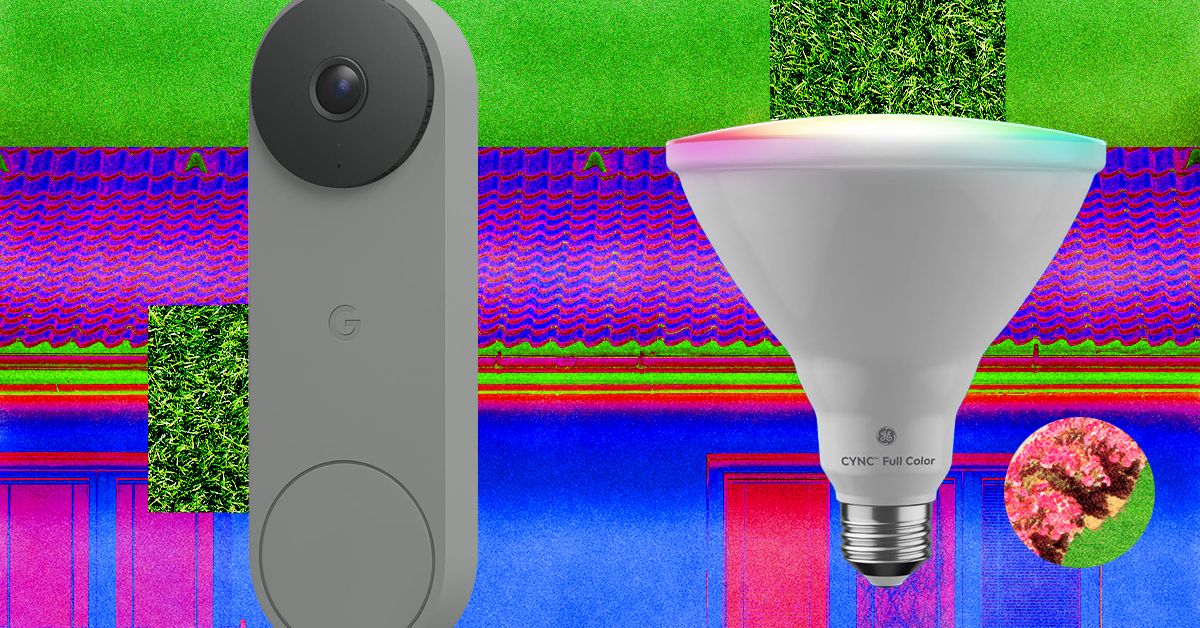
I tried the battery version, which does require you recharge it every couple of weeks, but the wired-in version is the top recommendation on our guide to the Best Video Doorbells.
A Better Birdhouse
I had a new-to-me problem this spring: bird invasion. A little bird made a nest in my front-door wreath without us noticing. One evening, my sister opened the door, and the bird flew out of the nest and straight into our house. After a 30-minute battle to get it outside again (and keep my cat from eating it), it wasn’t until we saw the bird fly off the door again the next day that we realized it was calling our home its home, too.
If this is a common problem at your house, our resident bird-gear tester Kat Merck has a solution: a smart nesting box. Birdfy makes a few different smart bird feeders we like for bird-watching, and the Nest Duo is a birdhouse that lets you watch the birds while they nest inside of it. It’s a slim, attractive box that will add to your front yard’s style while also packing two solar-powered cameras (one facing the entrance, one focused inside) so you can bird-watch from multiple angles. It comes with different hole sizes to appeal to different species, metal predator guards to prevent chewing around the hole, and a remote control to reset or recharge the camera without disturbing your feathered neighbors.
Stylish Smart Lights

Govee
Outdoor Clear Bulb String Lights
I’ve liked Govee’s smart outdoor string lights before, usually for my holiday decor, and have previously recommended something similar with a bistro-light-like look that happened to be smart. These clear bulb string lights are part of Govee’s current lineup and have a contemporary twist with a triangle in the center instead of the wire filament. These are a fun option for outdoor lights you can enjoy on warm nights, and they can do every color and shade of white without looking as bulky as permanent outdoor lights. (Added bonus, these lights are also Matter compatible!)
Fresh Bulbs

Cync
Smart LED Light Bulb, PAR38
If you have light fixtures you want to remote-control, add an outdoor smart bulb. There are tons to choose from, and you can usually find one from any brand you already have at home. The only downside is that outdoor-rated smart bulbs are usually 4.75-inch-diameter PAR38-style bulbs, so they’re best for downward-facing floodlights on your porch or balcony. They’ll likely be too big to fit in a wall fixture as a replacement for a normal-sized bulb. Don’t just grab any smart bulb—not all are outdoor-rated. Check for mentions of outdoor use and waterproof ratings to make sure they’re safe to use. I’m a big fan of Cync bulbs, and the brand has an outdoor version of the Cync Full Color bulbs I like to use indoors. You’ll be able to add fun colors as well as shades of white, so you can turn the porch a spooky orange or red for Halloween, pink for Valentine’s Day, or the colors of your favorite sports team on game day.
Remote-Controlled Garage
If your garage is the centerpiece of your home’s curb appeal, you can control it as easily as a smart door by adding a smart controller. You can do two different styles: I have the Chamberlain MyQ professionally installed smart garage opener, which means the device that controls my garage has these smarts built into it (plus a camera, but I find it doesn’t work great with how far the device is from my Wi-Fi router), or you can get a smart garage controller that can add smart features onto an existing garage door. Both let you check whether the garage is open or closed and operate it remotely, and you can add a video keypad that doubles as a video doorbell and can let you open or close the garage without your phone.
Smart Shades
The front of my home faces west, so it’s absolutely baking at the end of the day. What I need to add are some of our favorite smart shades to automate closing the shades on that side of the house at the right time of day. These also give your home a nice, cohesive look and immediate, controllable privacy from the outside world. WIRED reviewer Simon Hill recommends the SmartWings shades as his top picks, and Lutron’s Caseta shades if you’re looking for a more upgraded look.
Invisible Swaps
Looking to add some smarts without touching your existing setup? These switch-ups can make your front door and yard smart without being visible.
Power up with unlimited access to WIRED. Get best-in-class reporting and exclusive subscriber content that’s too important to ignore. Subscribe Today.


Sri Lanka’s manufacturing PMI surges: Textiles drive March gains

Daniel Radcliffe compares ‘Harry Potter’ movies: ‘Which one was better’?

Van Dijk hands Liverpool a UCL boost and reason to believe after more late drama

-

 Fashion4 days ago
France’s LVMH Q1 revenue falls 6%, shows resilience amid Iran war
-

 Sports7 days ago
The case for Man United’s Fernandes as Premier League’s best
-

 Entertainment7 days ago
Palace left in shock as Prince William cancels grand ceremony
-
 Business1 week ago
100% road tax waiver for electric cars, new rules for 2, 3 and 4 wheelers – what Delhi govt’s draft EV policy says – The Times of India
-
 Business7 days ago
UK could adopt EU single market rules under new legislation
-

 Entertainment1 week ago
Dua Lipa hits major career high ahead of wedding with Callum Turner
-

 Sports1 week ago
Lamar Jackson hits back at critics with faithful message on social media
-

 Fashion7 days ago
Energy emerges as biggest cost driver in textile margins