

Tech
Open-source tool predicts wind farm power fluctuations with greater short-term accuracy

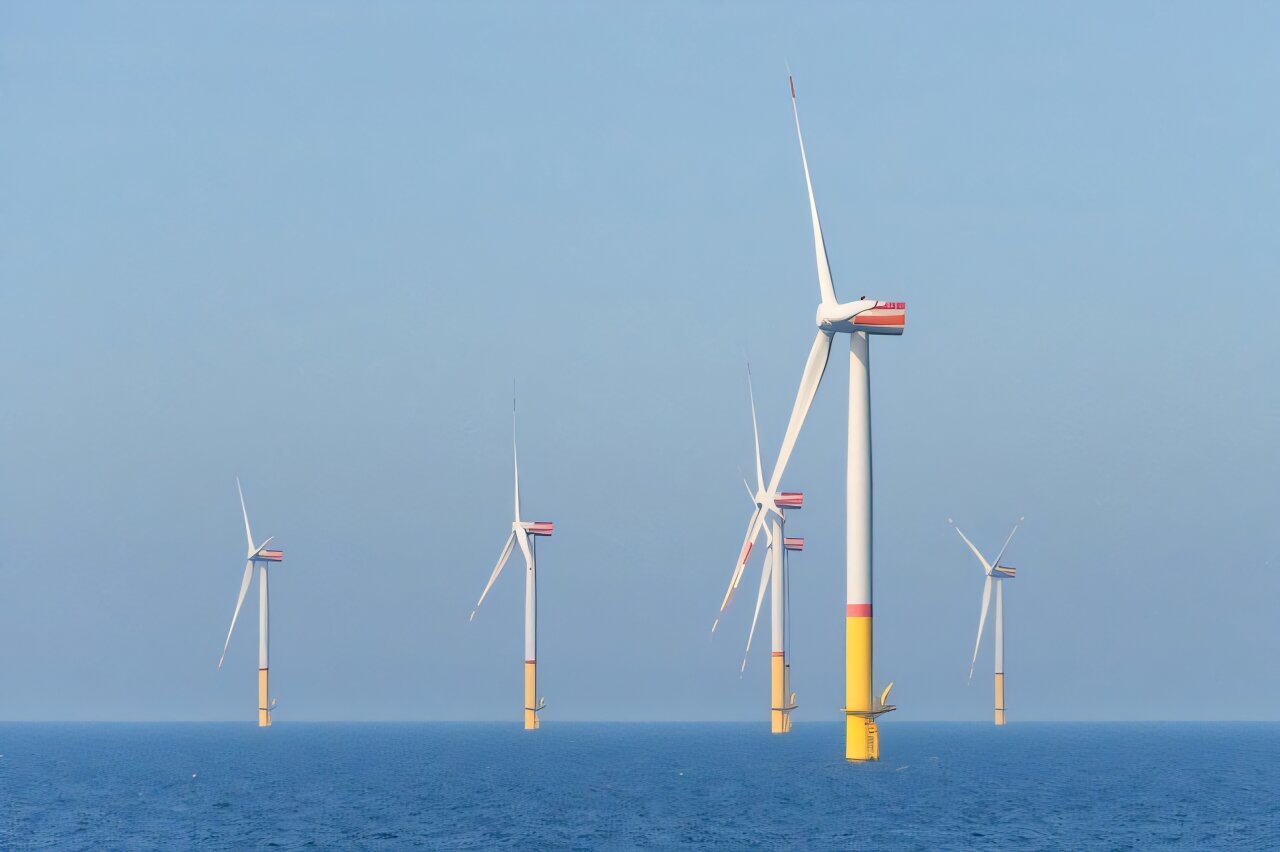
Researchers from TU Delft, a partner of the SUDOCO project, in collaboration with the Université catholique de Louvain (Belgium) and the National Renewable Energy Laboratory of Golden (U.S.), have developed a new open-source wake modeling framework called “OFF,” enhancing existing models such as OnWARDS, FLORIDyn, and FLORIS.
OFF enables the approximation of wind farm flow control (WFFC) strategies under dynamically changing conditions.
Today, most models rely on simplified steady-state assumptions that overlook short-term variability and the transient behavior of turbine wakes, limiting their ability to capture the true dynamics of wind farm interactions.
OFF addresses this gap by incorporating time-dependent dynamics, and when tested with real-world data from the Hollandse Kust Noord wind farm in the Netherlands, it demonstrated improved accuracy in predicting power output and turbine interactions, particularly over short time scales of less than 20 minutes.
These findings highlight OFF’s potential to balance energy gains with reduced turbine wear, making it a valuable tool for both scientists and industry.
The work is presented in the study “A dynamic open-source model to investigate wake dynamics in response to wind farm flow control strategies” published in Wind Energy Science.
The case study used a 24-hour wind direction time series based on field data, and subsets of the series were verified using Large-Eddy Simulation (LES). Results show that yaw movements strongly depend on the controller settings and indicate how to balance power gains with actuator usage.
Compared to LES, the dynamic wake model predicts short-term turbine power fluctuations more accurately than steady-state models, capturing high-frequency dynamics with better correlation and lower error.
By providing a transparent, accessible, and efficient platform, OFF empowers the wind energy community to accelerate the development of advanced control strategies and drive the transition toward more reliable and sustainable offshore wind power.
More information:
Marcus Becker et al, A dynamic open-source model to investigate wake dynamics in response to wind farm flow control strategies, Wind Energy Science (2025). DOI: 10.5194/wes-10-1055-2025
Citation:
Open-source tool predicts wind farm power fluctuations with greater short-term accuracy (2025, October 8)
retrieved 8 October 2025
from https://techxplore.com/news/2025-10-source-tool-farm-power-fluctuations.html
This document is subject to copyright. Apart from any fair dealing for the purpose of private study or research, no
part may be reproduced without the written permission. The content is provided for information purposes only.













There is a special agony to existing in limbo, that state of eternal in-between, where time stretches into infinity.
Today, that experience is especially true for people vying to join Raya, the members-only dating app. Obtaining a Raya account requires an invitation from a current member, and even after you’ve applied, you can’t log in until your application is approved. The process creates a bottleneck akin to the line outside a nightclub, where the chosen few breeze inside while the rest are left to wait. Beyond the velvet rope there are some 2.5 million people waiting to get into Raya—many of whom have been idling in limbo for years.
“My application is stuck in purgatory,” Gabriela Mark, a 23-year-old law student and model in San Diego, tells WIRED. “Like, she’s never escaping.”
Mark has been on the waiting list for five years. “I don’t know what their deal is, but there’s a reason I’m trapped on this waitlist and I needed to find out what it was.” In January, having reached her limit, she decided to email Raya. “I am beginning to believe you guys genuinely hate me or are bullying me,” Mark wrote in a colorfully worded letter. “Is my application just floating in the abyss somewhere or a running gag to you guys???”
Mark never received a response, but her story is an increasingly common one. The people WIRED spoke to for this story—who, despite their professional bona fides, have waited anywhere between two and seven years to join—have watched friends get accepted, break up, and cycle through the app while their own status remains unchanged.
Originally marketed as a kind of SoHo House for people in creative industries, Raya launched in 2015 as an app built around aspiration—but it has since shifted into a platform where many people in those industries find themselves unable to participate at all.
“It’s a bit of a mental fuck,” says Jennifer Rojas, who was working as an actress when she applied in 2020. “You start to look inward. Like, maybe it’s me. Maybe it’s this or that. I was opening it every day to check my status.” Now a 40-year-old UGC creator in South Florida, Rojas is going on year six of the waiting list. “I have 17 referrals on the freaking app.”
There is not an exact science to making it past the waiting list. According to previous reporting, the app—which charges users $25 per month, or $50 for a premium membership once approved—receives up to 100,000 applications per month. For prospective users, the biggest advantage comes from referrals by current members, who each get a small stash of “friend passes” to share. list isn’t first-come, first-served, which partially explains why some people have been on it for so long. It changes based on things like how trendy your city is on the app or whether you’ve snagged a referral.
(Raya declined to comment. After an initial call with Raya’s communications team about scheduling an interview with Ifeoma Ojukwi, the vice president of global memberships who oversees the application process, the company stopped responding to requests from WIRED. As is common in online dating, we were ghosted.)
Like so many people who want in, Raya’s exclusivity initially appealed to Mark. She wanted to join because she’d heard it was full of “cool people who seem untouchable.” Reputationally known as the celebrity dating app, everyone from actors Dakota Fanning and Channing Tatum to Olympian Simone Biles have had varying degrees of success on the platform. (Biles met her husband on Raya.) Mark had tried her luck on the app circuit: Hinge was “just OK.” With Tinder she kept running into guys that “just seemed like they wanted to literally bone anything with a hole in it.” As for the other ones, “nothing but trap boys and creatures,” she says.

The Iran war has spiked gas prices. The RAM crisis has spiked prices on electronics. A wide swath of imported goods costs more than before due to Trump’s tariffs. Right now, your wallet is likely feeling the squeeze.
It’s a tumultuous time, and the constant media barrage of doom and gloom doesn’t help ease anxieties. It’s also hard to figure out when things will get better, so you’re stuck in a rut of worrying about finances. It’s OK. Take a breath. The first thing to remember, according to “The Budgetnista” Tiffany Aliche, is that the economy is cyclical.
“I’ve lived long enough to see many ‘worst times,’” Aliche says. She’s a financial educator and author of The New York Times Best Seller Get Good with Money. “Well, if it is the worst time, what the hell can I do about it? Sometimes you have to take the apps off your phone. I took Instagram off my phone, and I allow myself to check it on my laptop, which is far less addictive.”
Constrict your doomscrolling so you won’t feel the constant anxieties from the day’s news. Now, how can you actually find ways to conserve and save money? First, look at tightening your spending as much as possible. Aliche says you should analyze your credit card statements and see exactly where your money is going. Is there any wiggle room? Can you cut a few subscriptions to save a few bucks every month? She calls it the ramen noodle budget.
Once you make those adjustments, it’s worth thinking about bigger changes. It might be that those plans never have to come to fruition—like moving in with parents or getting a roommate to save money on housing. “Make the doomsday plan,” she says. “You don’t have to act on it now, but what is that plan if things really get rough, and start having those conversations.”
Sean Pyles, producer and host of NerdWallet’s Smart Money podcast (also a certified financial planner), echoed Aliche’s sentiment of starting with your most recent spending to see where your money is going, and see if it aligns with your values and goals. Do you really need to Uber everywhere? He’s also a fan of keeping a level head and avoiding rash decisions, especially when there’s a lot of volatility in the stock market. Focus on your time horizon instead, and ignore the swings in the market.
“The wiser step is to ignore it as noise and realize that this is someone else’s problem, not mine right now,” he says. “Focus on what you can control. Maybe you have a financial goal to save for a vacation or a wedding, or it is your retirement you’re investing for now—do what you can to make sure you’re on track to meet those goals.”
It’s prudent to build up an emergency fund. Aliche recommends saving up ideally six months of your noodle budget, which you’d typically spend on necessities like rent, mortgage, and utilities. Both Aliche and Pyles suggested automating your finances as much as you can. Set it up so that you have some cash—maybe $100—going into your emergency fund every paycheck. Aliche says you can even ask your employer to split your salary so that it goes into specific accounts, like half of it going into a checking account and the other half going to a high-yield savings account.
Expert Tips on Saving Money
With those budgeting tips in mind, I also asked the writers and editors on WIRED’s Gear and Reviews teams—along with Aliche and Pyles—for ways they save money, whether that’s through specific gear they own or services they use. Hopefully, some of these suggestions can help you save some cash not just now but whenever you’re in a pinch.
Cardmaxxing
“I have been really relying on my credit card points and doing what I can to maximize the points I’ve been earning on everyday purchases. If you have a solid credit card that’s getting a good reward rate for things like going out to eat or taking ride shares, that can actually offset the cost of summer travel, because we’ve seen jet fuel prices go up a lot recently. This might be a great time to cash in the points you have just sitting in your credit card account not being used.” —Sean Pyles
Energy Savings
“I have the Google [Nest] Thermostat—I travel a lot, so I have the thermostat on my phone. So if I’m not going to be at home, then I’m like, who’s heating the house? I’m not home, I don’t care. To a certain degree, obviously, you don’t want to freeze your pipes. Lean into your thermostat … use smart technology so that you’re not using energy in a way that’s inefficient.” —Tiffany Aliche
Baby Bonanza
My wife and I are both practiced deal hunters, so much so that she was actually excited when I told her I landed her engagement ring from an upscale consignment store. (I got it at half price!) She’s always been the pro to my amateur, but with the addition of our first child, she transitioned to fully operational Deals Terminator, where she zeroed in on a variety of resources to help us land most of our baby stuff for 10 cents on the dollar (or less).
We started by hitting up friends and family, but whatever we couldn’t procure from hand-me-downs has come from a mixture of local consignment stores, sites like Facebook Marketplace and Buy Nothing, Poshmark, and even good old-fashioned eBay. Swap programs like Just Between Friends are another great way to keep your baby clothed, and we’ve kept our library fresh by hitting up used bookstores as well as Dolly Parton’s Imagination Library, which grants you one free book a month. Virtually everything you buy in these early stages will be gone in a year or two at most. That makes going cheap on essentials a must for keeping costs down. —Ryan Waniata
Free Ride
Back in 2022, I wrote about how Filson’s Dryden Duffle Pack was hands down my favorite gear item ever. Then Filson killed it. The folly of discontinuing what was at the time the best bag in the world wasn’t lost on Huckberry, mind you, who, realizing Filson’s error, collaborated with the brand to bring a version back for its store. Now, finally seeing the error of its ways, Filson has resurrected the peerless Duffle Pack itself.
Why do I tell you this? Well, the money-saving genius of this bag lies in its ability to morph between a hand-carry, standard shoulder duffel, and a rucksack, thanks to two backpack straps cleverly hidden in the base. When I fly, I shun cabin cases in favor of the Duffle Pack, because low-cost, money-grabbing budget airlines increasingly like to charge extra for taking overhead carry-on cases onto a flight. Backpacks are usually free. You can easily fit a week’s worth of clothes, toiletries, tech (yes, there’s even a dedicated 16-inch laptop pocket), adapters, cables, and more into the Duffle Pack’s cavernous 46 liters of space. All you then need to do is waltz onto your flight with the trusty Filson in backpack mode, and you won’t have paid one cent extra. —Jeremy White
Too Good to Go
I’ve gobbled up so many delicious snacks, like artisanal conchas, and hefty dinners, like Mission-style burritos, at a discounted rate by using the Too Good to Go app (Android, iOS). Restaurants and bakers list their unsold food at the end of the day for people to buy through TGTG. While sometimes the portions can be on the smaller end, and you don’t get to pick what you get, the app is a reliable option for cheap, late-night munchies. —Reece Rogers
Buy Used

A user browsing Facebook on a computer in Tunis, Tunisia.Photograph: Imen Ben Youssef/Getty Images
A great deal of furniture in my home was acquired through Facebook Marketplace. Much depends on the area you live in, but you’ll be surprised at just how much stuff people list on there at reasonable prices, and you can usually haggle to get the price a little lower. Be very careful of scams, and always make sure you meet people in public spaces when making purchases. But Facebook Marketplace isn’t the only option for used gear; for big appliances or electronics, I usually check retail stores like Amazon or Best Buy for open-box or used listings, and if nothing comes up, usually I can find the item I want on eBay. I’ve bought several excellent lenses for my Nikon camera, saving hundreds of dollars had I bought new. —Julian Chokkattu
Or Buy Refurbished
Brand new always means paying a premium, but many folks are put off buying used because they don’t want the risk of a scuffed phone or a scammy seller. There is a happy middle ground: Buy refurbished. Go directly to major players like Apple, and you can get decent discounts on MacBooks or iPhones that come packaged like new with a warranty period. Our last two MacBooks were both refurbs from Apple, and they’re as good as new. I dive deeper into this in my guide on How to Buy Refurbished Electronics. —Simon Hill
Freeze Food
If you manage to find large quantities of food on markdown, you’d be surprised at how much you can freeze with little to no loss of flavor or texture. Beyond the usual suspects like meat, butter, and leftovers, I use Souper Cubes trays to portion cut-up fruit and about-to-be-expired sauces and condiments, I vacuum-seal hard cheeses, and I individually wrap baked goods like bread and buns before deep freezing. (As a bonus, freezing actually lowers bread’s glycemic index.) —Kat Merck
Skip the Gas-Guzzling Car

Courtesy of Specialized
Everyone thinks that transitioning away from driving your car (and paying insane gas prices!) means that it has to be all or nothing. This is not true. My rule is that when you can, just substitute one trip per day where you would’ve driven a car with a bike, ebike, scooter, walking, public transit, or carpooling. For me, that means biking my kids to school. For you, that might mean walking to the corner store instead of driving to the market for ketchup, or asking to get picked up on the way to the bar instead of meeting people there. Bonus: You might end up seeing your friends more, too. —Adrienne So
My Friend Libby
I can’t begin to add up the amount of money I’ve saved over the years with my tried and true Kindle + Libby app combo. I’m a big reader, and using Overdrive’s Libby in conjunction with my local library card gets me free and sometimes instant access to a huge variety of ebooks, audiobooks, and magazines. As any regular library user knows, sometimes you have to wait for the most popular titles to become available. The app even has a path to requesting that your library buy a new ebook license for books it might not have. Those resisting the siren call of Amazon’s e-reader can use Libby in conjunction with other devices, too (though that process is a little more complicated), or even choose to read some books natively, right in the app. —Aarian Marshall
You Need a Budget

Courtesy of YNAB
After reading WIRED editor Adrienne So’s story about YNAB, or You Need A Budget, I decided to give the app a go. I was instantly hooked on YNAB’s seemingly straightforward premise. Ideally, you can only spend the money you actually have, so why not plan for the best way to do that? Link YNAB to your bank account and divide your money into any categories you want. Then, every bit of payment and income is tracked and sorted into customized categories that show what you spend money on. It’s both a blessing and a curse to see exactly how much you spend on takeout, but YNAB makes it easy to reallocate those funds, little bits at a time, into something else you want to invest in. Yeah, there’s a yearly fee for the service, but at least the service shows you how to set aside the costs. —Boone Ashworth
Rush Tickets
Just because you’re saving money doesn’t mean you have to sit at home solemnly on the couch every night! You should consider calling your local theater to see what their policy is for night-of, rush tickets. The discount might be even deeper than you expect. Recently, my partner and I had a lovely date night at a theater in San Francisco that was showing a stage adaptation of Paranormal Activity. Spooky! We showed up around an hour before curtain and snagged two $15 tickets, which were originally priced over $100. There are official apps that specialize in these kinds of tickets, like TodayTix for Broadway shows in New York City, but there most likely is an option local to your area if you do some digging. —Reece Rogers
Budget Apparel
Noihsaf Bazaar. What the heck is a Noihsaf? Well, it’s “fashion” spelled backward, of course. But there’s nothing retrograde about this website, which lists gently used apparel, footwear, and decor from independent designers, small shops, and vintage resellers. That’s what makes Noihsaf Bazaar stand out among the Poshmarks and Depops of the used-clothing world. The stuff you’ll find here is, for the most part, unique and interesting and from labels that you haven’t heard of. Sure, you’ll find the occasional Pendleton flannel or Levi’s denim jacket, but the indie vibes always win out. Only the best stuff makes it onto the site, too. Noihsaf’s team of curators vets items before they get listed, and inventory turns over frequently, so shopping here is like stepping into the world’s most well-curated vintage shop. And the deals are often screamin’, with filters to show items that are on sale or listings that are expiring soon. —Michael Calore
Thrifting Fun
Speaking of vintage shops, you would not believe the treasure I find at the thrift store ($200-plus blouses and jeans with tags still on, hello?), which has ruined me forever for buying clothes at retail price. They always need a good clean when they come home, and I buy Blueland laundry detergent tabs in bulk. Bang for buck, no microplastics leeching into our water supply, and the Spring Bloom scent is lovely. —Julia Forbes
Aldi Girl
I’ve always been an Aldi girl, and quite frankly, I don’t understand how anybody can afford to be anything else. Aldi mostly sells private-label groceries with minimal packaging, and it charges for bags and shopping carts (though the latter fee is just a 25-cent deposit). Bring your reusable bag! Shopping there has cut my grocery budget in half. I did join Costco recently, too, for bulk items like protein shakes and energy drinks, and the gas savings from filling my tank there have paid for my membership so far. I also started meal prepping this year, which includes making extra batches of my favorites so I can DoorDash from my freezer instead of my phone. —Louryn Strampe
Tech
Capital injection, acquisition further Render Networks in critical infrastructure | Computer Weekly

Render Networks has announced $20m AUD in private equity growth funding alongside the acquisition of GIS software firm mPower Innovations, and extended its system of execution to electric infrastructure.
The funding round comes from existing shareholders, advised by Black Kite Partners, and Render says it marks a “decisive step” in its evolution from field-first execution leader to the end-to-end system of execution for critical infrastructure. Combined with the mPower acquisition, Render’s investments span the entire asset lifecycle through design-deployment operations and lifecycle management, for both telecom and electric utilities.
Render says the moment for infrastructure is happening now, with the buildout of critical infrastructure entering its most capital-intensive era in a generation. It noted that that artificial intelligence (AI) and hyperscaler datacentres are creating cascading, interdependent demand, from fibre broadband through to the power grid that sustains them. In addition, it said that utilities must deploy capital smarter and faster while managing greater complexity and maintaining full auditability across every asset, at a scale existing execution systems were never designed to handle.
Render cited a study from consumer education group PowerLines showing that the US electric sector alone faces a $1.4tn investment cycle through 2030, driven by AI load growth, the accelerating shift to renewables, and grid resilience mandates.
Over the past 18 months, Render Networks has built and validated its system of execution across the telco sector, enabling large-scale fibre to the home, long haul and datacentre expansion.
The funding is intended to accelerate Render Networks’ AI-first product roadmap, anchored in two platforms – geospatial foundation Esri ArcGIS and AI infrastructure ClearWay on Databricks – which are said to be built for the scale of modern infrastructure.
With the former, Render is transitioning its spatial engine to Esri’s ArcGIS, the geospatial platform for electric, utility and connectivity infrastructure. Design, execution and operations will now all be grounded in a single, consistent geospatial model – and mPower’s existing Esri-native architecture validates this approach and accelerates the transition.
In terms of AI infrastructure, Render Networks says it will continue to advance ClearWay, its agentic AI architecture built on Databricks as the foundation for its data and AI platform. The plan is to move beyond static analysis to a federated system of governed agents capable of validating, approving and acting on work in real time.
From a financial perspective, Render said that in private markets, as capital accelerates into hyperscaler and edge datacentre development, its unified system will now deliver the risk mitigation and execution visibility required across interdependent critical infrastructure, protecting capital deployment and compressing time to revenue.
“Render has built something rare – an execution platform that actually reflects what happens in the field,” said Adrian Kerley of Black Kite Partners. “As infrastructure spending accelerates across both broadband and electric, the market needs a solution that can deliver verified, auditable outcomes at scale.”
The acquisition of mPower Innovations is designed to complete the Render Networks portfolio, enabling operators and build partners to deploy capital with precision and speed at a moment of massive industrial AI and datacentre demand.
CEO of mPower Jason Brown and founder Greg Calcari will continue at Render in senior leadership roles, and mPower’s software services reach across design, asset management, outage management, interactive voice response and data analytics, enabling Render Networks to address the full infrastructure asset lifecycle.
“Reliability starts with a shared operational truth,” said Brown. “By joining Render Networks, operators and builders can manage and deploy critical infrastructure with complete accuracy rooted in what is actually happening in the field – not what was planned on paper. Our customers can move forward with confidence and speed, knowing their system of execution reflects verified field reality.”
With CEO Stephen Rose now heading into his second year, and following the finance and acquisition, Render believes its management has now anchored growth with a clear mandate: ensure every asset deployed has the best possible return on capital and ensure the entire deployment lifecycle is verifiable, visible and ready to perform for decades. That platform serves as the foundation on which to build a system of execution to address the full asset lifecycle for both electric and telco sectors.
“Billions of dollars are moving into infrastructure deployment in the next five years, and the demand on infrastructure leaders leaves no margin for error,” said Rose. “Our existing shareholders are doubling down on what we’ve built and the market we’re moving into. With mPower, we extend our system of execution across both sectors, ensuring every asset is rapidly monetised, and the entire asset and deployment lifecycle is verifiable, visible and de-risked.”


They Wanted to Join Raya. They’ve Been on the Waiting List for Years

Anne Hathaway makes shocking confession about Taylor Swift’s music

Video: Who’s Getting a Tariff Refund?

-

 Fashion1 week ago
France’s LVMH Q1 revenue falls 6%, shows resilience amid Iran war
-

 Entertainment1 week ago
Is Claude down? Here’s why users are seeing errors
-

 Sports1 week ago
PSL 11: Peshawar Zalmi win toss, opt to field first against Quetta Gladiators
-

 Tech1 week ago
CYBERUK ’26: UK lagging on legal protections for cyber pros | Computer Weekly
-

 Fashion1 week ago
Raymond unveils luxury Chairman’s Collection Store in Mumbai
-
 Business1 week ago
PepsiCo earnings beat estimates as North American food business improves
-

 Sports5 days ago
WWE WrestleMania 42 Night 2: Live match results and analysis
-

 Sports5 days ago
NCAA men’s gymnastics championship: All-time winners list