

Tech
A Week With Skylight’s Calendar 2 Has Me Converted

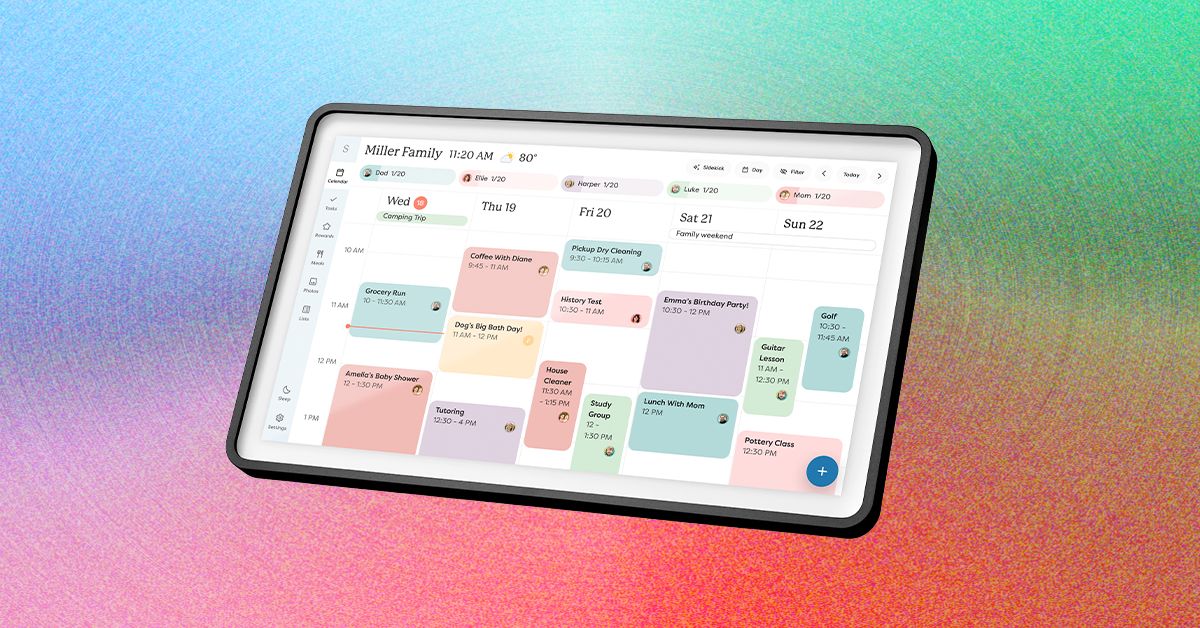
Your calendars is the default page Calendar 2 shows you, but it’s not all this device can do. There are several tabs you can click through: Lists, Tasks, Rewards, Meals, Recipes, and Photos, then Sleep and Settings. Besides Sleep and Settings, which both relate to different settings on your device, these pages will take some work to become truly useful. Some of these features are also blocked by a paywall. You’ll need a Plus Plan subscription, which costs $79 a year or $8 a month, to get access to Rewards, Meals, and Skylight’s in-app AI tool, Sidekick.
Photograph: Nena Farrell
Meals is easy to start casually using to plan out your meals for the week, but if you have a bunch of homemade recipes you love, you can manually add them to the Recipes tab. Why bother with adding an entire recipe? Because then, when you add that recipe to your meal list for the week, the Skylight will ask if it should also add the ingredients to your grocery list over on the Lists tab. I didn’t love that every time I added one of my recipes manually it would ask if I wanted to add the ingredients to my shopping list, but it’s a reasonable flow of actions and one that could be more useful if I converted to Skylight being my sole grocery shopping list.
I really like the visual aspect of both my family’s calendar and the Meals page. I quickly typed in “Giant Meatball” for one of our dinners to represent a Costco dinner in our fridge and was able to assign it to Friday’s dinner. You can either add items to your meal plan on Calendar 2 itself or in the Skylight app, which provides access to all the same pages you see on the device. The Calendar 2 doesn’t seem to memorize any quick meals I write in, though; I’d have to save them to Recipes to use continually or mark them as a repeating meal on a specific day. I also love that if there’s an event on both my husband’s calendar and mine, the Skylight will only have it on the screen once and will put both colors for our calendars to indicate it’s a shared event.
The Tasks page also works fine if you want a list of tasks for each family member, but even for tasks I set a certain time for, I didn’t see any alerts on the device or my phone. Once I opened the Tasks page, I could see that I was two days late to “Bring Form to Dentist Appointment,” but I think these pages would be easy to ignore. It’s something you’d have to build as a habit and shouldn’t be relied on for a timed task you’d like to complete. Meanwhile, Rewards is linked to tasks, letting you set how many stars you need to earn by completing tasks to earn a reward you’ll set for yourself or other members of your house, such as your kids.
The Paywalled Garden

Photograph: Nena Farrell
My biggest complaint with Skylight is its paywall. Its calendar devices require the Plus Plan ($79 a month or $8 a year) to use all features, including the photo screen saver, which I think is a huge bonus for the device. While Skylight isn’t my favorite digital photo frame, and the 15-inch frame doesn’t have the perfect orientation for showing photos, having the screen saver option turns the device into a great multiuse screen that the entire family can enjoy.










What do you love about coffee? Is it the caffeine boost in the morning, the creamy sweetness of a cappuccino or latte, the bucket of filter coffee you can sip on all day, or the quick kick of a good espresso? Or is it the zen-like ritual of it all, the measuring of beans and the precision of the perfect extraction? Good thing it’s much better for you than science previously realized.
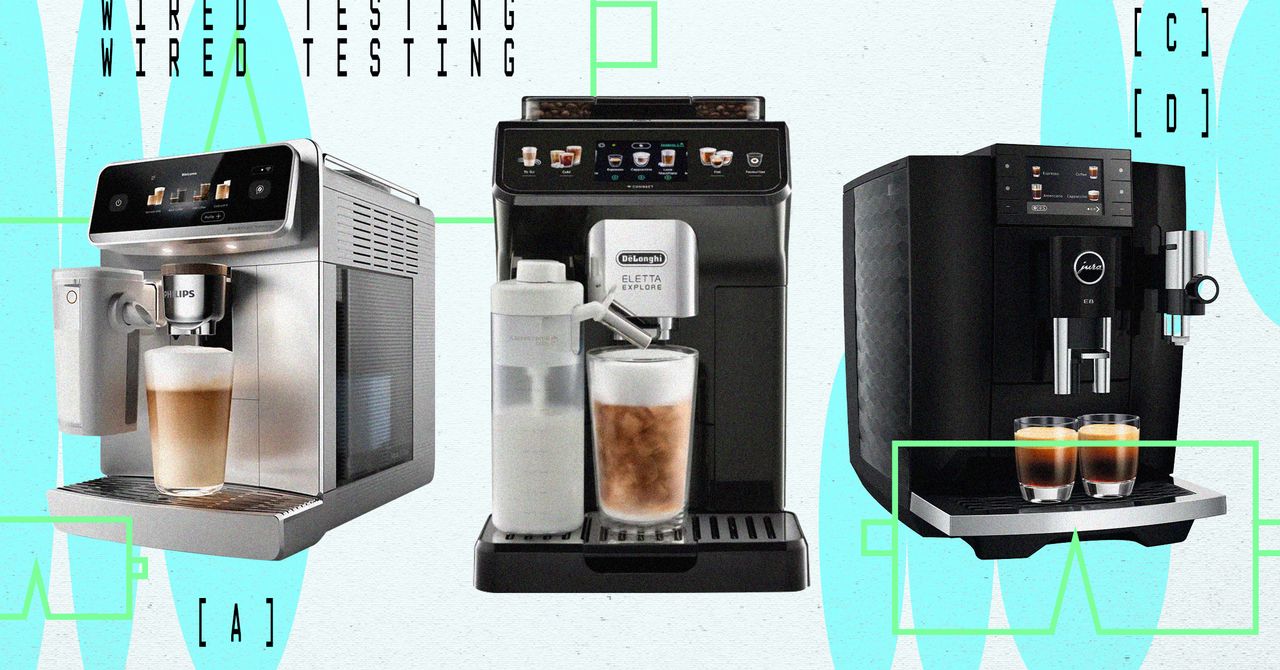
If the marketing hype is to be believed, you can have it all, thanks to the best in fully automatic coffee machines. These compact countertop cafés promise to deliver a vast menu of drinks at the touch of a button, all with no barista prowess needed. But are the brews actually any good?
WIRED tests a lot of coffee machines—productivity would grind to a halt if we stopped. But for this group blind test, we wanted to see what coffee professionals thought of the drinks produced by the “best” in fully automatic machines, without being influenced by any fancy design or brand awareness. We’re not judging the machine’s usability here, the app’s interface (there’s always an app), or how easy it is to clean. We only want to know about the Joe.
By the end of our experiment, it was clear that while money can buy you endless choice and push-button convenience, it doesn’t necessarily guarantee barista-grade, café-quality coffee at home.
Our Experts
Adam Cozens is the cofounder of Perky Blenders, a UK specialty coffee brand from coffee-shop-dense, hipster-populated East London. He was joined in WIRED’s test café by his business manager and coffee aficionado Calum Hunt. Launching in 2015 from a three-wheeled coffee cart, they now have multiple cafés and more than 100 retail partners across the UK.
For this test, they chose their Forest Blend beans, noted for their dark chocolate, molasses, and walnut notes, creamy body, low acidity, and a sweet, lingering finish. Crucially, Cozens and Hunt know implicitly how the Forest Blend beans should taste, and they are ideally positioned to decide which of our machines produces the best coffee with the most accurate flavor profile from the beans provided.
The Test
Each of the machines we chose is a fully automatic bean-to-cup behemoth capable of producing upwards of 50 types of coffee drinks at the push of a button; everything from espresso and cortado to iced lattes with syrup or a simple long black.
WIRED chose the latte—America’s most popular steamed-milk coffee order—and a classic espresso to blind taste test. The latte allows us to test the milk-heating, frothing, and steaming mechanisms, while the espresso reveals any weaknesses in extraction and coffee flavor. Per Cozens’ instructions, we used organic whole milk.
Our experts were blindfolded and then presented with one latte and one espresso from each machine. Labelled A, B, C, and D, the machines were visible to the testers, but they had no idea which coffee came from which. They then assessed each drink on looks, milk-steaming quality, crema (the golden aromatic foam on top of espresso), temperature, extraction, and flavor. The coffees were then ranked in order from best to worst.
To reiterate, this is not a test of the machine’s usability, desirability, or features. Each design can have every aspect of every recipe tweaked, but we’re not convinced the average buyer will want to dive deep into the settings. These are sophisticated push-button machines designed to take the faff and fiddle out of making good coffee at home—anything for an easy life.
The Coffee Machines
Machine “A”
One of only a few machines capable of making espresso-based drinks and classic drip coffee, the TK-02, from NYC-based Terra Kaffe, is a gorgeous-looking piece of kitchen kit with premium components, a delightful glass milk carafe, a super-cool monochrome touchscreen, extensive personalization, and full app control.
Higher education has long been a target of ransomware gangs and data extortion attacks. But never before, perhaps, has a cyberattack against a single software platform so thoroughly disrupted the daily operations of thousands of schools across the United States.
The widely used digital learning platform Canvas was put into “maintenance mode” on Thursday after its maker, the education tech giant Instructure, suffered a data breach and faced an extortion attempt by attackers using the recognizable moniker “ShinyHunters.” Though the hackers have been advertising the breach and attempting to extract a ransom payment from Instructure since May 1, the situation took on additional immediacy for regular people across the US and beyond on Thursday because the Canvas downtime caused chaos at schools, including those in the midst of finals and end-of-year assignments.
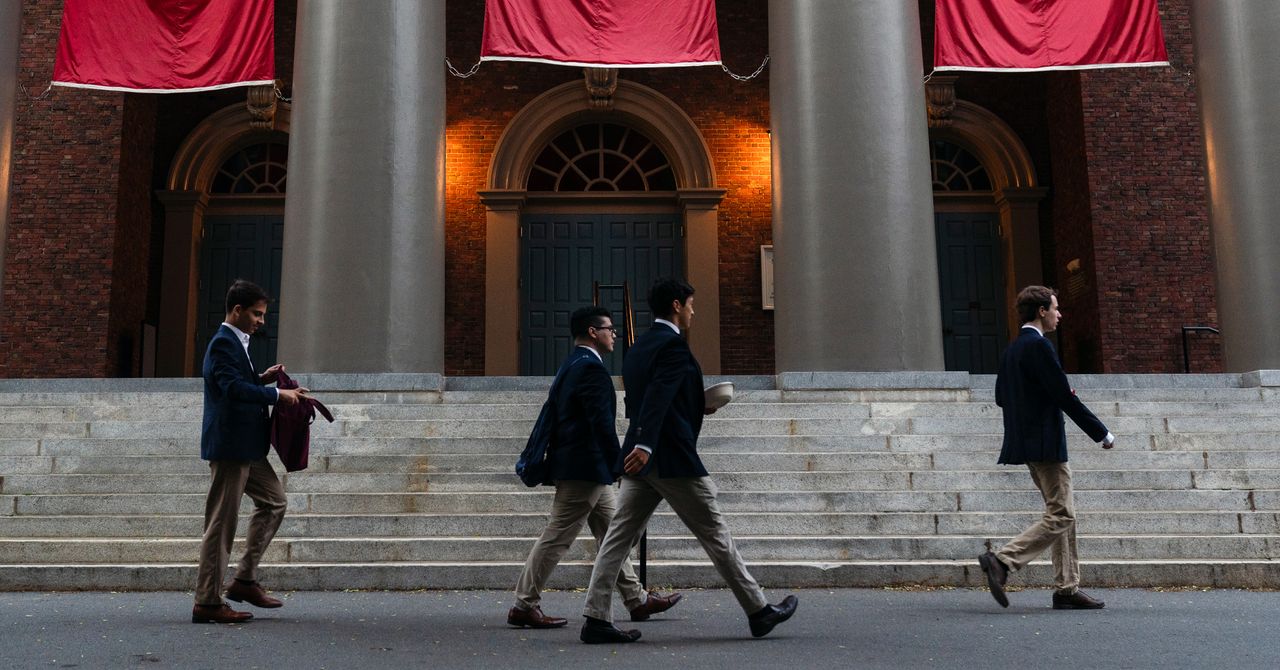
Universities like Harvard, Columbia, Rutgers, and Georgetown sent alerts to students about the situation in recent days; other institutions, including school districts in at least a dozen states, also appear to have been affected. In a list published by the hackers behind the attack on their ransom-focused dark web site, they claim the breach affected more than 8,800 schools. The exact scale and reach of the breach is currently unclear, though. And the fact that Canvas was down throughout Thursday afternoon and evening further complicated the picture.
In a running incident update log that began on May 1, Steve Proud, Instructure’s chief information security officer, said that the company had “recently experienced a cybersecurity incident perpetrated by a criminal threat actor.” He added on May 2 that “the information involved” for “users at affected institutions” included names, email addresses, student ID numbers, and messages exchanged by users on the platform.
The situation was ultimately marked as “Resolved” on Wednesday, with Proud writing that “Canvas is fully operational, and we are not seeing any ongoing unauthorized activity.” At midday on Thursday, though, the Instructure status page registered an “issue” where “some users are having difficulties logging into Student ePortfolios.” Within a few hours, the company had added another status update: “Instructure has placed Canvas, Canvas Beta and Canvas Test in maintenance mode.” Late Thursday evening, the company said that Canvas was available again “for most users.”
TechCrunch reported on Thursday that the hackers launched a secondary wave of attacks, defacing some schools’ Canvas portals by injecting an HTML file to display their own message on the schools’ Canvas login pages. According to The Harvard Crimson, attackers modified the Harvard Canvas login page to show a message that included a list of schools that the hackers claim were impacted by the breach.
The message from attackers “urged schools included on the affected list to consult with a cyber advisory firm and contact the group privately to negotiate a settlement before the end of the day on May 12—or else risk their data being leaked,” The Crimson reported. “It is unclear what information tied to Harvard affiliates was included in the alleged breach.”
Instructure did not immediately respond to a request for comment about Thursday’s outages and how they fit into the bigger picture of the breach. But the situation is significant given that a massive trove of student information has potentially been exposed, and the visibility of the incident across the country makes it a key example of a longstanding, yet endlessly escalating problem of data extortion and ransomware attacks.
The ShinyHunters name is associated with massive data dumps and has been linked to the infamous hacker collective known as the Com. But as the constellation of actors has shifted over the years, numerous attackers have taken up the most prominent Com-related monikers. A number of recent attacks have invoked other names, such as Lapsus$, with little or no connection to the original group that operated under the name.
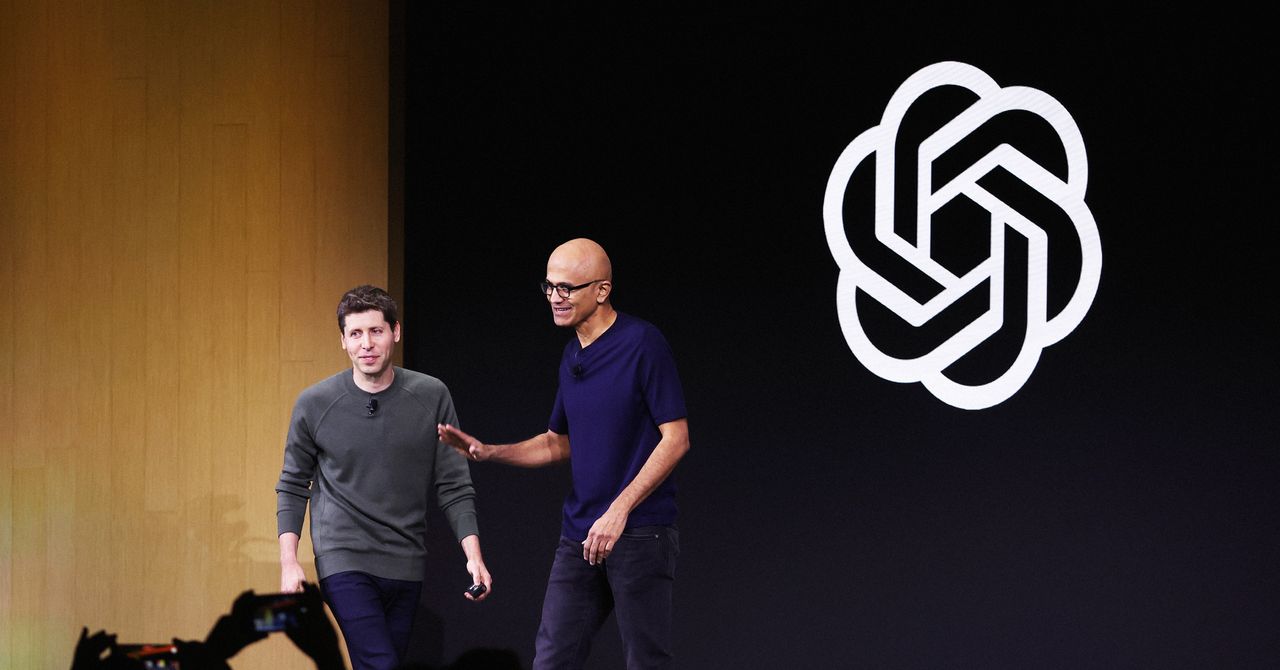
OpenAI’s relationship with Microsoft, its longtime investor and cloud partner, has grown increasingly complicated over the years as the ChatGPT-maker has grown into a behemoth competitor.
But Microsoft executives had reservations about sending additional funding to OpenAI as far back as 2018 when it was just a small nonprofit research lab, according to emails between more than a dozen Microsoft executives, including CEO Satya Nadella, shown in a federal court on Thursday during the Musk v. Altman trial.
The emails show how Microsoft, at the time, wavered over what has since been held up as one of the most successful corporate partnerships in tech history. Several Microsoft executives said in the emails their visits to OpenAI did not indicate any imminent breakthroughs in developing artificial general intelligence. In 2017, much of OpenAI’s work was focused on building AI systems that could play video games, which showed early signs of success. But OpenAI needed five times more computing power than it had originally secured from Microsoft to continue the project.
Microsoft worried that not providing support could push OpenAI into the arms of Amazon, the world’s dominant cloud computing provider at the time. Roughly 18 months after the emails were sent, Microsoft announced a landmark $1 billion investment in OpenAI after the lab created a for-profit arm that provided the tech giant with the potential to generate a return of $20 billion.
Microsoft declined to comment.
Elon Musk’s attorneys introduced the emails to show Microsoft’s evolving relationship with OpenAI. After Musk reached out to Nadella, Microsoft in 2016 agreed to provide $60 million worth of cloud computing services to OpenAI at a steep discount. OpenAI consumed the services twice as fast as expected.
The email chain kicked off on August 11, 2017, with Nadella reaching out to OpenAI CEO Sam Altman to congratulate the lab on winning a video game competition using AI to mimic a human player. Ten days later, Altman responded seeking $300 million worth of Microsoft Azure cloud computing services.
“We could figure how to fund some of it but not that much,” Altman wrote, apparently seeking a financial handout and engineering help. “I think it will be the most impressive thing yet in the history of AI.”
Nadella asked four lieutenants for their input on how to respond three days later. Microsoft’s AI team saw “no value in engaging,” according to a response from Jason Zander, Microsoft’s executive vice president, that also documented how other teams felt. Its research team thought its own work was “more advanced,” while the public relation teams didn’t like the idea of supporting a group pushing the idea of “machines beating humans.” Ultimately, Zander suggested that Azure would benefit from associating with Musk and Altman but that he wouldn’t want to “take a complete bath,” or large financial hit, in doing so.
A subsequent analysis showed that Microsoft stood to lose about $150 million over several years if it provided the services Altman wanted, according to one email. “Unless he can help us draw a more direct networking effect with OpenAI -> Microsoft business value, we will wind up having to pass,” Zander wrote.
The thread went dark for several months, but was revived on January 10, 2018, with an email to Nadella from Brett Tanzer—who signed off his emails with “Brettt”—then a director on the Azure cloud unit. Altman had told Tanzer that OpenAI could license its gaming AI to Microsoft’s Xbox video game division in exchange for “$35-50 million in Azure Credits.” But Xbox couldn’t commit that much money. Microsoft planned to tell Altman there would be no more discounts after that March, per Tanzer’s email.


We Asked Coffee Pros to Blind Test Coffee Machines. The Results Were Surprising

US’ Brooks Running posts strong Q1 growth on global demand

India’s growth may moderate to 6.6% in FY27 amid global energy shocks

-
 Business1 week ago
PSX plunges over 4,800 points | The Express Tribune
-

 Tech1 week ago
Almost half of UK businesses hit by cyber attacks | Computer Weekly
-

 Politics5 days ago
Iran weighs US reply delivered via Pakistan as Trump signals opposition to deal terms
-
 Business1 week ago
Apollo Sports Capital and Tom Dundon make landmark $225 million investment in pickleball
-

 Tech1 week ago
This Indigenous Language Survived Russian Occupation. Can It Survive YouTube?
-

 Entertainment1 week ago
David Allan Coe, country singer who wrote “Take This Job and Shove It,” dies at age 86
-
 Business1 week ago
Government hikes jet fuel prices by 5% for international airlines – The Times of India
-

 Fashion1 week ago
EU laws push APAC factories towards data over certificates