

Tech
One Tech Tip: How to prepare for outages that impact our online lives, from banking to chatting apps

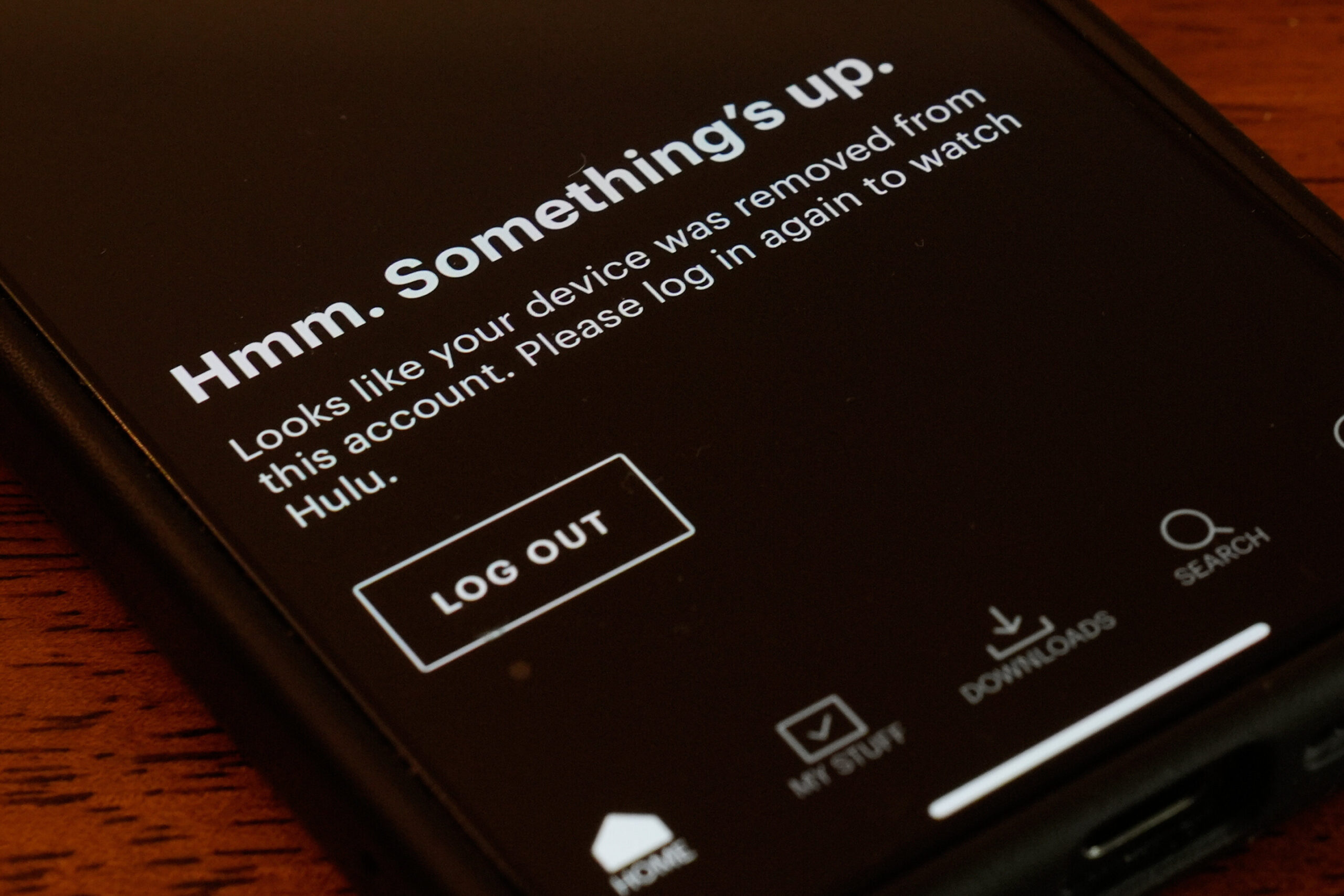
A major Amazon Web Services outage disrupted scores of online platforms on Monday—leaving people around the world unable to access some banks, chatting apps, online food ordering and more.
History shows these kinds of system outages can be short-lived, and are often minor inconveniences—such as placing a lunch order in person or waiting a few hours for a gaming platform to come back online—than long-term problems, but recovery can be a bumpy road. And for people trying to move money, communicate with loved ones or work using impacted services, disruptions are especially stressful.
Consumers may not realize how many platforms they use rely on the same back-end technology. AWS is one of only a handful of major cloud service providers that businesses, governments, universities and other organizations rely on. Monday’s outage is an important reminder of that—and experts stress it’s important to diversify our online lives where we can, or even have some “old school” alternatives to turn to as a backup plan.
“Don’t put all your eggs in one digital basket,” said Lee McKnight, an associate professor at Syracuse University’s School of Information Studies, noting these kinds of outages aren’t going away anytime soon.
So what, if anything, can you do to prepare for disruptions? Here are a few tips.
Keep your money in more than one place
During Monday’s AWS disruptions, users on outage tracker Downdetector reported problems with platforms like Venmo and online broker Robinhood. Banks such as Halifax and Lloyds also said some of their services were temporarily affected, although some customers continued to report lingering issues.
Even if short-lived, outages that impact online banking and other financial services can be among the most stressful, particularly if a consumer is waiting on a paycheck, trying to pay rent, checking on investment funds or making purchases. While much of your stress will depend on the scope and length of disruptions, experts say a good rule of thumb is to park your money in multiple places.
“I’m a big fan of holding multiple accounts that can give us access, to some degree, of funds at any given time,” said Mark Hamrick, senior economic analyst at Bankrate. This underlines the importance of having an emergency savings account, he explains, or other accounts separate from something like day-to-day checking account, for example.
Keeping some cash in a safe place is also a good idea, he adds—and emergency preparedness agencies similarly recommend having physical money on hand in case of a natural disaster or power failures. Still, it’s important to keep hoarding in moderation.
“We shouldn’t go overboard, because we can lose cash—it can be stolen or misplaced,” Hamrick said. And in terms of prudent financial practices overall, he explains, you also don’t want to have lots of money “stored under a mattress” if it could instead be earning interest in a bank.
Depending on the scope of the outage, some other options could still be available.
If digital banking apps are offline, for example, consumers may still be able to visit a branch in person, or call a representative over the phone—although wait times during widespread disruptions are often longer. And if the disruptions are tied to a third-party cloud services provider, as seen with AWS on Monday, it’s not always something a bank or other impacted business can fix on its own.
Have backup communication channels
Monday’s AWS outage also impacted some communications platforms, including social media site Snapchat and messaging app Signal.
In our ever-digitized world, people have become all the more reliant on online channels to call or chat with loved ones, communicate in the workplace and more. And while it can be easy to become accustomed to certain apps or platforms, experts note that outages serve as an important reminder to have backup plans in place.
That could take the form of simply making sure you can reach those who you speak to regularly across different apps, again depending on the scope of disruption. If broader internet and cloud services that smartphones rely on are impacted, you may need to turn to more traditional phone calls and SMS text messages.
SMS texting relies on “an older telecom infrastructure,” McKnight explains. For that reason, he notes that it’s important to have contacts for SMS texting up to date, “and not just the fancier and more fun services that we use day to day” in case of an emergency.
Meanwhile, there can also be outages that specifically impact phone services. For non-cloud service outages in the past, impacted carriers have suggested users try Wi-Fi calling on both iPhones and Android devices.
Save your work across multiple platforms—and monitor service updates
Overall, McKnight suggests “building out your own personal, multi-cloud strategy.”
For online work or projects, that could look like storing documents across multiple platforms—such as Google Drive, Dropbox and iCloud, McKnight explains. It’s important to recognize potential security risks and make sure all of your accounts are secure, he adds, but “having some diversity in how you store information” could also reduce headaches when and if certain services are disrupted.
Many businesses may also have their own workarounds or contingency plans in case the technology they use goes offline. While a wider recovery from Monday’s outage is still largely reliant on Amazon’s wider mitigation efforts, individual platforms’ social media or online status pages may have updates or details about alternative operations.
You can also check outage trackers like Downdetector to see if others are experiencing similar problems.
Even after recovery, experts also suggest checking payments, online orders and messages you may have sent during or close to the outage—in case something didn’t go through.
© 2025 The Associated Press. All rights reserved. This material may not be published, broadcast, rewritten or redistributed without permission.
Citation:
One Tech Tip: How to prepare for outages that impact our online lives, from banking to chatting apps (2025, October 21)
retrieved 21 October 2025
from https://techxplore.com/news/2025-10-tech-outages-impact-online-banking.html
This document is subject to copyright. Apart from any fair dealing for the purpose of private study or research, no
part may be reproduced without the written permission. The content is provided for information purposes only.













The iRestore Elite Helmet + Battery is on sale, from March 15 through March 31, dropping to $1,879 ($419 off). Considering the helmet alone retails for $1,899, this deal scores you a rechargeable battery at no extra cost.
The additional battery makes the treatments far more convenient. Instead of being tethered to a wall outlet, you can move around during sessions. A single charge lasts roughly two weeks of daily 12-minute treatments, so you won’t even need to recharge often.
IRestore Elite Helmet + Battery for $1,879 ($419 off)
IRestore Elite combines LEDs with its proprietary laser diodes that operate in the 655 to 680 nanometer range; the combination is designed to penetrate deeper than standard red light therapy, while the LEDs help distribute the light evenly across the scalp for maximum efficacy. Treatments take just 12 minutes a day, but like most routines, consistency is crucial. Fortunately, the included storage case makes it easy to keep up the habit even when you’re traveling.
WIRED reviewer Julia Forbes spent 16 weeks testing the iRestore Elite on both herself and her husband, who are dealing with different degrees of hair thinning and loss. Within two weeks of consistent use—alongside iRestore’s shampoo, conditioner, supplements, and serum—her husband started noticing baby hairs sprout along his receding hairline and more fullness at the crown. Forbes discovered that the treatments help prevent eczema flare-ups on her scalp.
Power up with unlimited access to WIRED. Get best-in-class reporting and exclusive subscriber content that’s too important to ignore. Subscribe Today.

You can save money and help save the planet by buying used or refurbished electronics instead of new devices. Since most of the environmental impact of devices comes from the manufacturing phase, buying secondhand gear can reduce your carbon footprint. Do it right, and buying refurbished can feel much like buying new. This guide delves into what you need to know about refurbished terminology, offers tips on what to look for to snag yourself the best deals, and lists some of the best places to buy refurbished gadgets and used electronics.
You may also be interested in How to Buy Ethical and Eco-Friendly Electronics, The Best Used Tech to Buy and Sell, What to Think About Before Buying a Used Smartphone, and How to Responsibly Dispose of Your Electronics.
Updated March 2026: I’ve added some tips for buying, new links to refurbished sellers, and advice on what to do after you buy.
Table of Contents
What Does Refurbished Mean?
There is no legal definition of refurbished. Some sellers prefer used, pre-loved, secondhand, reconditioned—the list continues. Refurbishment implies that the seller has tested the device and may have repaired and cleaned it, but the only way to be sure is to read the fine print and understand what the seller means by whatever term is used.
If you’re lucky, you may get an open-box device, which a buyer has opened but never actually used. Sellers are not legally allowed to resell returned devices as new, and it’s common for all returns to end up sold in the same place. At the other end of the scale, you may end up with a device that looks like it has survived the apocalypse and doesn’t work.
Tips for Buying Refurbished
I’ll recommend a few good places to buy refurbished electronics below, but first, let’s explore what you should look for in a seller and what you need to do to protect yourself when you buy.
While buying older electronics is often a great way to save money, there are a few things to keep in mind. It may make more sense to buy a discounted flagship phone from a couple of years ago than a brand-new budget phone, for example, but there are also some potential cons. Always consider software updates and ask:
- How many more years of software updates will the product receive?
- How long will it continue to get security updates?
- What version of the software does it come with?
- How easy is it to update the software?
Aside from working out what the seller means by refurbished, you should read the listing for any potential purchase very carefully and try to answer questions such as these:
- Has it been tested, and does everything work?
- Does it have a new battery or a guarantee about battery health? (This is crucial for old phones and laptops.)
- Has it been wiped if a previous user set it up?
- Is there any cosmetic damage like scratches or cracks? (Look for a transparent grading system.)
- What is included? (Does it come with chargers, cables, manuals, and original packaging?)
- Is there any warranty offered? (The longer the better.)
- If there is a problem, how do returns work? Do you have to pay, and what is the return window?
If you’re uncertain about anything, it’s worth asking before you buy to avoid disappointment.
Photograph: Simon Hill
There are protections for purchases, such as Section 170 of the Fair Credit Billing Act in the US or Section 75 in the UK. But you should use a credit card for purchases to get the best charge-back protection and avoid going through a third-party payment service, such as PayPal. Some banks and credit card companies are better than others, so it’s worth researching their reputations and the protections they offer.
If you can inspect and test devices before you buy, do it. Otherwise, you should closely examine and thoroughly test any device you buy immediately when you receive it. Remember that there is a limited window to report any faults or issues with the condition and return an item. Always keep the box and packaging it arrived in at least until you are satisfied that you won’t need to return it.
You’ve done your initial tests and decided that you are keeping the refurbished device you bought, but there are still a couple of things you might consider doing before you start using it.
Best Places to Buy Refurbished Electronics
Photograph: Simon Hill
You have an enormous choice when buying refurbished electronics, so let’s break down your options.
We have had some good experiences buying refurbished devices from their original manufacturers, which makes sense since they know precisely how to test and repair their own devices. All of these manufacturers certify the refurbished devices they sell, and most offer at least a one-year warranty, but the savings vary; for example, Apple offers up to 15 percent off, while Dell offers up to 50 percent off.

Vivid Seats has been part of some of the highest of highs and lowest of lows of my concert-going experience. Because of Vivid Seats, I was able to get a last-minute ticket to Chance the Rapper’s sold-out Coloring Book show at the Oracle Arena in Oakland in 2017 (before he fell off; IYKYK). Vivid Seats helped me (and my sister) see our idol, Bad Bunny for the third time last year amidst the terror of trying to secure limited tickets to see a future Super Bowl performer and heartthrob.
While many concerts, sports events, and theater ticket resellers are shady—double-posting limited tickets and gouging prices—Vivid Seats has almost a 4 out of 5 stars on Trustpilot, keeping up with big dog ticket resellers like StubHub and SeatGeek. If you missed out on the initial release of tickets for your favorite artist’s tour, or just want to look for cheap tickets to a Broadway show while in the Big Apple, Vivid Seats has you covered. We have a Vivid Seats promo code and other deals to help you never miss the moment.
Unlock a Free Ticket: Buy 10 Tickets, Get the 11th Free
If you’re an avid concert-goer, signing up for a Vivid Seats Rewards account is a great way to save a whole lot more on tickets you were already planning to buy and events you were already planning on attending. To begin saving, you’ll need to join the Vivid Seats Rewards program (free sign-up) to start earning towards your next event. Plus, with a rewards account, you’ll get perks like a free birthday reward and surprise seat upgrades.
Then, you’ll begin earning rewards for every purchase, eventually earning a reward credit equal to the average price of your 10 previously purchased tickets (excluding taxes and fees). Once you buy 10 tickets, you’ll get the 11th ticket free via Vivid Seats Rewards.
Verified Members Can Get 10% Off at Vivid Seats
Vivid Seats wants to reward the people who need to unwind and let loose with fun events the most, offering 10% off ticket orders of $25 or more for verified students, military, first responders, medical providers, nurses, and teachers. Just make sure to verify your ID and once confirmed, you’ll be able to start raking in Vivid Seats discount codes to sporting events, concerts, theatre, and more. This 10% off deal is good for up to $30 in total savings, meaning that you can get huge discounts on a more expensive major purchase. (Like that time I spent $1,200 on Bad Bunny tickets in an attempt to help cure my Pandemic depression … theoretically.)
Reveal App-Only Deals and Rewards for Maximum Savings
If you want even more Vivid Seats discount codes and promos, make sure you download the Vivid Seats app. There, you’ll be able to access exclusive mobile discounts and manage your rewards progress, like the “Buy 10, Get 11th Free” promo mentioned above. Plus, you’ll also find a Vivid Seats coupon specifically for mobile users, rewarding you with discounts for downloading a free app. Through the app, you can even sign up for push notifications on price drops on events you are tracking.
Grab Last-Minute Ticket Deals This March
One of the best skills I’ve learned living in New York City and attending Broadway shows, concerts, and arts events is how to scour last-minute deals on sought-after shows. Many times, venues will dramatically slash prices for day-of events to get butts in those seats. I recommend you check Vivid Seats (especially the convenient in-phone app) often, as prices most often fluctuate wildly as the event date approaches, dropping nearer the date of the event. Plus, with the Vivid Seats app, you can get your tickets instantly to your phone, and electronic delivery ensures you receive your tickets quickly, even if you buy them hours before the show. Plus, if you apply a Vivid Seats promo code to your first order, you can stack the savings on your initial last-minute purchase.


Men’s 2026 March Madness odds: Duke, Michigan, Arizona among the championship favorites

Trump pleads NATO and China for help to reopen Strait of Hormuz

Firms to get £3,000 for each unemployed 18-24 year-old they hire

-

 Politics1 week ago
India let Iran warship dock the day US sank another off Sri Lanka, say officials
-

 Entertainment1 week ago
Harry Styles kicks off new era with ‘One Night Only’ comeback show
-
 Business1 week ago
Restaurant group changes name after bid to buys pubs across the UK
-
 Business4 days ago
Stock market crash today (March 12, 2026): Nifty50 opens below 23,600; BSE Sensex down over 900 points on continuing US-Iran war – The Times of India
-
 Tech1 week ago
It’s Time to Wrangle Your Messy Wires With Our Handy Guide to Cable Management
-
 Business1 week ago
Inside the booming business of wellness third spaces and membership clubs
-

 Sports1 week ago
Aaron Judge leads Team USA to World Baseball Classic opener win over Brazil
-

 Fashion6 days ago
Intertextile Shanghai 2026: Fringe events spotlight market trends